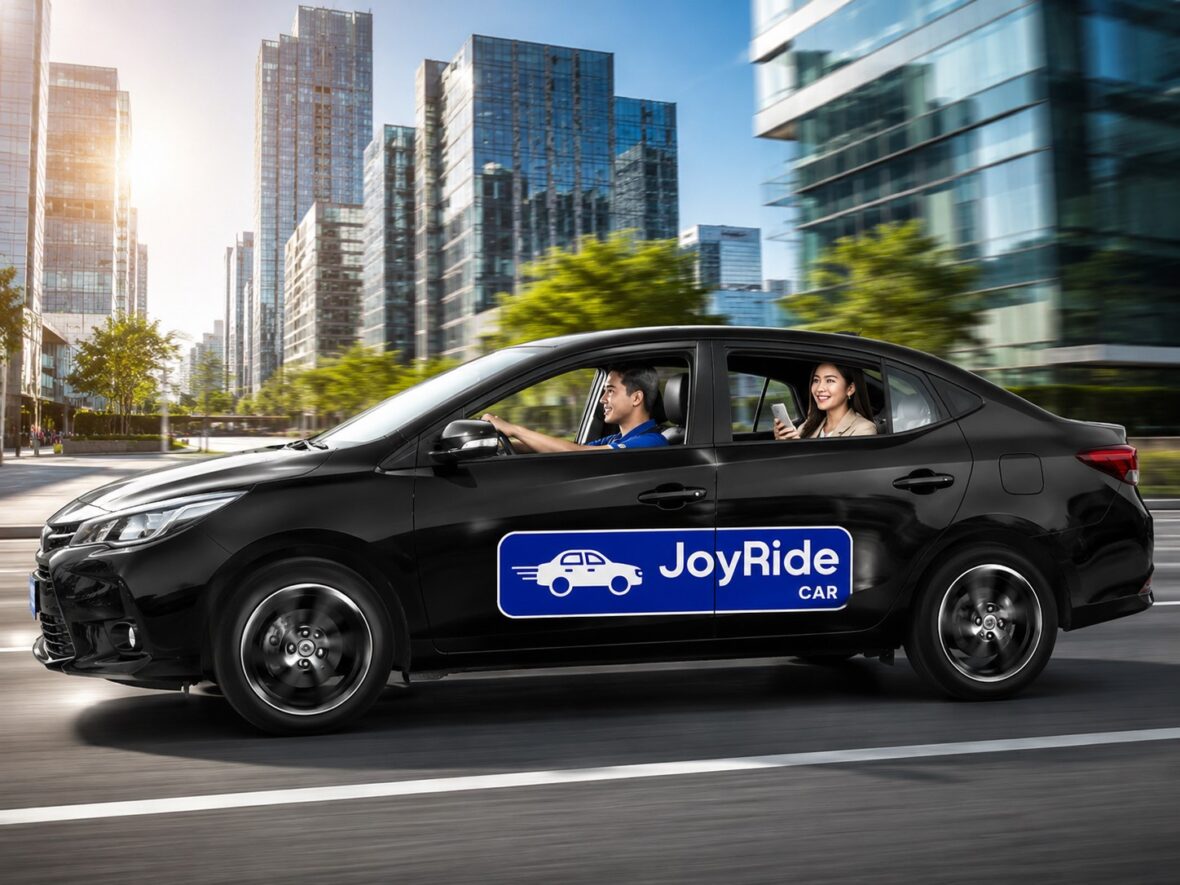
Motorcycle taxis are useful when you are traveling alone and trying to move through heavy traffic quickly. However, there are many situations when a private car is simply the more practical choice.
You may be traveling with your family, carrying several bags, wearing formal clothes, commuting during heavy rain, or heading to an appointment where you do not want to arrive tired and sweaty.
This is where JoyRide Car can help.
JoyRide Car is the private four-wheel ride-hailing service available through the JoyRide app. Instead of waiting beside the road for a taxi, you can enter your pickup point and destination, review the estimated fare, choose an available vehicle category, and request a driver from your phone.
JoyRide currently advertises both four-seater and six-seater Car options, although the vehicle choices displayed can depend on your location and nearby driver availability.
This guide explains how to book JoyRide Car, how its fares are calculated, which vehicle option to choose, how to pay, and what passengers should check before entering the vehicle.
This article was updated in July 2026. JoyRide may change its vehicle options, fares, payment methods, coverage, promotions, and app interface. Always treat the information displayed in your live booking as the final reference for your trip.
Content
What Is JoyRide Car?
JoyRide Car is JoyRide’s private car-hailing service for passengers who prefer a four-wheel vehicle.
The service is different from JoyRide MC Taxi, which uses motorcycles, and JoyRide Taxi Cab, which allows passengers to request a metered taxi. JoyRide also has Super Taxi, a separate next-generation taxi service operating at regular metered rates.
JoyRide Car may be a good option for:
- Families and small groups
- Passengers carrying luggage
- Trips during rain
- Longer city journeys
- Business appointments
- Hospital or clinic visits
- Airport drop-offs
- Late-night transportation
- Passengers uncomfortable riding motorcycles
- Travelers who prefer an air-conditioned vehicle
The current JoyRide passenger app describes Car as offering four-seater and six-seater vehicles.
JoyRide Car vs. MC Taxi, Taxi Cab, and Super Taxi
Before booking, make sure you understand which JoyRide service you are selecting.
| Service | Main Vehicle | Fare Type | Best For |
|---|---|---|---|
| JoyRide MC Taxi | Motorcycle | App-calculated motorcycle fare | One passenger traveling light |
| JoyRide Car | Private car | App-generated TNVS fare estimate | Families, groups, luggage, and comfortable travel |
| JoyRide Taxi Cab | Regular taxi | Authorized taxi meter | Passengers who prefer metered taxi pricing |
| JoyRide Super Taxi | Dedicated taxi | Regular metered rates | Upgraded taxi experience and airport services |
| Airport Transfer | Super Taxi or assigned transfer vehicle | Advance quotation or scheduled pricing | Pre-booked airport pickup or drop-off |
JoyRide’s official website distinguishes Car as travel through a private vehicle, Taxi Cab as a metered taxi service, and Super Taxi as a next-generation taxi operating at regular metered rates.
Choose JoyRide Car When:
- You want to see an estimated ride-hailing fare before confirming.
- You prefer a private TNVS vehicle.
- You need a four- or six-passenger option.
- You want more space than a motorcycle provides.
- You are traveling with companions.
Choose Taxi Cab When:
- You prefer a regular metered taxi.
- You are comfortable with the final fare depending on the actual taxi meter.
- Taxi Cab has better driver availability at your location.
Choose Super Taxi When:
- You want JoyRide’s dedicated taxi service.
- You are arranging an eligible airport transfer.
- You need a scheduled ride offered through JoyRide’s Airport Transfer section.
Where Is JoyRide Car Available?
JoyRide’s current passenger-app listing says its broader platform is available around the clock in areas including:
- Metro Manila
- Rizal
- Bulacan
- Cavite
- Laguna
- Pampanga
- Bicol
- Cebu
- Cagayan de Oro
- Other expanding locations
JoyRide says it has expanded its services throughout Luzon, Visayas, and Mindanao.
However, this does not guarantee that JoyRide Car is available throughout every city, municipality, or barangay in those areas.
You may encounter situations where:
- MC Taxi appears but Car does not.
- Four-seater vehicles are available but six-seaters are not.
- Cars are available in the city center but not in a distant barangay.
- A fare is displayed but no nearby driver accepts.
- Driver availability is better during the day than late at night.
The most reliable way to check is to open JoyRide, select Car, and enter your exact pickup point and destination.
What Do You Need to Book JoyRide Car?
Before requesting a car, prepare:
- A registered JoyRide passenger account
- An active mobile number
- A smartphone with mobile data
- Location services or GPS
- The correct pickup point
- The correct destination
- A supported payment method
- Enough phone battery to manage the booking
JoyRide’s published terms require users to provide accurate and current account information and state that users accepting the service terms must be at least 18 years old or otherwise legally able to enter the agreement.
How to Download the JoyRide Passenger App
Step 1: Open Your Official App Store
Android users should open the Google Play Store.
iPhone users should open the Apple App Store.
Step 2: Search for JoyRide
Search for:
JoyRide: Book Moto Taxi & Car
Make sure you download the passenger app rather than the separate JoyRide Driver app.
The current Android passenger app has more than 10 million downloads and was most recently updated on June 26, 2026, at the time this guide was prepared.
Step 3: Install or Update the App
Tap Install, Get, or Update.
Using the latest version may help ensure that current services, vehicle options, payment methods, and booking features appear correctly.
Step 4: Register or Log In
Enter your active mobile number and complete any OTP verification requested by the app.
Never share your JoyRide OTP with a driver, caller, social-media account, or person claiming to offer a special promo.
JoyRide Car Vehicle Options
JoyRide currently advertises two general Car capacities:
- Four-seater
- Six-seater
The exact names shown in the app may vary, and a particular option may disappear when no matching vehicle is available nearby.
JoyRide Car Four-Seater
A four-seater is generally suitable for:
- One to four passengers
- Couples
- Small families
- Solo travelers with luggage
- Ordinary city trips
- Business appointments
Possible vehicles may include hatchbacks, sedans, and other eligible units assigned by the platform.
Is a Four-Seater Enough for Four Passengers With Luggage?
Not always.
The passenger limit and luggage capacity are two different things.
A car may legally and physically seat four passengers but have insufficient trunk space for:
- Four large suitcases
- Several boxes
- Baby equipment
- Shopping bags
- Sports equipment
When your group has substantial luggage, a six-seater may be more practical even when there are only three or four passengers.
Add a driver note explaining the luggage before confirming.
Example:
Three passengers with three medium suitcases.
This gives the driver an opportunity to assess whether the assigned vehicle can accommodate the trip.
JoyRide Car Six-Seater
A six-seater may be more suitable for:
- Larger families
- Groups of five or six
- Passengers with several bags
- Airport trips
- Travelers wanting more interior space
- Trips involving child equipment or mobility aids
A six-seater may use an AUV, MPV, SUV, or another approved larger vehicle.
However, do not assume that every six-seater has a huge luggage compartment. Third-row seats often reduce the remaining cargo space.
When six passengers are carrying large suitcases, one vehicle may still be insufficient.
Can You Exceed the Passenger Limit?
No.
Do not ask the driver to carry more people than the booked vehicle allows.
Overloading can:
- Reduce passenger safety
- Prevent proper seat-belt use
- Violate vehicle and platform rules
- Affect handling and braking
- Create insurance or liability problems
- Lead the driver to cancel the trip
Book a larger vehicle or request two separate cars when your group exceeds the permitted capacity.
How to Book JoyRide Car Step by Step
The exact screen design may change, but the basic process should remain similar.
Step 1: Open the JoyRide App
Make sure that:
- You are logged in.
- Mobile data is working.
- GPS is enabled.
- Notifications are permitted.
- Your phone has enough battery.
The JoyRide home screen should display the services offered at your current location.
Step 2: Select Car
Tap Car.
Do not accidentally choose:
- MC Taxi
- Taxi Cab
- Super Taxi
- Delivery
- Pabili
- Happy Move
JoyRide Car is a private ride-hailing service. Taxi Cab and Super Taxi use metered pricing, while delivery services should not be used as passenger transportation.
Step 3: Enter Your Pickup Point
JoyRide may automatically suggest your current GPS location.
Zoom in and confirm that the pin is placed somewhere the driver can safely and legally reach.
Good Pickup Locations
A good pickup point is:
- Visible from the road
- Safe for stopping
- Outside a prohibited loading zone
- Near a recognizable landmark
- Accessible without entering a restricted road
- On the correct side of a divided street
Examples of Clear Pickup Notes
At a mall:
Transport bay near the supermarket entrance.
At a condominium:
Passenger pickup area outside Tower 2 lobby.
At a hospital:
Main entrance beside the emergency driveway, but outside the ambulance lane.
At a subdivision:
Waiting outside the main gate beside the guardhouse.
Avoid using vague notes such as:
I’m here.
or:
Near the building.
Step 4: Enter Your Destination
Search for the exact destination.
Verify:
- Establishment
- Branch
- Street
- Barangay
- City
- Building
- Gate or entrance
- Map pin
Several businesses, malls, hotels, and hospitals may share similar names.
Selecting the wrong branch can significantly change the fare and travel time.
Step 5: Review the Suggested Route
The app may display an estimated route.
The actual route can change because of:
- Traffic
- Road closures
- One-way streets
- Construction
- Flooding
- Toll-road options
- Driver navigation
- Passenger route request
A route difference is not automatically suspicious.
However, ask the driver when the car travels in a completely unexpected direction.
You can say:
Kuya, saan po tayo dadaan? Akala ko po sa main road ang route.
Step 6: Choose the Vehicle Size
Select the four- or six-passenger option when both are available.
Consider:
- Number of passengers
- Luggage
- Comfort
- Child equipment
- Mobility devices
- Fare difference
- Vehicle availability
Do not automatically choose the cheapest option when it cannot safely accommodate your group.
Step 7: Review the Estimated Fare
JoyRide displays the applicable fees and charges through the app based on prevailing rates at the time the booking is placed. Its terms also state that tolls, parking, and other incidental costs may not be included in the booking amount.
Check for:
- Estimated ride fare
- Vehicle type
- Promo discount
- Payment method
- Pickup charge
- Other displayed fees
- Final estimated total
Take a screenshot when:
- You need reimbursement.
- You are traveling for work.
- The fare is unusually high.
- A promo is important.
- You want a record in case the amount changes.
Step 8: Select Your Payment Method
JoyRide’s published terms list:
- Cash
- eCash
- JR Pay Wallet
The options displayed may depend on your account, service, and app version.
Choose the payment method you genuinely intend to use.
Step 9: Apply a Promo Code
Look for the promo, voucher, or discount field before confirming.
Check whether the promotion is valid for JoyRide Car rather than MC Taxi or Delivery.
A promo may be limited by:
- Expiration date
- New-user status
- Pickup area
- Destination
- Minimum fare
- Payment method
- Maximum discount
- Number of uses
Do not assume the promo worked until the discount appears in the fare breakdown.
Step 10: Add a Driver Note
Useful information may include:
- Exact entrance
- Gate or tower
- Clothing color
- Passenger name
- Number of large bags
- Child stroller
- Foldable wheelchair
- Booking for another person
Example:
Booking for my parents. Two passengers waiting at the hotel lobby with two medium suitcases.
Keep the note brief.
Do not place passwords, OTPs, financial information, or home-security codes in the driver note.
Step 11: Confirm the Booking
Review:
- Pickup point
- Destination
- Vehicle option
- Number of passengers
- Payment method
- Promo
- Estimated fare
- Driver note
Then tap the button to request a driver.
Step 12: Wait for a Driver to Accept
Matching time depends on:
- Number of nearby drivers
- Pickup location
- Destination
- Traffic
- Weather
- Time of day
- Passenger demand
- Vehicle category
- Driver supply
A six-seater may take longer to find because fewer large vehicles may be online.
Keep the app open or allow notifications so you do not miss the driver’s arrival.
Step 13: Review the Driver and Vehicle Details
Once a driver accepts, check the available information, which may include:
- Driver’s name
- Driver’s photograph
- Vehicle
- Color
- Plate number
- Estimated arrival
- Contact option
- Current location
JoyRide’s terms state that the app sends confirmation containing the details of the driver who accepted the booking.
Step 14: Contact the Driver When Necessary
Send a short message when the pickup point needs clarification.
Example:
Hi, I’m waiting at the mall’s designated ride-hailing bay beside Entrance 3.
Avoid repeatedly calling while the driver is moving.
When booking for someone else, tell the driver:
This ride is for Maria. She is wearing a red blouse and waiting at the lobby.
Step 15: Meet the Driver at the Correct Pickup Point
Be ready before the driver arrives.
Do not make the driver wait while you:
- Finish shopping
- Pack your bags
- Walk from another building
- Check out of the hotel
- Look for your companions
When several people are traveling, gather everyone before requesting the ride.
How to Verify a JoyRide Car
Do not enter the first vehicle that stops near you.
Compare:
- Driver’s face
- Driver’s name
- Plate number
- Vehicle color
- Vehicle description
Ask:
Who are you picking up?
Let the driver state the passenger’s name instead of revealing all your booking details first.
What if the Vehicle Does Not Match?
Do not board when:
- The plate number is different.
- A different driver appears.
- The vehicle is completely different.
- The driver says the registered car is unavailable.
- The driver asks you to ignore the mismatch.
- Another person is operating the account.
Move to a safe place and preserve the booking information.
A different vehicle is not a harmless detail. It can make it harder for JoyRide to verify who actually transported you.
How Much Does JoyRide Car Cost?
There is no fixed fare for every JoyRide Car trip.
The amount may depend on:
- Vehicle category
- Base fare
- Distance
- Estimated travel time
- Pickup charge
- Route
- Demand conditions
- Promo discount
- Toll
- Parking
- Added stops
- Changes during the trip
JoyRide’s terms state that the applicable fees and charges are shown through the app according to prevailing rates when the booking is made.
Current TNVS Base Fares
JoyRide Car falls within the broader Philippine TNVS ride-hailing framework.
In March 2026, the LTFRB approved a ₱20 increase in TNVS base fares. The resulting base amounts were:
| TNVS Vehicle Category | Base Fare |
|---|---|
| Hatchback or subcompact | ₱55 |
| Sedan | ₱65 |
| AUV or SUV | ₱75 |
| Premium vehicle | ₱165 |
The per-kilometer and per-minute TNVS charges remained unchanged, and passengers were also charged an additional ₱15 pickup amount under the adjustment.
These figures are regulatory components, not a promise that every JoyRide Car booking will equal the base fare plus a simple manual calculation.
The app considers your specific booking and shows the estimated total before confirmation.
Existing TNVS Distance and Time Components
Before the March 2026 base-fare adjustment, the published TNVS distance and time components were:
| Vehicle Category | Per Kilometer | Per Minute |
|---|---|---|
| Hatchback or subcompact | ₱13 | ₱2 |
| Sedan | ₱15 | ₱2 |
| AUV or SUV | ₱18 | ₱2 |
| Premium vehicle | ₱36 | ₱4 |
The December 2025 LTFRB guidance said these distance and travel-time rates applied alongside the corresponding vehicle base fare. The March 2026 adjustment left those per-kilometer and per-minute amounts unchanged.
Sample JoyRide Car Fare Illustration
Suppose a sedan trip covers five kilometers and is estimated to take 10 minutes.
A simplified illustration could look like this:
| Fare Component | Sample Amount |
|---|---|
| Sedan base fare | ₱65 |
| Five kilometers × ₱15 | ₱75 |
| Ten minutes × ₱2 | ₱20 |
| Pickup charge | ₱15 |
| Simplified amount before other adjustments | ₱175 |
This is only an example of how regulated fare components may work.
The actual app quotation may differ because of:
- Exact vehicle classification
- Pickup calculation
- Route
- Traffic estimate
- Demand adjustments
- Promos
- Platform configuration
- Tolls
- Parking
- Additional stops
Always use the fare displayed in JoyRide rather than calculating the amount yourself.
Why Can JoyRide Car Fares Change?
You may search the same route twice and see different amounts.
Possible reasons include:
Different Travel Time
A five-kilometer trip can take 15 minutes during light traffic or more than an hour during severe congestion.
Time forms part of the TNVS fare calculation.
Different Route
Road closures, one-way roads, traffic conditions, or toll options may change the mapped distance.
Different Vehicle Category
A hatchback, sedan, and AUV or SUV have different regulated fare components.
Different Pickup Point
Moving the pin to another entrance or the opposite side of the road can affect the route and pickup calculation.
Promo Changes
A voucher may expire, become available, or stop applying when you change the payment method.
Driver Supply and Demand
Permitted demand-based pricing rules can affect app quotations during periods of high demand.
Larger Vehicle Selection
A six-seater will generally cost more than a smaller vehicle because it may fall into a higher vehicle category.
Are Toll Fees Included?
Do not assume that tolls are included in the original estimate.
JoyRide’s terms specifically say toll fees, parking fees, and other incidental expenses may be charged separately from the amount displayed in the booking.
This can apply when using:
- Skyway
- NAIAX
- CAVITEX
- CALAX
- SLEX
- NLEX
- SCTEX
- TPLEX
- Other toll roads
Before entering the expressway, ask:
- Which toll road will be used?
- Is the route optional?
- How much is the estimated toll?
- Is it included in the app fare?
- Will I pay cash or reimburse the driver?
A toll route may cost more but save a considerable amount of time.
Are Parking Fees Included?
Parking charges may also be collected separately.
Parking may apply when the driver enters:
- Airport parking
- Mall parking
- Condominium basement
- Hospital parking
- Hotel parking
- Commercial compound
- Paid pickup area
Ask about the charge before entering the facility when possible.
Request the parking ticket or receipt when you need proof for reimbursement.
Can the Driver Ask for an Additional Amount?
A legitimate additional charge may include:
- Toll
- Parking
- Properly displayed fare adjustment
- Agreed additional stop
- Verified cleaning or damage cost
- Other charge identified under the booking rules
JoyRide’s terms state that additional toll, parking, and incidental expenses may be charged separately. They also allow verified repair or cleaning charges when a passenger causes damage or excessive cleaning beyond ordinary wear.
A driver should not invent an unexplained charge merely because:
- The pickup was far away.
- Traffic was heavy.
- The destination is inconvenient.
- The passenger used a promo.
- The driver cannot find a return booking.
Ask the driver to explain the amount and check whether it appears in the app.
How to Pay JoyRide Car With Cash
Cash is straightforward but requires preparation.
Before Booking
Choose Cash as the payment method.
Carry smaller bills when possible.
Do not expect every driver to have change for ₱1,000 on a short trip.
At the Destination
Confirm:
- Final fare
- Toll
- Parking
- Other agreed charge
- Amount handed over
- Change received
Do not leave until the payment is properly settled.
How to Pay JoyRide Car Through eCash or GCash
JoyRide’s published terms allow eCash as a payment method.
Depending on the current booking flow, eCash may require you to transfer the fare electronically to the driver’s confirmed account.
Safe eCash Steps
- Select eCash before booking.
- Verify the assigned driver and vehicle.
- Confirm the driver’s GCash, Maya, or bank details.
- Wait for the final fare.
- Check the recipient’s displayed name.
- Enter the correct amount.
- Wait for a successful status.
- Show the receipt.
- Ask the driver to confirm receipt.
- Keep the reference number.
Do not send money while the app is still searching for a driver.
How to Pay With JR Pay
JR Pay is JoyRide’s in-app prepaid wallet.
JoyRide’s terms say eligible fees can be automatically deducted from the JR Pay balance after the driver reaches the destination and ends the trip. Final adjusted rates and applicable additional charges may also be deducted.
Before using JR Pay:
- Check your balance.
- Review the top-up status.
- Make sure Car supports the wallet on your account.
- Keep the top-up receipt.
- Allow room for a final adjustment.
The current terms contain different provisions concerning refund rights and wallet-credit restrictions, so review the latest in-app conditions and avoid loading more than you reasonably expect to use.
Can You Change the Payment Method After Booking?
The available option may depend on the booking stage and app version.
When the driver has not yet arrived, check whether the app allows you to edit the payment method.
When it cannot be changed, contact the driver immediately and ask whether an alternative is acceptable.
Do not wait until the destination before saying:
Wala pala akong cash. GCash na lang.
The driver may not have GCash or may have reached a transaction limit.
The best approach is to select the correct payment method before requesting the ride.
JoyRide Car Tips for Airport Trips
JoyRide Car may be useful for ordinary airport drop-offs when the service and route are available.
However, JoyRide also offers a separate Airport Transfer option using Super Taxi. Passengers can pre-book airport pickups and drop-offs through the Airport Transfer section, and JoyRide operates a 24-hour Super Taxi lounge at the NAIA Terminal 3 Arrivals Area near Gate 7.
Before Booking to the Airport
Confirm:
- Airport
- Terminal
- Airline
- Flight departure time
- Number of passengers
- Number and size of bags
- Vehicle capacity
- Toll route
- Pickup allowance
Do not simply enter “NAIA.”
Select the correct terminal.
Allow Extra Time
Consider:
- Driver matching
- Traffic
- Toll queues
- Road closures
- Airport security
- Airline check-in
- Baggage drop
- Immigration
- Terminal congestion
Do not book based only on the travel time shown during an ordinary day.
Choose the Right Vehicle
A four-seater may be enough for:
- One or two travelers
- Two medium suitcases
- Several small bags
A six-seater may be more appropriate for:
- Families
- Several passengers
- Multiple suitcases
- Longer airport trips
When six passengers each have a large suitcase, consider booking two vehicles.
How to Book JoyRide Car for Another Person
You may need to book for a parent, friend, visitor, colleague, or customer.
Set the Passenger’s Actual Pickup Point
Do not use your own location unless you are with the passenger.
Add the Passenger’s Name
Example:
Booking for my father, Roberto. Waiting outside the clinic wearing a gray shirt.
Share the Driver Details
Send the passenger:
- Driver’s name
- Vehicle
- Plate number
- Estimated arrival
- Fare
- Payment arrangement
Tell the Driver
Explain that someone else will ride.
Clarify Payment
Decide whether:
- The passenger will pay cash.
- You will pay electronically.
- JR Pay will be deducted.
- The passenger will reimburse you.
Do not make the driver resolve the confusion at the destination.
JoyRide Car Tips for Families With Children
Make sure every passenger has an appropriate seat.
Do not ask a child to sit on an adult’s lap merely to exceed the vehicle limit.
Parents and guardians should follow current Philippine child-restraint requirements and choose a vehicle that can properly accommodate the child and any required seat.
When bringing your own child seat:
- Tell the driver in advance.
- Allow time to install it.
- Confirm that the vehicle seat belt is compatible.
- Do not block another passenger’s required seating space.
A larger vehicle may be more practical when traveling with a stroller, child seat, diaper bag, and luggage.
Tips for Senior Citizens and Passengers With Disabilities
JoyRide Car may be more appropriate than MC Taxi for passengers who have difficulty balancing or climbing onto a motorcycle.
Add a short note when assistance may be needed.
Example:
Passenger is a senior citizen using a foldable walker. Please allow extra boarding time.
Consider:
- Step-in height
- Door width
- Foldable wheelchair
- Walker
- Oxygen equipment
- Number of companions
- Cargo space
Do not assume every ordinary car is wheelchair-accessible.
When the passenger needs a specially adapted vehicle, contact JoyRide before relying on an ordinary Car booking.
Passenger Etiquette and Vehicle-Care Tips
Be Ready at Pickup
Drivers spend fuel and time traveling toward you.
Use the Correct Pickup Area
Do not ask the driver to violate traffic rules or block an emergency lane.
Wear Your Seat Belt
Use the seat belt even when sitting in the rear.
Keep the Vehicle Clean
Avoid:
- Leaving rubbish
- Spilling drinks
- Bringing muddy items without protection
- Smoking or vaping
- Eating messy food
- Damaging seats or doors
JoyRide’s terms allow verified repair or cleaning costs to be charged when a passenger causes damage or excessive cleaning beyond normal use.
Ask Before Eating or Drinking
The driver may not allow food or uncovered drinks.
Do Not Distract the Driver
Avoid showing the driver your phone while the vehicle is moving.
Respect Passenger Capacity
Do not pressure the driver to overload.
Check Your Belongings
Before exiting, inspect:
- Seat
- Floor
- Door pocket
- Trunk
- Space underneath bags
Commonly forgotten items include phones, wallets, chargers, umbrellas, IDs, keys, and shopping bags.
JoyRide Car Safety Tips
Verify Before Entering
Check the driver, plate, color, and vehicle.
Sit Where You Feel Comfortable
Solo passengers often prefer the rear seat.
Wear the Seat Belt
Seat belts reduce injury risk during sudden braking or collisions.
Share Your Trip
Send the booking information to someone you trust, especially for late-night travel.
Follow the Route
A different route is not always suspicious, but ask about major unexpected changes.
Protect Personal Information
You do not need to tell the driver:
- Nobody is home.
- Your complete daily schedule
- Your salary
- Where you keep valuables
- Your home-security code
- That you are carrying a large amount of cash
Keep the Booking Inside the App
Do not cancel the JoyRide booking and continue through a private arrangement simply because the driver offers a lower fare.
An off-app trip may be more difficult to document if there is a payment, safety, or lost-item issue.
Trust Your Judgment
When the driver, vehicle, or situation feels seriously unsafe, do not board.
What to Do When No JoyRide Car Driver Accepts
A failed search does not always mean Car is unavailable throughout your city.
Try these steps.
Check the Pickup Pin
Make sure it is not:
- Inside a restricted subdivision
- Behind a building
- In an underground parking area
- On a private road
- Along a no-stopping zone
- On the wrong side of a highway
Move to an Accessible Pickup Area
Use a mall transport bay, main road, hotel driveway, guardhouse, or recognized landmark when safe.
Try a Four-Seater
When a six-seater cannot be found and your group can fit safely in a four-seater, change the option.
Do not downgrade when it would cause overloading.
Wait Briefly and Try Again
Nearby drivers may still be completing other bookings.
Check Taxi Cab or Super Taxi
Another four-wheel JoyRide service may have better availability.
Use Another Safe Transportation Option
For a flight or important appointment, do not depend on repeated searches through only one app.
How to Cancel a JoyRide Car Booking
Open the active booking and look for the cancellation option.
Choose the reason that accurately describes what happened.
JoyRide’s terms say passengers may cancel before the ride begins but may be charged a cancellation fee or another notified amount, particularly when the passenger does not appear at the pickup location.
Legitimate reasons may include:
- Incorrect pickup point
- Incorrect destination
- Wrong vehicle type
- Driver or vehicle mismatch
- Excessive delay
- Unsafe situation
- Change in plans
- Driver unable to complete the trip
Avoid unnecessary cancellations once a driver is already traveling toward you.
What if the Driver Asks You to Cancel?
Ask why.
A legitimate reason may include:
- Vehicle problem
- Medical emergency
- Road closure
- Unsafe pickup location
- App error
Be cautious when the driver wants you to cancel because:
- They dislike the destination.
- They want a private cash fare.
- They want to avoid the platform record.
- They want you to choose an inaccurate cancellation reason.
Save messages or screenshots and select the reason that truthfully describes the situation.
Do not cancel and continue privately.
Common JoyRide Car Problems
The Driver Cannot Find You
Send one clear landmark.
Avoid giving several changing instructions.
The Vehicle Is Too Small
When the passengers or luggage cannot fit safely, do not force the trip.
Cancel using the most accurate reason and request a larger vehicle.
The Air-Conditioning Is Not Working
Raise the concern before the trip begins.
For a long ride, passenger with a medical need, or extremely hot weather, you may reasonably decide not to proceed.
The Fare Is Higher Than Expected
Check:
- Vehicle category
- Toll
- Parking
- Added stop
- Changed destination
- Promo removal
- Pickup point
- Time and distance
- Other app adjustment
Save the original estimate and final receipt.
You Paid Twice
Keep:
- Cash-payment details
- GCash or bank receipt
- Booking reference
- Driver information
- Date and time
Contact JoyRide and explain the sequence.
You Left Something in the Vehicle
Check your trip history and contact the driver immediately when the option remains available.
When you cannot reach the driver, contact JoyRide support with the booking details and item description.
The Driver Was Reckless or Inappropriate
Move to safety when possible.
Record specific behavior, preserve the booking information, and report the incident through official support.
What to Do After a JoyRide Car Accident
Prioritize immediate safety.
- Call emergency responders when necessary.
- Seek medical attention.
- Move away from continuing danger when possible.
- Save the booking details.
- Photograph the vehicles, plates, damage, and road when safe.
- Obtain witness information.
- File the appropriate police or traffic report.
- Keep medical records and receipts.
- Contact JoyRide promptly.
Ask JoyRide for the current accident-reporting and insurance procedure applicable to the booking.
Do not rely on old online information about coverage amounts or claim deadlines.
How to Contact JoyRide Support
JoyRide currently publishes:
Email: help@joyride.com.ph
24-hour hotlines:
- (+632) 8864-7777
- (+632) 8864-7778
The company’s main facility is at 80 Marcos Highway, Mayamot, Antipolo City.
When reporting a problem, prepare:
- Full name
- Registered mobile number
- Booking reference
- Date and time
- Pickup and destination
- Driver
- Plate number
- Initial fare
- Final fare
- Payment receipt
- Screenshots
- Description of the issue
Never share your:
- OTP
- Password
- GCash MPIN
- Bank password
- Card PIN
- Complete card details
Frequently Asked Questions
What is JoyRide Car?
JoyRide Car is JoyRide’s private four-wheel ride-hailing service. It is separate from MC Taxi, metered Taxi Cab, and Super Taxi.
How many passengers can JoyRide Car carry?
JoyRide currently advertises four-seater and six-seater options. The available choice depends on nearby vehicles and your location.
Can four passengers with luggage fit in a four-seater?
Not necessarily.
Passenger capacity does not guarantee enough trunk space. Book a larger vehicle when you have several large bags.
Can I book JoyRide Car for six passengers?
Choose the six-seater option when available.
Do not place six passengers in a vehicle booked for four.
Is JoyRide Car available 24 hours?
JoyRide says its services operate 24/7 in listed coverage areas, but actual Car-driver availability varies by location and time.
Where is JoyRide Car available?
JoyRide’s current broader coverage includes Metro Manila, Rizal, Bulacan, Cavite, Laguna, Pampanga, Bicol, Cebu, and Cagayan de Oro, with additional areas continuing to expand. Check the app for Car availability at your exact address.
How much does JoyRide Car cost?
The cost depends on vehicle category, distance, travel time, pickup, route, demand conditions, and promos.
The current app estimate is the best reference for a particular trip.
What are the current TNVS base fares?
Following the March 2026 adjustment, the published TNVS base fares were ₱55 for hatchbacks, ₱65 for sedans, ₱75 for AUVs or SUVs, and ₱165 for premium vehicles.
Are toll fees included?
Not necessarily. JoyRide’s terms say tolls, parking, and other incidental fees may be separate from the booking amount.
Can I pay JoyRide Car with cash?
Yes. Cash is one of the payment methods listed in JoyRide’s terms.
Can I pay using GCash?
JoyRide supports eCash. Depending on the current procedure, you may need to transfer the fare manually to the driver’s verified account.
Can I use JR Pay?
JR Pay is JoyRide’s in-app wallet. When it is available for your booking, eligible charges may be deducted after the trip is completed.
Can I book a JoyRide Car in advance?
JoyRide’s official advance-booking feature is most clearly advertised through Airport Transfer and scheduled Super Taxi services. Check whether your app offers scheduling for an ordinary Car booking.
Can I book JoyRide Car to NAIA?
You may search for a normal Car ride to the airport when the route is supported. JoyRide also offers a separate pre-booked Super Taxi Airport Transfer service.
Can I book for another person?
Yes, you can set the passenger’s actual pickup point, add their name in the note, share the vehicle details, and clarify payment with the driver.
Can I bring a pet?
Pet acceptance may depend on the driver, vehicle, pet size, carrier, cleanliness, and JoyRide’s current policy.
Message the driver immediately after matching rather than assuming every vehicle accepts pets.
Use a secure carrier when appropriate and protect the vehicle’s seats.
Can I bring food or drinks?
Ask the driver before consuming food or an uncovered drink inside the car.
You may be responsible for verified excessive cleaning or damage.
Can the driver refuse too much luggage?
Yes, when the luggage cannot fit safely or would obstruct passengers, doors, windows, or the driver’s view.
Book a larger vehicle or two separate cars.
What if the plate number is different?
Do not enter the vehicle. Save the booking information and report the mismatch.
What if the driver asks me to cancel?
Ask for the reason. Do not cancel and continue outside the app.
Can I add another stop?
Check whether the app allows it.
An additional stop can increase the distance, time, and final fare. Discuss the stop with the driver before changing the route.
Can I change the destination?
The option depends on the app and booking stage. A major destination change may recalculate the fare.
What should I do if I leave an item?
Use the booking history to contact the driver immediately, then contact JoyRide support when necessary.
What should I do after an accident?
Seek emergency and medical assistance first, preserve the booking details, obtain official reports, and contact JoyRide for the current incident procedure.
Final Thoughts
JoyRide Car is a useful option when you want more comfort, weather protection, passenger capacity, or luggage space than a motorcycle taxi can provide.
The booking process is straightforward: open JoyRide, select Car, set an accurate pickup point, enter the correct destination, choose a four- or six-seater, review the fare, select your payment method, and request a driver.
The details you check before confirming can prevent many problems later.
Make sure your vehicle is large enough for both the passengers and their luggage. Review whether tolls and parking will be collected separately. Apply your promo before booking, and choose the correct payment method from the beginning.
Once a driver accepts, compare the name, photograph, vehicle, color, and plate number before entering. Do not ignore a mismatch simply because you are in a hurry.
For airport and group trips, give yourself extra time and provide a clear note about bags, children, senior passengers, or mobility equipment. A little preparation can make the pickup much smoother.
JoyRide Car may not always be the cheapest available transportation option, but it can be one of the more practical choices when comfort, space, rain protection, and door-to-door convenience matter more than saving a few pesos.