Booking a Cebu Pacific flight is not always done directly on the Cebu Pacific website or app.
Sometimes, travelers book through online travel agencies or OTAs like Agoda, Booking.com, Skyscanner, or other third-party booking platforms. Some people also book through local travel agencies, tour operators, corporate travel desks, or ticketing agents.
And honestly, this can be convenient. You can compare prices, bundle hotels, check multiple airlines, or book everything in one place.
But there’s one important thing you need to understand: booking Cebu Pacific through an OTA or travel agency may work differently from booking directly with Cebu Pacific.
You may have different payment records. You may receive a different confirmation email. You may have trouble linking the booking to your MyCebuPacific account. You may need to contact the travel agency for changes, refunds, or booking problems. And in some cases, Cebu Pacific’s app or website may not recognize the booking reference provided by the third-party site.
So before booking through an OTA, here’s a practical guide to help you avoid stress.
Content
What Is an OTA Booking?
OTA means Online Travel Agency.
These are websites or apps that let you search, compare, and book travel services such as flights, hotels, airport transfers, tours, and travel packages.
Examples may include platforms like Agoda, Booking.com, Skyscanner, and similar third-party travel websites. Cebu Pacific specifically mentions third-party sites such as Agoda, Booking.com, and Skyscanner in its Help Center guidance for third-party bookings.
In simple terms, an OTA is a middleman between you and the airline.
You may still be flying Cebu Pacific, but the booking may have been created through another company’s system.
That is why some concerns may need to go through the OTA first, especially if the issue involves payment, refund, itinerary, or booking changes.
Is It Okay to Book Cebu Pacific Through an OTA?
Yes, many travelers book Cebu Pacific flights through OTAs or travel agencies.
But you need to understand the possible limitations.
Cebu Pacific says that if you arranged a booking through third-party sites or a travel agency, you should be able to manage your booking on the Cebu Pacific app or website. However, if you have problems managing the booking, getting your itinerary, claiming a refund, or if the app or website does not recognize your booking reference number, Cebu Pacific recommends contacting the travel agency or third-party site where the booking was originally created.
That is the main thing to remember.
OTA booking is not automatically bad. But when something goes wrong, you may need to deal with the OTA first.
Why Cebu Pacific Recommends Booking Directly
Cebu Pacific strongly recommends booking directly through its official website or mobile app.
The airline says booking directly allows passengers to receive real-time flight updates, get an itinerary receipt and six-digit booking reference number, handle payments securely, and manage the trip through the app. It also says Cebu Pacific no longer operates ticketing offices and advises passengers to book through the website or mobile app.
This is why direct booking is usually easier.
When you book directly, your booking is more likely to appear properly in your MyCebuPacific account. Your email and mobile number are more likely to receive official updates. Your booking reference is easier to use for Manage Booking, online check-in, and airport kiosks.
With OTA bookings, things may still work, but there can be extra steps.
Cebu Pacific Direct Booking vs OTA Booking
Here’s the simplest comparison:
| Booking Method | Best For | Main Advantage | Possible Issue |
|---|---|---|---|
| Cebu Pacific website or app | Travelers who want easier self-service | Direct updates, booking reference, app management | You need to book everything yourself |
| OTA or third-party site | Travelers comparing flights or bundling travel | Can compare prices and sometimes book with hotels | Changes/refunds may need to go through OTA |
| Travel agency | Travelers who want agent assistance | Human help with booking | Agency controls parts of the booking |
| Unauthorized third-party platform | Risky bookings | May look cheap | Booking reference may not work or may be hard to verify |
The safer option is usually direct booking, especially if you want full control through the Cebu Pacific app.
But if you use an OTA, make sure you understand who will help you if something goes wrong.
What Can Go Wrong With OTA Bookings?
Several things can happen with Cebu Pacific OTA bookings.
Your booking reference may not be recognized by Cebu Pacific’s app or website.
Your booking may not appear in your MyCebuPacific account.
You may not be able to add or link the booking.
You may need to contact the OTA for changes.
Your itinerary may come from the agency, not directly from Cebu Pacific.
Your refund request may need to go through the platform where you booked.
Your email or mobile number in the airline booking may be different from your personal contact details.
You may not receive flight updates directly if the agency’s details were used.
Your add-ons may not show the way you expect.
Cebu Pacific specifically says that for bookings made via third-party sites or travel agencies, there may be instances where the app or website does not recognize the booking reference number. If that happens, passengers should contact the travel agency or third-party site where the booking was originally created.
Booking Reference: Cebu Pacific vs OTA Confirmation Code
This is one of the most common sources of confusion.
When you book through an OTA, the platform may give you its own confirmation number. But that may not always be the same as Cebu Pacific’s six-digit booking reference.
Cebu Pacific says passengers who book directly receive an itinerary receipt and a six-digit booking reference number, which can be used for Manage Booking, online check-in, and self-service kiosks at the airport.
If the OTA gives you a long code, receipt number, order ID, or trip number, check if it is actually the airline booking reference.
If Cebu Pacific’s website or app does not recognize it, contact the OTA and ask for the official Cebu Pacific booking reference.
Can You Add or Link an OTA Booking to Your MyCebuPacific Account?
This can be tricky.
Cebu Pacific says you can use the Add Booking feature if you can’t find your booking after logging in. However, it also says you cannot add or link a booking if it is a group booking or travel agency booking.
This means that even if you have a valid Cebu Pacific flight, you may not always be able to link it to your MyCebuPacific account if it was made through a travel agency or third-party channel.
Cebu Pacific also says that if your booking was made through third-party sites or travel agencies and the app or website doesn’t recognize your booking reference, you should contact the agency or third-party site first. If you cannot contact them, you can chat with Cebu Pacific through the app or website to connect with a live agent.
So don’t panic if the booking won’t link immediately. It may be a third-party booking limitation.
Can You Manage an OTA Booking on Cebu Pacific’s Website or App?
Sometimes, yes.
Cebu Pacific says passengers who booked through third-party sites or travel agencies should be able to manage the booking on the Cebu Pacific app or website. But if they experience problems with rebooking, purchasing add-ons, updating guest details, getting the itinerary, claiming a refund, or if the booking reference is not recognized, Cebu Pacific recommends contacting the travel agency or third-party site where the booking was created.
So the best approach is:
Try Cebu Pacific Manage Booking first.
If it works, manage the booking there.
If it does not work, contact the OTA or travel agency.
If you cannot reach the OTA, chat with Cebu Pacific through the app or website and ask for help.
What Can You Do Through Manage Booking?
If your OTA booking is recognized, Manage Booking may let you do many useful things.
Cebu Pacific says Manage Booking can be used to view your itinerary, rebook flights, check in online, update guest details except email address, add baggage, settle pending balances, purchase add-ons, convert eligible bookings to Travel Fund if you have CEB Flexi, request refunds, and more.
This is why it’s worth trying Manage Booking even if you booked through a third party.
You may be able to add baggage, buy seats, check in, or view flight details.
But if the booking is not recognized or a change is not allowed, your next step is usually to contact the agency that issued the booking.
Adding Baggage to an OTA Booking
If you booked through an OTA and need checked baggage, try using Cebu Pacific’s Manage Booking.
Cebu Pacific says Manage Booking allows passengers to add baggage to an existing booking or upgrade baggage allowance by 4kg, 8kg, or 12kg.
If your booking opens normally, you may be able to add baggage there.
But if your booking reference does not work, if the booking is controlled by the agency, or if the app does not show the add-on option, contact the OTA or travel agency.
Don’t wait until airport day. If you need baggage, sort it out early.
Choosing Seats for an OTA Booking
Seat selection may also be available through Manage Booking if your booking is recognized.
Cebu Pacific says a MyCebuPacific account is required to buy, add, or change a seat, and Seat Selector is available through Manage Booking up to two hours before the flight.
If your OTA booking cannot be linked or managed properly, you may have trouble selecting seats through the app.
This matters if you are traveling with children, seniors, or a group and want to sit together.
Before booking through an OTA, check whether you can add seats during the OTA checkout. If not, check whether you can manage seat selection later through Cebu Pacific.
Rebooking an OTA Booking
Rebooking can be more complicated with OTA bookings.
Cebu Pacific’s Manage Booking feature allows rebooking when eligible, but the airline says that if you booked through a third-party site or travel agency and experience problems with managing your booking, you should contact the travel agency or third-party site where the booking was originally created.
This means the OTA may control the rebooking process.
For example, if your schedule changes and you need a new flight date, you may need to request the change through the OTA. The OTA may also have its own service fees, deadlines, or support process.
Before booking through an OTA, check their change policy carefully.
Canceling an OTA Booking
Cancellation is another area where you need to be careful.
Cebu Pacific’s Manage Booking may allow voluntary cancellation only for bookings with eligible flexibility, such as GO Flexi or CEB Flexi. But if the booking was made through a third-party site and you experience issues trying to claim a refund or manage the booking, Cebu Pacific recommends contacting the travel agency or third-party site where the booking was created.
This means you should not assume you can cancel directly through Cebu Pacific if you booked through an OTA.
Read both the Cebu Pacific fare rules and the OTA’s own cancellation policy before paying.
Some third-party sites may have their own rules on top of the airline’s rules.
Refunds for OTA Bookings
Refunds are one of the biggest reasons direct booking is easier.
If you booked directly with Cebu Pacific, refund requests may be handled through Cebu Pacific’s self-service channels if the case is eligible.
But if you booked through an OTA, the payment may have gone through the OTA. That means the refund may need to be requested from the OTA or travel agency first.
Cebu Pacific says that if passengers booked through third-party sites or travel agencies and have issues trying to claim a refund, they should contact the travel agency or third-party site where the booking was originally created.
This is why you should save all payment records, emails, receipts, and confirmation numbers from the OTA.
If you later need a refund, those documents will matter.
Itinerary Problems With OTA Bookings
Sometimes, travelers book through an OTA and do not receive the Cebu Pacific itinerary receipt directly.
Instead, they receive an OTA confirmation email.
That may be okay, but make sure you also have the actual Cebu Pacific flight details and airline booking reference.
Cebu Pacific says passengers who book directly get their itinerary receipt and six-digit booking reference, and that booking reference can be used for Manage Booking, online check-in, and airport kiosks.
If your OTA only gives you a platform confirmation number, ask for the airline booking reference.
Do this early, not on the day of your flight.
Online Check-In for OTA Bookings
You may be able to check in online if your booking is recognized.
Cebu Pacific says online check-in opens 48 hours before departure for both domestic and international flights. It closes one hour before domestic flights and two hours before international flights.
If you have the correct Cebu Pacific booking reference and passenger surname, try checking in through Cebu Pacific’s app or website.
If online check-in does not work, there may be several reasons. Your booking may need document verification, you may have an outstanding balance, the booking may be controlled by the OTA, or the booking reference may not be recognized.
In that case, arrive early and proceed to the airport counter.
Airport Check-In for OTA Bookings
If you booked through an OTA, bring extra proof to the airport.
Have your passport or valid ID, OTA confirmation email, Cebu Pacific booking reference if available, payment receipt, and any itinerary documents.
For domestic flights, bring a valid physical ID and your boarding pass or itinerary receipt.
For international flights, bring your passport, visa if required, eTravel QR if applicable, return ticket, hotel booking, and destination documents.
If the airport counter has trouble finding your booking, having more proof can help.
Flight Updates and Contact Details
One disadvantage of OTA bookings is that flight updates may not always reach you directly.
Cebu Pacific says one benefit of booking directly is receiving real-time flight updates and important notifications directly from the airline.
If you book through an OTA, check what email and mobile number were entered in the airline booking. Sometimes the agency’s contact details may be attached to the booking, or updates may go through the OTA’s system.
Before your trip, check your flight status yourself. Don’t rely only on receiving an email or SMS.
Open the Cebu Pacific app or website and verify the flight schedule before leaving for the airport.
What If the OTA Used the Wrong Email or Phone Number?
This can cause problems.
Cebu Pacific’s Manage Booking guide says email address cannot currently be corrected or updated through Manage Booking.
So if the OTA used the wrong email address, or if the booking is attached to the agency’s email, you may not receive all updates directly.
Contact the OTA and ask them to make sure your correct contact details are associated with the booking if possible.
For important trips, check your flight manually and keep in touch with the agency.
Payment Issues With OTA Bookings
If you paid through an OTA, your payment issue may need to be handled by the OTA.
For example, if your card was charged but no ticket was issued, or if you paid the OTA but Cebu Pacific cannot find the booking, contact the OTA immediately.
Cebu Pacific can help verify a flight if it exists in their system, but the OTA may still be responsible for the payment, receipt, and booking creation process.
This is why you should book only through reputable platforms.
Always save proof of payment, booking confirmation, email receipts, and screenshots.
Be Careful With Unauthorized Third-Party Platforms
Cebu Pacific warns that unauthorized third-party platforms may issue booking reference numbers that are not recognized by its system, which can make managing the booking difficult. If passengers encounter this issue, Cebu Pacific says they can chat through the app or website to connect with a live agent who can verify the booking.
This is a serious warning.
If a random Facebook page, reseller, or unofficial agent offers a very cheap Cebu Pacific ticket, be careful.
A cheap ticket is not worth it if the booking is not valid, cannot be managed, cannot be verified, or creates problems at check-in.
Use trusted platforms only.
OTA Booking for Seat Sales
Some travelers use OTAs during Cebu Pacific seat sales, but it may be better to book directly during promos.
Cebu Pacific says one benefit of booking directly is getting flight updates, itinerary receipt, booking reference, secure payments, and mobile app management.
During seat sales, prices move quickly. If something goes wrong with payment, booking confirmation, or passenger details, direct booking may be easier to resolve.
If the OTA price is similar to Cebu Pacific’s direct price, I would usually choose direct booking for better control.
If the OTA has a cheaper bundle or package, read the terms carefully before paying.
OTA Booking for International Flights
For international flights, be extra careful with OTA bookings.
International travel requires more documents: passport, visa if needed, eTravel if entering or leaving the Philippines as required, travel tax if applicable, return ticket, hotel booking, and destination forms.
Cebu Pacific’s booking guide reminds passengers to make sure passports are ready in time for travel, valid for at least six months from the date of entry, and have at least two blank pages.
If your international booking was made through an OTA, verify the airline booking reference early.
Also check whether your passport details, name, flight schedule, baggage, and contact details are correct.
Do not wait until airport day to discover that your OTA confirmation is not enough.
OTA Booking for Domestic Flights
For domestic flights, OTA bookings can be simpler because you usually only need a valid ID and boarding pass or itinerary.
But you should still verify your booking reference, baggage, and flight schedule.
If you booked a cheap fare through an OTA, check whether checked baggage is included or not.
Many Cebu Pacific fares do not automatically include checked baggage unless you selected a bundle or add-on. If you need a suitcase, add baggage early if the booking can be managed.
OTA Booking With Hotels
One reason travelers use OTAs is to book flights and hotels together.
This can be convenient, especially for destinations like Boracay, Cebu, Bohol, Singapore, Bangkok, Hong Kong, Tokyo, or Seoul.
But bundled bookings can also be more complicated if something changes.
If Cebu Pacific changes your flight schedule, what happens to your hotel? If you need to cancel the trip, does the hotel follow the airline refund rule or the OTA package rule? If you rebook the flight, can the hotel date also be changed?
Before buying a flight-and-hotel package, read the terms carefully.
Convenience is good, but flexibility matters.
OTA Booking With Connecting Flights
Be careful when booking connecting flights through OTAs.
Sometimes OTAs combine flights that are on separate tickets. This can be risky.
If your first flight is delayed and your second flight is on a separate booking, you may need to collect baggage, check in again, and handle the missed connection yourself.
Cebu Pacific’s connecting flight guide says that for flights on separate bookings or different airlines, passengers need to check in again at the layover airport to get the next boarding pass. It also says baggage must be collected and re-checked for separate bookings.
So if an OTA shows a cheap connection, check whether it is one booking or separate bookings.
Cheap connections are not always good connections.
OTA Booking and Baggage Confusion
Baggage is one of the biggest OTA booking problems.
Some travelers assume baggage is included because the OTA page is not clear. Others think hand-carry and checked baggage are the same. Some only realize at the airport that they did not buy checked baggage.
If booking through an OTA, check the baggage section carefully.
Look for:
Hand-carry allowance
Checked baggage allowance
Number of checked bags
Weight per checked bag
Baggage add-on price
Whether baggage can be added after booking
Whether baggage is handled by OTA or Cebu Pacific
If you are unsure, contact the OTA before paying.
OTA Booking and Name Errors
Name errors can be harder to fix when booked through an OTA.
Cebu Pacific says passengers should double-check the guest details page during booking and that first or last name changes are only allowed within 24 hours in certain cases.
If you booked through an OTA and typed the wrong name, contact the OTA immediately. They may need to coordinate with Cebu Pacific or process the correction through their system.
For international flights, your booking name should match your passport.
Never use nicknames. Never guess someone else’s passport name. Ask for the exact spelling before booking.
OTA Booking and Special Assistance
If you need wheelchair assistance, medical assistance, mobility support, service animal handling, or other travel assistance, booking directly may be simpler.
Cebu Pacific’s Manage Booking guide says special assistance declarations can still be made after booking, and if passengers have trouble declaring special assistance online, they can chat through the app or website to connect with a live agent.
If you booked through an OTA, check whether the assistance request can be added through Cebu Pacific Manage Booking. If not, contact the OTA and Cebu Pacific as early as possible.
Do not wait until airport day if you already know you need assistance.
OTA Booking and Flight Disruptions
If your Cebu Pacific flight is delayed, canceled, or rescheduled, check both Cebu Pacific and the OTA.
The airline may update the flight status, but the OTA may also send notices or manage certain options through its system.
Cebu Pacific says one reason to book directly is to receive real-time flight updates directly from the airline.
If you booked through an OTA, do not rely only on the OTA email. Check Cebu Pacific’s flight status page, app, Manage Booking, airport monitors, and official announcements.
If rebooking or refund options are not visible through Cebu Pacific, contact the OTA.
What to Check Before Booking Cebu Pacific Through an OTA
Before paying through an OTA, check these carefully:
Is the OTA reputable?
Is the flight really operated by Cebu Pacific?
What is the flight code?
What is the exact airport and terminal?
Is checked baggage included?
Is seat selection included?
Are meals included?
Can you add baggage later?
What is the cancellation policy?
What is the rebooking policy?
Who handles refunds?
What payment method is accepted?
Will you receive the Cebu Pacific booking reference?
Will the OTA use your email and mobile number?
Are there service fees?
Is the total price still cheaper than booking directly?
Don’t just compare the first price shown. Compare the full travel experience.
After Booking Through an OTA, Do This Immediately
After booking through an OTA, do not stop at the confirmation page.
Save the OTA confirmation.
Look for the Cebu Pacific six-digit booking reference.
Check if the booking can be opened on Cebu Pacific Manage Booking.
Check the passenger name.
Check the route and date.
Check baggage allowance.
Check seat selection.
Check if add-ons were included.
Check your email and mobile number.
Save all payment receipts.
Take screenshots.
If anything looks wrong, contact the OTA immediately.
The earlier you catch a problem, the easier it is to fix.
What If Cebu Pacific Cannot Find Your OTA Booking?
First, confirm that you are using the correct booking reference.
Make sure you are not entering the OTA’s own confirmation number instead of Cebu Pacific’s booking reference.
Cebu Pacific says that if a booking reference from a third-party or travel agency is not recognized by the app or website, passengers should contact the travel agency or third-party site where the booking was originally created. If they cannot contact the agency, they may chat with Cebu Pacific through the app or website to connect with a live agent.
Prepare your OTA confirmation, passenger name, flight details, payment receipt, and screenshots.
Do not wait until you are already at the airport.
Should You Book Directly or Through an OTA?
For most Cebu Pacific flights, I would recommend booking directly if the price is the same or close.
Direct booking gives you easier access to flight updates, itinerary receipt, booking reference, secure payment, and app-based management. Cebu Pacific specifically lists these as benefits of booking directly.
But an OTA may still make sense if:
You are comparing multiple airlines.
You are booking a flight-and-hotel package.
You have OTA credits or vouchers.
The OTA offers a clearly better total deal.
You are comfortable dealing with the OTA for support.
The OTA is reputable and transparent.
Just remember: cheaper is not always better if support becomes difficult later.
When Direct Booking Is Better
Direct booking is usually better if:
You are booking during a seat sale.
You need to add baggage later.
You want to manage the booking yourself.
You are traveling internationally.
You need special assistance.
You are booking for seniors, children, or family.
You want real-time updates directly from Cebu Pacific.
You want fewer complications for refunds or rebooking.
You want to use the Cebu Pacific app smoothly.
If your trip is important, direct booking gives you more control.
When OTA Booking May Be Okay
OTA booking may be okay if:
The OTA is reputable.
The fare and terms are clearly shown.
You receive the official Cebu Pacific booking reference.
You understand the baggage and add-ons.
You know who handles changes and refunds.
Your trip is simple.
You are not likely to rebook or cancel.
You are getting a real package deal.
Just be organized. Save everything and verify the booking early.
Common Cebu Pacific OTA Booking Mistakes
The first mistake is assuming the OTA confirmation number is the Cebu Pacific booking reference.
The second mistake is not checking if baggage is included.
The third mistake is using a nickname or wrong passport name.
The fourth mistake is not verifying the booking through Cebu Pacific Manage Booking.
The fifth mistake is waiting until airport day to discover the booking reference does not work.
The sixth mistake is contacting Cebu Pacific first for a payment issue that was paid to the OTA.
The seventh mistake is assuming refunds will be processed the same way as direct bookings.
The eighth mistake is not checking the OTA’s own service fees.
The ninth mistake is booking tight connecting flights on separate tickets.
The tenth mistake is using suspicious or unauthorized third-party sellers.
Practical Tips for OTA Bookings
Use reputable OTAs only.
Compare the final price with Cebu Pacific direct booking.
Check baggage before paying.
Check seat and meal inclusions.
Read rebooking and refund rules.
Confirm whether you will receive the Cebu Pacific booking reference.
Use your correct email and mobile number.
Save all receipts and screenshots.
Verify the booking through Cebu Pacific as soon as possible.
Add baggage early if needed.
Check in online 48 hours before departure if eligible.
Check flight status yourself before going to the airport.
Bring your OTA confirmation and payment receipt to the airport.
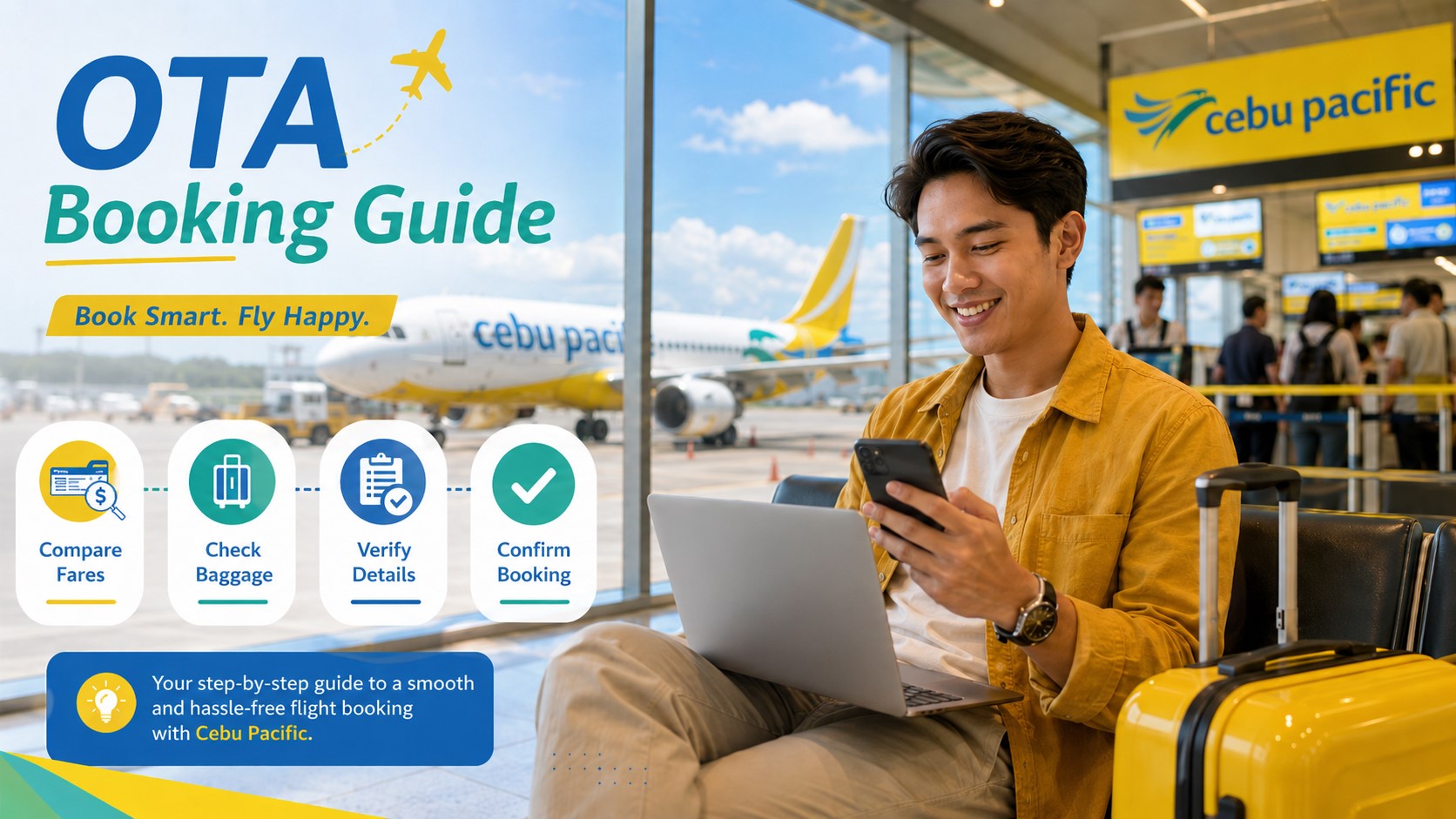
My Practical Advice
If the price difference is small, book directly with Cebu Pacific.
It is usually simpler, especially if you need to manage the booking later.
If the OTA deal is much better, go ahead only if the platform is reputable and the terms are clear. But after booking, immediately verify your Cebu Pacific booking reference and check if the flight appears in Manage Booking.
The worst approach is booking through a random seller, saving no proof, not checking baggage, not verifying the booking, and only discovering the issue at the airport.
Be practical. Be organized. Verify early.
Final Thoughts
Booking Cebu Pacific through an OTA or travel agency can be convenient, but it comes with extra things to check.
Cebu Pacific says third-party or travel agency bookings should be manageable through the Cebu Pacific app or website in some cases. But if passengers have problems managing the booking, getting the itinerary, claiming a refund, or if the booking reference is not recognized, Cebu Pacific recommends contacting the travel agency or third-party site where the booking was originally created.
Cebu Pacific also says that bookings from third-party sites or travel agencies may sometimes not be recognized by the app or website, and if the agency cannot be contacted, passengers may chat with Cebu Pacific through the app or website to connect with a live agent.
That is why direct booking is still the easiest option for many travelers. Cebu Pacific says booking directly through its website or app gives passengers real-time updates, itinerary receipt, a six-digit booking reference, secure payment, and smoother mobile app management.
So if you book through an OTA, do it carefully. Check the total price, baggage, refund policy, rebooking rules, booking reference, and contact details. Save all proof. Verify the booking early.
OTA bookings can work, but they require more attention. Direct booking gives you more control. Choose the option that gives you not just the cheapest fare, but the least stress for your actual trip.