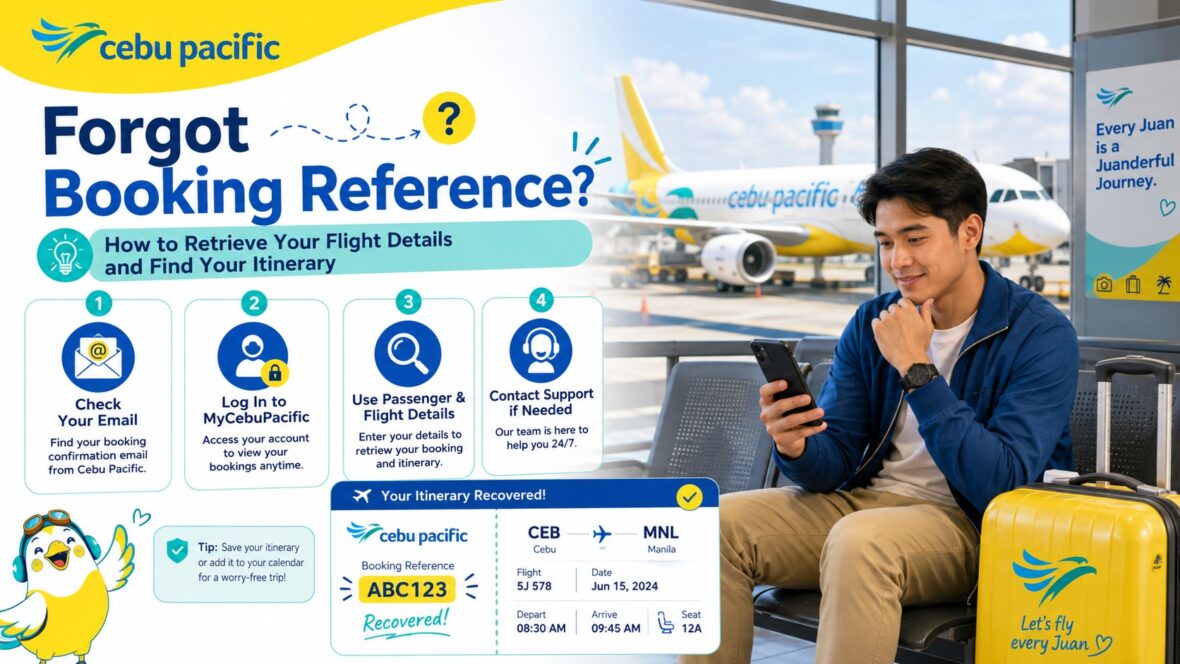
Forgetting your Cebu Pacific booking reference can feel stressful, especially when your flight is coming soon.
You may need it to check in online, add baggage, retrieve your itinerary, choose seats, rebook your flight, check your booking, or talk to Cebu Pacific support. Then suddenly, you realize you can’t find the six-digit code anywhere.
Maybe you deleted the email. Maybe the itinerary went to spam. Maybe someone else booked the flight for you. Maybe you used a different email address. Maybe you booked through Agoda, Booking.com, Skyscanner, a travel agency, or another third-party platform. Or maybe you were charged, but you never received the itinerary receipt.
Don’t panic yet.
In many cases, you can still retrieve your flight details. You just need to know where to look and what information to prepare.
Cebu Pacific says the booking reference number is found in the Itinerary Receipt, and that direct bookings give passengers an itinerary receipt and six-digit booking reference number that can be used for Manage Booking, online check-in, and airport self-service kiosks.
So in this guide, let’s talk about what the Cebu Pacific booking reference is, where to find it, how to retrieve your itinerary, what to do if you lost the email, and what steps to take if your booking reference is not recognized.
Content
What Is a Cebu Pacific Booking Reference?
A Cebu Pacific booking reference is the code connected to your flight reservation.
It is usually a six-digit booking reference number. Cebu Pacific specifically says it issues six-digit booking reference numbers and that the code can be found at the top of the Itinerary Receipt.
This code is very important because it helps Cebu Pacific identify your booking.
You may need it for:
Manage Booking
Online check-in
Self-service kiosks at the airport
Retrieving your itinerary
Adding baggage
Choosing seats
Rebooking
Refund requests
Travel Fund concerns
Customer support verification
Airport check-in
In simple terms, your booking reference is your flight’s main access code.
Is the Booking Reference the Same as the Flight Number?
No. Your booking reference is different from your flight number.
Your booking reference identifies your reservation.
Your flight number identifies the actual flight.
For example, a Cebu Pacific flight may have a flight number like 5J 563 or 5J 805. But your booking reference is the six-digit code that belongs to your personal booking.
Many passengers confuse these two, especially first-time flyers.
If you are trying to use Manage Booking or online check-in, you usually need your booking reference, not just the flight number.
Is the Booking Reference the Same as the Itinerary Receipt?
No. The booking reference is part of the Itinerary Receipt.
The Itinerary Receipt is the document Cebu Pacific sends after successful payment. It contains your flight details, passenger details, add-ons, and booking reference.
Cebu Pacific says the Itinerary Receipt is sent to the email registered in the booking within 24 hours after successful payment. It also says the receipt can be retrieved through Cebu Pacific’s self-service digital channels.
So if you forgot your booking reference, the first thing to find is your Itinerary Receipt.
Once you find the itinerary, you can find the booking reference.
Where Can You Find Your Cebu Pacific Booking Reference?
The most common place to find your Cebu Pacific booking reference is in your Itinerary Receipt.
Cebu Pacific says the booking reference number is located in the Itinerary Receipt.
You can look for it in:
Your email inbox
Your spam or junk folder
Your Cebu Pacific app
Your MyCebuPacific account
Manage Booking
The confirmation page screenshot
The email forwarded by the person who booked your flight
Your OTA or travel agency confirmation
Your downloaded PDF itinerary
Your printed itinerary, if you saved one
If you booked directly with Cebu Pacific, the Itinerary Receipt should have been sent to the email address registered in the booking after successful payment.
Check Your Email First
The first step is to check your email.
Cebu Pacific says the Itinerary Receipt is sent to the email registered in the booking within 24 hours after successful payment. If you can’t see your itinerary, Cebu Pacific advises checking your inbox or junk folder.
Search your inbox using keywords like:
Cebu Pacific
Itinerary Receipt
Booking Reference
Your destination
Your passenger name
Your travel date
CEB
5J
Cebgo
AirSWIFT
Also check other folders like Promotions, Updates, Spam, Junk, Archive, and Trash.
Sometimes the email is there, but it is not in the main inbox.
Check the Email You Used During Booking
This sounds basic, but it is one of the most common problems.
Your itinerary goes to the email registered in the booking, not necessarily the email you are currently checking.
Maybe you used your work email. Maybe you used an old Gmail account. Maybe your friend booked the flight. Maybe the travel agency used its own email. Maybe you typed the wrong email address.
Cebu Pacific says the Itinerary Receipt is sent to the email registered in the booking.
So if you can’t find the itinerary, ask yourself:
Which email did I use when booking?
Was I logged in to my MyCebuPacific account?
Did someone else book for me?
Did I book through an OTA or travel agency?
Did I use my personal email or work email?
Did I mistype my email?
Checking the right email can solve the problem quickly.
Check Your MyCebuPacific Account
If you booked while logged in, your booking may appear in your MyCebuPacific account.
Open the Cebu Pacific app or website, log in, and check My Bookings.
Cebu Pacific says that on the app, you can retrieve your Itinerary Receipt by logging in to your MyCebuPacific account, tapping My Bookings, choosing your booking, tapping Manage, and selecting View itinerary. If you can’t see the booking, Cebu Pacific says you may need to add it to your account first.
If your booking appears there, open it and look for the Itinerary Receipt or View Itinerary option.
Your booking reference should be visible there.
What If Your Booking Is Not Showing in My Bookings?
If your booking does not appear in your MyCebuPacific account, it does not automatically mean the booking is gone.
It may simply not be linked to your account.
Cebu Pacific says that if you were not logged in to your MyCebuPacific account when you booked your flight, you need to use the Add Booking feature to make changes to the booking. A MyCebuPacific account is required to make booking changes.
This often happens when:
You booked as a guest.
You booked while logged out.
Someone else booked for you.
You used a different email address.
You created your MyCebuPacific account after booking.
The booking was made through a travel agency.
The booking was already linked to another account.
If you can find your booking reference in your email, you can try adding the booking to your account.
How to Retrieve Your Itinerary on the Cebu Pacific Website
If you already have your booking reference but lost the email copy, you can retrieve your itinerary through Cebu Pacific’s website.
Cebu Pacific says you can retrieve your Itinerary Receipt by going to the Cebu Pacific website, opening Manage Booking, entering your booking reference number together with your last name or the email address registered in the booking, and clicking View Itinerary.
Here’s the simple process:
Go to the Cebu Pacific website.
Open Manage Booking.
Enter your booking reference number.
Enter the passenger last name or registered email address.
Click View Itinerary.
Save or screenshot your itinerary.
This is useful if you still know your booking reference but simply lost the original email.
How to Retrieve Your Itinerary on the Cebu Pacific App
You can also retrieve the itinerary using the Cebu Pacific app.
Cebu Pacific says you can log in to your MyCebuPacific account, tap My Bookings, scroll until you see your booking, tap Manage, and then tap View itinerary.
Here’s the simple process:
Open the Cebu Pacific app.
Log in to your MyCebuPacific account.
Tap My Bookings.
Select your flight.
Tap Manage.
Tap View itinerary.
Save a copy.
If the booking is not there, you may need to add or link it first.
How to Add or Link a Booking If You Found the Reference
If you found your booking reference but the flight is not showing in your account, use the Add Booking feature.
Cebu Pacific says you can open the app or website, go to Manage Booking, scroll down to Add another booking, then enter the six-digit booking reference number and the last name of one of the guests. Alternatively, you can enter the email linked to the booking. Cebu Pacific also says the full name or email address linked to the booking should match the details in your MyCebuPacific account.
This is helpful if you booked while not logged in.
Once added successfully, you can manage eligible booking options through your account.
What If You Totally Forgot the Booking Reference?
If you completely forgot the booking reference and cannot find your itinerary, start with your email and account access.
Try these steps:
Search all your email accounts.
Check spam, junk, archive, and trash.
Search for “Cebu Pacific” and “Itinerary Receipt.”
Check your MyCebuPacific account.
Ask the person who booked the flight.
Check your payment confirmation.
Check your OTA or travel agency account.
Look for screenshots from the booking day.
Check your browser downloads folder.
Check your phone gallery for screenshots.
If payment was successful but you never received the Itinerary Receipt, Cebu Pacific says the receipt is sent within 24 hours after successful payment, and if it has been more than 24 hours and you still haven’t received it, you should chat through the app or website to connect with a Live Agent.
What If You Were Charged but Never Received a Booking Reference?
If your card, GCash, Maya, PayPal, or other payment method was charged but you never received an itinerary or booking reference, do not immediately book again.
Cebu Pacific says there is no need to book again if you already successfully paid for your flight. It also says the Itinerary Receipt is sent within 24 hours after successful payment, and if more than 24 hours have passed without receiving it, you should chat through the app or website to connect with a Live Agent.
This is important because booking again could create a duplicate booking.
Instead, prepare your proof of payment and contact Cebu Pacific if the itinerary does not arrive after the expected timeframe.
What Information Should You Prepare Before Contacting Cebu Pacific?
If you need help from Cebu Pacific because you forgot your booking reference or never received the itinerary, prepare as much information as possible.
Prepare:
Full passenger name
Email used during booking
Mobile number used during booking
Route
Travel date
Payment method
Amount paid
Time and date of payment
Card type or e-wallet used
Screenshot of the charge
Transaction reference, if available
Any error message
Cebu Pacific says that if payment was deducted and it has been more than 24 hours since payment, passengers should chat through the app or website and take note of the card type or e-wallet used.
The more complete your details, the easier it is for support to verify the booking.
What If Someone Else Booked the Flight for You?
If someone else booked the flight for you, ask that person for the Itinerary Receipt.
The booking reference may have been sent to their email, not yours.
This can happen when:
A family member booked for you.
A friend booked the whole group.
Your office booked the flight.
A travel agency booked the ticket.
A tour operator arranged the trip.
Your partner used their MyCebuPacific account.
Ask them to forward the Itinerary Receipt and confirm the booking reference.
If they booked while logged in to their account, the booking may also be linked to their MyCebuPacific account.
What If You Booked Through Agoda, Booking.com, Skyscanner, or Another OTA?
If you booked through an online travel agency or third-party platform, your confirmation code may not be the same as Cebu Pacific’s booking reference.
Cebu Pacific says that if you arranged your booking through third-party sites such as Agoda, Booking.com, or Skyscanner, or through a travel agency, you should be able to manage your booking on the Cebu Pacific app or website. However, if you have problems managing the booking, getting your itinerary, claiming a refund, or if the booking reference is not recognized, Cebu Pacific recommends contacting the travel agency or third-party site where the booking was originally created.
So if you forgot your Cebu Pacific booking reference but booked through an OTA, log in to the OTA account first.
Look for the airline confirmation code or booking reference.
If only the OTA order number is shown, contact the OTA and ask for the official Cebu Pacific six-digit booking reference.
OTA Confirmation Number vs Cebu Pacific Booking Reference
This is a very common source of confusion.
An OTA may give you a reservation number, trip ID, order number, or confirmation code. But Cebu Pacific says it issues six-digit booking reference numbers.
The OTA number may work only on the OTA website.
The Cebu Pacific booking reference is what you need for Cebu Pacific Manage Booking, online check-in, and self-service kiosks.
If the code you have is longer than six characters or does not work on Cebu Pacific’s system, it may be the OTA reference, not the airline booking reference.
What If the Booking Reference Is Not Recognized?
If your booking reference is not recognized, first check that you typed it correctly.
Cebu Pacific says travelers should double-check the spelling of the booking reference number and last name or email address. It also says Cebu Pacific issues six-digit booking reference numbers, and if the booking reference was created by a travel agency, passengers should reach out to the agency where the booking was originally created.
Try these steps:
Check if the code has six characters.
Check if you entered letters and numbers correctly.
Try uppercase letters.
Check the last name spelling.
Try the email registered in the booking.
Make sure you are not using an OTA reference.
Check if the booking was made by a travel agency.
Contact the agency if needed.
Contact Cebu Pacific if you booked directly and the code still does not work.
Do not assume the booking is invalid until you verify it properly.
What If You Booked Through an Unauthorized Third Party?
Be very careful if the ticket was bought through an unofficial seller.
Cebu Pacific says unauthorized third-party platforms may issue booking reference numbers not recognized by Cebu Pacific’s system, which can make managing the booking difficult. If you encounter issues, Cebu Pacific advises chatting through the app or website to connect with a Live Agent who can verify the booking.
This is why booking directly is usually safer.
If you bought through a random Facebook page, reseller, or unfamiliar platform, verify your booking immediately.
Do not wait until airport day.
What If You Deleted the Itinerary Email?
If you deleted the Itinerary Receipt email, check your Trash folder first.
Many email apps keep deleted messages for a limited time before permanently removing them.
Search the Trash folder for “Cebu Pacific” or “Itinerary Receipt.”
If you still have the booking reference saved elsewhere, you can retrieve the itinerary through Manage Booking. Cebu Pacific says you can enter the booking reference with the last name or email registered in the booking to view the itinerary.
If you no longer have the booking reference and cannot recover the email, contact Cebu Pacific or the booking provider with your payment and passenger details.
What If the Itinerary Went to Spam or Junk?
This happens often.
Cebu Pacific specifically says that if you can’t see your itinerary, you should check your inbox or junk folder.
If you find it in spam or junk, move it to your inbox and mark Cebu Pacific as a safe sender.
This can help future flight updates reach your inbox properly.
Also save a screenshot or PDF copy of the itinerary so you are not dependent on email access later.
What If You Used the Wrong Email Address?
If you entered the wrong email during booking, you may not receive the itinerary.
Cebu Pacific says the Itinerary Receipt is sent to the email registered in the booking.
This can be a frustrating problem because Cebu Pacific’s Manage Booking guide says the email address cannot currently be corrected or updated through Manage Booking.
If this happens, contact Cebu Pacific through official support channels and prepare your proof of payment, passenger details, flight route, and travel date.
For future bookings, always double-check your email before paying.
What If You No Longer Have Access to the Email?
Maybe you used an old email address, company email, school email, or someone else’s email.
If you no longer have access to the email registered in the booking, Cebu Pacific says you should chat through the app or website to connect with a Live Agent. Cebu Pacific also advises preparing details such as the payment method used and the guests included in the booking for smoother verification.
This is why using a personal, long-term email for flight bookings is important.
Avoid using temporary or office emails for personal travel unless necessary.
Can You Check In Without Knowing the Booking Reference?
Usually, online check-in requires your booking reference.
Cebu Pacific says the booking reference number is located in your Itinerary Receipt and is needed for online check-in, Manage Booking, and airport self-service kiosks.
So if you don’t know the booking reference, online check-in may be difficult.
At the airport, staff may still be able to help verify your booking using your passenger details and valid ID or passport, but you should not rely on this as your first option.
Find your booking reference before travel day.
Can You Go to the Airport Without the Booking Reference?
It is better not to.
A printed itinerary is not required at the airport, and Cebu Pacific says you can save a copy on your mobile device in case of inspections at the airport entrance.
But even if printing is not required, your booking reference is still very useful.
For domestic flights, if you have not checked in online, Cebu Pacific says you should bring your Itinerary Receipt.
So before going to the airport, try your best to retrieve your itinerary and booking reference.
It will make check-in much easier.
Can You Retrieve Flight Details Using Only Your Name?
For privacy and security reasons, airlines usually need more than just your name to retrieve a booking.
You may need your booking reference, registered email, payment details, flight details, or identity verification.
Cebu Pacific’s self-service retrieval process uses booking reference plus last name or registered email.
If you don’t have the booking reference, support may ask for other details to verify the booking.
Prepare as much information as possible before contacting them.
What If You Have the Booking Reference but Forgot the Last Name Format?
Sometimes the booking reference is correct, but the last name format causes an error.
This can happen with names like:
Dela Cruz
De La Cruz
Garcia-Santos
Santos Jr.
Ma. Santos
Names with suffixes
Names with special characters
Try entering the last name exactly as shown in the itinerary or booking confirmation.
If you don’t have the itinerary, try common variations of the last name.
If it still does not work, use the email address registered in the booking if Cebu Pacific’s retrieval form allows it.
What If Your Booking Has Multiple Passengers?
If your booking has multiple passengers, you may be able to use the last name of one of the guests.
Cebu Pacific says that when adding a booking, you can enter the six-digit booking reference number and the last name of one of the guests, or enter the email linked to the booking.
This is useful for family or group bookings.
If your last name does not work, try the last name of another passenger listed in the booking, especially if that person was the lead guest.
What If Your Flight Was Changed or Rebooked?
If your flight was changed or rebooked, you should receive an updated itinerary.
Cebu Pacific says you receive an Itinerary Receipt after successful payment of your booking or every time you make changes to your flight.
Check for the latest version of the itinerary.
Do not rely on an old screenshot if your flight was rebooked, rescheduled, or changed.
Your booking reference may remain important, but your flight details may have changed.
What If You Need the Booking Reference for Travel Fund?
Travel Fund may be connected to your booking reference or your MyCebuPacific account, depending on the situation.
Cebu Pacific says that when a disrupted flight is converted to Travel Fund, it may be stored in the booking reference number or your MyCebuPacific account within 24 hours.
Cebu Pacific also notes that booking reference numbers created by travel agencies may not be used when trying to redeem Travel Fund.
So if your concern is Travel Fund, make sure you are using the correct booking reference and account.
If you booked through an agency, contact the agency or Cebu Pacific for guidance.
What If You Need the Booking Reference for a Refund?
If you need to request a refund, you will likely need your booking reference.
Cebu Pacific’s Manage Booking feature includes refund requests for eligible cases, and Manage Booking access uses your booking reference number with the last name or email address registered in the booking.
If you booked through an OTA or travel agency, refund handling may be different.
Cebu Pacific says that if a third-party booking has issues with refunds, itinerary, or booking reference recognition, passengers should contact the travel agency or third-party site where the booking was originally created.
So if you need a refund but cannot find the booking reference, start with the original booking source.
What If You Need the Booking Reference for an Invoice?
If you need an invoice or official receipt, the booking reference is also useful.
Cebu Pacific says passengers requesting invoice assistance should take note of the booking reference number or bring a copy of the Itinerary Receipt with a valid ID for certain physical invoice requests.
The invoice is different from the itinerary, but both are connected to the booking.
If you need the invoice for reimbursement, retrieve and save both the itinerary and invoice as early as possible.
What If You Need the Booking Reference for a Travel Certificate?
If you need proof that you successfully boarded a flight, Cebu Pacific has a Certificate of Travel process.
Cebu Pacific’s travel certificate guide says passengers can request a Certificate of Travel by providing the booking reference number and last name.
This is another reason to save your booking reference even after your trip.
You may need it later for company reimbursement, school requirements, government documents, travel records, or insurance claims.
Should You Book Again If You Can’t Find the Booking Reference?
Not immediately.
If payment was successful, Cebu Pacific says there is no need to book again if you already successfully paid for your flight.
Booking again too quickly can create a duplicate booking.
Before booking again, verify:
Was your payment deducted?
Did you receive any email?
Did the booking appear in MyCebuPacific?
Did the OTA issue a confirmation?
Did Cebu Pacific support confirm no booking exists?
Only book again if you are sure the first booking did not go through or if Cebu Pacific or the booking provider confirms it.
How to Avoid Losing Your Booking Reference Next Time
After booking, save your booking reference immediately.
Take a screenshot of the confirmation page.
Download the Itinerary Receipt.
Save it as a PDF.
Star the email.
Forward it to your travel companion.
Add the booking to your MyCebuPacific account.
Write the booking reference in your notes app.
Save it in your calendar event.
Keep it until after the trip.
Cebu Pacific says direct booking gives passengers the Itinerary Receipt and six-digit booking reference number, which can be used for Manage Booking, online check-in, and airport kiosks.
That code is too important to lose.
Common Mistakes When Looking for a Cebu Pacific Booking Reference
The first mistake is searching only one email inbox.
The second mistake is not checking spam or junk folders.
The third mistake is using the OTA confirmation number instead of Cebu Pacific’s six-digit booking reference.
The fourth mistake is assuming the booking failed just because the itinerary did not arrive immediately.
The fifth mistake is booking again even though payment was already deducted.
The sixth mistake is not checking MyCebuPacific.
The seventh mistake is asking Cebu Pacific without preparing payment details.
The eighth mistake is waiting until airport day.
The ninth mistake is using unofficial booking sellers.
The tenth mistake is deleting the itinerary after the trip.
Most of these mistakes are avoidable if you save your itinerary and booking reference right after payment.
Cebu Pacific Forgot Booking Reference Checklist
Use this checklist if you forgot your Cebu Pacific booking reference:
Check your email inbox.
Check spam, junk, archive, and trash.
Search “Cebu Pacific” and “Itinerary Receipt.”
Check the email used during booking.
Check your MyCebuPacific account.
Open My Bookings in the Cebu Pacific app.
Ask the person who booked your flight.
Check your OTA or travel agency account.
Ask the OTA for the official Cebu Pacific booking reference.
Check your payment confirmation.
Do not book again if payment was deducted.
If more than 24 hours passed after payment and no itinerary arrived, contact Cebu Pacific through the app or website.
My Practical Advice
My advice is simple: treat your Cebu Pacific booking reference like a travel document.
It may not look as important as your passport or ID, but it is the code that helps you access your flight details.
After booking, don’t just rely on your email.
Screenshot the confirmation page. Save the itinerary. Add the booking to your MyCebuPacific account. Send a copy to your travel companion. Keep the booking reference in your phone notes.
If you lose it, start with your email and MyCebuPacific account. If you booked through an OTA, contact the OTA. If payment was deducted and no itinerary arrived after 24 hours, contact Cebu Pacific.
Stay calm, but act early.

Final Thoughts
Forgetting your Cebu Pacific booking reference is stressful, but it is usually fixable if you know where to look.
Cebu Pacific says the booking reference number is found in the Itinerary Receipt, and direct bookings provide a six-digit booking reference number that can be used for Manage Booking, online check-in, and airport self-service kiosks.
If you can’t find your itinerary, check your inbox and junk folder first. Cebu Pacific says the Itinerary Receipt is sent to the email registered in the booking within 24 hours after successful payment, and if more than 24 hours have passed without receiving it, you should chat through the app or website to connect with a Live Agent.
If you booked through an OTA or travel agency and the booking reference is not recognized, Cebu Pacific recommends contacting the third-party site or agency where the booking was originally created.
The most important reminder is this: don’t immediately book again if payment was already deducted. Cebu Pacific says there is no need to book again if you already successfully paid for your flight.
Find the itinerary, check your account, verify your booking, and contact the right support channel if needed.
A missing booking reference can be annoying, but with the right steps, you can still retrieve your flight details and prepare for your trip properly.