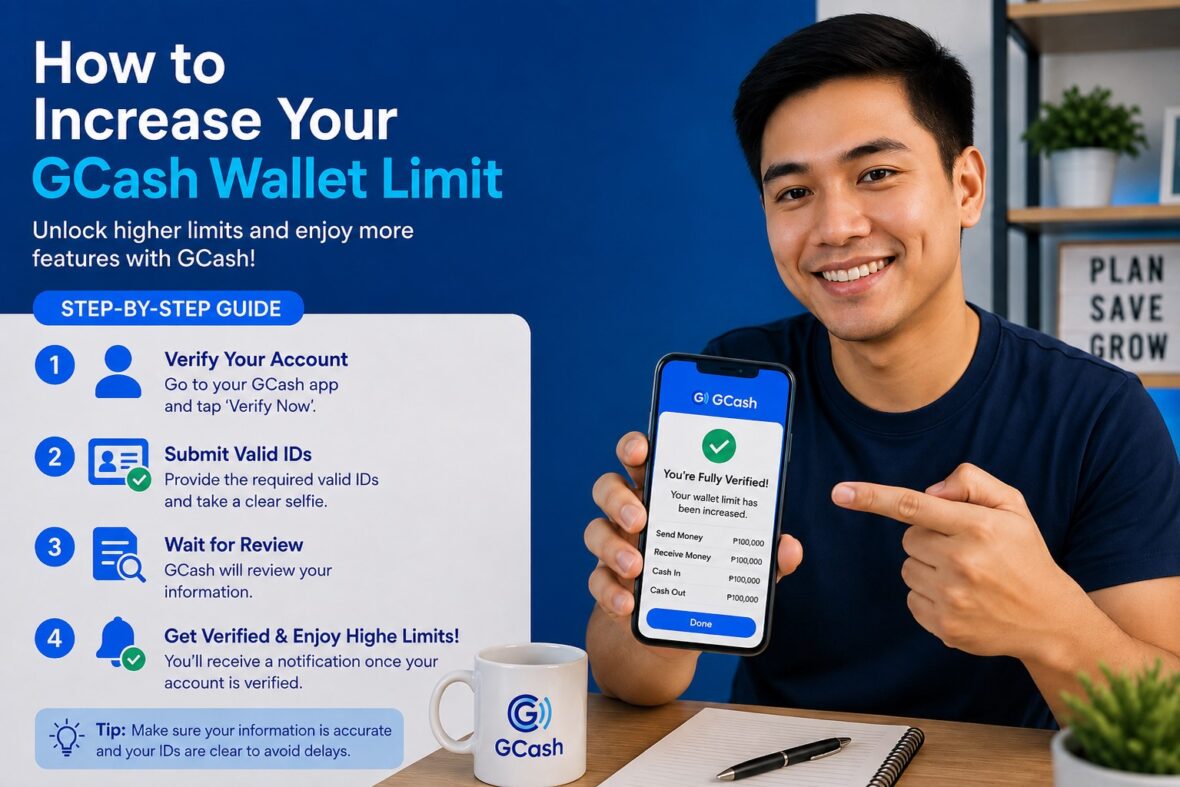
A regular Fully Verified GCash account can hold up to ₱100,000. For many users, that is more than enough for everyday expenses, bills, shopping, and money transfers.
However, the ₱100,000 limit can feel restrictive if you regularly receive larger payments, manage household funds, earn income from freelance work, or use GCash for frequent financial transactions.
The good news is that eligible users may upgrade to GCash Plus, which increases the maximum wallet balance and monthly incoming transaction limit to ₱500,000.
Getting the higher limit is not as simple as tapping an “Upgrade” button. You must meet GCash’s eligibility requirements and complete one qualifying activity involving a supported bank, international payment partner, GSave account, or GFunds investment.
In this guide, we will explain how to qualify for the ₱500,000 GCash limit, walk you through the available options, and show you what to do when your limit does not update.
Content
What Is the ₱500,000 GCash Wallet Limit?
The ₱500,000 wallet limit belongs to a profile category called GCash Plus.
A GCash Plus profile currently has:
- Maximum wallet balance: ₱500,000
- Monthly incoming transaction limit: ₱500,000
- Daily outgoing transaction limit: ₱100,000
- No separate general monthly outgoing limit listed
By comparison, a regular Fully Verified account has a ₱100,000 wallet limit, ₱100,000 monthly incoming limit, and ₱100,000 daily outgoing limit.
The upgrade therefore gives you more room to keep and receive money, but it does not increase the standard daily outgoing limit beyond ₱100,000.
Quick Comparison: Fully Verified vs. GCash Plus
| Limit | Regular Fully Verified | GCash Plus |
|---|---|---|
| Maximum wallet balance | ₱100,000 | ₱500,000 |
| Monthly incoming limit | ₱100,000 | ₱500,000 |
| Daily outgoing limit | ₱100,000 | ₱100,000 |
| Separate general monthly outgoing limit | None listed | None listed |
The main benefit is the increase in wallet capacity and monthly incoming transactions. The daily amount you can ordinarily spend or send remains the same.
Does a ₱500,000 Limit Mean You Can Send ₱500,000 in One Day?
No.
The GCash Plus daily outgoing limit is still ₱100,000. Even when your wallet contains ₱500,000, you generally cannot spend, transfer, or send the entire balance through ordinary GCash transactions in one day.
For example, suppose your GCash Plus wallet contains ₱400,000. If you have already transferred ₱80,000 to a bank that day, you may have only ₱20,000 left under the general daily outgoing limit.
Individual services may also have lower per-transaction limits. A bank, merchant, ATM, GCash Card, GSave account, or other feature may apply its own restrictions.
Who Is Eligible for the ₱500,000 Limit?
GCash currently lists four basic requirements.
You must:
- Be at least 18 years old
- Have a Fully Verified GCash account
- Have an active GCash account
- Complete at least one qualifying transaction or activity
GCash reviews the account after the qualifying activity and advises users to wait five business days for the new limit.
Can a Basic GCash Account Get the ₱500,000 Limit?
No.
A Basic account must first become Fully Verified. Completing full verification increases the standard wallet limit from the Basic level to ₱100,000. You can then complete one of the additional activities required for GCash Plus.
To become Fully Verified, go to:
Profile → Verify Now
You will generally need to provide your personal information, scan an accepted identification document, complete a selfie scan, and submit the application for review.
Three Ways to Increase Your GCash Limit to ₱500,000
GCash currently provides three main qualification routes:
- Link and cash in from BPI, UnionBank, Payoneer, or PayPal.
- Open a qualifying GSave account, deposit at least ₱100, and keep it there for at least five business days.
- Open a GFunds account, invest at least ₱100 in a qualifying BPI or ATRAM fund, and keep the investment for at least five business days.
You generally need to complete only one of these routes.
Option 1: Link and Cash In From BPI or UnionBank
Linking a supported local bank and completing a cash-in is one of the most straightforward ways to qualify.
GCash’s limit-increase instructions specifically list:
- BPI
- UnionBank
You must both link the account and complete a cash-in. Merely linking the bank without transferring money may not satisfy the published requirement.
Requirements for Linking a Bank
Before linking a bank through InstaPay Cash In, you need:
- A Fully Verified GCash account
- An active deposit, savings, or checking account
- Access to your bank’s online-banking credentials
- Access to the number that receives your bank OTP
GCash currently allows only one account from each bank to be linked at a time. The maximum InstaPay Cash In amount is ₱50,000 per transaction.
How to Link BPI or UnionBank to GCash
The available screens may differ slightly by bank, but the current general process is:
- Open GCash.
- Tap Cash In.
- Select Local Banks.
- Choose BPI or UnionBank.
- Tap Link Now or Link Bank Account.
- Log in using your online-banking credentials.
- Enter the OTP sent by your bank.
- Wait for the confirmation that the account has been linked.
GCash’s current InstaPay bank-linking page lists BPI, UnionBank, AllBank, and China Bank as supported banks. However, the separate ₱500,000 upgrade page specifically identifies BPI and UnionBank as the qualifying local-bank options.
For this reason, do not assume that linking AllBank or China Bank will automatically qualify you for GCash Plus unless the current upgrade page or your app confirms it.
How to Complete the Qualifying Cash-In
After linking the bank:
- Open GCash.
- Tap Cash In.
- Select the linked BPI or UnionBank account.
- Enter the amount you want to add.
- Review the transaction details and any applicable fee.
- Confirm the cash-in.
- Complete the OTP or bank authorization.
- Keep the receipt or confirmation page.
GCash does not publish a special minimum cash-in amount on its current ₱500,000 upgrade page for the linked-bank route. It simply says to link and cash in from the qualifying provider.
Your cash-in must still fit within your current ₱100,000 wallet and monthly incoming limits. A linked-bank cash-in may allow up to ₱50,000 per transaction, but you cannot use it to push your wallet beyond your existing profile limit before the upgrade is approved.
Important UnionBank Reminder
GCash states that UnionBank Cash In moved to InstaPay beginning February 2, 2026. Users who previously linked UnionBank may need to relink it through:
Cash In → Local Banks → Link Bank Account → UnionBank
Option 2: Link and Cash In From PayPal
PayPal is another qualifying route for the ₱500,000 limit.
GCash specifically requires you to:
- Link PayPal to GCash
- Complete a PayPal-to-GCash cash-in
The current linking requirements include having a Fully Verified GCash account and a verified PayPal account based in the Philippines. Only one PayPal account can be linked to one GCash account, and the same one-to-one restriction applies in the other direction.
How to Link PayPal to GCash
- Open GCash.
- Tap Cash In.
- Select Global Banks and Partners.
- Tap PayPal.
- Log in to your PayPal account.
- Tap Next.
- Confirm the linking request.
GCash notes that linking and cashing in through PayPal may raise your wallet limit to ₱500,000.
Complete a PayPal Cash-In
After linking:
- Return to Cash In.
- Select Global Banks and Partners.
- Tap PayPal.
- Enter the cash-in amount.
- Review the transaction details.
- Confirm the cash-in.
- Save the confirmation.
Check the currency, conversion, available PayPal balance, and any applicable charges before confirming.
Simply linking PayPal without completing the cash-in may not be enough because GCash’s published requirement says to link and cash in.
Option 3: Link and Cash In From Payoneer
Payoneer is another qualifying choice, particularly for freelancers, remote workers, and online professionals who receive international payments.
GCash states that linking and cashing in through Payoneer may raise the wallet limit to ₱500,000.
How to Cash In From Payoneer
Once your Payoneer account is linked:
- Open GCash.
- Tap Cash In.
- Select Global Banks and Partners.
- Tap Payoneer.
- Choose the wallet currency.
- Enter the cash-in amount.
- Review the transaction details.
- Tap Confirm.
- Enter the OTP sent to your GCash number.
GCash says a Payoneer cash-in may take around five minutes and that an SMS should be sent when it is completed.
As with PayPal and local banks, make sure you complete an actual cash-in rather than only linking the account.
Option 4: Open a Qualifying GSave Account
You may also qualify by opening a GSave account with one of the partner banks specifically named on GCash’s limit-increase page.
The current qualifying banks are:
- CIMB
- UNO Bank
- Maybank
- Cebuana Lhuillier Rural Bank
You must deposit at least ₱100 and keep it in the account for at least five business days.
Important Note About BPI GSave
BPI is listed as a qualifying option for the direct link-and-cash-in route.
However, the current GSave qualification list names CIMB, UNO Bank, Maybank, and Cebuana—not BPI’s #MySaveUp account.
To avoid disappointment, use one of the GSave banks specifically listed on the official upgrade page unless GCash updates the requirements.
General Requirements for Opening GSave
You normally need a Fully Verified GCash account before you can open a new GSave partner-bank account. Each partner bank generally allows only one account per person through GSave.
The account-opening process and additional requirements vary by bank.
How to Open GSave by CIMB
- Open GCash.
- Tap GSave.
- Select GSave by CIMB.
- Tap Open a Savings Account.
- Review and accept the terms.
- Complete the account-opening process.
- Deposit at least ₱100.
- Keep the money in the account for at least five business days.
GCash specifically notes that a deposit of at least ₱100 is required through GSave by CIMB to qualify for the ₱500,000 limit increase.
How to Open a UNO Bank GSave Account
- Open GCash.
- Tap GSave.
- Select #UNOReady@GCash by UNO Bank.
- Tap Apply Now.
- Review and accept the terms.
- Complete the requested information.
- Open the savings account.
- Deposit at least ₱100.
- Leave it in the account for at least five business days.
The exact screens may change, but GCash’s current UNO Bank process begins through the GSave dashboard and requires completing the partner bank’s application.
How to Open eC-Savings by Cebuana
- Open GCash.
- Tap GSave.
- Select eC-Savings by Cebuana Lhuillier Rural Bank.
- Tap Open a Savings Account.
- Accept the terms and conditions.
- Complete the account-opening process.
- Deposit at least ₱100.
- Keep it in the account for at least five business days.
GCash provides eC-Savings as one of its current GSave partner-bank products and includes Cebuana in the qualifying list for the ₱500,000 limit.
Maybank GSave Route
Maybank’s EzySave+ is also included in GCash’s current qualifying GSave list.
Open the account through the GSave section, follow the Maybank application requirements, deposit at least ₱100, and keep the money there for at least five business days.
What Does “Keep It for Five Business Days” Mean?
Do not deposit the ₱100 and withdraw it immediately.
GCash requires the qualifying GSave deposit to remain in the account for at least five business days. Weekends and public holidays are generally not counted as business days.
For example, a deposit made on a Monday may need to stay in the GSave account through the end of the following Friday, assuming there is no holiday during that period.
To be safe, leave the funds in the account until your GCash Plus limit is already reflected.
Option 5: Invest Through GFunds
The third main qualification category is GFunds.
You must:
- Create a GFunds account
- Invest at least ₱100
- Choose a qualifying BPI or ATRAM fund
- Keep the investment for at least five business days
GCash reviews the account after the required period.
What Is GFunds?
GFunds is GCash’s investment feature for buying and selling professionally managed investment funds through the app. Users choose among available funds based on factors such as risk profile and minimum investment.
GFunds is different from GSave. A GSave deposit is money placed in a partner-bank savings account, while a GFunds investment may rise or fall in value.
Do not choose the investment route solely because you want a higher wallet limit. Read the fund information and make sure you are comfortable with its risks.
How to Create a GFunds Account
- Open GCash.
- Tap GInvest.
- Select GFunds.
- Enter your email address.
- Complete the Risk Profile Questionnaire.
- Confirm the required declarations.
- Review your personal details.
- Accept the terms.
- Submit the application.
GCash says approval may take around 15 minutes, although partner issues can extend processing to two business days.
How to Complete the Qualifying Investment
Once your GFunds account is active:
- Open GInvest.
- Tap GFunds.
- Select a BPI or ATRAM fund.
- Review the fund’s risk level, minimum investment, fees, and product information.
- Invest at least ₱100.
- Confirm the investment order.
- Keep the investment for at least five business days.
Not every fund shown in GFunds necessarily qualifies. GCash’s current limit-increase page specifically says the ₱100 must be invested in a BPI or ATRAM fund.
Do not sell or redeem the investment before the five-business-day requirement has passed.
Does GFunds Charge a Transaction Fee?
GCash currently says it does not charge a separate transaction fee when buying or selling through GFunds. However, fund providers charge annual trust fees that are already reflected in the fund’s net asset value and investment value.
The absence of a GCash transaction fee does not mean that an investment has no cost or risk.
How Long Does the ₱500,000 Upgrade Take?
GCash advises users to wait five business days after completing the qualifying transaction or activity.
The request is reviewed before the new limit is applied.
The five-business-day period is not necessarily the same as five calendar days.
For example, if you complete the activity on a Friday, the weekend will not ordinarily count toward the five-business-day period.
Is the Upgrade Automatic?
GCash’s published instructions do not describe a separate application form that must be submitted before the review.
You complete one of the qualifying activities, and GCash reviews the account. You should then wait five business days and check whether the profile limit has changed.
Approval is still subject to review. Completing an activity does not guarantee an immediate limit increase.
How to Check Whether Your Limit Increased
To check your current profile:
- Open the GCash app.
- Tap Profile.
- Select Profile Limits.
- Check the wallet and monthly incoming limits.
A successful GCash Plus upgrade should show:
- ₱500,000 wallet limit
- ₱500,000 monthly incoming limit
- ₱100,000 daily outgoing limit
GCash says linked accounts under the same person receive the highest applicable profile limit, although the limits are not added together.
Why Has My Limit Not Increased?
Several issues may prevent or delay the upgrade.
You Are Not Fully Verified
Only Fully Verified users aged 18 and above can qualify for the ₱500,000 limit.
Check your status under Profile. If the account still shows Basic, complete verification first.
Your Account Is Not Active
GCash requires the account to be active.
Make sure you can log in and that the account is not suspended, restricted, or undergoing another review.
You Only Linked the Bank
The published bank and international-partner route requires you to link and cash in.
Linking BPI, UnionBank, PayPal, or Payoneer without completing a cash-in may not satisfy the requirement.
You Used a Bank That Is Not on the Qualification List
The bank-linking system may support additional institutions, but the current limit-increase page specifically lists BPI and UnionBank for the local-bank route.
Linking another bank does not automatically mean it will qualify you for GCash Plus.
You Chose a Nonqualifying GSave Bank
GCash currently lists CIMB, UNO Bank, Maybank, and Cebuana as the qualifying GSave options.
A deposit in another GSave product may not count unless the qualification list is updated.
Your GSave Balance Is Below ₱100
You must deposit at least ₱100.
Leaving ₱99 or less in the account will not meet the published requirement.
You Withdrew the GSave Deposit Too Soon
The ₱100 must stay in the qualifying GSave account for at least five business days.
Withdrawing it early may interrupt the qualification process.
You Invested in the Wrong Fund
For the GFunds route, GCash currently requires a BPI or ATRAM fund.
Investing in another available fund may not qualify.
You Redeemed the Investment Too Soon
The qualifying GFunds investment must remain for at least five business days.
Five Business Days Have Not Passed
Weekends and holidays may extend the calendar waiting period.
Wait until five complete business days have passed before filing a follow-up.
Your App Has Not Refreshed
Close and reopen GCash, make sure it is updated, and check Profile Limits again.
Do not rely only on the balance shown on the homepage.
What to Do if the Limit Is Still ₱100,000 After Five Business Days
GCash currently provides the following follow-up procedure:
- Open the GCash app and log in.
- Tap Help in the upper-right corner.
- Tap Get Help.
- Under Help Articles, choose the article about increasing the wallet limit.
- Tap Chat with Gigi.
- Follow the instructions.
GCash recommends this process when the limit has not been updated after the five-business-day review period.
Prepare information such as:
- The date you completed the qualifying activity
- The bank, GSave partner, or fund used
- The cash-in, deposit, or investment amount
- The transaction reference number
- A screenshot of the successful transaction
- Your current Profile Limits screen
Never include your MPIN, OTP, bank password, or card PIN in a support message.
Do Multiple GCash Accounts Get Separate ₱500,000 Limits?
No.
GCash allows up to five personal accounts under one customer profile, but linked accounts do not receive separate limits that can be added together.
When one account has a ₱100,000 limit and another qualifies for ₱500,000, the highest limit applies to the linked accounts. The total does not become ₱600,000.
Similarly, owning two GCash Plus accounts does not automatically give you a combined ₱1,000,000 wallet allowance.
Does the Upgrade Apply to Your Other Linked Accounts?
GCash says the highest wallet and transaction limits apply to accounts linked under the same customer profile.
Check each account’s Profile Limits page after the upgrade. Do not assume that separate balances or mobile numbers create independent allowances.
Does GCash Plus Increase Every Service Limit?
No.
The ₱500,000 profile affects the general wallet and monthly incoming limit, but separate GCash services continue to have their own rules.
For example:
- The general daily outgoing limit remains ₱100,000.
- A linked-bank InstaPay Cash In currently allows up to ₱50,000 per transaction.
- The GCash Card has separate purchase and ATM limits.
- GSave partner banks have their own deposit and withdrawal limits.
- GCrypto has separate top-up and withdrawal limits.
- Express Send has a monthly transaction-count limit.
Always check the limit for the particular feature you are using.
Is GCash Plus the Same as GCash Platinum?
No.
GCash Plus currently provides a ₱500,000 wallet limit.
GCash also lists a higher profile for eligible GCash Platinum users, with:
- ₱1,000,000 wallet limit
- ₱1,000,000 monthly incoming limit
- ₱500,000 daily outgoing limit
- ₱1,000,000 monthly outgoing limit
GCash describes this category as being for eligible Globe Platinum subscribers and directs eligibility questions to Globe.
Completing the GCash Plus qualifying activities does not automatically raise your profile to ₱1,000,000.
Which Qualification Method Is the Easiest?
The easiest option depends on the accounts and services you already use.
Best for BPI or UnionBank Customers
Link the bank and complete a cash-in.
This may be the simplest route when your online banking is already active and the bank account is under your name.
Best for Freelancers
PayPal or Payoneer may be convenient when you already receive international client payments through these services.
Make sure the account satisfies the provider’s linking requirements.
Best for People Who Prefer Saving
Open a qualifying GSave account, deposit at least ₱100, and leave the money there for at least five business days.
This may be more comfortable for someone who does not want to invest.
Best for Existing Investors
Use GFunds when you already understand investment products and are comfortable keeping at least ₱100 in a qualifying BPI or ATRAM fund.
Do not invest only for the limit increase when you are uncomfortable with market risk.
Tips for a Successful GCash Plus Upgrade
Verify Your Account First
Check that the profile clearly says Fully Verified.
Use Your Own Bank or Partner Account
The linked account should belong to you and have information consistent with your GCash identity.
Complete the Whole Requirement
Do not stop after opening or linking the account.
Complete the cash-in, GSave deposit, or GFunds investment.
Use a Qualifying Provider
Follow the exact list on GCash’s current upgrade page.
Keep the ₱100 in Place
For GSave or GFunds, leave the required amount for at least five business days.
Keep Your Receipt
Save the transaction reference number and confirmation screen.
Count Business Days Correctly
Do not include weekends or holidays in the five-day waiting period.
Check Profile Limits
The wallet balance screen does not show your full profile allowance.
Avoid Repeating Transactions Unnecessarily
You only need to complete one qualifying route. Repeating several cash-ins or investments does not guarantee faster processing.
Follow Up Through the Official App
Use Help → Get Help → Increase wallet limit → Chat with Gigi after five business days when the upgrade is still missing.
Security Reminders
The possibility of a larger wallet can attract scammers pretending to offer instant upgrades.
Remember:
- There is no need to pay an unofficial “GCash agent.”
- Never share your MPIN.
- Never share an OTP.
- Never reveal your bank password.
- Never give anyone remote access to your phone.
- Do not click an unexpected wallet-upgrade link.
- Do not transfer money to a stranger to “activate” GCash Plus.
- Complete qualifying activities only through the official GCash app and legitimate partner accounts.
- Contact support through Gigi or the official Help section.
A legitimate wallet-limit review does not require another person to know your MPIN, OTP, or online-banking password.
Frequently Asked Questions
How do I increase my GCash wallet limit from ₱100,000 to ₱500,000?
You must be at least 18, have an active Fully Verified account, and complete one qualifying activity involving BPI, UnionBank, PayPal, Payoneer, a listed GSave partner, or a qualifying BPI or ATRAM GFunds investment.
What is GCash Plus?
GCash Plus is the profile with a ₱500,000 wallet limit and ₱500,000 monthly incoming limit. Its general daily outgoing limit remains ₱100,000.
Is the ₱500,000 limit permanent?
GCash assigns profile limits according to account status and eligibility. Its terms and profile rules may allow limits to be reviewed or changed. Keep the account verified, active, and compliant with GCash requirements.
Is there a fee to upgrade to GCash Plus?
GCash does not list a separate application fee for the limit review. However, a bank or cash-in partner may charge a transaction fee, and investment products may have provider-related costs. Review the confirmation screen and product terms before proceeding.
Do I need to complete all three qualification methods?
No. GCash says to complete one qualifying transaction or activity.
Can I use BDO to increase my limit?
BDO is not currently listed on GCash’s official ₱500,000 qualification page. The current local-bank options are BPI and UnionBank.
Can I use AllBank or China Bank?
They may be available for InstaPay bank linking, but the current GCash Plus qualification page specifically lists BPI and UnionBank. Do not assume another supported linked bank qualifies unless GCash confirms it.
Does simply linking BPI or UnionBank qualify me?
The published requirement says to link and cash in. Complete an actual cash-in after linking.
How much should I cash in from BPI or UnionBank?
GCash’s current limit-increase article does not state a specific minimum for the linked-bank route. The cash-in must still be successful and fit within your current limits.
Can PayPal increase my GCash limit?
Yes. Linking and cashing in from an eligible PayPal account is a qualifying activity. The PayPal account must currently be Philippine-based and verified.
Can Payoneer increase my GCash limit?
Yes. Linking and cashing in through Payoneer may raise the GCash wallet limit to ₱500,000.
Which GSave banks qualify?
GCash currently lists CIMB, UNO Bank, Maybank, and Cebuana Lhuillier Rural Bank.
Does BPI GSave qualify?
BPI is not currently included in the GSave qualification list on the official upgrade page. BPI is listed under the separate linked-bank cash-in route.
How much should I deposit in GSave?
Deposit at least ₱100 and keep it in the qualifying account for at least five business days.
Can I withdraw the ₱100 after five business days?
The official requirement is to keep it in the account for at least five business days. To avoid interrupting the review, it is safer to wait until the ₱500,000 limit appears before moving the money.
Which GFunds investments qualify?
GCash currently specifies BPI or ATRAM funds.
Can I invest exactly ₱100?
Yes. The published minimum qualifying amount is at least ₱100.
Does GFunds guarantee that I will not lose money?
No. GFunds contains investment products rather than ordinary wallet balances. Choose an investment only after reviewing the risk level and product information.
How long does the GCash Plus upgrade take?
GCash advises waiting five business days after completing the qualifying activity.
What should I do when five business days have passed?
Open GCash and go to Help → Get Help, select the wallet-limit article, and tap Chat with Gigi.
Where can I check my updated limit?
Go to Profile → Profile Limits.
Can I receive ₱500,000 in one transaction?
Not necessarily. The monthly incoming limit may be ₱500,000, but the cash-in or transfer service may impose a lower per-transaction maximum. Linked-bank InstaPay Cash In currently has a ₱50,000 per-transaction limit.
Can I send ₱500,000 in one day?
No. The standard GCash Plus daily outgoing limit is ₱100,000.
Do two GCash Plus accounts give me a ₱1,000,000 limit?
No. Accounts under the same customer profile are linked, and the limits are not added together.
Is the ₱500,000 profile the highest possible GCash limit?
No. GCash currently lists a ₱1,000,000 profile for eligible GCash Platinum users, but it follows separate eligibility rules connected to Globe Platinum.
Final Thoughts
Increasing your GCash wallet limit to ₱500,000 can be useful when you regularly receive more than the standard ₱100,000 monthly allowance or need additional room in your wallet.
To qualify, you must be at least 18 years old, have an active Fully Verified account, and complete one qualifying activity.
You can link and cash in from BPI, UnionBank, PayPal, or Payoneer. You can also deposit at least ₱100 in a qualifying GSave account with CIMB, UNO Bank, Maybank, or Cebuana and keep it there for five business days. Another option is to invest at least ₱100 in a qualifying BPI or ATRAM fund through GFunds and keep the investment for the same period.
After completing the requirement, wait five business days and check Profile → Profile Limits. When the upgrade is successful, your wallet and monthly incoming limits should increase to ₱500,000.
Remember that GCash Plus does not raise the standard daily outgoing limit beyond ₱100,000, and individual GCash services may continue to impose lower transaction limits.
Choose the qualification method that makes sense for your finances—not simply the fastest option. Keep your transaction receipt, protect your banking credentials, and use only the official GCash app when following up on the upgrade.