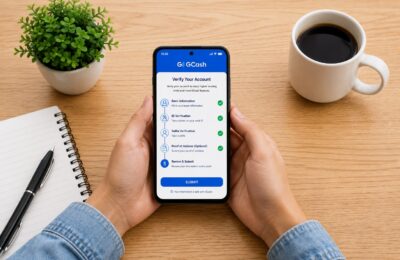
If you’re a freelancer like me, who receives payments for gigs through PayPal, you’ve probably wondered how to transfer those funds to GCash, the most popular money app in the Philippines.
Forget about the hassle of transferring your PayPal funds to your bank account and waiting for days. With GCash, you can enjoy the convenience of real-time, fast money transfers. In this blog post, I’ll walk you through the simple step-by-step guide on how to transfer money from Paypal to GCash.
By following these straightforward instructions, you’ll be able to access your funds quickly, unlocking the full potential of GCash for all your financial needs. So, let’s get started.
Transfer Paypal to GCash (Step-by-step Guide)
1. Open your GCash app, and tap PROFILE below.

2. Then, tap My Linked Accounts.

3. You’ll see a list of options to link to your GCash. Tap PAYPAL.

4. You need to link your Paypal to your GCash account first before doing the transfer. Provide your Paypal email then tap LINK.

5. Tap AUTHORIZE.

6. Provide your Email or Mobile number. Tap Next.

7. If you decided to put in your Email, key in your Paypal Password. Then, tap Log in.

8. You’ll get this confirmation that it is already linked.

9. Then, go back to your GCash homepage and tap CASH IN.

10. Since you’ve already linked your Paypal to GCash, you will see the Paypal icon at the top of the page. Tap that Paypal icon.

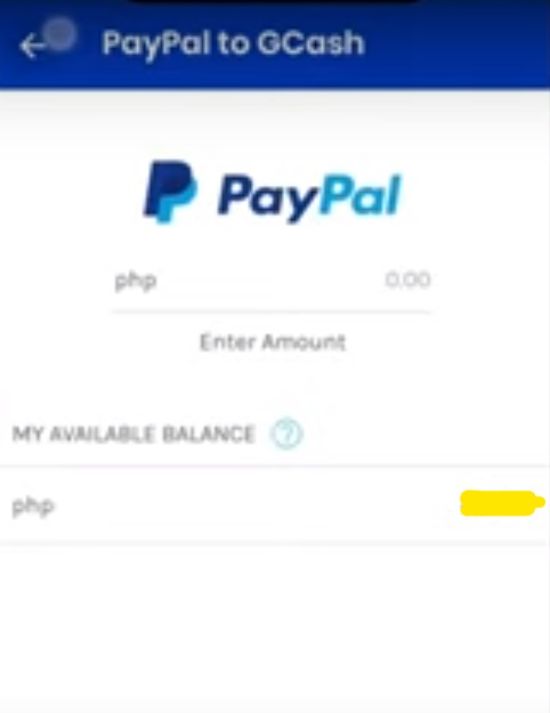
11. Simply put in the amount of money you want to transfer from Paypal to GCash. You’ll also see below how much money you have on your Paypal.
Please note that 500 pesos is the minimum amount that you can transfer to GCash.
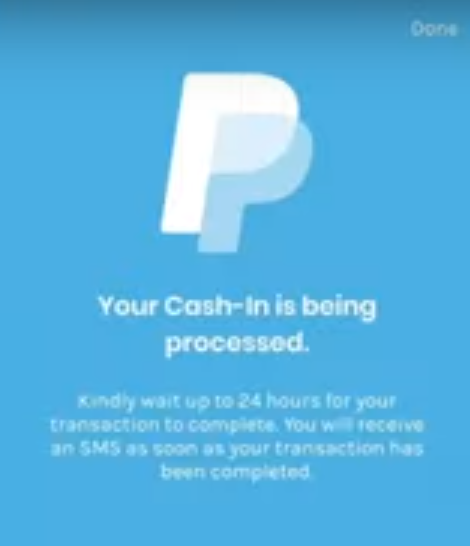
12. Tap Next. And there you have it, you’ll get this confirmation.
Based on my experience, you’ll receive a text message in just less than a minute. And the transfer is usually completed already. The transfer was indeed fast.
FAQ: Transfer from Paypal to GCash
1. How can I transfer money from PayPal to GCash?
To transfer money from PayPal to GCash, follow these steps that I have enumerated about in this blog post.
2. Are there any fees associated with transferring money from PayPal to GCash?
Yes, there are fees involved in transferring money from PayPal to GCash. PayPal charges a fee for the transfer, which is a percentage of the total amount being transferred. It’s advisable to check PayPal’s website or contact their customer support for the most up-to-date information on fees.
3. How long does it take to transfer money from PayPal to GCash?
The transfer time can vary depending on several factors, including the processing times of both PayPal and GCash. According to GCash, it’s usually within 24 hours. But based on the experience, the transfer is just less than a minute to complete. It’s almost real time.
4. Can I transfer money from PayPal to GCash using the mobile app?
Yes, you can transfer money from PayPal to GCash using the mobile app. Ensure that you have the latest version of both the PayPal and GCash apps installed on your mobile device. Follow the same steps mentioned earlier in this guide to complete the transfer.
5. What are the requirements for transferring money from PayPal to GCash?
To transfer money from PayPal to GCash, you will need the following:
– A verified PayPal account.
– A verified GCash account.
– Your nominated email must match your login credentials with Paypal.
– Your first and last name on Paypal must be identical with your first and last name on your GCash account.
6. Are there any limits on transferring money from PayPal to GCash?
Yes, there are limits on the amount of money you can transfer from PayPal to GCash. These limits are set by both PayPal and GCash. It’s advisable to check the respective websites or contact customer support for detailed information on transfer limits.
7. What should I do if I encounter any issues while transferring money from PayPal to GCash?
If you encounter any issues during the transfer process or have questions, it’s best to contact the customer support teams of both PayPal and GCash. They will be able to assist you and provide the necessary guidance to resolve any problems.