
Do you want to know how to pay for your Cebu Pacific flight via GCash?
We’ll you’ve come to the right place. I’ve been using GCash in paying for my flights in Cebu Pacific for the longest time. And I’ll show you how in this blog post.
GCash has become one of the most convenient ways to pay for services online especially if you don’t have a credit card. In the past years, it’s nice that airlines have added E-wallets to their payment options.
So if you’re planning to book your next flight with Cebu Pacific using E-wallets especially GCash, here are the steps.
Content
Steps on how to pay Cebu Pacific via GCash
1. Book your flight through the Cebu Pacific app or website until you reach the Payment part.
2. In the Payment Method part, look for the option for E-Wallets. Click the dropdown menu and choose GCash.

3. Check the Terms and Conditions, then click “Submit.”

4. After that, you will be directed to the GCash app. Login using your mobile number and click “Next.”

5. Enter the 6-digit authentication code that was sent to your mobile number.

6. Enter your 4-Digit Pin.
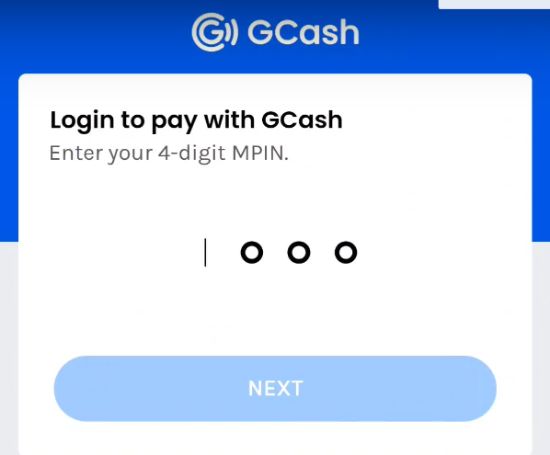
7. Follow the prompt until you’ve successfully paid for your flight and see this confirmation.
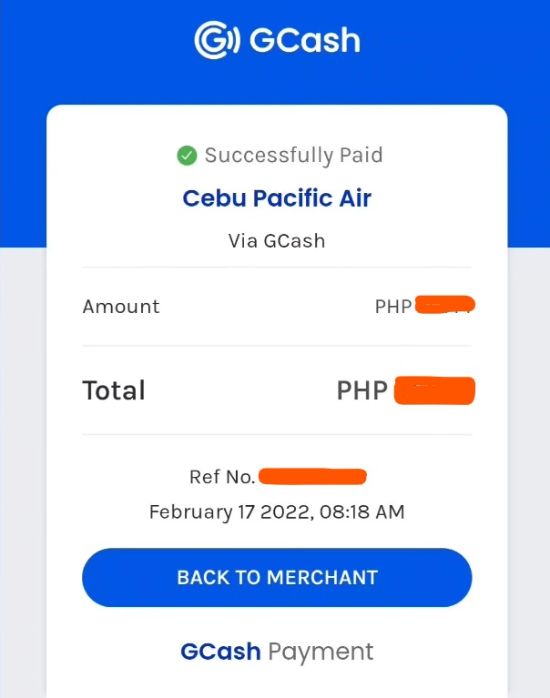
There you have it. The simple steps on how to pay for your Cebu Pacific flight via GCash. If you have any questions, feel free to share it in the comments area. Send us an email too if you have any concerns.
READ MORE: Cebu Pacific Promo and Seat Sale
About GCash
GCash is the Philippines’ largest and most popular mobile wallet and online payment app, which allows users to do various financial transactions such as money transfers, online shopping, and bills payment.
It is operated by Mynt – Globe Fintech Innovations, Inc. (GXI), a subsidiary of Globe Telecom, and offers a convenient and secure way for users to manage their finances using their mobile devices. Users can load their GCash accounts through various methods like online banking, over-the-counter transactions, and debit and credit cards.
READ MORE: GLOBE ROAMING: No need to change SIM cards abroad
More Cebu Pacific Blog Posts
- How to check in online with Cebu Pacific
- How to check Cebu Pacific flight status
- Cebu Pacific: Manila to Dubai Flights
- Booking Cebu Pacific Flight Using Go Rewards
- Cebu Pacific Announces New Manila-Da Nang Route
- Cebu Pacific Cargo
More GCash Blog Posts
- How to load Cignal TV using GCash
- How to pay Pag-ibig Housing Loan thru GCASH
- How to Transfer Money from Paypal to GCash
- How to Change Your Mobile Number in GCash
- How to Pay HOME CREDIT via GCASH (Step-by-step Guide)
- How to transfer money from GCASH to MAYA


