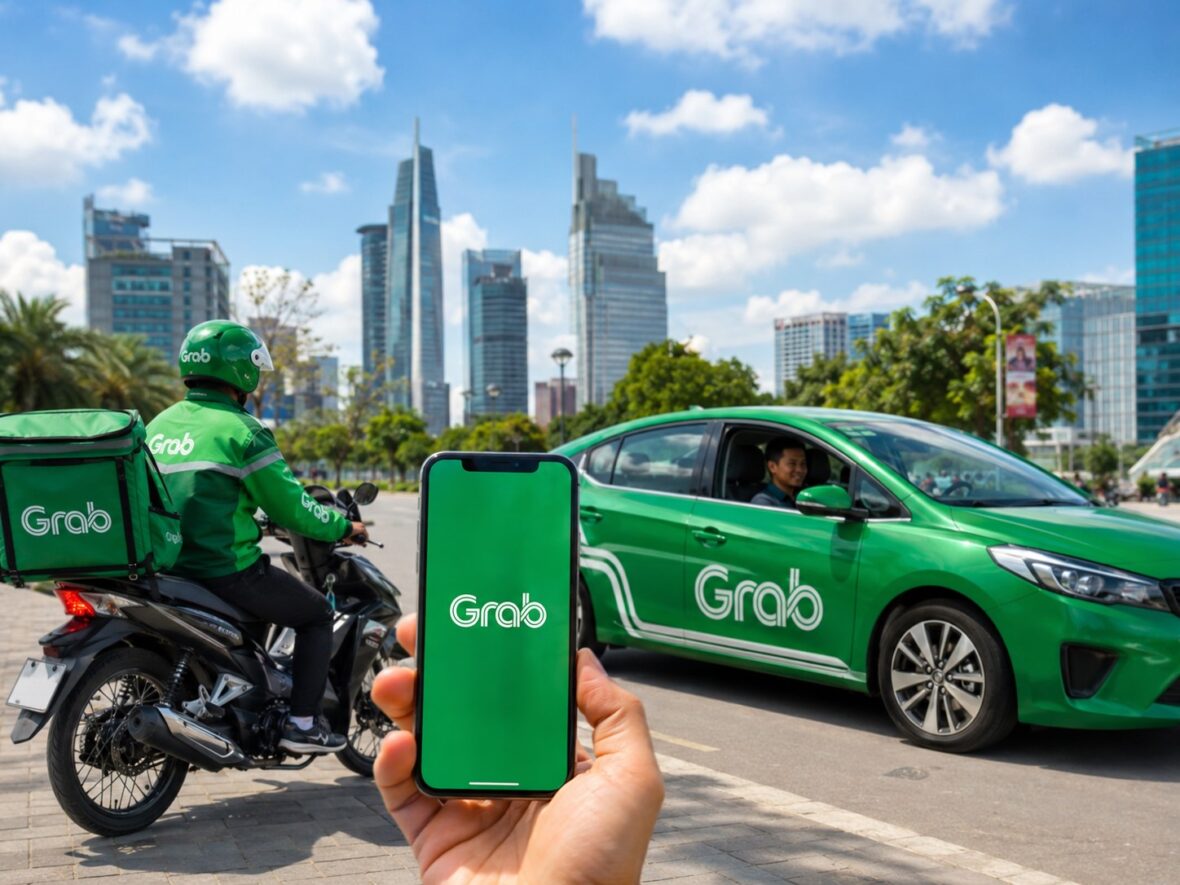
For many Filipinos, Grab has become one of those apps that is difficult to imagine living without. Need a ride to the airport? Open Grab. Craving fast food late at night? Check GrabFood. Forgot to buy groceries? Try GrabMart. Need to send documents across the city? Book GrabExpress.
What started as a ride-booking service has grown into an all-in-one platform for transportation, deliveries, shopping, payments, and business services. That is why Grab is often described as a superapp—instead of downloading separate apps for every need, users can access several everyday services from one place.
Whether you are a first-time user, a traveler visiting the Philippines, or someone who regularly books rides and deliveries, here is a comprehensive guide to Grab Philippines and how its different services work.
Content
What Is Grab?
Grab is a Southeast Asian technology company founded in 2012. The company operates across mobility, deliveries, and digital financial services, connecting customers with driver-partners, delivery riders, restaurants, stores, and other businesses through its mobile application.
In simple terms, Grab serves as the platform that brings everyone together.
When you book a GrabCar, for example, the app matches you with an available driver-partner. When you order through GrabFood, the platform connects you with a restaurant and a delivery rider. For GrabMart, it allows you to shop from participating supermarkets, convenience stores, pharmacies, and specialty retailers.
Grab explains in its terms that it is a technology platform and that, depending on the service, the actual ride, delivery, food, or product may be provided by an independent partner.
Grab’s Growth in the Philippines
Grab has become one of the most recognizable digital-service platforms in the country. Its services are no longer limited to central areas of Metro Manila.
In 2024, Grab reported that it had expanded from operating in eight Philippine cities in 2018 to more than 200 cities. However, this does not necessarily mean that every Grab service is offered in all those locations. A city may have GrabFood or GrabExpress but limited GrabCar availability—or the other way around.
Service coverage also depends on the number of active drivers, riders, restaurants, and merchants in a particular area. Even within the same province, one municipality may have plenty of available bookings while a nearby location may have fewer options.
As of the latest official company information available, Grab Philippines is led by country head Ronald Roda, who was appointed to the position in September 2024 after serving as the company’s chief operating officer in the Philippines.
What Services Does Grab Offer in the Philippines?
Grab is best known for ride-hailing, but transportation is only one part of the platform. Its Philippine app includes services for rides, restaurant deliveries, grocery shopping, parcel delivery, cashless payments, bills, mobile load, and other everyday needs.
The exact options you see will depend on your location, account eligibility, and the latest version of the app.
GrabCar and Grab Transportation
GrabCar allows passengers to book private vehicles using their phones. Instead of waiting along the road and hoping that a taxi passes by, you can enter your pickup point and destination, see an estimated or upfront fare, and request a ride.
Once a driver accepts the booking, the app normally displays the driver’s name, photo, vehicle model, plate number, rating, and estimated arrival time. You can also follow the driver’s location on the map.
Depending on where you are, transportation options may include:
GrabCar
This is the regular private-car service used for everyday trips. It is commonly booked for commuting, errands, meetings, hotel transfers, mall visits, and airport transportation.
GrabCar 6-Seater
This option is designed for passengers who need a more spacious vehicle. It can be useful for families, small groups, or travelers carrying several bags.
Do not automatically assume that the vehicle can accommodate six people plus large suitcases. If you are traveling with bulky luggage, consider the available space and message the driver politely after the booking is accepted.
GrabFamily
Grab lists GrabFamily as a child-friendly ride option equipped with an appropriate child safety seat. Availability may be limited and should be checked directly inside the app before relying on it.
Rent by Grab
Rent by Grab is intended for customers who need a vehicle for several hours rather than for a single point-to-point journey. It may be useful for business meetings, sightseeing, property visits, errands with several stops, or family occasions.
The official transportation page lists rental periods such as four, eight, or 12 hours, although vehicle choices and local availability may vary.
GrabTaxi
In locations where it is offered, GrabTaxi connects passengers with accredited taxi drivers through the Grab platform. The fare structure may be different from GrabCar because taxi-meter charges, booking fees, tolls, and other applicable amounts may be involved.
Motorcycle Taxi Services
Grab’s transportation page also links passengers to MOVE IT for motorcycle taxi bookings. A motorcycle taxi can be practical for solo commuters who want to move through congested areas more quickly, although passengers should always wear the provided helmet and follow safety instructions.
Not every ride category is available in every city or at every hour. The selections that appear on your booking screen are the options currently available for your pickup location.
How to Book a Grab Ride
Booking a Grab ride is generally straightforward:
- Open the Grab app and choose the transportation or car option.
- Confirm your pickup point.
- Enter your destination.
- Choose the available vehicle type.
- Select your preferred payment method.
- Review the displayed fare and booking information.
- Confirm the request and wait for a driver to accept it.
Before getting into the vehicle, compare the plate number, car model, driver’s name, and photo with the information shown in the app.
It is also important to place the pickup pin accurately. A slightly incorrect pin can send the driver to the wrong street, building entrance, or side of a shopping mall. Adding a short pickup note—such as “main entrance beside the pharmacy”—can make the meeting point much easier to find.
How Grab Fares Work
Grab generally shows the cost of a ride before you confirm the booking. However, the displayed amount may exclude tolls and certain surcharges.
Prices can change depending on several factors, including:
- Distance between the pickup point and destination
- Expected travel time
- Traffic conditions
- Type of vehicle selected
- Number of available drivers
- Demand in the area
- Pickup or destination location
- Applicable fees and surcharges
This is why the same journey may cost more on a rainy Friday evening than on a quiet Sunday morning.
During periods of high demand, more passengers are requesting rides than there are drivers available. The resulting higher fare can encourage additional drivers to serve the area, although it can be frustrating when you need to travel urgently.
Tolls are another important consideration. If your route passes through an expressway or toll road, the toll may be collected separately or added according to the applicable booking arrangement. Check your receipt after the trip and raise any incorrect charge through the Help Centre.
GrabFood
GrabFood is Grab’s restaurant and food-delivery service. It allows customers to browse nearby restaurants, view menus, customize selected items, apply available promotions, choose a payment method, and follow the progress of the order.
The service includes local restaurants, cafés, bakeries, fast-food chains, milk tea shops, dessert stores, and other food businesses. Selection depends on your delivery address and the participating establishments within the area.
GrabFood may offer several ordering methods:
Instant Delivery
The restaurant prepares your food after accepting the order, and a delivery rider brings it to your address.
Scheduled Delivery
Participating restaurants may allow you to arrange an order for a later time. Grab’s official food page says scheduled orders can be placed as far as two days in advance, although the feature may not be available for every restaurant or location.
Self Pick-Up
Instead of paying for delivery, you order through the app and collect the food from the restaurant yourself. This can help you avoid queues and may give you access to pickup-only discounts.
Mix & Match
In supported locations, Mix & Match lets users order selected food from multiple participating establishments while paying one delivery fee. Availability depends on the restaurants grouped together in the app.
When ordering, do not look only at the menu price. Check the entire payment summary, which may include a delivery fee, platform fee, small-order fee, priority charge, or other disclosed amounts.
Promotional discounts can make GrabFood more affordable, but some vouchers require a minimum spend or a particular payment method. Always read the conditions before adding extra food simply to qualify for a discount.
GrabMart
GrabMart is designed for groceries and everyday essentials. It connects customers with supermarkets, convenience stores, pharmacies, pet shops, beauty retailers, and specialty stores.
You may use it for household supplies, snacks, beverages, toiletries, personal-care products, over-the-counter pharmacy items, fresh produce, pet products, and other goods available from participating merchants.
GrabMart offers on-demand and scheduled deliveries, with some orders arriving within the hour depending on store hours, stock availability, distance, and rider supply.
One thing to remember is that inventory can change quickly. A product shown in the app may become unavailable while the store is preparing your order. Depending on the settings and merchant procedure, the store or rider may contact you about a replacement, remove the unavailable item, or adjust the final total.
Prices in the app may also differ from prices inside the physical store. Review the checkout total before confirming your order.
GrabExpress
GrabExpress is Grab’s on-demand parcel and document delivery service. It is commonly used for sending contracts, keys, small packages, gifts, merchandise, packed food, flowers, and other permitted items.
The service offers live GPS tracking, delivery updates, upfront fares, and photo proof of delivery. Grab states that different vehicle options can handle items ranging from small documents to larger parcels, subject to size, weight, distance, packaging, and prohibited-item rules.
The official GrabExpress page also states that eligible deliveries receive automatic coverage of up to ₱20,000, subject to applicable conditions and exclusions. This should not be interpreted as a guarantee that every lost, damaged, poorly packaged, prohibited, or incorrectly declared item will automatically be reimbursed.
Before booking, package the item properly and check that the recipient will be available. For fragile or valuable goods, take clear photos before handing over the package and review GrabExpress’s current protection terms.
Never use the service to send illegal, hazardous, restricted, or prohibited items.
GrabExpress Pabili
Pabili allows a rider to purchase an item on the customer’s behalf and deliver it afterward. It can be useful when the shop is not listed on GrabMart or when you need something from a nearby establishment.
For example, you might use Pabili to ask a rider to purchase medicine, food, household supplies, or another permitted item from a particular store.
Purchase limits, accepted payment arrangements, item restrictions, and service availability can change. Follow the instructions and limits displayed in the app rather than relying on older information posted online.
GrabPay
GrabPay is Grab’s digital wallet and cashless-payment service. It can be used for eligible Grab rides, GrabFood orders, GrabExpress deliveries, bills, mobile load, and purchases from participating merchants or websites.
Users may be able to add money through supported banks, cards, online banking channels, ATMs, stores, or other cash-in methods shown in the app. Some functions require identity verification.
GrabPay is regulated by the Bangko Sentral ng Pilipinas. The BSP’s list of supervised electronic-money issuers includes GPay Network PH, Incorporated, the entity associated with GrabPay’s Philippine operations.
Although GrabPay is convenient, treat it as you would any other financial account:
- Use a unique and secure PIN.
- Never share one-time passwords.
- Do not let strangers use your account.
- Review transaction notifications immediately.
- Report unauthorized transactions through official support channels.
- Avoid clicking suspicious links claiming to offer Grab vouchers or refunds.
Grab also uses security features such as GrabPIN verification and email alerts when certain account changes are detected.
Payment Methods Accepted by Grab
The payment choices available depend on the service and the user’s account. Common methods include:
- Cash
- GrabPay Wallet
- Credit cards
- Debit cards
- Available promotional vouchers
Grab’s official transportation page lists cash, credit cards, debit cards, and GrabPay as ride-payment options. GrabFood also accepts several payment methods based on what is available in the customer’s app.
Before confirming a booking, double-check the selected payment method. It is easy to assume that cash is selected when the app is actually charging a saved card—or vice versa.
Grab’s Safety Features
Grab includes several safety and privacy features for passengers and drivers.
Driver and Vehicle Information
The passenger receives the driver’s name, photograph, vehicle details, and plate number before the ride begins.
Live GPS Tracking
The route can be followed through the app while the ride or delivery is in progress.
Share My Ride
Passengers may share their live trip information with relatives or friends.
Emergency Assistance
An emergency feature is available during rides to help passengers contact emergency services or selected emergency contacts.
Number Masking
Grab masks the personal telephone numbers of passengers and drivers so that they can communicate without directly sharing their private numbers.
Technology can improve safety, but passengers should still remain alert. Confirm the vehicle details, wear a seat belt, avoid boarding a different car, and share the trip when traveling alone—especially late at night.
Grab for Drivers and Delivery Riders
Grab also serves as an income platform for drivers and delivery riders. Driver-partners can receive ride requests, use in-app navigation, track earnings, and see information about high-demand areas. Delivery-partners can accept food, grocery, and parcel-delivery jobs based on the services for which they are registered.
Actual earnings are not guaranteed. They can be affected by working hours, number of completed bookings, location, fuel prices, maintenance expenses, incentives, commissions, cancellations, and demand.
Anyone considering becoming a partner should study the current requirements and calculate operating costs carefully instead of looking only at advertised gross earnings.
Grab for Restaurants and Businesses
Restaurants, grocery stores, shops, and other businesses may register as Grab merchant-partners. Participating businesses can use Grab to reach app users, accept online orders, arrange deliveries, process selected payments, and run promotional campaigns.
Grab says merchant applicants can register through the GrabMerchant app. Commission rates and service fees are determined by the agreement between Grab and the merchant rather than by one universal public rate.
Larger companies may also use Grab for Business for employee rides, corporate deliveries, reporting, and other organization-related services.
How to Contact Grab Customer Support
Grab customer support is mainly accessed through the app’s Help Centre.
To find it:
- Open the Grab app.
- Tap Account.
- Select Help Centre.
- Choose the service connected to your concern.
- Select the booking, payment, or issue you need help with.
- Follow the displayed support options.
For GrabPay concerns, Grab says users may access chat support through the relevant financial-product section of the Help Centre.
Keep screenshots, receipts, order numbers, and photographs when reporting a problem. A clear and complete explanation can make it easier for the support team to review your case.
Advantages of Using Grab
The biggest advantage of Grab is convenience. One account can be used for rides, meals, groceries, parcels, and payments.
Other benefits include upfront ride pricing, driver and vehicle details, GPS tracking, digital receipts, cashless payments, delivery updates, saved addresses, and access to numerous merchants.
It can be especially helpful for travelers who do not know local transportation routes or who need to travel with luggage. It is also useful during busy days when leaving home to buy food or groceries is inconvenient.
Possible Disadvantages
Grab is convenient, but it is not always the cheapest option.
Ride fares can increase during rain, rush hour, holidays, concerts, and other high-demand periods. Food orders may include several fees, while app menu prices may be higher than those charged for dine-in or direct orders.
Passengers can also experience driver cancellations, long waiting times, inaccurate pickup pins, or difficulty finding a ride in areas with few active drivers.
Availability remains uneven outside major urban centers. Even when Grab operates in a province, you may not always find a driver or rider near your exact location.
Practical Tips for Using Grab
Book earlier when traveling to the airport, attending an important appointment, or catching a bus. Do not assume that a driver will be available immediately.
Compare the available ride categories before confirming. A regular option may be considerably cheaper than a larger vehicle, while a more affordable category may involve a longer wait.
Check the entire checkout page when ordering food or groceries. A large voucher does not always produce the lowest final price once fees and minimum-spend requirements are considered.
Use specific pickup notes at malls, condominiums, terminals, hospitals, and office complexes. These locations often have several gates and entrances.
Finally, communicate respectfully with drivers and riders. Clear directions and a little patience can make the experience easier for everyone.
Final Thoughts
Grab has evolved far beyond being an app for booking a car. In the Philippines, it now connects people with transportation, restaurant meals, groceries, parcel delivery, cashless payments, and livelihood opportunities.
Its popularity comes from a simple idea: many everyday tasks can be arranged through one application. You can book a ride in the morning, order lunch in the afternoon, send documents before the end of the workday, and have groceries delivered at night without switching platforms.
Of course, convenience comes with costs. Prices can rise during busy periods, service availability varies by location, and fees can add up. The best approach is to review every fare or order carefully, compare your options, and use the service when its convenience provides real value.
For millions of Filipinos, Grab is no longer merely a transportation app. It has become a practical digital companion for navigating the demands of everyday life.