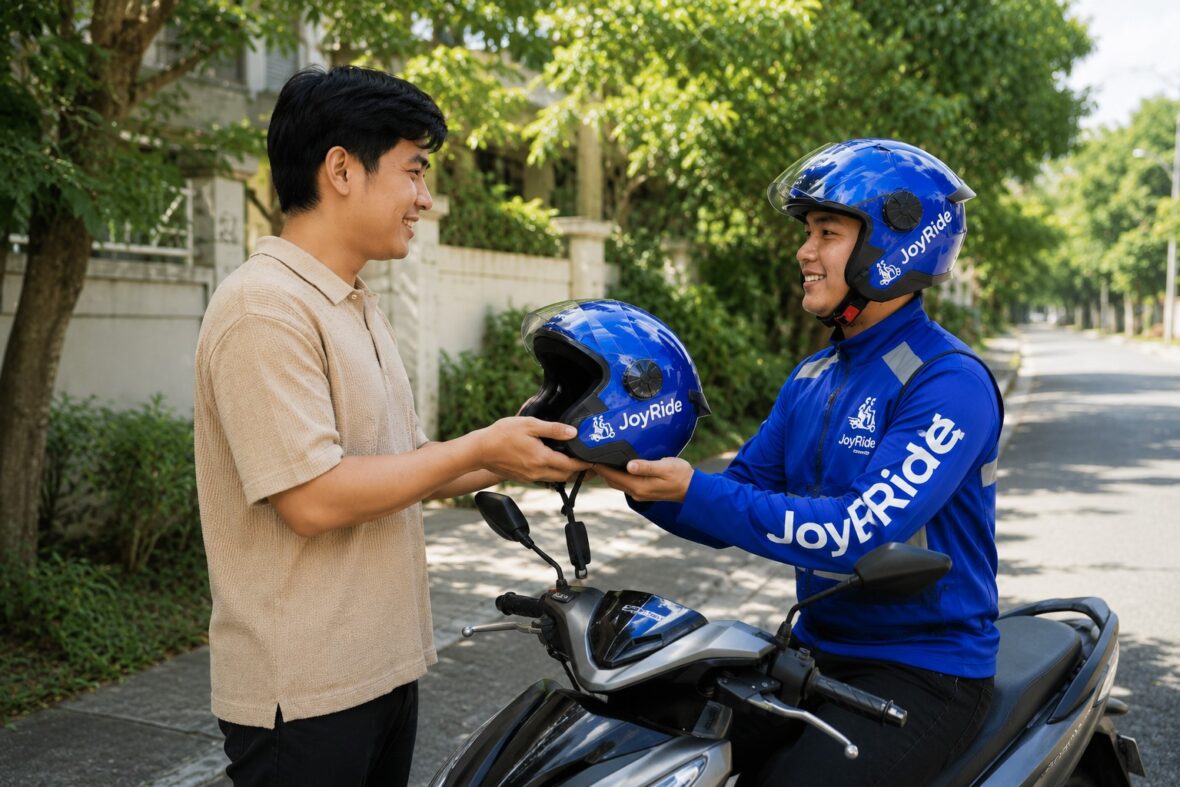
Getting around cities in the Philippines can be challenging, especially during rush hour. One moment, you think you have plenty of time, and the next, you are stuck in traffic wondering whether you will make it to work, school, the airport, or an important appointment.
This is where JoyRide can be useful.
Many people still know JoyRide mainly as a motorcycle-taxi app. However, it has grown into a Filipino mobility superapp offering motorcycle rides, private cars, metered taxis, deliveries, airport transfers, bus tickets, and other services.
Whether you are using JoyRide for the first time or simply want to understand its other features, this guide covers the important things you need to know.
Content
What Is JoyRide?
JoyRide is a homegrown Philippine mobility app that began operating in 2019. It initially became known for JoyRide MC Taxi, its motorcycle-taxi service, but it has since expanded into four-wheel rides, taxi bookings, deliveries, airport transportation, and other services.
The company currently describes JoyRide as a mobility superapp rather than simply a motorcycle-taxi platform. According to its official website and app listings, JoyRide operates in several parts of Luzon, Visayas, and Mindanao.
In simple terms, you can use one JoyRide account for several transportation and delivery needs.
What Services Are Available on JoyRide?
The services appearing on your home screen may depend on your location. Some areas may have motorcycle taxis but not private cars, while others may offer delivery or taxi services without every feature listed below.
JoyRide MC Taxi
JoyRide MC Taxi lets you book a motorcycle with a trained driver-partner. It is generally best for solo commuters who want to move through congested roads more quickly.
This service can be useful for:
- Short trips around the city
- Connecting to an MRT, LRT, bus, or jeepney station
- Traveling through heavily congested areas
- Reaching offices or establishments located along narrow streets
- Commuting when four-wheel ride prices are too expensive
Motorcycle taxis may help reduce travel time in traffic, but they are not ideal when you have large bags, several shopping items, mobility limitations, or concerns about riding in rain or poor weather.
JoyRide Car
JoyRide Car is the platform’s private car-hailing service. Depending on availability, users may choose between vehicles that accommodate up to four or six passengers.
This is the more comfortable choice when you are traveling with companions, carrying luggage, wearing clothes unsuitable for a motorcycle ride, or simply prefer an air-conditioned vehicle.
JoyRide Taxi Cab
Taxi Cab allows you to request a regular metered taxi through the app instead of waiting along the road and trying to hail one.
The final fare is generally based on the authorized taxi meter rather than a fixed ride-hailing price. Always make sure the driver starts the meter at the beginning of your trip and clarify any toll, parking, or additional charges before proceeding.
JoyRide Super Taxi
Super Taxi is JoyRide’s newer taxi service featuring dedicated vehicles while still operating at regular metered taxi rates, according to the company.
It is also used for JoyRide’s airport-transfer and scheduled-ride services.
JoyRide Airport Transfer
JoyRide allows passengers to pre-book Super Taxi rides to or from the airport. Scheduled rides may also be booked for destinations other than the airport.
JoyRide operates a 24-hour Super Taxi Airport Transfer Lounge at the NAIA Terminal 3 Arrivals Area, near Gate 7 and the multilevel parking area. Arriving passengers can approach the lounge to request a quotation and be assigned an available vehicle.
JoyRide Delivery
JoyRide Delivery is an express motorcycle-delivery service for documents, food, parcels, and other reasonably sized items.
It can be helpful when you need to send something across the city without traveling personally.
JoyRide Pabili
Pabili is JoyRide’s buy-for-me service. A driver-partner purchases an item on your behalf and delivers it to your location.
This may be useful for groceries, medicine, food, household essentials, or items from nearby shops. Availability, purchasing limits, and accepted items may vary.
Happy Move
Happy Move is JoyRide’s logistics service for larger or more complicated delivery requirements.
It offers two-wheel and four-wheel delivery options, with features such as scheduling and multiple stops. It may be more suitable than regular motorcycle delivery when you have several packages, bulky items, business deliveries, or multiple recipients.
JoyRide Bus
JoyRide Bus allows users to purchase tickets for participating bus routes directly through the app.
The routes, schedules, terminals, and operators available can change, so check the Bus section for the latest trips.
JR Mall and Buy Load
Depending on your app version and location, you may also see JR Mall, an online marketplace for food and grocery orders, and a Buy Load feature for purchasing prepaid mobile load.
Where Is JoyRide Available?
JoyRide’s current app listing says its services are available 24/7 in areas including:
- Metro Manila
- Rizal
- Bulacan
- Cavite
- Laguna
- Pampanga
- Bicol
- Cebu
- Cagayan de Oro
- Other expanding locations
However, this does not necessarily mean every JoyRide service is offered throughout every province or city.
For example, MC Taxi may be available in one area while Car or Super Taxi is not. Driver availability can also be much better in central business districts than in remote barangays.
The best way to check is to open the app, set your pickup and destination, and see which services appear.
How to Download and Create a JoyRide Account
The JoyRide passenger app is available through the Google Play Store for Android devices and the Apple App Store for iPhones.
Registration screens may change when the app is updated, but the process generally works like this:
Step 1: Download the Correct App
Search for JoyRide: Book Moto Taxi & Car and confirm that the developer is JoyRide.
Passengers should download the regular JoyRide app. The separate JoyRide Driver app is intended for driver-partners.
Step 2: Enter Your Mobile Number
Open the app and provide an active Philippine mobile number.
Make sure you have access to this SIM because JoyRide may send a one-time password or OTP for verification.
Step 3: Enter the OTP
Wait for the verification code and enter it in the app.
Never give your OTP to a driver, caller, social-media account, or anyone claiming to represent JoyRide. Legitimate support representatives should not need your OTP to investigate an ordinary booking concern.
Step 4: Complete Your Profile
Provide the required details, which may include your name, email address, and profile information.
Use accurate information, especially your mobile number, because drivers may need to contact you during pickup.
JoyRide’s published user terms state that users must be at least 18 years old or of legal age to use the service under their own account.
Step 5: Allow Location Access
Location access helps the app identify your position and locate nearby drivers.
Even when GPS is enabled, always inspect the map manually. Location pins can sometimes appear on the wrong side of a building, inside a subdivision, along a different road, or several meters away from the actual entrance.
How to Book a JoyRide
Although the screen may look slightly different depending on the selected service, the basic booking process is usually the same.
1. Select a Service
Choose MC Taxi, Car, Taxi Cab, Super Taxi, Delivery, or another available option.
Be careful when selecting. You do not want to accidentally book a motorcycle when you are carrying a suitcase or request a four-seater vehicle for a group of six.
2. Enter Your Pickup Point
Enter the name or address of your pickup location.
Instead of relying completely on the suggested address, zoom in and place the pin exactly where the driver can safely meet you.
For malls, condominiums, hospitals, airports, and transport terminals, use the designated ride-hailing or passenger pickup area whenever possible.
3. Enter Your Destination
Search for your destination and confirm the location on the map.
When booking for a less familiar place, check whether the pin matches the correct branch, building, gate, or barangay. Establishments with similar names can appear in several locations.
4. Review the Ride Details
Before confirming, check:
- Pickup and destination
- Selected service or vehicle
- Estimated fare
- Payment method
- Passenger capacity
- Applied promo code
- Notes for the driver
Do not press the booking button until these details are correct.
5. Add a Pickup Note
Use the notes section to provide a clear landmark or instruction.
For example:
Waiting beside the pharmacy near the main entrance. I am wearing a blue shirt.
Avoid lengthy directions. A short, specific landmark is usually more useful.
6. Confirm the Booking
Tap the booking button and wait for a driver to accept.
Matching time depends on the number of available drivers, your location, traffic, weather, time of day, and current demand. Booking may take longer during rush hour, payday weekends, heavy rain, major events, and late-night periods.
7. Verify the Driver and Vehicle
Once matched, compare the information in the app with the arriving vehicle.
Check the:
- Driver’s name and photo
- Motorcycle or car description
- Plate number
- Vehicle color
- Booking reference or ride details
Do not board when the driver, plate number, or vehicle does not match the app. Ask the driver to confirm your name or destination rather than announcing all your booking details first.
8. Complete the Ride and Payment
At the end of the trip, pay using the method selected during booking.
Review the final amount carefully, particularly for metered taxi rides, toll charges, waiting time, or cashless payments.
Afterward, rate the driver fairly and report serious concerns through official support channels.
JoyRide Payment Methods
Available payment methods can depend on the service and app version. JoyRide’s published terms and current booking information refer to the following options.
Cash
Cash is usually the simplest choice, especially for first-time users.
Prepare smaller bills when possible. Do not assume that every driver will have change for ₱500 or ₱1,000.
Before getting off, confirm that the cash payment has been properly recorded and that you have not accidentally paid twice.
eCash
JoyRide may offer an eCash option where payment is transferred electronically to the driver.
Unlike a fully integrated e-wallet payment that is automatically deducted, eCash may require you to open GCash or Maya and manually send the fare to the mobile number provided by the driver. The exact procedure can vary, so follow the instructions displayed in your booking and confirm the recipient’s name and number before sending money.
Take a screenshot of the successful transfer and show it to the driver before leaving.
Never send money before a legitimate driver has accepted your booking.
JR Pay Wallet
JR Pay is JoyRide’s in-app wallet. Users can add funds and use the balance to pay for eligible services.
JoyRide’s published terms mention topping up JR Pay using a valid debit or credit card. Wallet rules, supported funding methods, refund procedures, and cash-out restrictions can change, so review the current terms before loading a large amount.
A practical approach is to add only the amount you expect to use for upcoming trips.
How Much Does JoyRide Cost?
There is no single price that applies to every JoyRide booking.
The estimated cost may depend on:
- Distance
- Pickup location
- Destination
- Service selected
- Vehicle capacity
- Traffic conditions
- Weather
- Driver supply
- Passenger demand
- Waiting time
- Tolls or parking charges
- Promos and discounts
For MC Taxi, Car, and Delivery, review the estimated fare displayed before confirming.
Taxi Cab and Super Taxi trips generally use authorized metered rates. Ask the driver before taking a toll road and clarify whether any additional charge will be collected separately.
A 2026 comparison by Top Gear Philippines found that motorcycle-taxi prices and booking availability varied by app, route, location, weather, and time. This is why keeping more than one transportation app can be useful when you need to compare fares or find a driver quickly.
How to Use JoyRide Promo Codes
JoyRide regularly offers promotional discounts, particularly for new users, selected services, holidays, partner campaigns, and specific locations.
To use a promo:
- Enter your pickup and destination.
- Select the correct service.
- Look for the promo, voucher, or discount section.
- Enter or select the available code.
- Check whether the fare changed.
- Confirm that the discount appears before booking.
Read the conditions carefully. A promo may have:
- A minimum fare
- A maximum discount
- A limited number of uses
- A specific service requirement
- A restricted coverage area
- A new-user requirement
- Particular payment-method conditions
- An expiration date
A code appearing in an old Facebook post or blog article may no longer work. Treat a promo as active only when the current app accepts it and displays the discount.
Important JoyRide MC Taxi Safety Tips
Motorcycle taxis are convenient, but passengers must also take reasonable safety precautions.
Wear the Helmet Properly
Philippine law requires both motorcycle drivers and back riders to wear standard protective motorcycle helmets, even for short trips.
Make sure the helmet:
- Fits securely
- Is not excessively loose
- Has a working chin strap
- Is properly fastened
- Does not have severe visible damage
Never agree to ride without a helmet.
Wear Appropriate Clothing
Long pants and closed shoes generally provide better protection than short skirts, loose clothing, slippers, or high heels.
Secure scarves, jacket strings, long dresses, and anything that could become caught in the motorcycle.
Choose a Safe Pickup Point
Do not wait in the middle of a busy road or force the driver to stop in a prohibited area.
Walk to a well-lit, accessible pickup point where the motorcycle can stop without blocking traffic.
Tell the Driver When You Feel Unsafe
You are allowed to ask the driver to slow down.
A simple statement such as, “Kuya, medyo dahan-dahan lang po,” is completely reasonable. Reaching the destination a few minutes earlier is not worth taking unnecessary risks.
Avoid Motorcycle Rides During Dangerous Weather
Light rain is one thing, but severe rain, flooding, strong winds, and poor visibility can make motorcycle travel dangerous.
When conditions are bad, consider JoyRide Car, Taxi Cab, Super Taxi, public transportation, or delaying the trip.
Share Your Ride Information
Send the driver’s name, plate number, vehicle details, and expected arrival time to someone you trust, especially during late-night trips.
You can also take a screenshot of the booking details before leaving.
Keep the Booking Inside the App
Avoid agreeing to cancel a legitimate booking and continue the trip privately outside the platform.
An off-app arrangement may remove the digital record of the trip and make it more difficult to obtain support if something goes wrong.
Tips for Booking JoyRide Car or Taxi
For a smoother four-wheel ride:
- Choose the proper vehicle size for your group.
- Mention large suitcases or bulky items in the notes.
- Use official mall, hotel, condominium, and airport pickup zones.
- Confirm whether you will use a toll road.
- Make sure the taxi meter is activated when using a metered service.
- Do not eat, smoke, or leave rubbish inside the vehicle.
- Check the seats and floor before getting out.
- Photograph the plate number if you are traveling late at night.
When booking for another person, send them the driver and vehicle information. Also place the passenger’s name and contact details in the notes when the app permits it.
Tips for JoyRide Airport Transfers
Airport trips need more planning than an ordinary city ride.
Before booking:
- Confirm the correct airport terminal.
- Check your airline’s latest terminal assignment.
- Allow enough time for traffic and airport security.
- Enter the exact number of passengers.
- Select a vehicle that can accommodate everyone and their luggage.
- Provide clear pickup instructions.
- Keep your phone available when the driver is approaching.
For departures, do not schedule the pickup based only on normal travel time. Metro Manila traffic can change quickly, especially during rush hour or bad weather.
For arrivals at NAIA Terminal 3, JoyRide’s official airport lounge is located in the Arrivals Area near Gate 7 and the multilevel parking facility. It operates 24 hours a day.
How to Use JoyRide Delivery Safely
Before handing a package to a driver:
- Pack the item securely.
- Protect it from rain and impact.
- Photograph the item before sealing it.
- Write the recipient’s name and contact number clearly.
- Double-check the pickup and delivery addresses.
- Tell the recipient that a delivery is coming.
- Keep your phone available during the trip.
- Follow JoyRide’s current item restrictions.
Do not use an ordinary motorcycle-delivery booking for an item that is too large, extremely fragile, dangerous, illegal, or unusually valuable.
For bulky items, business deliveries, multiple stops, or larger loads, check whether Happy Move offers a more suitable vehicle.
What to Do When No Driver Accepts Your Booking
Failure to find a driver does not always mean there is something wrong with your account.
Try these steps:
Wait a Few Minutes and Try Again
Drivers may be completing other trips or moving into your area.
Check the Pickup Pin
A pin placed inside a restricted subdivision, underground parking area, private road, or inaccessible building may discourage drivers from accepting.
Move it to a nearby main road or recognized pickup point when safe.
Add a Clear Landmark
Drivers may hesitate when the pickup location is confusing. A simple landmark can make the booking more attractive and easier to complete.
Try Another Service
When MC Taxi is difficult to book, check Car, Taxi Cab, or Super Taxi. When four-wheel prices are high, see whether MC Taxi is practical for your trip.
Avoid Repeated Unnecessary Cancellations
Frequent cancellations waste the driver’s time and may affect your ability to book smoothly.
Cancel only for a legitimate reason, such as an incorrect vehicle, driver mismatch, unsafe situation, unreasonable delay, or major change in plans.
Common JoyRide Problems and Possible Solutions
The OTP Is Not Arriving
Check your mobile signal, confirm the number, wait briefly, and request another code.
Restart the app or phone when necessary. Avoid requesting too many codes in a short period because the system may temporarily limit new attempts.
The App Shows the Wrong Location
Turn on precise location, Wi-Fi, and mobile data. Move the pin manually rather than relying entirely on GPS.
The App Is Slow or Keeps Closing
Update JoyRide through the official app store. You can also restart the phone, clear the app cache on Android, or reinstall the app after confirming that you still have access to your registered mobile number.
The Driver Is Asking You to Cancel
Ask why.
Do not automatically cancel when the driver simply does not want to complete the trip. Use the cancellation reason that most accurately describes what happened and save screenshots when necessary.
You Were Charged or Paid Twice
Do not send another payment without checking your wallet, bank, or e-wallet transaction history.
Save the booking reference, receipt, driver details, screenshots, date, time, and amount before contacting support.
You Left Something in the Vehicle
Use the app’s available contact or trip-history feature as soon as possible.
If you cannot reach the driver, contact JoyRide support and provide the booking details and a clear description of the missing item.
You Have a Safety or Driver Complaint
Write down what happened while the details are still fresh.
Include:
- Booking date and time
- Pickup and destination
- Driver’s name
- Plate number
- Booking reference
- Screenshots
- Photos or videos, when safely obtained
- A clear description of the incident
Stick to the facts and explain what resolution you are requesting.
How to Contact JoyRide Customer Support
JoyRide lists the following official support channels:
Customer-support email: help@joyride.com.ph
24/7 hotlines:
(+632) 8864-7777
(+632) 8864-7778
Main office:
JoyRide PH Onboarding Facility
80 Marcos Highway, Mayamot, Antipolo City
The main office is listed as open Monday to Saturday, from 8:00 a.m. to 5:00 p.m. JoyRide also lists satellite offices in Las Piñas, Cebu, and Cagayan de Oro, although locations and office hours may change.
When emailing support, include your full name, registered mobile number, booking information, and a clear explanation of the concern. Never include your password or OTP.
How to Become a JoyRide Driver-Partner
JoyRide accepts applications for two-wheel and four-wheel passenger and delivery opportunities.
The company promotes both full-time and part-time arrangements, allowing driver-partners to choose their working schedules. New applicants are directed to register through the JoyRide Driver app.
Requirements vary depending on the vehicle and service. Applicants may be asked for a professional driver’s license, valid vehicle documents, clearances, identification, and other regulatory requirements.
Use only the official JoyRide Driver app or authorized JoyRide onboarding facilities. Be careful with unofficial agents asking for large payments or promising immediate activation.
Is JoyRide Legit?
Yes. JoyRide is an established Philippine transportation and delivery platform with official Android and iPhone apps, published customer-support channels, physical onboarding offices, and an active network of drivers.
Its motorcycle-taxi operations have formed part of the Philippine government’s motorcycle-taxi pilot framework. Because transportation regulations can change, passengers and driver applicants should still follow current Department of Transportation and LTFRB announcements.
Is JoyRide Better or Cheaper Than Other Apps?
There is no single answer because performance can vary by area and time.
JoyRide’s biggest advantage is the variety of services available inside one app. Instead of offering only motorcycle taxis, it combines motorcycle rides, private cars, metered taxis, airport services, delivery options, and other mobility features.
However, matching speed and pricing depend on driver availability. One app may be cheaper for a particular route today, while another may have more drivers tomorrow.
For practical commuters, it makes sense to keep several legitimate transportation apps installed. Compare the estimated fare, pickup time, payment options, and available promos before booking.
Final Thoughts
JoyRide has developed into much more than a motorcycle-taxi app. It can help you beat city traffic on an MC Taxi, travel comfortably by private car, request a metered taxi, arrange an airport pickup, send a parcel, purchase bus tickets, or handle a quick errand.
The app is generally straightforward, but a successful booking still depends on getting the basic details right. Place your pickup pin accurately, provide a useful landmark, review the estimated fare, choose the correct payment method, and verify the driver and vehicle before starting the trip.
Most importantly, never sacrifice safety just to save a few minutes or pesos. Wear your helmet correctly, speak up when a driver is moving too fast, avoid dangerous weather, and keep the entire booking within the app.
Used responsibly, JoyRide can be a convenient backup—or even your main transportation app—for everyday travel in the Philippines.
This guide was updated in July 2026. Services, fares, promos, coverage areas, and app features may change, so always check the latest information displayed inside the JoyRide app.