When booking a Cebu Pacific flight, one small typo can create a lot of stress.
Maybe you misspelled your name. Maybe your birthday is wrong. Maybe your passport number changed. Maybe you used the wrong nationality. Maybe your contact number is outdated. Or maybe you booked too quickly during a seat sale and only noticed the mistake after payment.
This is actually very common.
The good news is that Cebu Pacific allows passengers to update certain guest and contact details through Manage Booking, but there are important rules, deadlines, and limitations. Some details can be updated online. Some can only be changed once. Some need a live agent. Some cannot be updated through Manage Booking at all.
Cebu Pacific says you can go to Manage Booking within 24 hours of booking to change either your First Name or Last Name, while other guest and contact details can be updated up to 2 hours before your flight.
So in this guide, let’s talk about what details you can update, how to update them, what to do if the name correction window has passed, and what mistakes to avoid before your travel day.
Content
Why Updating Guest Details Matters
Your Cebu Pacific booking details should match your valid ID or passport.
For domestic flights, your name should match your valid physical ID. For international flights, your name and passport details should match your passport and travel documents.
This matters because airlines and airport staff use your booking details to verify that you are the correct passenger. If your name, birthday, nationality, or passport details are wrong, you may experience problems during check-in, document verification, immigration, or boarding.
Cebu Pacific allows some corrections, but it also has deadlines. For example, name corrections have a stricter 24-hour rule, while other guest details can be updated up to 2 hours before the flight.
So if you notice a mistake, don’t ignore it. Fix it early.
What Guest Details Can You Update?
Cebu Pacific allows updates to several guest and contact details through Manage Booking.
These may include:
Name correction
Nationality
Passport details
Birthday
Salutation
Contact number
Certain special assistance or travel-related details
Cebu Pacific’s Manage Booking guide says passengers can update guest details except email address, and the Updating Guest or Contact Details guide explains that nationality, passport, birthday, salutation, and contact number can be updated up to 2 hours before the flight.
But not all details follow the same rule.
Name corrections are more limited. Contact numbers can be updated multiple times. Passport or birthday details can only be updated once. Passenger type changes, such as Child to Adult, require live agent assistance.
Do You Need a MyCebuPacific Account?
Yes. A MyCebuPacific account is required to make booking changes.
Cebu Pacific says an account is required to make any booking changes, and Manage Booking changes require you to be logged in to the MyCebuPacific account connected to your booking.
This is important because some travelers retrieve their booking using only the booking reference and last name, then wonder why most fields are greyed out.
Cebu Pacific explains that if you retrieve your booking without an account, you may only be able to edit your contact number. To edit personal information such as first name, last name, date of birth, or nationality, you need to sign up or log in to your MyCebuPacific account.
So before updating guest details, log in first.
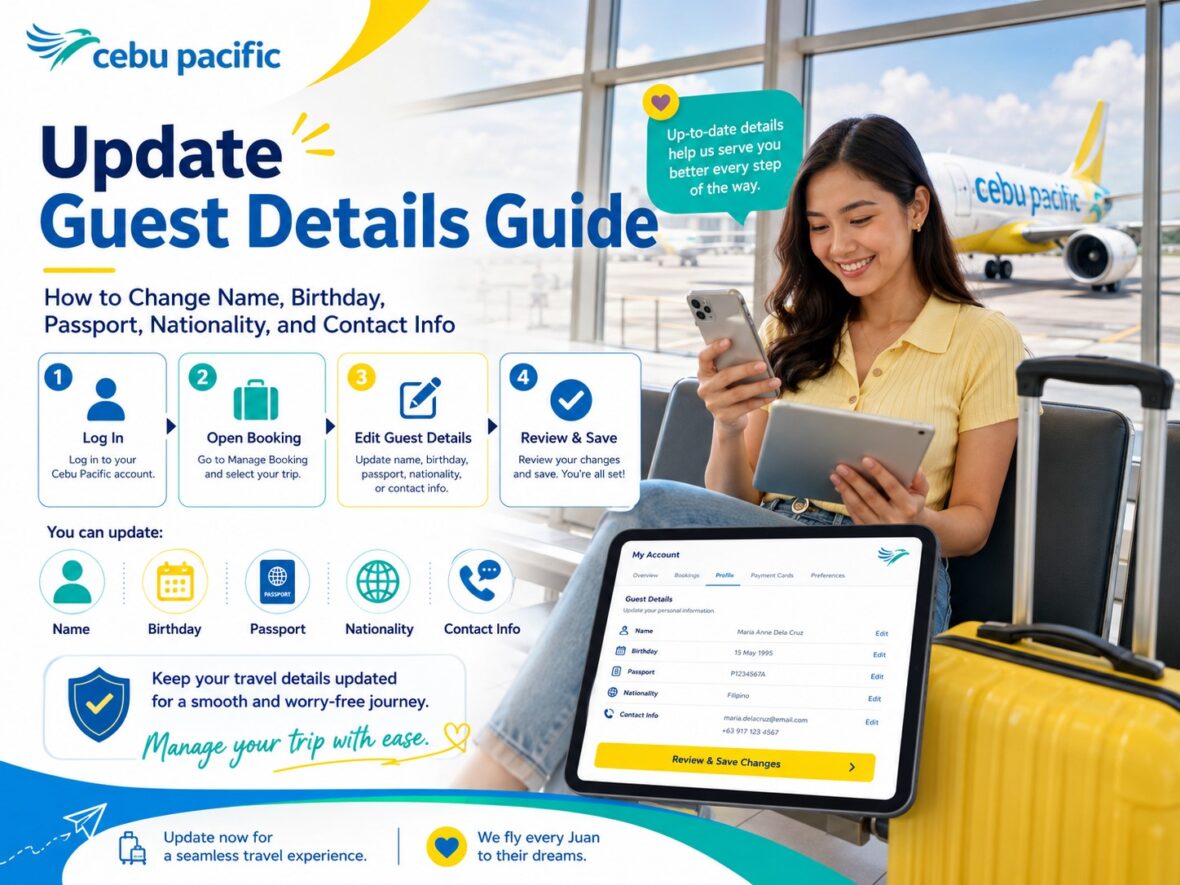
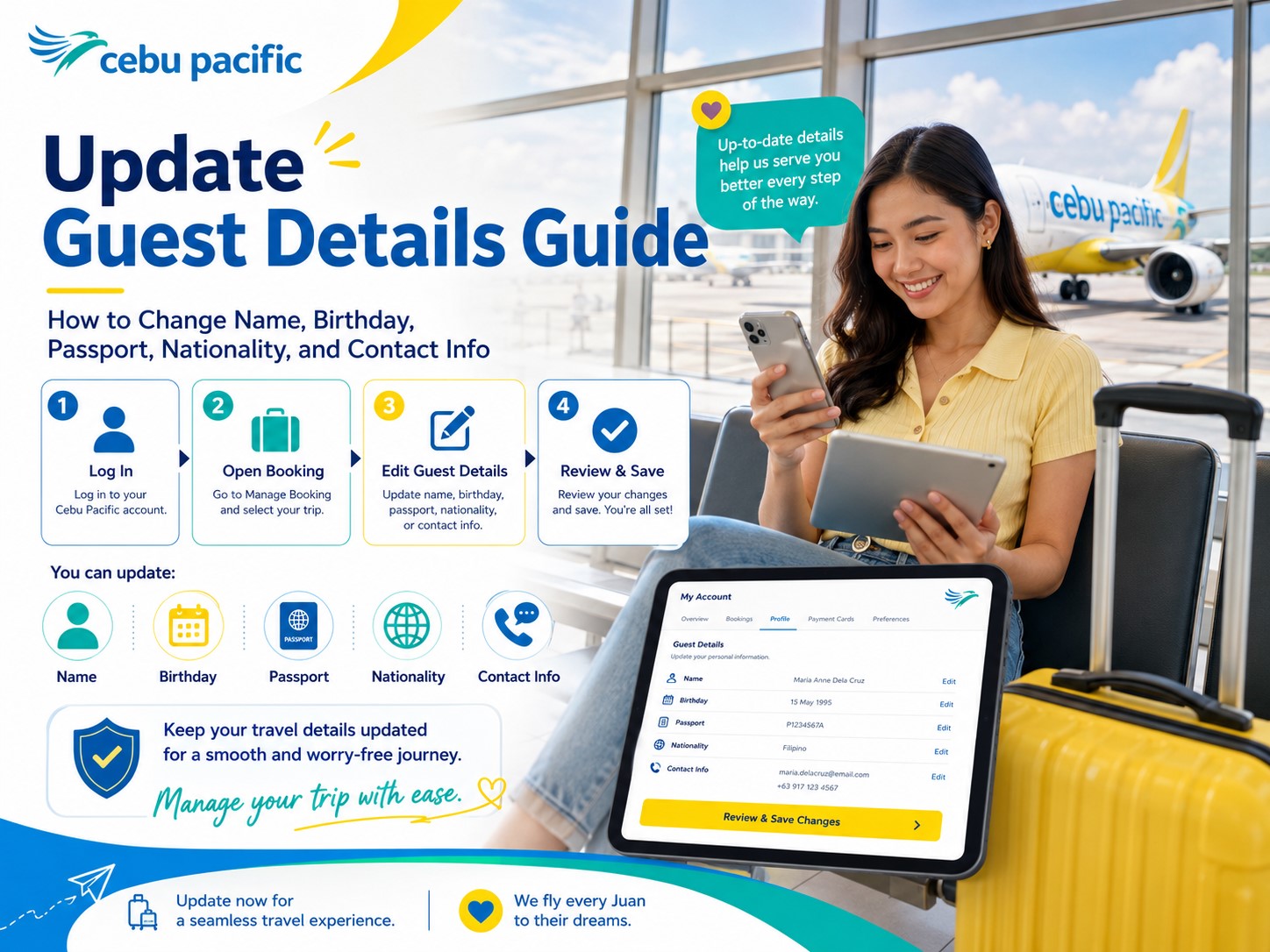
How to Update Guest Details Through Manage Booking
Here’s the simple process:
Open the Cebu Pacific app or website.
Log in to your MyCebuPacific account.
Go to Manage Booking.
Select the booking you want to update.
Tap or click Manage.
Look for Update Guest Details under Modify Flight.
Edit the details that need correction.
Review the changes carefully.
Tap or click Update guest details to confirm.
Cebu Pacific’s official guide gives the same basic steps: open the app, go to Manage Booking, choose the booking, tap Update Guest Details under Modify Flight, edit the details, and confirm the update.
Before confirming, double-check everything. Some details can only be updated once.
What If You Can’t Find Your Booking?
If your booking does not appear in your account, you may need to add or link it first.
Cebu Pacific says if you can’t find your booking after logging in, you can use the Add Booking feature to link it to your MyCebuPacific account. To add a booking successfully, the booking’s full name or email address should match the details in your MyCebuPacific account.
This often happens when you booked while logged out, booked as a guest, used a different email, or someone else booked the flight for you.
If the booking was made through a travel agency or online travel agency, you may need to contact the agency or booking platform if you cannot manage the booking online.
Name Correction: What Cebu Pacific Allows
Name correction is one of the most important and time-sensitive updates.
Cebu Pacific says that if it has been less than 24 hours since you created the booking, you can correct your name through Manage Booking. However, you can only update either the First Name only or the Last Name only, the change can only be done within 24 hours from booking completion, and it can only be updated once.
This is not the same as transferring the ticket to another person.
Cebu Pacific clearly says bookings are not transferable to another guest. It also says name changes are free of charge, but name changes are no longer allowed after you have taken your departing flight, even if your return flight has not yet been flown.
So if your name has a typo, correct it as soon as possible.
Can You Change the Passenger to Another Person?
No.
Cebu Pacific says bookings are not transferable to another guest.
This means you cannot change “Maria Santos” to “Juan Dela Cruz” just because Maria can no longer travel.
A name correction is for fixing an error in the same passenger’s name. It is not for replacing the passenger with a different person.
This is one of the most common misunderstandings. If the original passenger cannot fly, check rebooking or cancellation options depending on the fare bundle or add-on. But you generally cannot transfer the ticket to someone else.
What If It Has Been More Than 24 Hours Since Booking?
If it has been more than 24 hours since you made the booking, you may no longer be able to correct the name yourself through Manage Booking.
Cebu Pacific says passengers should chat through the Cebu Pacific app or website to connect with a Live Agent who can validate the request. Passengers should also prepare proof of the name correction, such as a marriage certificate or other supporting documents.
This does not guarantee approval for every case. It means Cebu Pacific needs to validate the request.
So if you are past the 24-hour window, contact support as soon as possible and prepare documents that prove the correct name.
Is Name Correction Free?
Cebu Pacific says name changes are free of charge under its guest detail update guidelines.
But remember the limits.
The correction must follow Cebu Pacific’s rules. Within 24 hours, you can update either your First Name only or Last Name only, and only once. After 24 hours, the request needs live agent validation and supporting proof.
So don’t treat name correction as something you can do anytime. Free does not mean unlimited.
First Name vs Last Name Correction
Cebu Pacific says you can update either your First Name only or your Last Name only within 24 hours of booking completion.
This means if both your first and last name are wrong, it may not be a simple self-service correction.
For example:
If “Jon” was typed as “John,” that may be a first name correction.
If “Santos” was typed as “Santso,” that may be a last name correction.
But if both first name and last name are wrong, or if the name clearly belongs to another person, you may need live agent assistance and Cebu Pacific may treat it differently.
The safest approach is to type names carefully during booking.
What If Your Name Has Ñ, É, Hyphen, or Apostrophe?
Special characters can cause confusion during airline booking.
Cebu Pacific says that if your name has special characters such as ñ, é, or ü, you may replace them with the regular letter, such as Niña becoming Nina. For names with apostrophes or hyphens, you may replace them with a space, such as Mary-Jane becoming Mary Jane or O’Connor becoming O Connor.
Cebu Pacific also says that if your boarding pass or itinerary shows your name without special characters, your booking is still valid.
So don’t panic if the system removes or simplifies special characters. What matters is that the name clearly matches your ID or passport.
What If You Have a Suffix Like Jr., Sr., or III?
Cebu Pacific has guidance for suffixes.
If your name has a suffix such as Jr., Sr., or III, Cebu Pacific says to enter the suffix in the First Name field and enter your name exactly as shown on your valid ID.
This is helpful for Filipino names where suffixes are common.
Before booking, check how your valid ID or passport displays your name. Then follow Cebu Pacific’s input guidance as closely as possible.
What About Middle Names?
Cebu Pacific says that for Filipino passengers, since there is no field for middle name or middle initial, you may enter your first name and last name exactly as shown on your valid ID. Its example shows a full name like “Juan Miguel Santos Dela Cruz” entered as “Juan Miguel Dela Cruz.”
For international passengers, Cebu Pacific says to enter your given name and last name exactly as shown on your valid ID.
This is important because many Filipinos are used to forms that require middle names, but airline booking forms may not always have a separate middle name field.
If there is no middle name field, don’t force it into the wrong place unless the airline guidance says so.
What If Your Name Is Shortened?
Cebu Pacific says that for shortened names, such as Ma. instead of Maria, you should enter your name exactly as it is shown on your valid ID.
This matters because some IDs show “Maria” while others show “Ma.”
If your passport says “Maria,” use Maria. If your valid ID says “Ma.,” follow the ID.
For international flights, always follow the passport.
Can You Update Your Birthday?
Yes, you can update your birthday through Manage Booking.
Cebu Pacific says birthday details can be updated up to 2 hours before the flight, but birthday details can only be updated once.
This matters for passenger type, infant or child eligibility, and identity verification.
If you notice the birthday is wrong, update it early and carefully. Since this can only be updated once, don’t rush the correction.
Can You Update Your Passport Details?
Yes, you can update passport details through Manage Booking.
Cebu Pacific says nationality/passport details can be updated up to 2 hours before your flight, but these details can only be updated once.
This is especially useful for international travelers.
Maybe your passport expired and you renewed it after booking. Maybe you accidentally typed the wrong passport number. Maybe your passport issue date or expiry date was entered incorrectly.
If your passport details changed, update the booking before the deadline and make sure the details match your actual passport.
Can You Update Your Nationality?
Yes, nationality can be updated through Manage Booking.
Cebu Pacific says nationality details can be updated up to 2 hours before the flight, and nationality/passport details can only be updated once.
This matters for international travel because nationality can affect visa, entry, and document verification.
If you accidentally selected the wrong nationality, correct it early.
Can You Update Your Salutation?
Yes, salutation can be updated through Manage Booking.
Cebu Pacific says salutation details can be updated up to 2 hours before the flight, but can only be updated once. Cebu Pacific also says the only salutations currently available in its system are Mr. and Ms., and married women may use Ms. instead of Mrs.
This is usually less serious than name, birthday, or passport errors, but it is still better to keep your details correct.
Can You Update Your Contact Number?
Yes. Contact number is one of the easiest details to update.
Cebu Pacific says contact number can be updated up to 2 hours before the flight and can be updated multiple times as necessary.
This is very useful if you changed SIM cards, used the wrong mobile number, or want to make sure you receive flight updates.
If your number is outdated, update it early. Flight changes and travel reminders may be sent through contact details linked to the booking.
Can You Update Your Email Address?
No, not through Manage Booking.
Cebu Pacific says there is currently no option to correct or update your email address. Its Manage Booking guide also says guest details can be updated except email address.
This is one of the most important reminders.
If you typed the wrong email during booking, you may not receive your itinerary, invoice, flight updates, or other reminders properly. You may need to contact Cebu Pacific support for help, but the email field itself is not something you can simply edit through Manage Booking.
Before payment, always double-check your email address.
Can You Update Your Go Rewards Membership ID?
Cebu Pacific says it is currently not possible to edit or update your Go Rewards Membership ID due to system limitations. If you need help, Cebu Pacific advises chatting through the app or website to connect with a Live Agent.
This matters if you entered the wrong Go Rewards number or forgot to add it.
For future bookings, make sure your Go Rewards details are correct before payment.
Can You Change Passenger Type?
Passenger type means whether the guest is an adult, child, or infant.
Cebu Pacific says that to correct or change passenger type, such as from Child to Adult, you need to chat with Cebu Pacific to reach a live agent who can help process the request.
This cannot be fixed like a simple contact number update.
Passenger type affects fares, fees, documents, and age-based rules, so it needs proper handling.
Can You Add an Infant After Booking?
In general, Cebu Pacific says you cannot add another guest to an existing booking, except for infants below 2 years old at the time of travel. To add an infant on lap, you can go to Manage Booking, and this applies only to an infant on lap, meaning the child will not occupy a seat.
This is useful if you booked for adults first and later needed to add an infant.
But don’t wait until airport day. Infant travel has rules and documents, so manage this early.
What If It’s Less Than 2 Hours Before the Flight?
If it is less than 2 hours before your flight, Cebu Pacific says you cannot make changes to flights less than 2 hours away. For guest detail updates, if it is less than 2 hours before the flight, passengers should approach the airport counters for assistance.
This is why timing matters.
If your flight is tomorrow or later, update details online as early as possible.
If you are already at the airport and the flight is near, go to the Cebu Pacific counter and ask for help immediately.
What If Most Fields Are Greyed Out?
If most fields in the Guest Details page are greyed out, Cebu Pacific says you may need to sign up or log in to your MyCebuPacific account to edit personal information such as first name, last name, date of birth, and nationality. If you retrieve your booking without an account, only the contact number may be editable.
So if you can’t edit the fields, don’t assume the system is broken.
Check if you are logged in.
Also check if you are logged in to the correct account connected to the booking.
What If You Booked Through a Travel Agency or OTA?
If you booked through a travel agency or online travel agency, updating guest details may be more complicated.
Cebu Pacific says that if you booked through third-party sites or a travel agency and experience problems managing the booking, purchasing add-ons, updating guest details, getting your itinerary, claiming a refund, or if the booking reference is not recognized, you should contact the travel agency or third-party site where the booking was originally created.
This includes bookings through platforms like Agoda, Booking.com, Skyscanner, company travel desks, and local agents.
Try Manage Booking first. If it does not work, contact the agency.
What If You Booked Through an Unauthorized Third-Party Platform?
Be careful with unofficial sellers.
Cebu Pacific says unauthorized third-party platforms may issue booking reference numbers not recognized by its system, which can make managing the booking difficult. If you encounter issues, Cebu Pacific advises chatting through the app or website to connect with a Live Agent who can verify the booking.
This is why booking directly with Cebu Pacific is usually safer.
A cheap fare from a random seller may become stressful if you cannot update passenger details, add baggage, check in online, or verify the booking.
What If Your Flight Is a Group Booking?
Group bookings may not be as easy to manage individually.
Cebu Pacific says that for group or travel agency bookings, passengers should contact the agent, coordinator, or lead guest directly to make changes.
This is common for company trips, school trips, tour packages, or group travel arranged by one person.
If you are part of a group booking and need to correct your details, contact the organizer early.
What If You Already Took the Departing Flight?
Cebu Pacific says name changes are no longer allowed after you have taken your departing flight, even if your return flight has not yet been flown.
This is a very important rule for round-trip passengers.
If you noticed the name issue only after flying the first leg, your options may be limited.
That’s why you should check your full itinerary before the first flight, not only before the return flight.
What If Your Booking Name Does Not Match Your Passport?
For international flights, your booking name should match your passport.
If the name mismatch is minor, check Cebu Pacific’s name formatting guidance for special characters, suffixes, shortened names, and middle names. Cebu Pacific says special characters may be replaced with regular letters, hyphens or apostrophes may be replaced with spaces, and names should be entered exactly as shown on the valid ID or passport depending on the case.
If the mismatch is more serious, contact Cebu Pacific early.
Don’t wait until check-in or immigration.
What If Your Birthday Is Wrong and It Affects Child or Adult Status?
If the birthday mistake affects whether the passenger is considered a child, adult, or infant, you may need more than a simple birthday update.
Cebu Pacific says birthday details can be updated up to 2 hours before the flight, but passenger type changes, such as Child to Adult, require live agent assistance.
For example, if a passenger was mistakenly booked as a child but should be an adult, chat with Cebu Pacific and ask for help.
Passenger type can affect pricing, documents, and travel rules, so don’t guess.
What If You Are an OFW and Need to Update OEC or Exemption Details?
Cebu Pacific says OFWs may use the number from their most recent Overseas Employment Certificate or MIAA Exemption Certificate when making a booking. If you receive an updated number before your flight, you can update your booking by chatting through the Cebu Pacific app or website to connect with a Live Agent, or by visiting the OWWA counter at the airport and presenting documents such as OEC, OEC Balik Manggagawa Certificate, or Master Employment Contract.
For OFWs, details matter because travel tax exemption and verification may be involved.
Prepare your documents before going to the airport.
What If You Need Medical or Mobility Assistance?
Medical or mobility assistance is a separate type of update or request.
Cebu Pacific says passengers can request assistance when first booking a flight or through Manage Booking on the Cebu Pacific app at least 2 hours before departure.
This is important if you need wheelchair assistance, medical clearance, mobility support, or other travel assistance.
Do not wait until the airport if you already know you need help. Request assistance early so the airline can prepare.
Name Correction vs Updating Guest Details
It helps to separate name correction from other guest detail updates.
Name correction has stricter rules. It must be done within 24 hours through Manage Booking if self-service is available, and you can update either first name or last name only, once.
Other guest details, such as nationality, passport, birthday, salutation, and contact number, can be updated up to 2 hours before the flight. However, nationality/passport, birthday, and salutation can only be updated once, while contact number can be updated multiple times.
So if you see an error, identify what kind of error it is first.
Domestic Flight Guest Detail Tips
For domestic flights, focus mainly on your name, birthday, valid ID, contact number, and any discount-related documents such as Senior Citizen or PWD ID.
Your name should match your valid ID.
If your contact number is wrong, update it so you can receive flight reminders or disruption notifications.
If you are traveling with children, make sure their birthdate and passenger type are correct.
If the flight is soon, update everything before the 2-hour deadline.
International Flight Guest Detail Tips
For international flights, be extra careful.
Your name should match your passport. Your birthday should be correct. Your nationality should be correct. Your passport number, expiry date, and other passport details should be accurate.
Cebu Pacific allows nationality and passport details to be updated up to 2 hours before the flight, but those details can only be updated once.
For international travel, don’t wait until check-in day to review these details.
Check them as soon as you book.
What to Do Right After Booking
After paying for your Cebu Pacific flight, review your itinerary immediately.
Check:
First name
Last name
Suffix
Birthday
Nationality
Passport details
Contact number
Email address
Passenger type
Fare bundle
Baggage
Seat
Route
Date
Time
If anything is wrong, fix it immediately.
Name corrections are most urgent because the self-service window is only within 24 hours from booking completion.
Common Mistakes When Updating Cebu Pacific Guest Details
The first mistake is waiting too long to correct a name.
The second mistake is thinking you can transfer the ticket to another passenger. Cebu Pacific says bookings are not transferable.
The third mistake is trying to update both first name and last name through self-service when Cebu Pacific only allows either first name or last name within the 24-hour self-service correction rule.
The fourth mistake is assuming email address can be updated online. Cebu Pacific says there is currently no option to correct or update email address.
The fifth mistake is not logging in to MyCebuPacific before trying to edit guest details.
The sixth mistake is using an OTA confirmation number instead of the Cebu Pacific booking reference.
The seventh mistake is waiting until less than 2 hours before the flight.
The eighth mistake is not checking passport details for international travel.
The ninth mistake is entering special characters incorrectly.
The tenth mistake is not preparing proof for name correction after the 24-hour window.
Cebu Pacific Guest Details Update Checklist
Before your flight, check the following:
Is your first name correct?
Is your last name correct?
Is your suffix entered properly if applicable?
Does the name match your valid ID or passport?
Is your birthday correct?
Is your nationality correct?
Are your passport details correct?
Is your salutation correct?
Is your contact number updated?
Is your email address correct before payment?
Is your passenger type correct?
Are you logged in to the correct MyCebuPacific account?
Is your booking linked to your account?
Is your flight more than 2 hours away?
Do you need live agent help?
For international trips, do this check immediately after booking. For domestic trips, still do it early.
What to Prepare Before Contacting Cebu Pacific
If you need live agent assistance, prepare:
Booking reference
Passenger full name
Email used in booking
Route
Travel date
Screenshot of the error
Valid ID or passport
Marriage certificate, if name correction is due to marriage
Birth certificate, if relevant
OEC or OFW documents, if relevant
Proof that the correction belongs to the same passenger
Cebu Pacific says that after the 24-hour name correction window, passengers should chat through the app or website to connect with a Live Agent and prepare proof of name correction, such as a marriage certificate or other supporting documents.
Being prepared helps the live agent validate your request faster.
My Practical Advice
My best advice is this: check your guest details right after booking, not the night before your flight.
Name corrections have a short window. Passport and birthday updates have limits. Email cannot be updated through Manage Booking. Passenger type changes need a live agent. OTA bookings may require contacting the agency.
So don’t wait.
After booking, open your itinerary and compare every detail with your ID or passport.
If something is wrong, fix it immediately.
It takes only a few minutes to review, but it can save you from check-in problems, airport stress, and unnecessary support chats later.
Final Thoughts
Cebu Pacific allows travelers to update certain guest and contact details, but each type of update has its own rule.
For name corrections, Cebu Pacific says you can go to Manage Booking within 24 hours of booking to change either your First Name or Last Name. The change can only be done once, and bookings are not transferable to another guest. If it has been more than 24 hours, you need to chat with Cebu Pacific through the app or website and prepare supporting proof.
For nationality, passport, birthday, salutation, and contact number, Cebu Pacific says you can update these through Manage Booking up to 2 hours before the flight. Nationality/passport, birthday, and salutation can only be updated once, while contact number can be updated multiple times.
Cebu Pacific also says there is currently no option to correct or update email address through Manage Booking, and passenger type changes require live agent assistance.
The key is to act early.
Log in to your MyCebuPacific account. Open Manage Booking. Review your details. Correct what you can. Contact support if needed. And for future bookings, type everything slowly and carefully before payment.
A small typo may be fixable, but the earlier you catch it, the easier your trip will be.


