After booking a Cebu Pacific flight, most travelers focus on the itinerary, booking reference, baggage allowance, and flight schedule.
But for some passengers, there is another important document: the invoice or official receipt.
You may need it for company reimbursement, accounting, tax records, travel liquidation, business trips, government processing, senior citizen or PWD documentation, or personal expense tracking. And if you added baggage, seats, meals, or other add-ons after booking, you may also need receipts for those separate transactions.
This is where some travelers get confused.
Is the itinerary receipt the same as the official receipt? Where can you find the invoice? What if you did not receive it? Can you request a digital copy? Can you request a physical copy? Can you edit the business name, TIN, or purchaser details?
Cebu Pacific says the invoice or official receipt is sent to the email registered in the booking together with the Itinerary Receipt. It also says separate invoices per passenger are not available because the system issues one invoice per booking.
In this guide, let’s explain Cebu Pacific invoices and official receipts in a simple and practical way.
Content
What Is a Cebu Pacific Invoice or Official Receipt?
A Cebu Pacific invoice or official receipt is the document that supports the payment side of your booking.
Your itinerary receipt shows your travel details, such as route, flight date, passenger names, and booking reference. The invoice or official receipt is more focused on the transaction and payment record.
Cebu Pacific says the invoice is sent to the email registered in the booking along with the Itinerary Receipt.
In simple terms:
Itinerary Receipt = your flight details.
Invoice or Official Receipt = your payment or transaction document.
You may need both, especially if you are traveling for work or need to submit documents for reimbursement.
Is the Itinerary Receipt the Same as the Invoice?
No. They are related, but they are not the same document.
Cebu Pacific says the Itinerary Receipt is received after successful payment of your booking or every time you make changes to your flight. It also shows the booking reference and flight details.
The invoice or official receipt is the payment document sent together with the itinerary. Cebu Pacific says it issues invoices for bookings paid with credit or debit card and/or e-wallets.
So if your company asks for an “official receipt,” don’t submit only the itinerary unless they specifically accept it.
The itinerary proves the flight details. The invoice or official receipt proves the transaction details.
When Will Cebu Pacific Send the Invoice?
Cebu Pacific says the invoice is sent to the email registered in the booking along with the Itinerary Receipt.
This means the invoice usually goes to the same email address used during booking.
If you booked the flight yourself, check your email inbox. If someone else booked the flight for you, the invoice may have gone to that person’s email. If you booked through an online travel agency or travel agency, the invoice process may be different because the payment may have gone through the agency first.
Always check the email used in the booking.
Who Can Get a Cebu Pacific Invoice?
Cebu Pacific says it only issues invoices for bookings paid with credit card, debit card, and/or e-wallets.
This matters because not all payment methods may generate the same type of invoice automatically.
If you paid through multiple payment methods or your booking has mixed flight types, the invoice may not be automatically generated or sent. Cebu Pacific says this can happen when the booking was paid using multiple payment methods or when it includes a combination of Cebu Pacific 5J, Cebgo DG, and AirSWIFT T6 flights.
If that applies to you, you may need to request help through Cebu Pacific’s support channels.
Can You Get Separate Invoices Per Passenger?
No. Cebu Pacific says separate invoices for each passenger are not available because its system issues one invoice per booking.
This is important for group trips, family bookings, and company travel.
For example, if four employees are booked under one Cebu Pacific booking reference, the invoice may be issued for the entire booking, not individually per passenger.
If your company needs separate expense records, consider booking separately when appropriate or ask your accounting team what documents they will accept.
What If You Have Multiple Transactions Under One Booking?
If you made multiple payments under the same booking, Cebu Pacific says separate invoices will be issued for each transaction.
This can happen if you booked the flight first, then added baggage later, selected seats later, bought meals later, or paid another add-on after the original booking.
For example:
Original flight booking = one invoice.
Baggage added later = another invoice.
Seat selection added later = another invoice.
Meal add-on paid separately = another invoice.
So if you are missing a receipt for an add-on, check whether it was issued as a separate transaction.
Where to Find Your Cebu Pacific Invoice
The first place to check is your email.
Cebu Pacific says the invoice is sent to the email registered in the booking along with the Itinerary Receipt.
Try searching your email for:
Cebu Pacific
Invoice
Official Receipt
Itinerary Receipt
Booking reference
Your destination
Your passenger name
Also check spam, junk, promotions, updates, archive, and trash folders.
If someone else booked the flight, ask them to check their email too.
What If You Didn’t Receive the Invoice?
If you did not receive your invoice, Cebu Pacific says you can chat with them and connect with a Live Agent who can help issue one.
This can happen for different reasons.
Maybe the invoice email went to spam. Maybe the booking was paid using multiple payment methods. Maybe the booking includes a combination of Cebu Pacific, Cebgo, and AirSWIFT flights. Maybe the wrong email was used during booking. Maybe someone else made the booking for you.
Before contacting Cebu Pacific, prepare your booking reference, passenger name, and email used in the booking.
How to Request a Digital Copy of Your Cebu Pacific Invoice
Cebu Pacific says you can request a digital copy of your invoice by chatting with Cebu Pacific through the app or website. You need to enter your booking reference number and the last name of any guest in the booking. Once the booking is located, the invoice will be sent to the email registered in the booking.
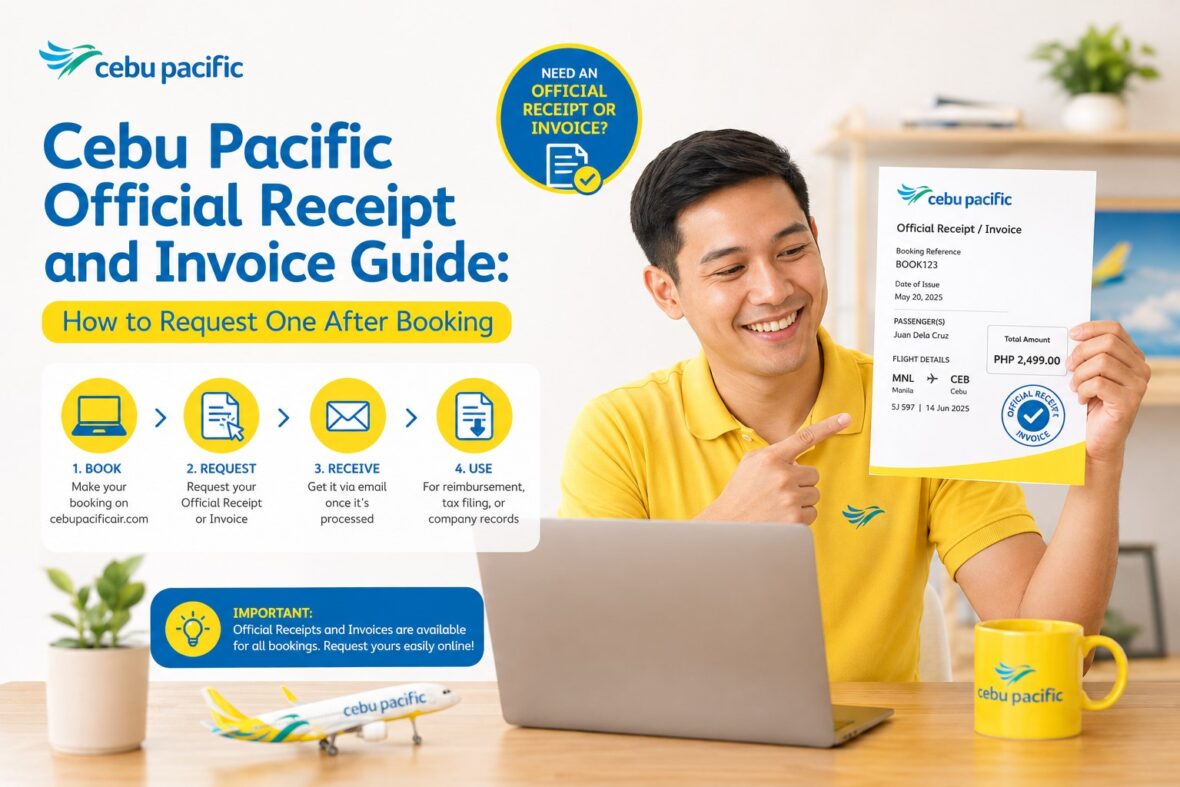
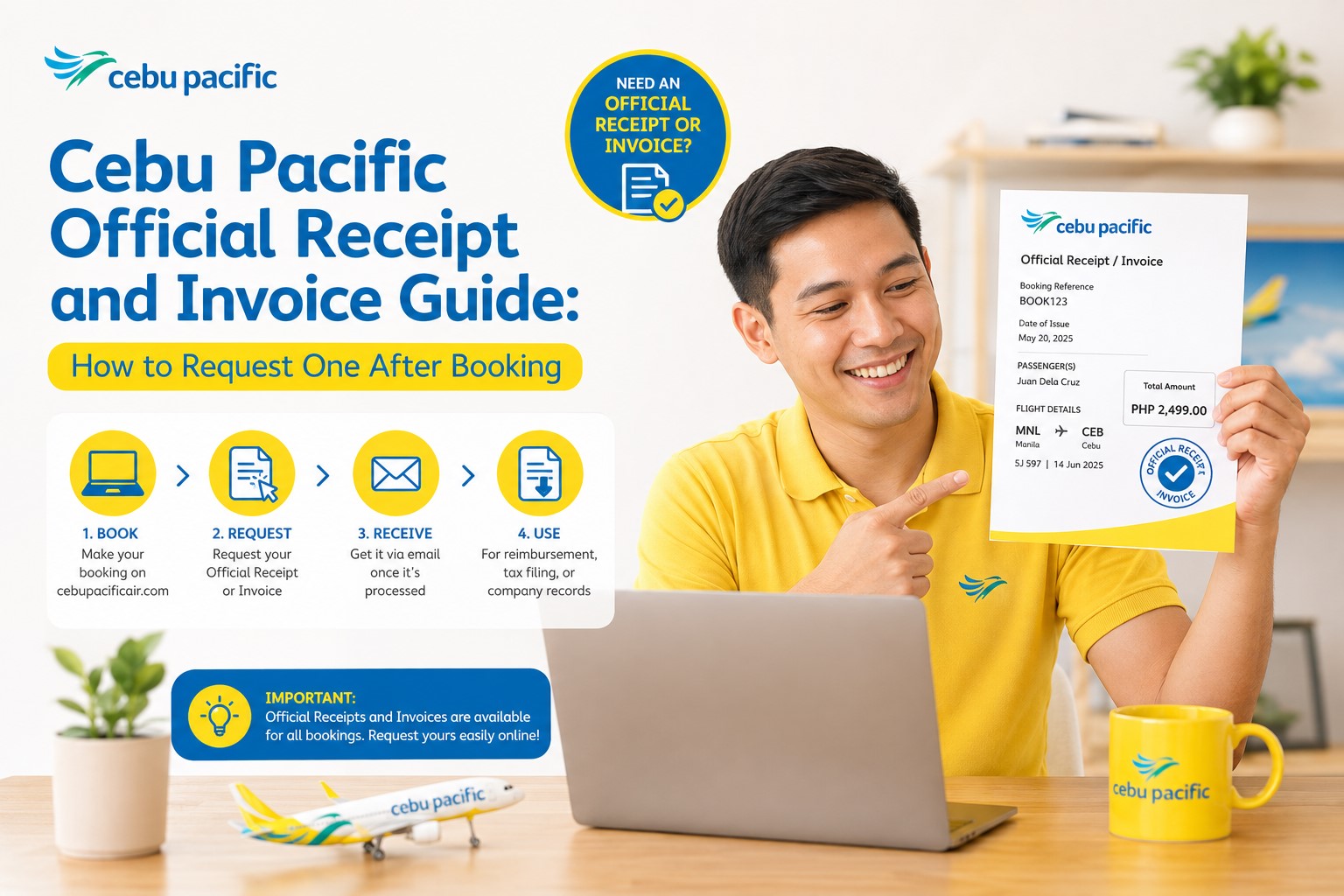
Here’s the simple process:
Open the Cebu Pacific app or website.
Start a chat through Cebu Pacific’s support chat.
Request a digital copy of your invoice.
Enter your booking reference number.
Enter the last name of any guest in the booking.
Wait for the invoice to be sent to the email registered in the booking.
If the booking includes a combination of Cebu Pacific 5J, Cebgo DG, and AirSWIFT T6 flights, Cebu Pacific says you should chat through the app or website to connect with a Live Agent who can help issue the invoice.
What Details Do You Need to Request an Invoice?
At minimum, Cebu Pacific says you need your booking reference number and the last name of any guest in the booking when requesting a digital invoice through chat.
But it is still better to prepare more details, especially if the invoice was not automatically sent.
Prepare:
Booking reference number
Passenger full name
Last name of any guest in the booking
Email registered in the booking
Flight route
Flight date
Payment method
Payment confirmation, if available
Screenshot of payment, if needed
Itinerary Receipt, if available
The more prepared you are, the easier it is to explain your concern.
What If You Don’t Know Your Booking Reference?
Your booking reference is usually found in your Itinerary Receipt.
Cebu Pacific says the Itinerary Receipt can be retrieved through the website by opening Manage Booking, entering your booking reference number with your last name or email address registered in the booking, and clicking View Itinerary. On the app, you can log in to your MyCebuPacific account, open My Bookings, tap Manage, and select View itinerary.
If you forgot the booking reference, check your email for the itinerary first.
Search for “Cebu Pacific,” “Itinerary Receipt,” or your destination.
If you booked through a travel agency or online travel agency, ask them for the official Cebu Pacific booking reference.
Can You Request a Physical Copy of Your Invoice?
Yes. Cebu Pacific provides guidance for requesting a physical copy of your invoice.
If you are within Metro Manila, Cebu Pacific says you may visit the Cebu Pacific Airline Operations Center at Domestic Airport Road, Pasay City. Guests are accommodated Monday to Friday, from 9:00 AM to 12:00 PM and 1:00 PM to 3:00 PM.
If you are outside Metro Manila, Cebu Pacific recommends visiting a nearby airport.
Before going, make sure you really need a physical copy. For many reimbursement or accounting purposes, a digital invoice may already be enough.
What Should You Bring When Requesting a Physical Invoice?
Cebu Pacific says you should take note of your booking reference number or bring a copy of your Itinerary Receipt along with a valid ID.
So if you plan to visit the Airline Operations Center or a nearby airport, bring:
Valid ID
Booking reference number
Copy of Itinerary Receipt
Payment proof, if available
Authorization letter, if claiming for someone else
Signed photocopies of IDs, if claiming for someone else
Do not go empty-handed. Staff may need to verify your identity and booking details.
Can Someone Else Claim the Invoice for You?
Yes, but Cebu Pacific lists requirements for authorized representatives.
If an authorized representative will claim the invoice on behalf of the passenger, Cebu Pacific says they must present the representative’s valid ID, a signed photocopy of the representative’s valid ID, a signed photocopy of the passenger’s valid ID, and an authorization letter signed by both the passenger and representative.
This is useful if you are outside Metro Manila, unavailable, working, or asking someone else to handle the physical copy for you.
Make sure the authorization letter is signed properly and the IDs are valid and readable.
Can You Edit or Enter Details in the Invoice?
Yes. Cebu Pacific says you can edit or enter invoice details by scrolling to the bottom and clicking the Print Invoice button. You will then be redirected to a page where you can edit certain details before clicking View Receipt.
This is useful if you need the invoice under a company name or need to include tax-related details.
Always review the details before printing or saving.
A small typo in the business name or TIN can cause problems with reimbursement.
What Invoice Details Can You Edit?
Cebu Pacific says you can edit or enter the following details:
TIN
Business Style
OSCA/PWD ID Number
Senior/PWD TIN
Purchaser Name or Business Name
Purchaser Address or Business Address
After entering the details, Cebu Pacific says you should click View Receipt, review the invoice details, make sure everything is spelled correctly, and then print.
This is very helpful for business travelers, company-funded trips, government-related travel, senior citizen or PWD bookings, and reimbursement requests.
Can You Change the Passenger Name Through the Invoice?
No. Editing invoice details is not the same as changing the passenger name on the flight booking.
The invoice fields are for purchaser, business, TIN, address, OSCA/PWD, or related receipt details.
If the passenger name in the booking is wrong, that is a guest detail correction issue, not an invoice issue. Cebu Pacific’s Manage Booking feature allows updating guest details except email address, while name corrections have separate rules and deadlines.
So don’t use the invoice process to fix passenger name errors.
If the flight name is wrong, handle it through Manage Booking or Cebu Pacific support.
Can You Change the Email Where the Invoice Is Sent?
Cebu Pacific says the invoice will be sent to the email registered in the booking when requesting a digital copy through chat.
This matters because if you used the wrong email during booking, the invoice may still go to that registered email.
Cebu Pacific’s Manage Booking guide also says guest details can be updated except email address.
So before booking, always double-check your email address. If you already booked with an inaccessible or incorrect email, you may need to contact Cebu Pacific for help and prepare verification details.
What If the Booking Was Paid With Multiple Payment Methods?
Cebu Pacific says some invoices may not be automatically generated or sent if the booking was paid using multiple payment methods. If this applies to your booking, you may request a physical copy of your invoice.
This can happen if you used a combination of payment options or separate transaction flows.
If your invoice does not arrive and you used multiple payment methods, contact Cebu Pacific through the app or website and ask for help.
Prepare proof of all payments.
What If the Booking Includes Cebu Pacific, Cebgo, and AirSWIFT Flights?
Cebu Pacific says invoices may not be automatically generated or sent if the booking includes a combination of Cebu Pacific 5J, Cebgo DG, and AirSWIFT T6 flights. It also says that if your booking includes this combination, you should chat through the app or website to connect with a Live Agent who can help issue the invoice.
This is important because some itineraries may involve different flight operators.
If your receipt is missing and your booking has mixed flight codes, don’t panic. It may simply need manual assistance.
What If You Bought Add-Ons After Booking?
If you bought add-ons after the original booking, you may receive separate invoices for each transaction.
Cebu Pacific says that if there are multiple transactions under your booking, separate invoices will be issued for each transaction.
Add-ons may include:
Checked baggage
Seat selection
Meals
Travel insurance
Special baggage
Other travel add-ons
If your company needs full reimbursement, make sure you collect receipts for both the original ticket and later add-ons.
What If You Bought Food or Merchandise Onboard?
Cebu Pacific’s inflight food and merchandise guide says that if you need an invoice for inflight purchases, you may request one from the cabin crew after your purchase.
This is different from your flight booking invoice.
If you buy snacks, drinks, or merchandise onboard and need proof of purchase, ask the cabin crew during the flight.
Don’t wait until after you leave the aircraft if you know you need an invoice.
What If You Booked Through an Online Travel Agency?
If you booked through an online travel agency or travel agency, the invoice process can be different.
Cebu Pacific says authorized online travel agencies are affiliated with Cebu Pacific and have permission to display Cebu Pacific flights. It also says that booking with authorized agencies helps ensure you can check in online and manage your booking on the Cebu Pacific app or website. However, if you have problems getting your itinerary or managing the booking, the third-party site or travel agency may need to help.
If you paid the OTA instead of Cebu Pacific directly, the OTA may be the one responsible for issuing your payment receipt.
Ask the OTA for their official receipt, invoice, or payment document.
Then separately check if you can retrieve Cebu Pacific’s itinerary and airline booking reference.
OTA Receipt vs Cebu Pacific Invoice
An OTA receipt and Cebu Pacific invoice may not be the same.
If you paid Agoda, Booking.com, Skyscanner, a travel agency, or another third-party platform, your payment receipt may come from that company.
Cebu Pacific may still operate the flight, but the payment transaction may have been handled by the OTA.
Cebu Pacific says that if bookings made through third-party sites or travel agencies have issues with managing the booking, getting the itinerary, claiming a refund, or booking reference recognition, passengers should contact the third-party site or agency where the booking was originally created.
So if your issue is payment proof from an OTA, contact the OTA first.
Can You Get an Invoice for a Booking Paid by Someone Else?
Usually, the invoice is tied to the booking and payment details, not necessarily the person who will use it.
If someone else booked and paid for your flight, the invoice may go to the email registered in the booking. Cebu Pacific says the invoice is sent to that registered email together with the itinerary.
If you need a copy, ask the person who booked the flight to forward it.
If you need to request a digital copy, you will need the booking reference and last name of any guest in the booking.
Can You Get an Invoice After the Flight?
Yes, you may still request an invoice after booking, especially if you need it for reimbursement or records.
Cebu Pacific’s invoice guide explains how to request digital and physical invoices and does not limit the request only to pre-flight use in the visible guidance.
Still, it is better to request and save your invoice as early as possible.
If you need documents for company liquidation, don’t wait weeks or months. Request the invoice right after booking or right after the add-on transaction.
Do You Need a MyCebuPacific Account to Request an Invoice?
For managing your booking, Cebu Pacific says a MyCebuPacific account is required to make changes to your flight. Manage Booking can be accessed through the app or website using your booking reference number and registered last name or email.
For invoice requests through chat, Cebu Pacific’s invoice guide says you need to enter your booking reference number and the last name of any guest in the booking.
Even if the invoice request itself is done through chat, having a MyCebuPacific account is still useful because it makes it easier to access your booking, itinerary, add-ons, and related information.
What If Your Invoice Has the Wrong Details?
If the invoice needs business details, TIN, purchaser name, purchaser address, OSCA/PWD ID, or Senior/PWD TIN, Cebu Pacific says you can edit or enter these details through the Print Invoice process, then review and print.
If the passenger name or booking details are wrong, that is different. You may need to update guest details through Manage Booking or contact Cebu Pacific support depending on the issue and deadline.
Know which problem you are fixing.
Invoice detail issue = receipt/invoice editing.
Passenger detail issue = guest detail correction.
What If You Need an Invoice for Reimbursement?
For company reimbursement, ask your company what exact documents they need.
Some companies accept the Itinerary Receipt and proof of payment. Others require the official invoice. Some need the company name and TIN. Some need separate receipts for add-ons.
Cebu Pacific allows certain invoice details to be entered or edited, including TIN, business style, purchaser or business name, and purchaser or business address.
If your company is strict, complete these details before submitting.
Also keep all add-on invoices if you bought baggage, seats, or meals separately.
What If You Need an Invoice for Senior Citizen or PWD Records?
Cebu Pacific’s invoice editing options include OSCA/PWD ID number and Senior/PWD TIN.
This can be useful if the passenger used a discount or needs documentation for records.
Make sure the details match the valid Senior Citizen or PWD documents.
If your booking involves senior citizen or PWD benefits, keep the IDs and booking documents together.
What If You Need an Invoice for Government or Official Travel?
For government or official travel, you may need very specific invoice details.
Cebu Pacific’s invoice editing options include TIN, business style, purchaser or business name, and purchaser or business address.
Before booking, ask your office what exact name, address, TIN, and business style should appear on the invoice.
It is easier to enter details correctly the first time than to fix them later.
For official trips, save both the itinerary and invoice immediately.
What If You Need the Invoice for a Refund or Dispute?
If you are filing a refund request, payment concern, or dispute, keep your invoice and itinerary.
Cebu Pacific’s Manage Booking feature includes refund requests, and payment concerns can involve updated itineraries and payment confirmation.
Having the invoice can help show the transaction details. Having the itinerary can help show the booking details.
For payment issues, also keep card or e-wallet screenshots, transaction IDs, bank records, and any emails from Cebu Pacific.
What If You Paid for Travel Tax?
Philippine Travel Tax can have separate documentation depending on how it was paid.
Cebu Pacific’s Service Fees and Philippine Travel Tax guide includes guidance on paying Travel Tax and getting a digital receipt. It also discusses Travel Tax refunds and TIEZA-related certification in certain situations.
If your company or records require Travel Tax proof, save the Travel Tax receipt separately from the flight invoice.
Do not assume one document covers everything.
What If You Paid Terminal Fee or Other Charges?
Some fees may appear as part of the airfare breakdown, while others may have separate airport or government documentation depending on the route and payment process.
Cebu Pacific’s invoice helps document the booking transaction, but if you paid something separately outside the booking flow, such as certain airport or government charges, keep that separate receipt too.
For reimbursement, keep every receipt connected to the trip.
Flight invoice, itinerary, Travel Tax receipt, baggage invoice, meal receipt, airport transfer receipt, hotel receipt, and other travel documents may all be needed depending on your company policy.
How to Organize Your Cebu Pacific Documents
After booking, create a folder on your phone or computer.
Save:
Itinerary Receipt
Invoice or Official Receipt
Boarding pass
Baggage receipt
Seat selection receipt
Meal receipt
Travel Tax receipt
Travel insurance policy
Payment screenshots
Booking reference
Any Cebu Pacific emails
For business trips, also save your approved travel order, company reimbursement form, and hotel receipts.
This makes reimbursement much easier later.
Common Cebu Pacific Invoice Problems
Here are common issues travelers experience:
The invoice did not arrive.
The invoice went to spam or junk.
The wrong email was used during booking.
Someone else booked the flight.
The booking was paid using multiple payment methods.
The booking includes 5J, DG, and T6 flights.
The passenger wants separate invoices per passenger.
The company needs TIN or business name added.
The add-on invoice is missing.
The booking was made through an OTA.
The passenger only has the itinerary, not the official receipt.
Most of these can be handled by checking your email, requesting a digital invoice through Cebu Pacific chat, contacting a live agent, or asking the OTA if they processed the payment.
What Not to Do
Do not assume your itinerary is always enough for reimbursement.
Do not wait until the liquidation deadline before requesting the invoice.
Do not forget to check the email registered in the booking.
Do not expect separate invoices per passenger if the booking is under one reference.
Do not forget separate invoices for add-on transactions.
Do not contact Cebu Pacific for an OTA payment receipt if the OTA processed the payment.
Do not enter business details carelessly.
Do not leave the airport or aircraft without asking for an inflight purchase invoice if you need one.
Do not delete your invoice after the trip.
Cebu Pacific Invoice Request Checklist
Use this checklist:
Check your email inbox.
Check spam and junk folders.
Search for Cebu Pacific, invoice, official receipt, and booking reference.
Check if the invoice was sent with your Itinerary Receipt.
Prepare your booking reference number.
Prepare the last name of any guest in the booking.
Request a digital invoice through Cebu Pacific chat.
If multiple payment methods or mixed 5J/DG/T6 flights are involved, request live agent help.
If you need a physical copy, prepare valid ID and itinerary receipt.
If someone else will claim it, prepare authorization documents.
Edit TIN, business name, purchaser name, and address if needed.
Save all invoices for separate transactions.
My Practical Advice
My advice is simple: save your invoice right after booking.
Don’t wait until your company asks for it. Don’t wait until your accountant follows up. Don’t wait until weeks after the trip when you are already busy with other things.
After booking, check your email for both the Itinerary Receipt and the invoice.
If you don’t see the invoice, request a digital copy through Cebu Pacific chat.
If you bought add-ons later, save those receipts too.
And if your company needs the business name, address, or TIN, edit the invoice details carefully before printing or submitting.
A flight booking is easy to forget after the trip, but reimbursement teams will still ask for documents.
Final Thoughts
Cebu Pacific’s invoice or official receipt is different from the Itinerary Receipt, but both are important.
Cebu Pacific says the invoice is sent to the email registered in the booking together with the Itinerary Receipt. It also says it only issues invoices for bookings paid with credit card, debit card, and/or e-wallets, and that separate invoices per passenger are not available because the system issues one invoice per booking.
If you did not receive your invoice, you can request a digital copy by chatting with Cebu Pacific through the app or website. You need to enter your booking reference number and the last name of any guest in the booking, and once the booking is located, the invoice will be sent to the email registered in the booking.
If you need a physical copy, Cebu Pacific says Metro Manila passengers may visit the Cebu Pacific Airline Operations Center at Domestic Airport Road, Pasay City, while passengers outside Metro Manila may visit a nearby airport. Bring your booking reference or Itinerary Receipt and a valid ID.
The key is to know what document you need.
For flight details, use the Itinerary Receipt.
For payment records, reimbursement, or accounting, use the invoice or official receipt.
Save both, keep your booking reference, and request missing documents early so you don’t have to rush when reimbursement or liquidation time comes.