SatLite by Cignal has become a staple for many TV enthusiasts in the Philippines. Known for its affordability and premium TV viewing experience, the service allows users to personalize their viewing pleasure with a variety of channel packages. From local shows to international hits, SatLite has something for everyone. And guess what? Reloading your SatLite account just got easier with GCash!
Whether you’re a daily TV watcher or a weekend binge-watcher, this simple method lets you keep enjoying your favorite shows without interruption. Here’s a step-by-step guide on how to do it, so you can spend less time worrying about reloading and more time enjoying your favorite programs:
Content
1. Get the GCash App
If you haven’t already, download the GCash app from your mobile device’s app store.
2. Accessing GCash
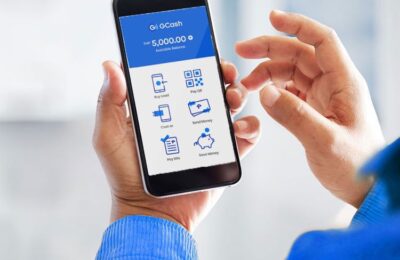
Once installed, open the app. Log in to your account, and navigate to the “Load” menu.
3. Tap “Non-Telco”
On the next screen, you’ll have several options. Tap on “Non-Telco” and then press “Next.”
4. Picking SatLite Load
Under the “Pay TV” tab, you’ll find different SatLite load denominations. Whether you’re in for a month-long binge (SatLite Loads 49 to 499) or just a quick weekend watch (Tingi Loads 10, 15, and 25), make your pick and proceed.
5. Payment Time
After selecting, press “Pay.” GCash will handle the rest, making the transaction smooth and secure.
6. EPIN Notification
Shortly after your transaction, you will receive an SMS with your EPIN – make sure to keep it safe!
7. Activating the Load
Online Activation: Head over to Cignal WebLoading Tool. Here, you’ll be prompted to enter your SatLite Account Number and the EPIN you received.
SMS Activation: If you’re more comfortable with SMS, grab your Smart, Sun, or TNT SIM-enabled phone. Text `SATLITE<space>EPIN<space>Account Number` and shoot that message to 5353.
8. Final Step
With your transaction complete and EPIN activated, ensure your SatLite box is in standby mode. After a brief wait, your chosen Load activates, unveiling a world of entertainment. Sit back, grab some popcorn, and dive into your favorite TV show.

Reloading your SatLite account via GCash is more than just straightforward and hassle-free; it’s a game-changer for the modern TV viewer. With these steps in hand, uninterrupted entertainment is just a few taps away. No longer do you need to worry about running out of load in the middle of your favorite show.
Whether you’re a film buff, a news junkie, or a sports fan, this simple reloading process ensures that you never miss a moment of the action. So grab that remote, settle into your favorite spot, and let the entertainment begin. Happy viewing!
FAQ: How to Load SatLite Using GCash
1. What is SatLite, and how can I load it using GCash?
SatLite is a prepaid Pay TV service in the Philippines. You can easily load SatLite using GCash by following simple steps, such as selecting the “Load” menu in the GCash app, choosing your preferred SatLite Load, and pressing “Pay.”
2. Can I choose different SatLite Loads when reloading through GCash?
Yes! Through GCash, you can choose from Tingi Loads 10, 15, and 25 (valid for 3 days) or Loads 49 to 499 (valid for 30 days), according to your TV viewing needs.
3. How do I activate the EPIN for SatLite after loading via GCash?
After loading SatLite via GCash, you can activate your EPIN either online at Cignal Web Loading Tool or via SMS by texting “SATLITE<space>EPIN<space>Account Number” to 5353 using a Smart/Sun/TNT SIM-enabled phone.
4. How long does it take to activate SatLite Load after payment through GCash?
After completing the payment via GCash and activating your EPIN, make sure your SatLite box is in standby mode and wait for the Load to activate. It typically happens quickly, and you can start watching your favorite shows right away.
5. Is loading SatLite through GCash secure?
Absolutely! GCash is a widely trusted mobile wallet app in the Philippines, and loading your SatLite account through it is both secure and convenient.
6. What should I do if I have trouble loading SatLite using GCash?
If you encounter any issues while loading SatLite using GCash, you can reach out to the customer support of GCash or SatLite for assistance. They’ll guide you through the process and help resolve any problems.
7. Can I load SatLite using other mobile wallet apps besides GCash?
Yes, you can also load SatLite via other mobile wallet apps like Maya. However, the process described here is specifically tailored to loading SatLite using GCash.