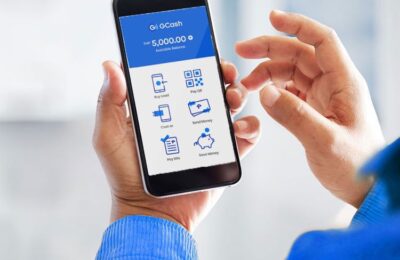
In the Philippines, GCash isn’t merely a mobile wallet anymore; it has become an essential part of daily life. Since the pandemic, it’s been woven into our everyday routines, turning the old-fashioned hassle of dealing with physical cash into a smooth digital process. I must confess, I’m a dedicated GCash user. Whether it’s transferring money, shopping online, or even cashing in my online earnings, I rely on it for a multitude of tasks.
We live in a time when digital innovation is defining our lives, and mobile wallets like GCash are at the forefront of this transformation. Among the leading mobile wallets in the Philippines, GCash stands out for its convenience and the sheer variety of options it offers for easily withdrawing your funds. In this blog post, we’ll guide you through cashing out funds with GCash, and it’s as simple as 1, 2, 3!
Content
1. Cash Out using Bank Transfers
GCash provides a seamless way to transfer funds from your GCash wallet to your bank account. Follow these steps to initiate a bank transfer:
Step 1: Open the GCash App
Launch the GCash app on your mobile device and log in to your account.
Step 2: Tap “Transfer”
Tap on the “Transfer” option located on the app’s main menu.
Step 3: Choose your Bank
You’ll see a list of Partner Banks in the option. If your Bank is not on the main list, Tap “View All,” then search for your bank
Step 4: Enter Bank Details
Provide the necessary details, including the recipient bank name, account number, and account name. Double-check the information for accuracy.
Step 5: Tap ‘Send Money,’ Confirm and Complete
Review the transaction details and confirm the bank transfer. Once confirmed, the funds will be transferred to your bank account within a few hours or the next business day.
2. Cash Out using GCash MasterCard
GCash also offers a physical MasterCard that is linked to your GCash wallet. This card allows you to withdraw cash from ATMs and make purchases at establishments that accept MasterCard. Here’s how to cash out using the GCash MasterCard:

Step 1: Order a GCash MasterCard
If you don’t already have a GCash MasterCard, order one through the GCash app or website. The card will be linked to your GCash wallet.
Step 2: Locate ATMs
The majority of ATMs support MasterCard withdrawals, so it’s easy to find one near your location.
Step 3: Withdraw Cash
Visit the ATM and follow the on-screen instructions to withdraw cash using your GCash MasterCard. You’ll need your card’s PIN for the transaction.
Step 4: Keep Track
Be mindful of any fees associated with ATM withdrawals and keep track of your spending to manage your funds effectively.
READ THE BLOG POST: How to get GCash Mastercard
3. Cash Out using GCash Partner Outlets
GCash has an extensive network of partner outlets where you can cash out your GCash funds in person. These outlets include convenience stores, pawnshops, and remittance centers. Here’s how to cash out using GCash Partner Outlets:

Step 1: Open the GCash App
Launch the GCash app and log in to your account.
Step 2: Select “Cash Out”
Tap on the “Cash Out” option from the main menu.
Step 3: Choose a Partner Outlet
Select “Partner Outlets” and choose a preferred partner from the list provided.
Step 4: Provide Details
Enter the required information, such as the amount you want to cash out and your GCash-registered mobile number.
Step 5: Generate a Transaction Code
The app will generate a transaction code. Present this code to the cashier at the partner outlet.
Step 6: Receive Cash
Show the transaction code to the cashier, who will process your cash-out request. Collect the cash amount from the cashier.
Final Thoughts
Cashing out with GCash? It’s as easy and convenient as it gets, whether you’re into bank transfers, using the GCash MasterCard, or swinging by partner outlets.
These flexible options put the power in your hands, letting you manage your money smoothly and access it anytime, anywhere. And with GCash constantly growing, adding new services and partners, there’s always something exciting on the horizon. So get ready for even more ways to cash out and really take advantage of everything this mobile wallet has to offer!
FAQ: How to cash out with GCash
1. What is GCash, and how can I cash out from it?
GCash is a popular mobile wallet that allows users to transfer money, pay bills, and more. Cashing out with GCash is convenient and can be done through three main methods: bank transfers, GCash Mastercard, and Partner Outlets.
2. How can I cash out using bank transfers with GCash?
Cashing out through bank transfers is an easy way to get your money from GCash. Here’s how:
1. Open your GCash app and navigate to the ‘Cash Out’ section.
2. Select ‘Bank Transfer’ from the available options.
3. Choose your bank and enter the necessary details.
4. Confirm the transaction and the money will be transferred to your bank account.
3. How can I use GCash Mastercard to cash out?
GCash Mastercard is another seamless way to cash out your money. Follow these steps:
1. Link your GCash Mastercard with the GCash app.
2. Use your GCash Mastercard at any ATM.
3. Select ‘Withdraw’ and enter the amount you want to cash out.
4. Your money will be dispensed, and the corresponding balance will be deducted from your GCash account.
4. What are GCash Partner Outlets, and how can I cash out through them?
GCash Partner Outlets are authorized stores and locations where you can cash out directly. Here’s how:
1. Visit any GCash Partner Outlet near you.
2. Provide your mobile number and present a valid ID.
3. Specify the amount you wish to cash out.
4. Collect your cash from the outlet.
5. Are there fees associated with GCash cashing out methods?
Fees may vary depending on the method you choose. Bank transfers might include minimal charges, while GCash Mastercard and Partner Outlets may have specific fees. It’s recommended to check the GCash app for the latest fee information.
6. How long does it take to cash out with GCash?
Most cash out transactions with GCash are instant. Bank transfers may take a few minutes, depending on the bank. Cash withdrawals using GCash Mastercard at ATMs and transactions through Partner Outlets are typically instant.
7. Is it secure to cash out with GCash?
Yes, GCash employs robust security measures to ensure the safety of your transactions. Always ensure you are using the official GCash app and are dealing with authorized Partner Outlets.