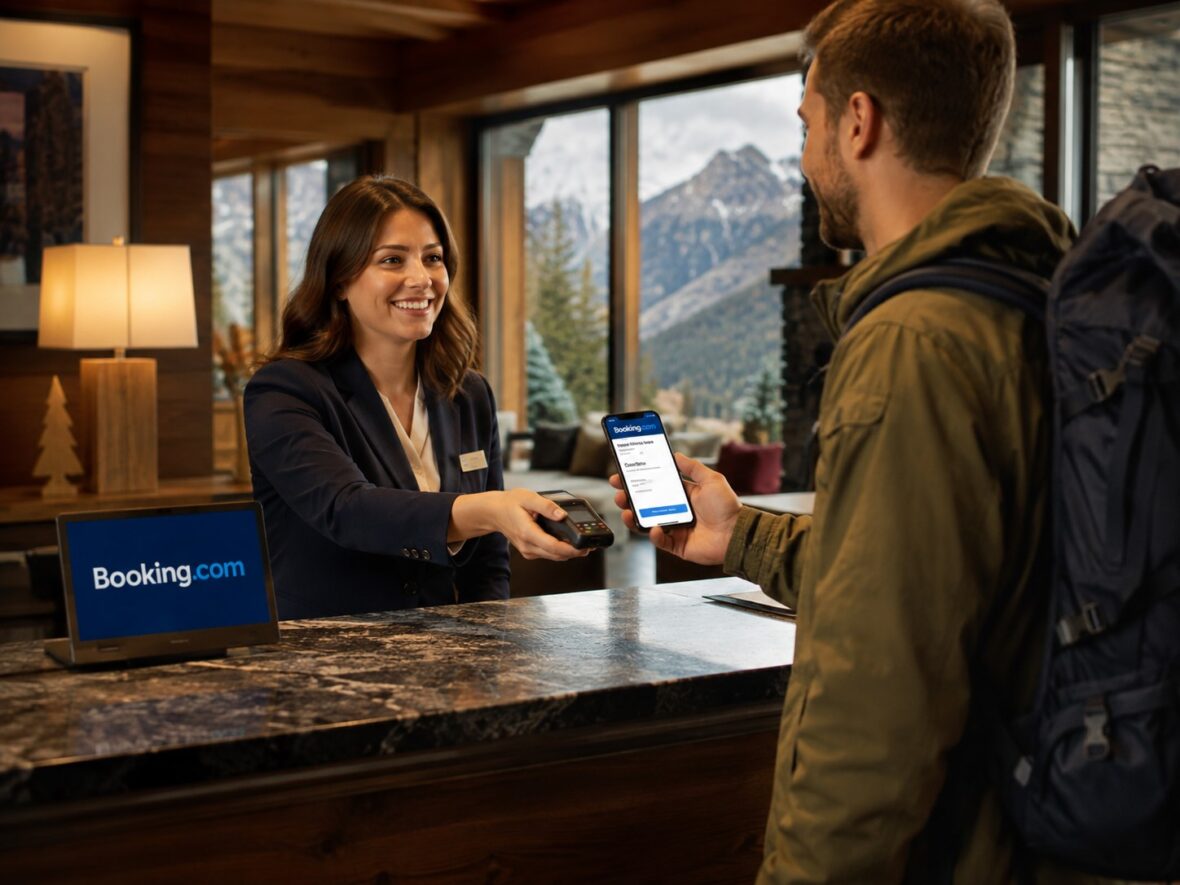
Booking a hotel online is usually quick and convenient—until something goes wrong.
Maybe you did not receive your confirmation email. Perhaps the hotel charged your card unexpectedly, your refund has not arrived, or the property says it cannot find your reservation. You could also be standing at reception late at night while the staff tells you that no room is available.
In situations like these, you need more than a general frequently asked questions page. You need to know how to reach the right person as quickly as possible.
Booking.com provides several support options, including guided self-service assistance, messaging, direct communication with the property, and 24-hour telephone support for urgent concerns. The best contact method depends on the type of reservation and the problem you are trying to solve.
In this complete guide, we will explain how to contact Booking.com customer service, where to find its official telephone numbers, what information to prepare, how to avoid fake support agents, and what to do when your first request is not resolved.
Content
Does Booking.com Have Customer Service?
Yes. Booking.com provides customer service for travellers who need help before, during, or after a trip.
Its official customer-service page offers several options:
- Manage the booking through a guided process
- Contact the property directly
- Send Booking.com a message
- Call customer service for urgent assistance
- Use the Booking.com Help Centre
Booking.com says its guided booking-management process is often the fastest way to make changes. It also states that customers can call a local or international telephone number 24 hours a day when the matter is urgent.
However, Booking.com does not necessarily publish one universal telephone number for every customer and country.
The correct number can depend on:
- Your location
- The country associated with your reservation
- The type of travel service
- Whether you have an active booking
- Whether the booking was facilitated by a partner
- Whether you are a traveller or property owner
For this reason, the safest way to obtain the appropriate Booking.com contact number is through your reservation or the official Help Centre.
Official Ways to Contact Booking.com
Here is a quick overview of the main support methods.
| Contact method | Best used for |
|---|---|
| Manage Booking | Cancellations, date changes, guest details and simple modifications |
| Booking.com Help Centre | Guided help, account concerns and reservation problems |
| Message Customer Service | Non-urgent concerns that require written support |
| Call Customer Service | Urgent problems requiring immediate attention |
| Contact the property | Check-in details, parking, breakfast, facilities and special requests |
| Booking.com messaging system | Keeping a written record of communication with the property |
| Safety Resource Centre | Suspicious payment requests, phishing and security concerns |
| Partner Support | Hotels, hosts and property owners managing listings |
Booking.com directs travellers who need help with an existing reservation to the My Bookings page or its Help Centre. Its general corporate contact page is not the main route for customer booking concerns.
What Is the Fastest Way to Contact Booking.com?
For most travellers, the fastest approach is to open the specific reservation first.
Doing this allows Booking.com to identify:
- The property
- Your travel dates
- Your payment arrangement
- Your cancellation policy
- Your reservation status
- Previous messages
- The provider involved
You can usually access the reservation through:
- Your Booking.com account
- The Booking.com mobile app
- Your booking-confirmation email
- The official Help Centre
Once the reservation is open, Booking.com can present the support options available for that particular booking.
This is generally more effective than searching online for a generic telephone number because the support agent will already have the booking context.
How to Contact Booking.com Through the Mobile App
The Booking.com mobile app is one of the easiest ways to request assistance while travelling.
The wording and menu layout may change, but the general process is usually as follows:
- Open the Booking.com app.
- Sign in using the account connected to your reservation.
- Open your trips or bookings.
- Select the affected reservation.
- Review the available booking-management options.
- Choose the Help or Customer Service option.
- Select the topic that best matches your problem.
- Follow the guided instructions.
- Send a message or choose the telephone option when available.
Opening the correct reservation before requesting support is important. It helps prevent confusion when you have several future or past bookings under the same account.
What you may be able to do without contacting an agent
Depending on the property’s policy, Booking.com says travellers may be able to manage the following directly:
- Change check-in or check-out times
- Change travel dates
- Cancel the reservation
- Edit payment-card information
- Change guest details
- Select a bed type
- Change the room type
- Add a room
- Add a meal
- Submit a request
- Contact the property
Using the self-service option can be faster than waiting for a customer-service response.
However, not every booking allows every change. Non-refundable rates, partner offers, flights, rental cars and other travel products may have different restrictions.
How to Contact Booking.com Through the Website
You can also request help through Booking.com’s website.
Step 1: Sign in
Sign in using the email address or account used to make the reservation.
Step 2: Open your bookings
Go to the section containing your trips or reservations.
Step 3: Select the booking
Choose the hotel, flight, rental car, taxi or other travel service connected to your concern.
Step 4: Use the available help option
Depending on the reservation, you may see options to:
- Manage the booking
- Contact the property
- Send Booking.com a message
- Visit the Help Centre
- Call customer service
Booking.com describes the Help Centre as a personalised support process that asks what happened and then guides the customer toward the appropriate solution.
How to Contact Booking.com Without Signing In
You may still be able to manage a reservation even if you did not create an account or were not signed in while booking.
Start with your confirmation email.
The email should contain:
- The property name
- Travel dates
- Reservation number
- Booking PIN when applicable
- A link to manage the reservation
- Property contact details
- Payment and cancellation information
Open the official booking-management link from the email and follow the support instructions.
Be careful before clicking links. Confirm that the message is genuinely connected to your Booking.com reservation.
When you cannot find the confirmation email, Booking.com recommends checking your:
- Main inbox
- Spam folder
- Junk folder
You can then use the official Help Centre to request that the confirmation be resent.
What If You Cannot Find Your Booking Confirmation?
Search your email accounts for terms such as:
- Booking.com
- Booking confirmation
- The property name
- Your destination
- Your travel dates
Also check whether you entered a different email address during the reservation.
When you were signed in at the time of booking, the reservation should generally appear under the Bookings section of your account. Certain partner-facilitated bookings made while signed out may not be added to an account later, so the original confirmation email becomes especially important.
When contacting customer service, provide as many details as possible:
- Lead guest’s name
- Property name
- Destination
- Check-in date
- Check-out date
- Email address used
- Approximate booking date
- Payment amount
- Last four digits of the card used, when requested through an official channel
Do not send your complete card number through ordinary email or chat.
How to Call Booking.com Customer Service
Booking.com says urgent matters can be handled by telephone 24 hours a day through a local or international number.
To find the correct official number:
- Open Booking.com’s Help Centre.
- Sign in when requested.
- Open the affected reservation.
- Select the appropriate help topic.
- Choose the telephone option.
- Use the local or international number displayed.
The number shown may depend on your country or reservation.
Why not simply search for the number online?
Searching for “Booking.com customer service number Philippines” may produce:
- Outdated telephone numbers
- Numbers intended for another country
- Property-partner support numbers
- Unofficial directory listings
- Fake customer-service numbers
- Sponsored scam pages
For your security, retrieve the telephone number through Booking.com’s official app, website or confirmation page.
Calling from the Philippines
Before calling an international number, check whether:
- Your mobile plan allows international calls
- International charges apply
- A local number is available
- You can use the in-app messaging option instead
- The issue can be handled directly through Manage Booking
For an urgent situation at a hotel, the potential calling cost may be worthwhile. For a non-urgent question, sending a written message may be more practical and gives you a record of the conversation.
What Information Will Booking.com Ask For?
Booking.com says customers can help its team respond more quickly by providing:
- The booking confirmation number
- The reservation PIN
- Contact details
- The email address used for the booking
- A summary of the problem
- A clear explanation of the requested solution
- Supporting documents such as bank statements, photographs and receipts
Prepare these before calling or messaging.
A well-organised request may look like this:
I booked a deluxe double room for August 15 to 17 under confirmation number [number]. The property charged my card twice. The two transactions are for the same amount and date. I am requesting that the duplicate payment be refunded. I have attached screenshots of both transactions.
This is easier to investigate than a message that simply says, “I was charged incorrectly.”
Is the Booking Number the Same as the PIN?
No. The reservation confirmation number and PIN are usually separate pieces of information.
The confirmation number identifies the reservation, while the PIN helps provide secure access to certain booking details.
Both may appear in your confirmation email.
Booking.com’s safety guidance says its customer-service representatives may ask for your reservation ID and reservation PIN. However, they should not ask for your Booking.com password or sensitive financial information such as your complete credit-card number.
Never publicly post your:
- Reservation number
- Booking PIN
- Confirmation email
- Hotel address and travel dates
- Payment information
Someone with enough booking information may attempt to access or manipulate the reservation.
How to Send Booking.com a Message
Booking.com provides a messaging option for customer-service concerns.
To send a message:
- Open the official Help Centre.
- Select the affected booking.
- Choose the topic closest to your concern.
- Follow the guided questions.
- Select the option to contact customer service.
- Write a clear explanation.
- Attach supporting files when available.
- Save any reference or case number.
Booking.com says customers can send a message to its agents and will receive a reply as soon as possible.
Messaging is useful for:
- Missing refunds
- Incorrect charges
- Cancellation-fee disputes
- Property complaints
- Requests requiring screenshots
- Questions that are not immediately urgent
- Cases where you want a written record
How to Contact the Hotel Through Booking.com
Not every question needs to be handled by Booking.com customer service.
For details about the stay itself, Booking.com says the property usually knows best.
Contact the hotel or host directly for questions about:
- Check-in instructions
- Late arrival
- Early check-in
- Late check-out
- Parking
- Airport transfers
- Breakfast
- Extra beds
- Baby cots
- Room location
- Accessibility
- Pet policies
- Luggage storage
- Property facilities
- Key collection
- Local directions
You can normally contact the property through:
- The reservation page
- Your confirmation email
- Booking.com’s messaging system
- The telephone number shown in the reservation
Booking.com recommends using its platform messaging system so communication is clearer and properly documented.
Should You Contact the Property or Booking.com?
A simple way to decide is to ask: Who has the ability to solve the problem?
Contact the property first when the issue involves:
- Arrival time
- Room preference
- Parking
- Breakfast
- Extra beds
- Property facilities
- Directions
- Luggage storage
- An on-site maintenance problem
- Housekeeping
- Noise
- A request for early check-in
Contact Booking.com when the issue involves:
- A booking missing from the hotel’s system
- Overbooking
- A cancellation dispute
- An unresolved payment problem
- A refund that was promised but not processed
- A misleading property listing
- The property refusing to honour the confirmed rate
- A suspicious payment request
- An unresponsive host
- A property that appears not to exist
- A serious complaint that the property cannot resolve
Booking.com recommends first asking the host or property staff to resolve an on-site issue. When that does not work, Customer Service can assist and may be most effective when contacted while you are still at the property.
Contacting Booking.com for a Cancellation
Before contacting customer service, open your reservation and check whether you can cancel it yourself.
Booking.com says cancellation fees are determined by the property and displayed in the cancellation policy. A free-cancellation reservation should not have a cancellation fee when cancelled before the deadline. A non-refundable booking or one whose deadline has passed may result in a charge.
Contact customer service when:
- The cancellation button is missing.
- The displayed fee appears incorrect.
- The property agreed to waive the fee, but the booking was not updated.
- You cancelled before the deadline but were charged.
- The reservation remains active after cancellation.
- You need to request an exception for a non-refundable rate.
- The hotel cancelled the reservation unexpectedly.
Prepare:
- Confirmation number
- Cancellation policy
- Date and time you cancelled
- Cancellation-confirmation email
- Screenshots
- Proof of any charge
Contacting Booking.com About a Refund
First, identify who originally collected the payment.
Booking.com says the property generally charges accommodation bookings unless the confirmation clearly states that Booking.com handled the payment.
When contacting support about a refund, provide:
- Reservation number
- Cancellation date
- Refund amount
- Original payment amount
- Original transaction date
- Last four digits of the payment card
- Cancellation confirmation
- Bank statement showing the missing refund
- Any refund reference already provided
Ask customer service to confirm:
- Whether the refund was approved
- Who issued it
- The date it was processed
- The currency and amount
- The payment method used
- The refund reference or transaction number
- The expected bank-processing period
Contacting Booking.com About an Unexpected Charge
An unexpected amount may be:
- A completed hotel payment
- A prepayment
- A cancellation fee
- A no-show fee
- A security deposit
- A damage charge
- A duplicate charge
- A foreign-currency adjustment
- A temporary pre-authorisation
Booking.com explains that a property may place a temporary card hold to validate the card and guarantee the reservation. Unlike a completed payment, this temporary amount should be released later.
Before contacting support, ask your bank whether the transaction is:
- Pending
- Posted
- Reversed
- Refunded
- A pre-authorisation
Then send Booking.com:
- A transaction screenshot
- The amount and currency
- The merchant description
- The transaction date
- Your payment policy
- The explanation given by the property
What to Do If the Hotel Cannot Find Your Reservation
This is an urgent concern, especially when you are already at reception.
Follow these steps:
- Confirm that you are at the correct property.
- Show the Booking.com confirmation.
- Check whether the booking is under another guest’s name.
- Ask the staff to search using the reservation number.
- Ask whether the property uses another management company.
- Open the reservation in your Booking.com account.
- Contact Booking.com immediately.
- Ask the hotel to explain the situation in writing.
- Keep receipts when you need alternative accommodation.
For partner-facilitated reservations, Booking.com specifically advises travellers to visit the Help Centre as soon as possible when the property is double-booked or cannot locate the reservation.
Do not cancel the booking yourself unless Booking.com instructs you to do so. A voluntary cancellation could make the situation look as though you—not the hotel—ended the reservation.
What to Do If the Hotel Is Overbooked
Contact Booking.com while you are still at the property.
Booking.com states that once an accommodation booking is confirmed, the provider is required to honour it. When the booked accommodation cannot be provided, Booking.com may assist with finding an alternative property. In qualifying situations, a customer may cancel without cost and receive a full refund, and Booking.com may consider refunding the price difference after receiving the replacement property’s invoice.
Keep:
- Original confirmation
- Screenshots of the room
- Messages from the hotel
- Written proof of overbooking
- Alternative hotel invoice
- Taxi or transport receipts
- Customer-service reference number
Before paying for an expensive replacement, ask Booking.com what expenses may be considered and which documents will be required.
What to Do When the Room Does Not Match the Booking
Examples include:
- You booked a private room but received a shared room.
- You reserved a private bathroom but received a shared one.
- The room category is lower than the one confirmed.
- Breakfast was included but the hotel refuses to provide it.
- The advertised facilities are unavailable.
- The hotel demands an undisclosed fee.
- The property is materially different from the listing.
Take photographs and screenshots immediately.
Then:
- Show the confirmation to the property.
- Request the correct room or service.
- Give the hotel a reasonable opportunity to fix the issue.
- Keep all communication in writing.
- Contact Booking.com while you are still there.
- Save receipts for any extra payment.
For partner-facilitated reservations, Booking.com says its Customer Service team may ask for a screenshot showing the mismatch and receipts for additional charges.
How to Report a Booking.com Scam
Contact Booking.com immediately when you receive:
- A suspicious payment link
- An urgent card-verification request
- A request for gift cards
- Unexpected bank-transfer instructions
- A WhatsApp message asking for payment details
- A message requesting your complete card number
- A fake cancellation warning
- A suspicious login page
Booking.com warns that phishing messages often include convincing information about the traveller’s dates and cost of stay. It says it will not ask customers to share credit-card details through email, telephone, text or WhatsApp, or request a bank transfer that differs from the payment policy in the booking confirmation.
When you clicked a suspicious link or submitted information:
- Contact Booking.com Customer Service immediately.
- Tell the agent you may have been scammed.
- Change your Booking.com password.
- Enable two-factor authentication.
- Contact your bank or payment provider.
- Ask the bank to block or replace the card.
- Monitor your account for unauthorised transactions.
- Save screenshots of the suspicious messages.
Booking.com says scam reports can be forwarded to its dedicated security team for investigation.
How to Tell Whether You Are Speaking With Real Booking.com Support
A legitimate Booking.com representative may ask for:
- Reservation ID
- Booking PIN
- Email address used for the reservation
- Guest name
- Details of the problem
- Supporting documents
Booking.com says its representatives should not ask for:
- Your Booking.com password
- Your complete credit-card number
- Your online banking password
- Gift-card payments
- A bank transfer different from the booking policy
Be suspicious when someone claiming to be support:
- Contacts you unexpectedly through WhatsApp
- Demands immediate payment
- Sends an unfamiliar website link
- Requests a one-time banking password
- Asks you to install a remote-access app
- Refuses to provide a case reference
- Cannot identify the reservation correctly
- Threatens cancellation unless you act within minutes
Open Booking.com independently and contact support through the official reservation page.
What Is a Booking.com Partner Offer?
Some accommodation rates are provided through partner travel companies rather than directly through the normal Booking.com property arrangement.
Booking.com calls these Partner Offers.
According to its official partner-booking help page, these reservations are prepaid and may have additional restrictions. Changes to personal or booking details may not be possible, and the confirmation number may sometimes be too long to work correctly in the automated telephone system.
When calling about a Partner Offer:
- Tell the agent that it is a Partner Offer.
- Use the Help Centre when the confirmation number is not recognised.
- Keep the complete confirmation email.
- Be prepared for stricter change restrictions.
- Do not assume that Genius rewards, Travel Credits or promotional offers apply.
How to Contact Booking.com for Flights
Flight support may follow a different process from hotel support because the airline or a ticketing partner controls many conditions.
Open the flight reservation and choose the flight-related support option.
Prepare:
- Booking reference
- Airline confirmation code
- Passenger names
- Route
- Flight number
- Travel date
- Ticket number when available
- Details of schedule changes
- Baggage receipts
- Airline messages
Contact support for:
- Missing flight confirmation
- Schedule changes
- Airline cancellations
- Refund requests
- Baggage questions
- Passenger-name concerns
- Seat or baggage additions
- Difficulty accessing the airline booking
In some cases, Booking.com may need to coordinate with the airline or another ticketing provider before making a change or issuing a refund.
How to Contact Booking.com for Rental Cars
Open the rental-car booking and use the dedicated support option.
Prepare:
- Booking reference
- Main driver’s name
- Pick-up location
- Pick-up date and time
- Rental company
- Vehicle category
- Payment details
- Rental agreement
- Final invoice
- Damage photographs
- Receipts
Booking.com’s explanation of how its services work says customers can assist the support team by supplying the booking reference, email address, a clear summary, details of charges, and documents such as bank statements, rental agreements, invoices, damage records and receipts.
For a problem at the rental counter, contact support before leaving whenever possible.
How to Contact Booking.com for Airport Taxis or Transport
Transport bookings may use a separate support channel from accommodation reservations.
Open the transport confirmation and use the contact option provided there.
For an issue that happened during the journey, Booking.com asks customers to provide the booking reference and contact details. It says relevant documents and information supplied during the initial contact can help speed up the process.
Prepare:
- Booking reference
- Passenger name
- Pick-up location
- Destination
- Scheduled time
- Driver messages
- Receipts
- Photographs
- Description of the vehicle
- Details of any additional payment
For a missing driver, use the emergency contact details in the transport confirmation immediately.
How to Escalate an Unresolved Booking.com Problem
Sometimes the first answer does not solve the issue.
When this happens, stay organised.
Keep one clear timeline
Write down:
- When you booked
- When you paid
- When the problem started
- When you contacted the property
- What the property said
- When you contacted Booking.com
- What Booking.com promised
- What remains unresolved
Ask for a case or reference number
Save the support case number whenever one is provided.
State the resolution you want
Be specific.
Possible requests include:
- Full refund
- Partial refund
- Cancellation-fee waiver
- Alternative accommodation
- Removal of a duplicate charge
- Written proof of refund
- Correction of guest details
- Reimbursement of an approved price difference

Attach relevant evidence
Provide only what is useful:
- Confirmation
- Policy
- Screenshots
- Photographs
- Receipts
- Bank statement
- Hotel messages
- Cancellation email
Booking.com says it prioritises the most urgent complaints and asks customers to provide the booking details, a summary of the issue, the requested outcome and supporting documents.
Ask for the case to be reviewed
When the first response does not address the evidence, politely ask for further review or escalation.
Avoid opening many separate cases for the same concern unless support advises you to do so. Multiple cases can make the timeline harder to follow.
Sample Message to Booking.com Customer Service
Hello. I need assistance with reservation [confirmation number] for [property name], with check-in on [date].
The issue is that [brief description]. I contacted the property on [date and time], and it responded that [response].
I am requesting [specific solution]. I have attached the booking confirmation, relevant messages, and receipts. Please confirm the next steps and provide a case reference. Thank you.
Sample Message for a Missing Refund
Hello. My reservation was cancelled on [date], and I received confirmation that a refund of [amount and currency] was approved. The original payment was made using a card ending in [last four digits].
The refund has not appeared, and my bank has requested the processing date and refund reference. Please confirm who issued the refund, when it was processed, and any transaction reference available. Thank you.
Sample Message About an Overbooked Hotel
Hello. I am currently at [property name], but the staff says no room is available despite my confirmed reservation. The property has not offered a comparable alternative.
Please help arrange suitable accommodation and confirm which additional costs may be covered. I have attached my confirmation and the property’s written statement. Please treat this as urgent.
Sample Message About an Incorrect Charge
Hello. I was charged [amount and currency] on [date], but this amount does not match the payment policy in my confirmation. The bank describes the transaction as [merchant description].
Please confirm what the charge represents and whether it was processed by Booking.com or the property. I have attached the confirmation and transaction screenshot.
Tips for Getting Faster Support
Open the affected reservation first
This connects your request to the correct booking.
Choose the closest problem category
Selecting “refund missing” is more useful than choosing a general question when the concern is specifically about a refund.
Prepare your documents
Do not wait for the agent to request basic evidence one item at a time.
Explain the issue in chronological order
A short timeline makes complicated cases easier to understand.
State what you want
Customer service needs to know whether you are requesting a refund, room change, waiver or explanation.
Contact support while the problem is happening
This is especially important for:
- Overbooking
- Unsafe accommodation
- A missing reservation
- A room that does not match the listing
- A missing airport driver
- A rental car being refused
Booking.com specifically says its team can be most effective when contacted while the traveller is still at the property.
Remain polite but firm
A clear, respectful message is more effective than an angry message with missing details.
Common Mistakes to Avoid
Calling a number from an unofficial website
Use the number shown inside Booking.com’s official Help Centre.
Sharing your Booking.com password
A legitimate support representative should not ask for it.
Sharing a one-time banking password
Never provide it to a hotel, support agent or anyone sending a payment link.
Contacting customer service without the reservation details
Prepare the confirmation number and PIN.
Reporting an on-site problem only after check-out
Give the property and Booking.com an opportunity to respond while you are still there.
Sending an extremely long message without a clear request
Provide a short timeline, supporting evidence and the solution you need.
Deleting confirmation emails
Keep them until the trip and any refund or complaint are fully completed.
Relying only on a telephone conversation
Send a follow-up message summarising what was agreed.
Cancelling an overbooked reservation yourself
Contact Booking.com first so the case reflects that the property could not honour the reservation.
How Property Owners Contact Booking.com
Hotels, hosts and accommodation owners should use Booking.com Partner Support rather than the traveller customer-service channel.
Booking.com’s corporate contact page directs property owners to Partner Support and the Partner Community.
Partners can generally request support through:
- The Booking.com Extranet inbox
- The Pulse app
- Partner Help
- Telephone support for urgent concerns
Traveller customer service may not have access to all property-management tools.
Frequently Asked Questions
Is Booking.com customer service available 24 hours?
Booking.com says telephone support is available 24 hours a day for urgent concerns through local or international numbers.
What is the Booking.com customer-service number in the Philippines?
Booking.com displays the appropriate local or international telephone option through its official Help Centre. Open your reservation and retrieve the number there rather than relying on an unofficial directory.
Does Booking.com have live chat?
Booking.com provides a messaging and guided support system. The exact contact options shown can depend on the booking and issue.
Can I email Booking.com?
Booking.com mainly directs reservation support through the Help Centre, booking-management page and messaging system rather than advertising one general customer-service email for every issue.
Can I contact Booking.com without a reservation?
You can use the Help Centre for general questions. Support for a specific booking is easier when you have the confirmation number, PIN and email address used.
What information should I prepare?
Prepare your confirmation number, PIN, contact details, booking email, explanation of the problem, requested outcome and relevant documents.
Will Booking.com ask for my complete card number?
Booking.com says its representatives should not ask for your complete credit-card number or Booking.com password. They may request the reservation ID and PIN.
Should I contact the hotel first?
For questions about the stay or an on-site problem, contact the property first. When it cannot resolve the issue, contact Booking.com while you are still there.
How do I report a scam?
Use Booking.com’s official Customer Service channel and explain that you received a suspicious message or may have submitted information to a scammer. Also contact your bank when payment information was exposed.
What if my confirmation number does not work by telephone?
For a Partner Offer, the number may be too long for the automated telephone system. Use the Help Centre and tell the agent that the reservation is a Partner Offer.
Can Booking.com force a hotel to refund me?
Booking.com can investigate and contact the property, but refund eligibility usually depends on the booking policy, circumstances and applicable consumer rights.
What should I do when the property cannot find my reservation?
Show the confirmation, ask the hotel to search using the reservation number and contact Booking.com through the Help Centre immediately.
How do I contact Booking.com about an unexpected charge?
Open the reservation, check who processed the payment, gather the transaction details and contact customer service through the official Help Centre.
Can Booking.com help me find another hotel?
In certain overbooking situations, Booking.com may assist with finding comparable alternative accommodation.
Final Thoughts
Booking.com customer service can be contacted through the official Help Centre, your reservation page, the mobile app, written messaging, or 24-hour telephone support for urgent concerns.
The best starting point is almost always the affected reservation.
Opening the booking allows Booking.com to see the property, travel dates, policies, payment arrangement and available support options. It also helps you avoid fake customer-service numbers circulating on unofficial websites.
Before contacting support, prepare:
- Confirmation number
- Reservation PIN
- Email address used
- Clear summary of the issue
- Specific resolution requested
- Screenshots, photographs or receipts
For questions about check-in, breakfast, parking or facilities, contact the property first. For overbooking, unresolved payment problems, suspicious messages, missing reservations or serious complaints, contact Booking.com as soon as possible.
Most importantly, never send your Booking.com password, complete card number, banking password or one-time verification code to anyone claiming to be customer service.
Official support may ask for your reservation ID and PIN—but it should not need the secret information that gives someone access to your account or money.