Are you one of the 46 million users of GCash? (as of June 2021)
In case, you have some inquiries or have some issues with the app, this article will show you how to submit a ticket on GCash.
With the tremendous growth of the company over the past years due to the pandemic, anyone would expect GCash to have a much smoother and faster way of receiving and resolving customers’ concerns. But honestly, contacting GCash for any concerns is not as straightforward as you expected it to be.

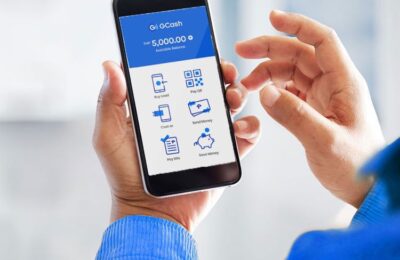
Photo by Yura Fresh on Unsplash
You can try to send them a message through their social channels like Facebook and Twitter, but so far, the most effective way to reach the team is by submitting a ticket on the GCash app and wait for their reply and updates. Here’s how you can do it.
Content
Steps to submit a ticket on GCash
- Open and Log in to your GCash app
2. Tap on the “Profile” icon on the lower right of the app

3. Tap “Help”

4. Tap “Submit a Ticket”

5. Then, fill out the form. You need to provide your account details such as your name, email address, and GCash mobile number. You have the option to attach some files like screenshots.

6. Tap “Submit.”

You just have to wait for their reply. I’m not sure about the turn-time of GCash’s customer support team but I suggest at least wait for about 24 hours. If you need to follow up on your ticket. Here’s the process.
How to follow up on my GCash ticket
- Open your GCash app and Log in
2. Tap the “hamburger icon” at the top left corner of your screen
3. Tap “Help”
4. Tap the ticket number of the concern you want to follow up on
5. Type in your message
Note: No need to create a new ticket to follow up on your concern. Just follow the steps.
Here’s your visual guide.

Credit: GCash
Other ways to reach GCash Customer Support
1. GCash Help Center
You can also check the GCash Help Center. You can find there helpful articles and posts for common concerns like How to get started, how to cash in/ cash out, Account Management, Security, and Other Services. Help Center is available on the app and also through a browser by clicking this link.
2. Social Media Accounts
You can message GCash Customer Support through their social media accounts. Here are the Official Accounts of GCash.
Facebook: GCash Official
Twitter: GCash
3. Call 2882
If you have an urgent request or concern, you may call the GCash hotline number 2882 to speak to an agent. This service is available from Monday to Sunday from 8:00 AM to 5:00 PM. This is free for all Globe subscribers.
For non-Globe subscribers, you may call (02) 7730-2882. Appropriate charges may apply.
READ MORE: How to load Cignal TV using GCash
More Helpful Guides Here
- How to get COR for ESL Teachers
- How to transfer money from GCASH to MAYA
- How to pay Pag-ibig Housing Loan thru GCASH
- How to Type the ENYE Letter (Ññ) on Various Devices
- How to Transfer Money from Paypal to GCash
- GLOBE ROAMING: No need to change SIM cards abroad
- How to Pay HOME CREDIT via GCASH (Step-by-step Guide)
- The cheapest Intel Core i7 laptop in the Philippines
- Tips to manage your money wisely





14 Comments
Jack ancheta
August 1, 2022 at 12:20 pmNakalimutan ko password,Hindi ko ma open Ang gcash kc pag nag change mpin submit tikit Ang lumalabas plz help po
Rjay
March 11, 2023 at 4:47 pmDating email ko yan nakalagay sa gcash ko nakasubmet ticket naman po ako sana matulungan ninyo ako salamat po
Flitcher Lamangen Balisong
May 28, 2023 at 1:55 pmI cannot open my Gcash account
Lanie forto
August 12, 2022 at 3:35 pmHow to refund my money to new gcash
Zarren Gerald Corpuz belo
March 31, 2023 at 11:59 pmThe system say”something wrong please submit a ticket
Sarrah Jane Hilo Roble
September 8, 2022 at 4:12 amCan’t log in my MPIN or OTP
Jayce
October 4, 2022 at 9:38 amHindi nga mabago yung pin e. pag send ng OTP, Submit a ticket ang lumalabas
Rael Vincent Pakibulan
March 7, 2023 at 6:51 pmI can’t receive my OTP code on my new sim card and I want to make a account on gcash.
Angeline Medrano
November 14, 2022 at 9:04 amNagbalik ulit sa dati tas hindi ko na sya ma open ulit ….pero nakagawa na ako dati gusto ko lang marecover…
jenny nera
November 15, 2022 at 7:15 pmI want go to my gcash account
Carlo L datu
November 15, 2022 at 7:47 pmAyow gumana ng rigester ng gcash
Tomado Anna Maria lorenzo
December 8, 2022 at 7:49 pmInvalid authentication code thank you.😀
Regie
February 22, 2023 at 3:11 pmNaka gawa Naku date denelet ku Tapos pag open ku submet a ticket ang lalabas
Marialyn mariñas
April 10, 2023 at 7:08 pmThe system says” something went wrong please submit a ticket