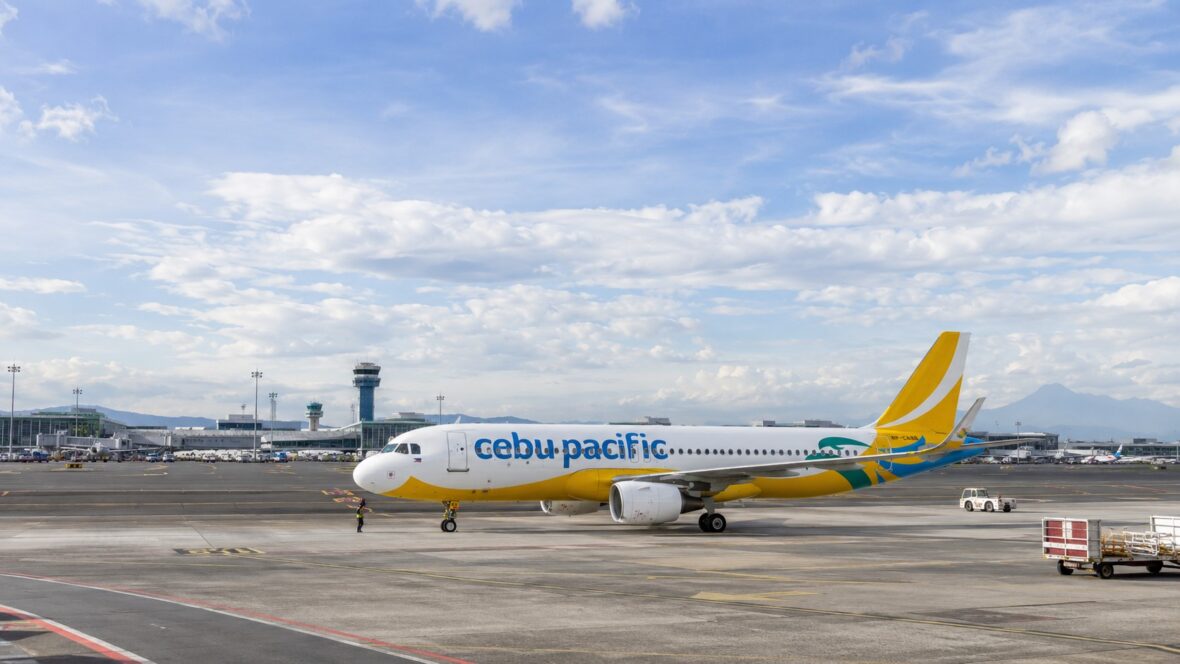
After booking a Cebu Pacific flight, your work is not always done. Sometimes, you still need to add baggage, choose seats, update guest details, check in online, pay a pending balance, request a refund, or rebook your flight.
That’s where Cebu Pacific Manage Booking becomes very useful.
If you’re a frequent traveler, you’ve probably used it already. But if you’re a first-time flyer or you only travel once in a while, Manage Booking can feel confusing at first. You may wonder: Where do I find my booking? What can I change? Can I add baggage after booking? Can I update a misspelled name? Can I cancel my flight? Do I need a MyCebuPacific account?
In this guide, let’s walk through Cebu Pacific Manage Booking in a simple and practical way.
Content
What Is Cebu Pacific Manage Booking?
Cebu Pacific Manage Booking is the online feature that lets passengers access and make changes to their flight booking through the Cebu Pacific website or app.
According to Cebu Pacific, you can use Manage Booking to view your itinerary, rebook your flight, do online check-in, update guest details, add baggage, settle pending balances, purchase add-ons, convert to Travel Fund if eligible, request a refund, and more.
In simple terms, it is your control center after booking your flight.
Instead of going to the airport or waiting until travel day, you can handle many flight-related tasks online. This is very helpful, especially if you need to add something to your booking or fix a detail before your flight.
Why Manage Booking Is Important
Manage Booking is important because travel plans can change. Maybe you booked a seat sale fare first and forgot to add baggage. Maybe your schedule changed and you need to move your flight. Maybe your name has a typo. Maybe you need to check in online. Maybe your flight was disrupted and you need to choose your available options.
Instead of starting from scratch, you can open your existing booking and manage it from there.
Cebu Pacific also recommends logging in to your MyCebuPacific account before booking because it makes it easier to manage your booking later. The airline also notes that bookings are generally non-refundable, non-reroutable, and non-transferable, subject to fare rules and exceptions, so it’s better to review your booking carefully before paying.
This is why Manage Booking is useful, but it is not magic. It can help you modify many things, but not everything can be changed for free or changed at all.
What You Need to Access Manage Booking
To access your booking, you usually need your booking reference number and either the last name or email address registered in the booking.
Cebu Pacific says that to view your itinerary receipt, you need to enter your booking reference number together with your last name or the email address registered in the booking. Your itinerary receipt is sent to the email registered in the booking within 24 hours after successful payment.
Your booking reference is the six-character code found in your Cebu Pacific itinerary receipt or confirmation email. This is one of the most important details you should save after booking.
My advice: after booking, take a screenshot of your itinerary receipt and booking reference. Save it in your email, phone gallery, and travel folder. It will make your life easier later.
Do You Need a MyCebuPacific Account?
You may not always need a MyCebuPacific account just to book a flight, but Cebu Pacific says a MyCebuPacific account is required to make booking changes. If you can’t find your booking after logging in, you may use the Add Booking feature to link it to your account.
This is important. If you want to rebook, add baggage, update details, or manage add-ons, it’s better to have your booking linked to your account.
Cebu Pacific also says that with a Cebu Pacific account, you can manage your bookings and add-ons, receive promo alerts, and keep track of your Travel Fund.
So if you fly Cebu Pacific often, creating a MyCebuPacific account is worth it. It makes your bookings easier to find and manage.
How to Access Cebu Pacific Manage Booking
To access Manage Booking, open the Cebu Pacific website or mobile app. Look for the Manage Booking section. Enter your booking reference number and the last name or email address connected to the booking.
Once your booking appears, you can check your flight details and see what options are available.
Depending on your booking, you may be able to do things like:
View your itinerary
Add checked baggage
Buy seat selection
Purchase other add-ons
Update guest or contact details
Rebook your flight
Cancel your flight if eligible
Convert to Travel Fund if eligible
Request a refund
Check in online
Settle pending payment
The available options may depend on your fare bundle, flight status, travel date, and whether your booking is eligible for certain changes.
What Can You Do in Cebu Pacific Manage Booking?
One of the best things about Manage Booking is that it puts many important flight actions in one place.
You can use it to view your itinerary if you lost your confirmation email. You can add baggage if you originally booked a hand-carry-only fare. You can purchase add-ons if you want a more comfortable flight. You can also check in online once online check-in is available.
Cebu Pacific’s official Manage Booking page lists several available actions, including itinerary viewing, rebooking, online check-in, updating guest details, adding baggage, settling pending balances, purchasing add-ons, converting to Travel Fund if you have CEB Flexi, and requesting a refund.
This is especially useful if you booked during a seat sale. Many travelers book the cheapest fare first, then later return to Manage Booking to add baggage or other services.
How to Add Baggage Through Manage Booking
Adding baggage is one of the most common reasons passengers use Manage Booking.
Cebu Pacific says baggage add-ons and upgrades can be done through Manage Booking up to two hours before the flight. GO Basic includes 7kg hand-carry only, while GO Easy and GO Flexi include 7kg hand-carry plus one 20kg checked baggage.
So before adding baggage, check your fare bundle first. If you booked GO Easy or GO Flexi, you may already have one checked bag included. If you booked GO Basic, you need to add checked baggage separately if you want to check in a suitcase.
Also, don’t confuse extra weight with extra pieces. Cebu Pacific’s baggage guide explains that every 20kg prepaid baggage allowance entitles the passenger to one checked baggage piece, and passengers can purchase up to three checked baggage pieces through the app or website.
In simple terms, if you need a heavier bag, upgrade the weight. If you need another suitcase, add another piece.
How to Rebook a Cebu Pacific Flight
If your travel plans changed, you may be able to rebook your Cebu Pacific flight through Manage Booking.
Cebu Pacific says passengers can make changes through Manage Booking up to two hours before the flight. Rebooking allows you to change your flight date or time, but fare differences and change fees may apply depending on your fare rules.
This is very important: rebooking does not mean you can change everything.
Cebu Pacific states that passengers cannot change the flight destination or the sequence of travel.
For example, if you booked Manila to Cebu, you generally cannot turn that into Manila to Davao through rebooking. If you booked a roundtrip flight, you also need to follow the correct travel sequence.
Before rebooking, compare the total cost. Sometimes the new fare difference can be high, especially if your new travel date is near, during a holiday, or during peak season.
Can You Cancel Your Cebu Pacific Flight Through Manage Booking?
Yes, but cancellation depends on your fare type, add-ons, and eligibility.
Cebu Pacific says voluntary cancellation and conversion to Travel Fund are available if you purchased the GO Flexi fare bundle or CEB Flexi add-on. Without CEB Flexi or eligible conditions, voluntary cancellation may not be available for ordinary change-of-plan reasons.
This is where many travelers get surprised. Not all tickets can simply be canceled and refunded just because your plans changed.
If you think your schedule might change, consider this before booking. A cheaper fare may save money upfront, but a more flexible option may be better if your plans are uncertain.
What Is Travel Fund in Manage Booking?
Travel Fund is Cebu Pacific’s virtual wallet that can be used to pay for future trips.
Cebu Pacific describes Travel Fund as a non-expiring virtual wallet available in certain cases, such as when you purchased CEB Flexi and used it to cancel your flight, when your flight was disrupted, or in specific serious medical, death, or bereavement cases.
You may see Travel Fund options in Manage Booking if your booking is eligible. But again, not every booking automatically qualifies for Travel Fund.
If you bought CEB Flexi or your flight was disrupted, check your Manage Booking page for the available options.
How to Update Guest or Contact Details
Another useful feature of Manage Booking is updating passenger or contact details.
Cebu Pacific says passengers can go to Manage Booking within 24 hours of booking to change either the first name or last name. The airline also says other contact and guest details can be updated up to two hours before the flight.
This is helpful if you made a minor typo or need to correct a detail.
But don’t rely on this as an excuse to rush through booking. Always check the passenger name carefully before payment. The name on your booking should match your valid ID or passport.
For international flights, this is even more important. Name mismatches can cause problems at check-in or immigration.
Can You Change the Email Address in Your Booking?
Cebu Pacific’s Manage Booking page says you can update guest details except the email address.
This is why you should be careful when entering your email address during booking. Your itinerary receipt, notifications, and other important updates may be sent there.
If you entered the wrong email or no longer have access to it, you may need to contact Cebu Pacific support through the official app or website.
How to Link a Booking to Your MyCebuPacific Account
Sometimes your booking does not appear in your account, especially if you were not logged in when you booked.
Cebu Pacific says you can use the Add Booking feature if you can’t find your booking after logging in. You can link a booking if you are one of the guests in the booking or if the booking’s full name or email address matches the details in your MyCebuPacific account.
However, there are limits. Cebu Pacific says you cannot add or link a booking if it was already added to another account, if your booking details do not match your account details, if it is a group booking or travel agency booking, or if the booking is older than six months and already archived.
This is another reason why logging in before booking is better. It helps avoid linking problems later.
What If You Booked Through Agoda, Booking.com, or a Travel Agency?
If you booked through a third-party site or travel agency, managing your booking may be more complicated.
Cebu Pacific says that for third-party bookings, such as Agoda or Booking.com, there may be instances where the app or website does not recognize your booking reference number. In that case, the airline advises passengers to contact the travel agency or third-party site where the booking was created.
This does not mean third-party booking is always bad. But it does mean you should know where your booking came from and who can help if something goes wrong.
If you want easier self-service changes, booking directly with Cebu Pacific is usually more convenient.
How to Check In Through Manage Booking
You can also use Manage Booking for online check-in.
Cebu Pacific says Manage Booking allows passengers to do online check-in. Online check-in opens 48 hours before departure, closes 1 hour before domestic flights, and closes 2 hours before international flights.
This is useful because you can check in before going to the airport and save your boarding pass.
However, if you have checked baggage, you still need to proceed to bag drop or the check-in counter at the airport. Online check-in does not magically check in your suitcase. It only checks in you as a passenger.
How to Manage a Disrupted Flight
If your flight is canceled, delayed, or changed, Manage Booking may also show your available options.
Cebu Pacific says affected passengers may be notified by frontline team, email, or text message, and passengers may access the Self-Service Disruption Portal through Manage Booking on the Cebu Pacific app or website. The airline also says passengers can check real-time flight status through its Flight Status page.
Depending on the disruption, you may be offered options such as free rebooking, refund, or Travel Fund. The exact options can vary based on the type of disruption and airline policy.
This is why it’s important to keep your contact details updated in your booking. If Cebu Pacific needs to notify you about a schedule change, your email and mobile number should be correct.
Can You Request a Refund Through Manage Booking?
Cebu Pacific’s Manage Booking feature includes the option to request a refund.
But refund eligibility depends on the fare rules and the reason for the refund request. Cebu Pacific says refunds are processed within 15 days in the original form of payment, subject to fare rules. Depending on the payment method, it may take up to two billing cycles for the refund to be credited.
This means requesting a refund is not always the same as automatically receiving one. You still need to qualify under the airline’s rules.
Common refund-related cases may include flight disruptions, duplicate charges, medical cases, bereavement cases, or other eligible situations.
Common Manage Booking Problems
One common problem is not finding your booking. This can happen if you booked while not logged in, if your booking details do not match your account, or if you booked through a third-party agency.
Another issue is trying to make a change too late. Many booking changes must be done up to two hours before the flight. If you are already too close to departure, some options may no longer be available.
Some passengers also expect to change destinations, but Cebu Pacific says destinations and travel sequence cannot be changed through rebooking.
Another common issue is assuming that cancellation is always allowed. In reality, voluntary cancellation depends on whether you have GO Flexi, CEB Flexi, or another eligible reason.
Practical Tips When Using Manage Booking
First, always save your booking reference. Without it, finding your booking becomes harder.
Second, log in before booking whenever possible. Cebu Pacific recommends this because it makes managing your booking easier later.
Third, don’t wait until the last minute. If you need to add baggage, rebook, update details, or buy add-ons, do it as early as possible.
Fourth, check the total amount before paying for any change. Rebooking may include fare difference and fees.
Fifth, review the flight segment carefully. If you have a roundtrip flight, make sure you’re adding baggage or making changes to the correct direction.
Sixth, keep screenshots of successful changes. Save your updated itinerary, payment confirmation, boarding pass, or Travel Fund details.
Finally, keep your contact details updated. Flight changes, disruptions, and reminders may be sent through email or text.
When Should You Use Manage Booking?
Use Manage Booking whenever you need to check or change something about your Cebu Pacific flight.
Use it after booking to confirm your itinerary.
Use it before your flight to add baggage or seat selection.
Use it when your plans change and you need to rebook.
Use it when you notice a typo in your guest details.
Use it when online check-in opens.
Use it when your flight is disrupted and you need to choose an option.
Use it when you need to request a refund or manage Travel Fund.
Basically, if your concern is connected to an existing Cebu Pacific booking, Manage Booking should be one of the first places you check.
Final Thoughts
Cebu Pacific Manage Booking is one of the most useful tools for passengers. It allows you to view your itinerary, add baggage, purchase add-ons, update guest details, rebook your flight, check in online, request a refund, convert eligible bookings to Travel Fund, and manage disrupted flights.
But it’s also important to understand its limits. Not all bookings can be canceled. Not all changes are free. You cannot change your destination or travel sequence through regular rebooking. Some changes must be done within a specific time limit.
The best strategy is simple: book carefully, save your booking reference, log in to your MyCebuPacific account, and manage your flight early.
That way, if you need to add baggage, update details, check in, or change your travel date, you already know where to go and what to do.
Travel is already stressful enough. If you know how to use Cebu Pacific Manage Booking properly, you can avoid many common problems before you even arrive at the airport.