Have you ever tried to cash in, receive money, pay a bill, or transfer funds through GCash—only to be told that the transaction would exceed your limit?
It can be confusing, especially when your wallet still appears to have enough space.
The reason is that GCash does not have just one limit. Your account may be subject to a wallet limit, a monthly incoming limit, a daily outgoing limit, a monthly outgoing limit, and separate limits for services such as Express Send, the GCash Card, GSave, and GCrypto.
Your limits also depend on your profile type. A Basic account has much lower limits than a Fully Verified account, while eligible GCash Plus and GCash Platinum profiles can handle larger amounts.
This guide explains the different GCash limits, how they are calculated, when they reset, how multiple accounts affect them, and what you can do to increase your limit.
Content
GCash Wallet and Transaction Limits at a Glance
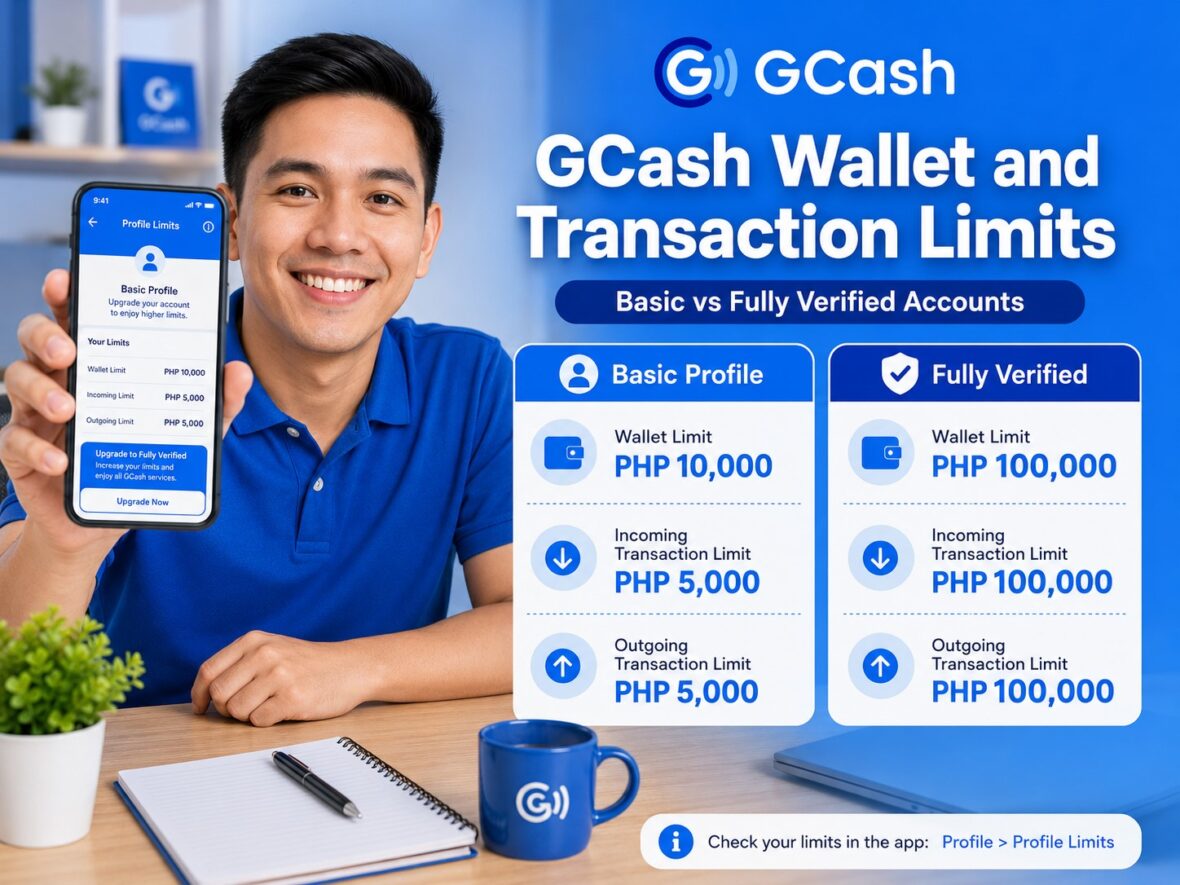
Here are the general limits currently published by GCash:
| GCash profile | Maximum wallet balance | Monthly incoming limit | Daily outgoing limit | Monthly outgoing limit |
|---|---|---|---|---|
| Basic | ₱10,000 | ₱5,000 | No separate daily limit listed | ₱5,000 |
| GCash Jr. | ₱50,000 | ₱10,000 | ₱10,000 | ₱10,000 |
| Fully Verified | ₱100,000 | ₱100,000 | ₱100,000 | No separate monthly limit listed |
| GCash Plus | ₱500,000 | ₱500,000 | ₱100,000 | No separate monthly limit listed |
| Eligible GCash Platinum | ₱1,000,000 | ₱1,000,000 | ₱500,000 | ₱1,000,000 |
GCash identifies these profiles as follows:
- Basic: New or non-verified users
- GCash Jr.: Users aged 7 to 17
- Fully Verified: Fully Verified and eligible GTourist users
- GCash Plus: Fully Verified users who qualify through a linked bank account, GSave deposit, or investment
- GCash Platinum: Eligible Globe Platinum subscribers
The limits are applied according to your profile and may be shared across multiple accounts registered under your name.
How to Check Your Personal GCash Limits
You do not need to rely entirely on a general table because you can check the limits assigned to your own account.
To view them:
- Open the GCash app.
- Tap Profile.
- Select Profile Limits.
- Review your wallet, incoming, and outgoing limits.
Your personal limit screen is the best place to check before an important cash-in, transfer, payment, or withdrawal.
The amount available to you may depend on your account profile, linked accounts, recent transactions, service-specific restrictions, and whether your profile upgrade has already been approved. GCash can also change or restrict limits when necessary under its terms.
Understanding the Different Types of GCash Limits
The terms “wallet limit,” “incoming limit,” and “outgoing limit” are not interchangeable.
A transaction may fail because you reached one limit even though you remain below another.
What Is the GCash Wallet Limit?
Your wallet limit is the maximum amount of money that can remain in your GCash wallet at any one time.
For example, a regular Fully Verified account has a maximum wallet balance of ₱100,000.
Suppose your current balance is ₱95,000. Someone tries to send you ₱10,000. Even when you have not reached your monthly incoming limit, the full transfer may fail because it would increase your balance to ₱105,000—above your ₱100,000 wallet limit.
You would need to reduce your balance before receiving the full amount.
Depending on the services available to your account, you might reduce the balance by:
- Paying a bill
- Buying something
- Sending money
- Transferring money to a bank
- Moving funds to an eligible savings or investment account
- Withdrawing cash
Your ability to use those options still depends on your verification status and other applicable limits. The published wallet limits range from ₱10,000 for Basic users to ₱1,000,000 for eligible GCash Platinum profiles.
What Is the Incoming Transaction Limit?
The incoming transaction limit is the maximum total amount your GCash wallet can receive during the applicable period.
GCash currently publishes incoming limits on a monthly basis.
These include:
- Basic: ₱5,000 per month
- GCash Jr.: ₱10,000 per month
- Fully Verified: ₱100,000 per month
- GCash Plus: ₱500,000 per month
- Eligible GCash Platinum: ₱1,000,000 per month
The incoming limit measures the amount that entered your wallet during the month. It is not simply your current balance.
Example of an Incoming Limit
Suppose you have a Basic account with a ₱5,000 monthly incoming limit.
During the month:
- You cash in ₱3,000.
- You spend the entire ₱3,000.
- You later receive another ₱2,000.
Your current balance is only ₱2,000, but your total incoming transactions for the month have already reached ₱5,000.
Receiving another ₱1,000 may fail even though your wallet is far below its ₱10,000 maximum balance.
Spending the money does not reverse the incoming amount that was already counted.
What Transactions Count Toward the Incoming Limit?
Incoming activity commonly includes money entering your GCash wallet through methods such as:
- Cash-ins
- Transfers from banks and e-wallets
- Money received from another GCash user
- Remittances credited to the wallet
- Certain withdrawals from GSave or other GCash products
However, some GCash services have special rules. For example, GCash says selected GSave withdrawals may be permitted beyond the standard wallet or incoming limits, while other GSave products tell users to check their general limits before withdrawing.
This is why you should read the rules of the particular service you are using instead of assuming that every movement into the wallet is counted in exactly the same way.
What Is the Outgoing Transaction Limit?
The outgoing transaction limit is the maximum amount that can be spent or sent from your GCash wallet during the applicable period.
Outgoing activity may include:
- GCash-to-GCash transfers
- Bank and e-wallet transfers
- Merchant QR payments
- Online payments
- Bills payments
- Load purchases
- GCash Card purchases
- ATM withdrawals
- Other transactions that remove money from the wallet
GCash publishes daily and monthly outgoing limits depending on the profile.
Example of a Daily Outgoing Limit
A regular Fully Verified user has a general daily outgoing limit of ₱100,000.
Suppose you complete the following transactions on the same day:
- ₱50,000 bank transfer
- ₱20,000 bills payment
- ₱25,000 merchant purchase
Your total outgoing activity is now ₱95,000.
Another ₱10,000 transaction may fail because it would push the total to ₱105,000, even though the wallet itself may still have sufficient funds.
Does “None” Mean Unlimited?
No—not necessarily.
The GCash limits table shows:
- No separate daily outgoing limit for Basic accounts
- No separate monthly outgoing limit for regular Fully Verified and GCash Plus accounts
For a Basic account, the ₱5,000 monthly outgoing cap still applies even though no separate daily amount is listed.
For Fully Verified and GCash Plus accounts, the daily outgoing limit still applies even though no separate general monthly limit is listed. Individual services may also impose their own maximum amounts, transaction counts, or security restrictions.
GCash Limits by Account Type
Basic GCash Account Limits
A Basic account is a newly created or non-verified GCash profile.
Its current general limits are:
- Maximum wallet balance: ₱10,000
- Monthly incoming limit: ₱5,000
- Monthly outgoing limit: ₱5,000
A Basic account does not have a separate daily outgoing amount listed, but it remains subject to the ₱5,000 monthly cap.
Basic users have access to selected features such as:
- Cash In
- Pay Bills
- Buy Load
- Scan to Pay
Features such as Send Money, Bank Transfer, Pay Online, and the GCash Card require full verification.
Because the monthly incoming and outgoing limits are both only ₱5,000, a Basic account is not suitable for regularly receiving salary, remittances, business payments, or other large amounts.
GCash Jr. Limits
GCash Jr. is intended for eligible users aged 7 to 17.
Its current general limits are:
- Maximum wallet balance: ₱50,000
- Monthly incoming limit: ₱10,000
- Daily outgoing limit: ₱10,000
- Monthly outgoing limit: ₱10,000
The daily and monthly outgoing limits are both ₱10,000. This means the user cannot repeatedly spend ₱10,000 every day throughout the month. Once the total monthly outgoing amount reaches ₱10,000, additional outgoing transactions may become unavailable until the monthly limit resets.
Fully Verified GCash Limits
A regular Fully Verified profile has:
- Maximum wallet balance: ₱100,000
- Monthly incoming limit: ₱100,000
- Daily outgoing limit: ₱100,000
- No separate general monthly outgoing limit listed
This is the standard profile used by most adults who complete identity verification. The same limit category is also listed for eligible GTourist users.
A Fully Verified account can access services such as:
- Express Send
- Bank Transfer
- Pay Online
- GCash Card
- GSave
- GInvest
- GInsure
- GLife
- Eligible borrowing products
Separate eligibility and product limits may still apply.
GCash Plus Limits
GCash Plus is a higher profile for qualifying Fully Verified users.
Its current limits are:
- Maximum wallet balance: ₱500,000
- Monthly incoming limit: ₱500,000
- Daily outgoing limit: ₱100,000
- No separate general monthly outgoing limit listed
Notice that the wallet and incoming limits are increased to ₱500,000, but the general daily outgoing limit remains ₱100,000.
Having ₱500,000 in the wallet therefore does not mean you can transfer or spend the entire amount in one day through ordinary GCash transactions.
Eligible GCash Platinum Limits
The highest general personal profile currently published by GCash is the eligible GCash Platinum category.
Its limits are:
- Maximum wallet balance: ₱1,000,000
- Monthly incoming limit: ₱1,000,000
- Daily outgoing limit: ₱500,000
- Monthly outgoing limit: ₱1,000,000
GCash describes this profile as being for eligible Globe Platinum subscribers and directs users to Globe for related questions. It is not an upgrade that every Fully Verified user can automatically receive by linking a bank or making an investment.
When Do GCash Limits Reset?
GCash says that once you reach an applicable profile limit, some services may remain unavailable until:
- The limit resets on the first day of the following month, or
- You successfully upgrade your profile
This applies to general monthly wallet transaction limits.
For example, if you reach your monthly incoming limit on July 25, the monthly allowance should become available again on August 1.
Reducing your wallet balance does not reset the amount you have already received during the month.
Likewise, the following actions do not create a new monthly limit:
- Logging out
- Reinstalling GCash
- Clearing the app cache
- Changing your phone
- Replacing your SIM while keeping the same account
- Sending repeated transaction attempts
Daily limits operate separately from monthly limits. Service-specific reset schedules may also differ, so check the applicable service when dealing with the GCash Card, GSave, GCrypto, or another product.
Multiple GCash Accounts and Shared Limits
GCash allows one person to create up to five personal accounts using different mobile numbers.
However, the accounts are automatically linked to one customer profile.
When accounts are linked:
- The highest eligible wallet and transaction limits apply to the linked accounts.
- The limits are not added together.
- The limits apply on a per-user basis rather than providing a new allowance for every wallet.
Example: Two Fully Verified Accounts
Suppose you have two regular Fully Verified accounts.
Each shows a profile category associated with a ₱100,000 wallet and monthly incoming limit.
You do not automatically receive a combined ₱200,000 limit. The accounts belong to one customer and share the applicable profile allowance.
Example: One Fully Verified Account and One GCash Plus Account
Suppose one linked account has a ₱100,000 profile while the other qualifies for GCash Plus at ₱500,000.
GCash says the highest limit applies across the linked accounts. The applicable limit becomes ₱500,000—not ₱600,000.
Can You Open Another Account to Bypass a Limit?
No.
Because the limits are connected to the user rather than treated as completely independent per-wallet allowances, registering another mobile number does not create a fresh personal transaction limit.
GCash’s terms allow it to prevent additional account use, decline transactions, suspend services, or adjust limits when applicable rules are reached.
Express Send Has a Separate Transaction-Count Limit
Your peso-denominated wallet limits are not the only restrictions that apply to GCash-to-GCash transfers.
Express Send also has a monthly limit on the number of transactions.
GCash currently publishes:
- 500 Express Send transactions per month
- 500 received Express Send transactions per month
These count limits reset at the beginning of the next month. GCash says the Express Send limits cannot simply be removed from a regular personal account.
This means you could encounter an Express Send limit even when:
- Your total peso amount remains below your outgoing limit.
- Your wallet has sufficient funds.
- Each transfer involves only a small amount.
For example, someone who uses Express Send for hundreds of small business collections may hit the transaction-count limit even without moving a particularly large total amount.
Eligible users who need additional transactions may receive access to Send Money+, under which succeeding transactions beyond the free Express Send limit may carry a ₱5 charge. Availability depends on the offer shown in the app.
Businesses receiving a high number of customer payments should consider the appropriate GCash merchant or Pera Outlet service rather than relying entirely on a personal Express Send account.
Cash-In Limits Are Not Always the Same as Wallet Limits
A cash-in channel may have its own per-transaction or daily limit.
For example, InstaPay Cash In through a linked bank currently has a maximum of ₱50,000 per transaction.
This does not mean that every user can automatically cash in ₱50,000. The transaction must also fit within:
- Your remaining wallet capacity
- Your monthly incoming allowance
- Your bank’s own transaction limit
- The cash-in service’s security rules
GCash also says that InstaPay transfers from an external bank to GCash allow up to ₱50,000 per transaction. Newly used cash-in arrangements may have a ₱10,000 daily incoming limit during the first two weeks, followed by a ₱50,000 daily limit, while the regular monthly profile limits still apply.
Example
Suppose you have a Fully Verified account with:
- Current balance: ₱70,000
- Remaining monthly incoming limit: ₱50,000
Even though InstaPay Cash In allows up to ₱50,000 per transaction, your wallet has room for only ₱30,000 before reaching its ₱100,000 maximum.
A ₱50,000 cash-in may therefore fail or be rejected.
The ₱8,000 OTC Cash-In Allowance Is a Fee Threshold
The monthly over-the-counter cash-in allowance is often confused with the account’s incoming transaction limit.
GCash currently provides free OTC cash-ins up to a combined ₱8,000 per month. A 2% fee applies to the portion exceeding that amount, and the free allowance resets on the first day of the next month.
This is primarily a fee-free allowance, not your overall wallet limit.
For example, a Fully Verified user may have a ₱100,000 monthly incoming limit but only ₱8,000 of eligible OTC cash-ins without the additional 2% fee.
Other cash-in methods have separate charges and rules.
GCash Card Transaction Limits
The physical GCash Card has service-specific limits that operate alongside your general wallet limits.
GCash currently publishes these maximums:
| GCash Card transaction | Fully Verified | Eligible Platinum |
|---|---|---|
| Local ATM withdrawal, daily | ₱40,099 | ₱40,099 |
| Local ATM withdrawal, single transaction | ₱20,099 | ₱20,099 |
| Local online payment, per transaction | ₱100,000 | ₱100,000 |
| Local point-of-sale purchase, per transaction | ₱100,000 | ₱500,000 |
| International ATM withdrawal, daily | ₱40,099 | ₱40,099 |
| International ATM withdrawal, single transaction | ₱20,099 | ₱20,099 |
| International online payment, per transaction | ₱100,000 | ₱500,000 |
| International point-of-sale purchase, per transaction | ₱100,000 | ₱500,000 |
Your practical ATM withdrawal may be lower because of your wallet balance, ATM denomination, ATM operator limits, fees, foreign exchange, and other restrictions.
A card transaction must fit within both the GCash Card limit and your general GCash wallet or outgoing limit.
For example, a Fully Verified user cannot necessarily make several ₱100,000 card purchases on the same day simply because each purchase fits the card’s per-transaction limit. The general ₱100,000 daily outgoing limit may still prevent additional spending.
GSave Has Separate Bank Limits
GSave is a marketplace for savings accounts provided by partner banks. Each bank sets its own deposit, balance, and withdrawal limits.
Examples currently published by GCash include:
| GSave partner account | Selected limits |
|---|---|
| GSave by CIMB | ₱100,000 annual deposit limit for a basic bank account; no stated deposit limit after the bank account is upgraded; ₱500,000 daily withdrawal limit |
| #MySaveUp by BPI | ₱30,000 deposit and account limit; ₱20,000 daily withdrawal limit |
| EzySave+ by Maybank | Initial ₱100,000 deposit limit; possible increase after bank verification; ₱500,000 daily withdrawal limit |
| #UNOReady by UNO | ₱100,000 deposit limit before upgrade; no stated limit after upgrade; ₱500,000 daily withdrawal limit |
| eC-Savings by Cebuana Lhuillier Rural Bank | ₱50,000 daily and ₱100,000 monthly deposit limit; ₱50,000 daily and ₱100,000 monthly withdrawal limit |
These are bank-product limits, not replacements for your GCash profile limits. The specific GSave account’s rules determine whether a deposit or withdrawal affects the general wallet allowance.
Always review the terms of the partner bank before moving a large amount.
GCrypto Has Separate Limits
GCrypto also maintains its own limits for money moving between the GCash wallet and the GCrypto Trading Wallet.
GCash currently publishes:
| GCrypto transaction | Fully Verified | GCash Plus |
|---|---|---|
| Top up from GCash to GCrypto | ₱100,000 daily | ₱100,000 daily |
| Withdraw from GCrypto to GCash | ₱100,000 monthly | ₱500,000 monthly |
GCash advises users to check their regular wallet and transaction limits before completing a GCrypto top-up or withdrawal.
Having a ₱500,000 GCash Plus wallet therefore does not create a ₱500,000 daily GCrypto top-up allowance. The GCrypto daily top-up limit remains ₱100,000 under the current table.
Bank Transfers and Profile Limits
Bank transfers from GCash to participating local banks and e-wallets are processed through InstaPay.
As of July 4, 2026, GCash charges ₱10 for each local InstaPay transfer. The amount you can send remains subject to your wallet balance, general outgoing limit, and any restrictions imposed by the receiving institution or transfer service.
International transfers also depend on the user’s wallet and transaction limits. GCash currently lists a ₱500 minimum for international transfers, while the maximum depends on the profile limits and destination.
Always review the amount, fee, recipient details, and remaining limit before confirming.
How to Increase Your GCash Limit to ₱100,000
To raise a Basic profile to the regular ₱100,000 limit, you need to become Fully Verified.
The general process is:
- Open GCash.
- Tap Profile.
- Select Verify Now.
- Enter the authentication code sent to your number.
- Provide the requested personal information.
- Scan an accepted government-issued ID.
- Complete the selfie scan.
- Review and submit your information.
Once approved, the account should move from the Basic profile to the Fully Verified profile, increasing its standard wallet and monthly incoming limits from ₱10,000 and ₱5,000 to ₱100,000.
Check Profile → Profile Limits after approval to confirm that the upgrade has been applied.
How to Increase Your GCash Limit to ₱500,000
To qualify for GCash Plus and the ₱500,000 wallet and monthly incoming limits, you must currently:
- Be at least 18 years old
- Have a Fully Verified GCash account
- Have an active account
- Complete one qualifying transaction or activity
GCash lists three main qualification routes.
Option 1: Link and Cash In From a Supported Provider
You may link and complete a cash-in from:
- BPI
- UnionBank
- Payoneer
- PayPal
Simply linking an account without completing the qualifying activity may not be enough.
Option 2: Use a Qualifying GSave Account
You may:
- Open a qualifying GSave account with CIMB, UNO Bank, Maybank, or Cebuana.
- Deposit at least ₱100.
- Keep the money in the account for at least five business days.
Option 3: Make a Qualifying GFunds Investment
You may:
- Open or use GFunds.
- Invest at least ₱100 in a qualifying BPI or ATRAM fund.
- Keep the investment for at least five business days.
GCash says the request is reviewed and users should wait five business days for the new limit.
Investments can rise or fall in value. Do not invest solely for a limit increase without reading the product’s risks, fees, and terms.
What if the ₱500,000 Limit Is Not Updated?
If the profile has not been updated after the review period:
- Open GCash.
- Tap Help.
- Tap Get Help.
- Find the article about increasing the wallet limit.
- Tap Chat with Gigi.
- Follow the instructions.
GCash’s current guidance says to use this process when the limit has not changed after five business days.
Can You Request a ₱1,000,000 GCash Limit?
The ₱1,000,000 profile is not presented as a general self-service upgrade available to every Fully Verified user.
GCash currently identifies it as a profile for eligible Globe Platinum subscribers and tells users to contact Globe for questions about eligibility.
Linking a bank, maintaining a GSave deposit, or investing through GFunds is associated with the ₱500,000 GCash Plus upgrade—not an automatic ₱1,000,000 profile.
What Happens When You Reach a GCash Limit?
The exact result depends on which limit you reached.
You may experience:
- A failed cash-in
- A failed bank transfer
- An inability to receive money
- A declined merchant payment
- A Bank Transfer or Express Send error
- A message saying the transaction exceeds your daily or monthly limit
- Temporary loss of access to certain services
GCash says that when an incoming bank or e-wallet transfer exceeds the applicable limit, the transaction should fail and the money should return to the source account.
Do not immediately repeat the same transfer several times. First check:
- Your current wallet balance
- Your remaining incoming limit
- Your remaining outgoing limit
- Your Express Send transaction count
- The source bank’s status
- The transaction history
- Any GCash advisory
If Your Wallet Is Full
Reduce the wallet balance before receiving more money.
However, remember that reducing the balance does not restore a monthly incoming allowance that has already been used.
If You Reached the Monthly Incoming Limit
You generally need to wait until the first day of the next month or successfully upgrade your profile.
If You Reached the Daily Outgoing Limit
Wait until the applicable daily allowance becomes available again.
Avoid splitting one large transaction into repeated attempts unless the service permits it and the total remains within your limit.
If You Reached the Express Send Count Limit
You may wait for the count to reset at the beginning of the next month.
GCash also suggests eligible alternatives such as Bank Transfer, subject to fees and applicable limits. Some users may receive access to Send Money+.
Why a Transaction May Fail Even When You Are Below Your Main Limit
Your profile limit is only one part of the transaction.
A payment or transfer may still fail because:
- The service has a lower per-transaction maximum.
- The receiving account has reached its wallet limit.
- The recipient has reached an incoming limit.
- Your bank has its own transfer limit.
- The ATM has a lower withdrawal maximum.
- You reached the Express Send transaction-count limit.
- Your GCash Card has a separate limit.
- The biller or merchant has its own minimum or maximum.
- A security review blocked the transaction.
- The app or partner service is under maintenance.
- Your available balance does not cover the fee.
Always review the error message carefully. “Wallet limit reached,” “daily outgoing limit reached,” and “Express Send transaction limit exceeded” are different problems and require different solutions.
Practical Tips for Managing Your GCash Limits
Check Before Receiving a Large Amount
Open Profile → Profile Limits before asking someone to send salary, tuition, business income, or a large remittance.
Do Not Wait Until the Due Date
When you expect to make a large bill or bank payment, confirm your outgoing allowance in advance.
Keep a Buffer Below the Wallet Maximum
Avoid keeping your balance exactly at the maximum. A refund, remittance, or other expected credit may fail when there is no wallet space.
Remember That Fees Need Wallet Space
A transaction may require enough balance for both the payment and the service fee.
For example, a ₱10 bank-transfer fee means you need more than the exact amount you want the recipient to receive.
Track the Amount Received During the Month
Your current balance does not show how much of your monthly incoming limit has already been used.
Review your transaction history and Profile Limits page.
Do Not Create More Accounts to Avoid Limits
GCash links accounts under the same identity, and their limits are shared rather than combined.
Use the Correct Account Type for Business
A personal GCash account has Express Send count limits. Merchants accepting frequent customer payments should explore the appropriate business or GCash Pera Outlet service.
Upgrade Before You Need the Higher Limit
Full verification can take time, and a GCash Plus upgrade is subject to review.
Do not wait until the day of an urgent transaction to begin the process.
Save Receipts and Reference Numbers
Keep proof of large cash-ins, transfers, and payments until they are fully reflected in the receiving account.
Frequently Asked Questions
What is the maximum amount you can keep in GCash?
The maximum depends on your profile:
- Basic: ₱10,000
- GCash Jr.: ₱50,000
- Fully Verified: ₱100,000
- GCash Plus: ₱500,000
- Eligible GCash Platinum: ₱1,000,000
What is the limit of a Fully Verified GCash account?
A regular Fully Verified account has a ₱100,000 wallet limit, ₱100,000 monthly incoming limit, and ₱100,000 daily outgoing limit. No separate general monthly outgoing cap is listed, but service-specific limits still apply.
What is the GCash Plus limit?
GCash Plus has a ₱500,000 wallet limit, ₱500,000 monthly incoming limit, and ₱100,000 daily outgoing limit.
Does GCash Plus let you send ₱500,000 in one day?
Not under the general outgoing limit. The GCash Plus daily outgoing limit remains ₱100,000 even though the wallet and monthly incoming limits are ₱500,000.
What is the GCash Platinum limit?
Eligible GCash Platinum profiles currently have a ₱1,000,000 wallet limit, ₱1,000,000 monthly incoming limit, ₱500,000 daily outgoing limit, and ₱1,000,000 monthly outgoing limit.
How do I know my remaining limit?
Open GCash and tap Profile → Profile Limits.
When do monthly GCash limits reset?
GCash says monthly profile limits reset on the first day of the next month.
Does spending money restore my incoming limit?
No. Spending lowers your wallet balance, but it does not remove money already counted toward the monthly incoming total.
Can I receive money when my wallet is full?
No transaction can increase the wallet beyond its maximum balance. Reduce the balance before receiving additional funds.
Why can’t I receive money even though my balance is low?
You may have reached your monthly incoming limit. The limit measures the total money received during the month, not only the balance currently left in the wallet.
Can I increase my Basic limit?
Yes. Complete full verification to move from the Basic profile to the regular ₱100,000 Fully Verified limit.
How can I increase my limit to ₱500,000?
You must be at least 18, Fully Verified, active, and complete one qualifying linked-bank cash-in, GSave deposit, or GFunds investment. GCash says to wait five business days for review.
Does linking any bank guarantee a ₱500,000 limit?
GCash’s current upgrade page specifically lists qualifying activities involving BPI, UnionBank, Payoneer, PayPal, selected GSave banks, or selected GFunds investments. The limit increase remains subject to review.
Does a ₱500,000 wallet limit mean I can receive ₱500,000 in one transaction?
Not necessarily. The cash-in or transfer channel may have a lower per-transaction or daily maximum.
For example, InstaPay Cash In currently allows up to ₱50,000 per transaction.
Can two GCash accounts give me double the limit?
No. Multiple accounts under the same person are linked. The highest eligible limit applies, but the limits are not added together.
How many Express Send transactions can I make?
GCash currently publishes 500 send and 500 receive Express Send transactions per month. The transaction counts reset at the start of the following month.
Is the Express Send count the same as the outgoing peso limit?
No. The Express Send count measures how many transfers you make, while the outgoing limit measures the total amount spent or sent.
You may reach one before the other.
Can I continue using Express Send after reaching the limit?
Eligible users may receive access to Send Money+, under which succeeding transactions after the free limit carry a ₱5 fee. Otherwise, you may need to wait for the monthly reset or use another eligible transfer method.
Does the ₱8,000 OTC limit mean I cannot cash in more?
No. The ₱8,000 amount is the current combined monthly allowance for free OTC cash-ins. A 2% fee applies to the portion above it. Your account’s incoming and wallet limits still determine how much can actually be credited.
Does GSave have the same limit as the GCash wallet?
Not always. Each GSave partner bank has its own deposit, balance, and withdrawal rules.
Does the GCash Card have separate limits?
Yes. ATM withdrawals, online payments, local purchases, and international card transactions have separate GCash Card maximums.
Why did my bank transfer fail because of a limit?
The transaction may have exceeded your wallet, incoming, outgoing, bank, or service-specific limit. Check Profile → Profile Limits and review the exact error message.
Will the money return if a bank-to-GCash transfer exceeds my limit?
GCash says a transfer that exceeds the applicable daily or monthly limit should fail and the money should return to the source account.
Can GCash reduce my limit?
GCash’s terms allow it to increase or decrease limits, decline transactions, and restrict services when applicable limits or security conditions require it.
Final Thoughts
GCash limits are easier to understand once you separate them into three main categories:
- Wallet limit: How much money can remain in your wallet
- Incoming limit: How much money can enter during the month
- Outgoing limit: How much money can be spent or sent during the applicable day or month
A Basic user may hold up to ₱10,000 but receive and spend only ₱5,000 per month. A regular Fully Verified account increases the wallet and monthly incoming limits to ₱100,000, while GCash Plus raises them to ₱500,000. Eligible GCash Platinum profiles can reach ₱1,000,000.
However, the profile limit is not the only rule that matters. Express Send, the GCash Card, GSave, GCrypto, cash-in channels, banks, ATMs, billers, and merchants may impose their own limits.
Multiple GCash accounts do not multiply your allowance either. Accounts registered under the same person are linked, and the highest eligible profile limit applies without combining the amounts.
Before sending or receiving a large payment, open Profile → Profile Limits and check your remaining allowance. Doing this takes only a few seconds and can save you from a failed salary transfer, delayed bill payment, or rejected emergency transaction.