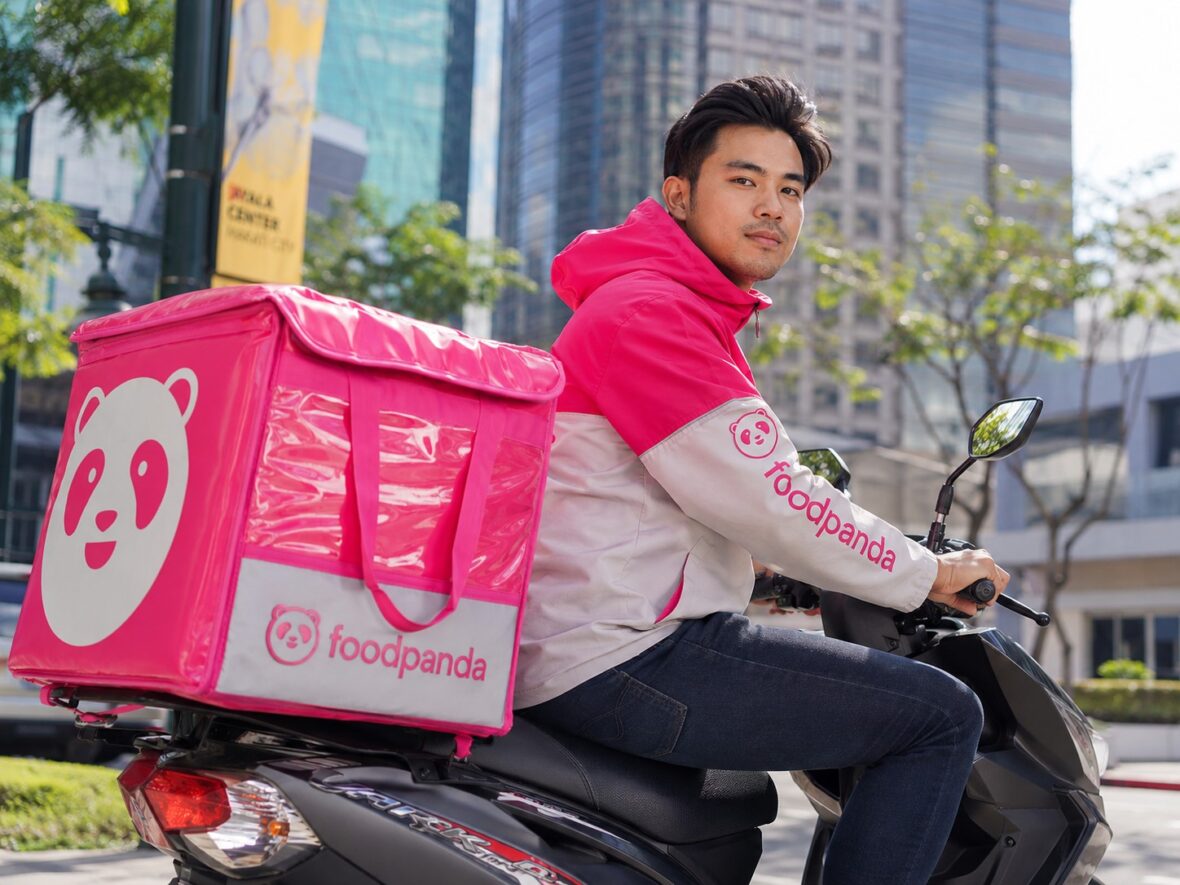
Food delivery apps have become a normal part of everyday life in the Philippines. Whether you are working from home, staying late at the office, relaxing during the weekend, or simply too tired to cook, ordering food through an app can save a lot of time and effort.
One of the most popular platforms for this is Foodpanda.
Most people know Foodpanda as an app for ordering meals from restaurants, but it now offers much more than that. Depending on your location, you may also use it to order groceries, snacks, drinks, medicines, toiletries, household supplies, and other daily essentials.
This complete guide will walk you through the important things you need to know about Foodpanda Philippines, including how it works, how to place an order, available services, payment methods, delivery fees, vouchers, refunds, cancellations, customer support, and practical tips for getting better value from every order.
Content
What Is Foodpanda?
Foodpanda is an online delivery platform that connects customers with restaurants, grocery stores, pharmacies, convenience stores, and other participating merchants.
You can access Foodpanda through its mobile app or official website. After entering your delivery address, the platform shows the restaurants and shops currently available in your area.
From there, you can browse menus, add items to your cart, choose a payment method, place the order, and track the delivery.
Foodpanda is owned by Delivery Hero, an international food-delivery company based in Germany. It began operating in the Philippines in 2014 and has since expanded to many cities and municipalities across the country.
However, service availability is different in every location. Customers in Metro Manila and major cities usually have more restaurant and store choices, while users in smaller towns may have fewer options.
What Can You Order Through Foodpanda?
Foodpanda is no longer limited to restaurant meals. The exact services available will depend on your location, but here are the main things you can order.
Food Delivery
Restaurant delivery remains Foodpanda’s main service.
You can order from different types of food establishments, including:
- Fast-food chains
- Local restaurants
- Cafés and milk tea shops
- Bakeries
- Pizza restaurants
- Filipino restaurants
- Chinese, Japanese, Korean, and other international restaurants
- Dessert shops
- Small food businesses
- Home-based merchants
The restaurants shown in the app are based on your delivery address and the merchant’s delivery coverage.
Some restaurants use Foodpanda riders, while others may handle their own deliveries. This is usually indicated in the app.
Grocery and Shop Delivery
The Shops section lets customers order from participating supermarkets, convenience stores, pharmacies, pet shops, health-and-beauty stores, and other retailers.
You may find products such as:
- Rice and canned goods
- Snacks and drinks
- Fresh or frozen food
- Toiletries
- Cleaning supplies
- Baby products
- Medicines and health products
- Pet food
- Personal-care products
- School and office supplies
This can be useful when you need only a few items and do not want to make a full trip to the supermarket.
Pandamart
Pandamart is Foodpanda’s own online grocery and convenience-store service.
Instead of ordering from a traditional supermarket branch, customers order from a Pandamart facility that prepares items specifically for delivery.
Pandamart usually carries a mix of groceries, beverages, snacks, frozen goods, household products, toiletries, and other essentials.
One advantage of Pandamart is that delivery can sometimes be faster than ordering from a large supermarket. However, delivery time still depends on your location, order size, demand, traffic, and rider availability.
Pick-Up Orders
Foodpanda also offers a pick-up option for selected restaurants.
With this service, you place and pay for the order through the app, but instead of waiting for a rider, you collect the food yourself from the restaurant.
Pick-up can be a good choice when:
- You are already near the restaurant.
- You want to avoid a delivery fee.
- The restaurant is along your route.
- There is a pick-up discount.
- You want to save time by ordering in advance.
Always check the estimated preparation time before leaving. It is also best to arrive close to the scheduled collection time because restaurants may not hold orders indefinitely.
How to Create a Foodpanda Account
Creating an account is simple.
First, download the Foodpanda app from the Apple App Store or Google Play Store. You may also use the official website.
You will normally need to register using your mobile number, email address, or another available sign-in option.
After creating your account, complete your profile and add your delivery address.
Make sure your address includes important details such as:
- House or building number
- Street name
- Barangay
- City or municipality
- Subdivision or condominium name
- Unit, floor, or room number
- Nearby landmark
- Correct mobile number
Placing the map pin accurately is also very important. Riders often rely on the pin when locating the delivery point.
How to Order Food on Foodpanda
Here is the basic ordering process.
Step 1: Enter Your Delivery Address
Open the app and confirm your exact delivery location.
Foodpanda will show only the merchants that can deliver to that address.
Step 2: Choose a Restaurant or Shop
Browse the available restaurants or stores.
You can search by restaurant name, type of cuisine, product, delivery time, rating, or promotion.
Step 3: Select Your Items
Open the restaurant menu or shop catalogue and choose the items you want.
Some food items may have customisation options such as:
- Size
- Flavour
- Spice level
- Rice or side dish
- Drink
- Add-ons
- Quantity
- Special instructions
Review these carefully before adding an item to your cart.
Step 4: Check Your Cart
Before checking out, confirm:
- Product names
- Quantities
- Variations
- Add-ons
- Delivery address
- Voucher
- Payment method
- Delivery option
- Total amount
This is important because changing or cancelling an order may be difficult once the restaurant accepts it.
Step 5: Apply a Voucher
Enter or select an available voucher before placing your order.
Read the conditions carefully. Some vouchers require a minimum spend, specific payment method, participating restaurant, or particular delivery service.
Step 6: Choose a Payment Method
Select your preferred payment method from the options available for that order.
Step 7: Place the Order
Once everything is correct, tap the button to place your order.
The restaurant will receive your request and confirm whether it can prepare the order.
Step 8: Track the Delivery
You can monitor the order through the app.
The usual stages may include:
- Order placed
- Restaurant confirming
- Food being prepared
- Rider assigned
- Rider travelling to the restaurant
- Order picked up
- Rider heading to your location
- Order delivered
Keep your phone nearby because the restaurant or rider may contact you.
Foodpanda Delivery Options
Depending on the restaurant and area, Foodpanda may offer several delivery choices.
Standard Delivery
This is the usual delivery option.
The rider collects your order and delivers it within the estimated time shown in the app.
Saver Delivery
Saver Delivery usually costs less than regular delivery, but the order may take longer.
The rider may handle multiple orders along the route. This can be useful when you are not in a hurry and want to reduce the delivery fee.
Priority Delivery
Priority Delivery may be offered for an additional fee.
Your order receives priority when the rider is carrying multiple deliveries. However, this does not necessarily mean that the food will arrive immediately. Restaurant preparation, traffic, weather, and other factors can still cause delays.
Scheduled Delivery
Some restaurants allow customers to schedule an order for a later time.
This can be convenient for:
- Office lunches
- Meetings
- Birthday celebrations
- Family gatherings
- Early meal planning
- Group orders
Even with scheduled delivery, it is wise to allow extra time. An estimated arrival time is not always guaranteed.
What Payment Methods Does Foodpanda Accept?
Available payment methods may vary by user, restaurant, order, and location.
Common options may include:
- Cash on delivery
- Credit card
- Debit card
- GCash
- PayPal
- Foodpanda credits
- Gift vouchers
- QR payment upon delivery
- Postpaid for eligible users
The payment methods currently accepted for your order will appear on the checkout page.
Cash on Delivery
Cash on delivery remains useful for customers who do not want to enter card or e-wallet details.
When paying in cash, prepare the exact amount whenever possible. Riders may not always have enough change, especially during busy periods.
Avoid cancelling cash orders after the restaurant has started preparing them. Repeated cancellations may affect your ability to use cash on delivery in the future.
Card Payments
Foodpanda may accept supported credit and debit cards.
Before completing the payment, make sure that:
- Your card information is correct.
- Online transactions are enabled.
- You have enough available balance or credit.
- Your bank is not blocking the transaction.
- You can receive an OTP when required.
Do not share your OTP, card PIN, password, or complete card details with a rider, restaurant employee, or anyone claiming to be from customer service.
GCash and Other Digital Payments
GCash is a convenient option for many customers in the Philippines.
Make sure your wallet has enough balance before placing the order. A payment may fail if your balance is insufficient or if the service is temporarily unavailable.
Always verify the amount before approving a payment.
Foodpanda Postpaid
Selected users may see a Postpaid option.
This allows an eligible customer to place an order and pay it on a later date indicated in the app.
Postpaid is not automatically available to everyone. Foodpanda determines account eligibility.
Before using it, review the due date and payment conditions carefully. Even when the platform does not charge an additional fee, failing to pay on time may lead to restrictions on your account or removal of the Postpaid option.
Understanding Foodpanda Fees
One common mistake among customers is checking only the menu price.
The final total may include several charges.
Item Subtotal
This is the total price of the food or products in your cart before other fees and discounts.
Delivery Fee
The delivery fee covers the transport of your order.
It may depend on:
- Distance
- Location
- Restaurant
- Rider supply
- Order demand
- Weather
- Delivery option
- Current promotion
Delivery fees can change throughout the day.
Service Fee
A service fee may be added to help cover the platform’s operating costs.
The amount may vary depending on the order.
Small-Order or Minimum-Order Fee
Some merchants require a minimum purchase amount.
When your subtotal falls below that minimum, you may be charged an additional fee. In some cases, adding one more item may give you better value than paying the small-order charge.
Packaging Fee
Certain restaurants charge separately for packaging.
This may cover containers, bags, cups, utensils, or other materials used to prepare the order for delivery.
Priority Fee
You may pay an additional amount when choosing Priority Delivery.
Rider Tip
Tipping is optional.
Customers may be able to add a tip through the app or give it directly to the rider. A tip can be a kind gesture, especially during heavy rain, extreme heat, long waiting times, or difficult deliveries.
Are Foodpanda Prices Higher Than Restaurant Prices?
Sometimes they are.
A restaurant may charge different prices on Foodpanda compared with its physical branch, official website, or direct ordering channel.
This happens because restaurants may factor platform commissions, packaging, promotions, and other expenses into their app prices.
Before placing a large order, it can be worth comparing:
- Foodpanda price
- Restaurant’s direct price
- Delivery fee
- Available voucher
- Minimum-order requirement
- Pick-up discount
The cheapest-looking option is not always the cheapest after all charges are included.
How Foodpanda Vouchers Work
Foodpanda regularly offers discounts, free-delivery promos, cashback, and restaurant-specific deals.
A voucher may require:
- A minimum purchase amount
- A selected restaurant
- A specific payment method
- A particular delivery option
- A new or selected user account
- A specific city or delivery area
- Redemption during a limited period
- Use only once per account
There may also be a maximum discount.
For example, a percentage-based voucher may offer a discount only up to a certain amount. This means a bigger order does not always receive a proportionally bigger discount.
Tips for Using Vouchers Properly
Before applying a promo code, check:
- Expiry date
- Minimum spend
- Maximum discount
- Eligible restaurant
- Eligible products
- Required payment method
- Delivery-fee condition
- Whether it can be combined with another offer
Do not assume that a voucher will work simply because it appears in an advertisement. Your account, address, order, or payment method may not meet the conditions.
What Is Pandapro?
Pandapro is Foodpanda’s paid membership or subscription service.
Benefits may include:
- Free-delivery offers
- Reduced delivery charges
- Restaurant discounts
- Pick-up discounts
- Exclusive vouchers
- Special partner deals
The exact price and benefits can change, so always check the latest details inside the app.
Is Pandapro Worth It?
Pandapro may be worth considering when you order frequently.
For example, a subscription could provide good value when you regularly place several qualifying orders each month and would otherwise pay delivery charges each time.
However, it may not be worthwhile when:
- You rarely use Foodpanda.
- Your favourite restaurants are not included.
- Your usual orders do not meet the minimum spend.
- The delivery discount has a low cap.
- You often order directly from restaurants.
- Free-delivery vouchers are already available.
Review your recent orders before subscribing. Compare your estimated savings with the membership cost.
Also remember that subscriptions may renew automatically unless cancelled.
How to Cancel a Foodpanda Order
You may usually cancel an order before the restaurant accepts it.
Once the restaurant confirms the order and begins preparing the food, cancellation becomes more difficult. You may not receive a refund when the cancellation is simply due to a change of mind.
To check whether cancellation is still possible:
- Open the active order.
- Go to the help or order-support section.
- Select the cancellation concern.
- Follow the instructions shown.
If the cancel button is no longer available, contact in-app customer support immediately.
When Might Foodpanda Cancel an Order?
An order may be cancelled when:
- The restaurant is closed.
- An item is unavailable.
- No rider can be assigned.
- The merchant cannot prepare the order.
- The address is outside the serviceable area.
- The customer cannot be contacted.
- The customer fails to receive the order.
- There is a payment problem.
- Technical issues affect the transaction.
For prepaid orders, the refund process normally begins after the cancellation is confirmed.
What to Do If the Rider Cannot Find You
Riders may call or message when they are near your location.
To avoid delivery problems:
- Place the pin correctly.
- Add a clear landmark.
- Include the subdivision or building name.
- Mention the correct entrance or gate.
- Keep your phone available.
- Reply promptly to messages.
- Meet the rider when your location is difficult to access.
When the rider arrives and cannot contact you, the order may eventually be marked undeliverable. Depending on the circumstances, you might not receive a refund.
What to Do If Your Order Is Late
Delivery times shown in the app are estimates.
Delays may happen because of:
- Restaurant preparation time
- Large order volume
- Lack of riders
- Traffic
- Bad weather
- Road closures
- Multiple deliveries
- Incorrect address
- Difficulty entering a subdivision or building
If the order is delayed, check the tracker first.
You may also message the rider politely once a rider has been assigned. Remember that riders may be driving and might not be able to respond immediately.
For unusually long delays, use the Help Centre in the app.
What to Do If Your Order Is Missing Items
Check the entire bag before reporting a missing product. Some restaurants pack food and drinks separately.
When something is truly missing:
- Take clear photos of the order.
- Keep the packaging and receipt.
- Open the order details.
- Go to Help Centre.
- Select the missing-item issue.
- Identify the affected product.
- Submit an accurate description and photos.
Foodpanda may offer a refund, credit, voucher, or another resolution depending on its review.
What to Do If You Receive the Wrong Order
Take photos showing:
- The items received
- The packaging
- The receipt
- The restaurant label
- The order number, when visible
Do not throw the items or packaging away until the complaint has been reviewed.
Report the issue through the order-support section of the app.
What to Do If the Food Is Spilled or Damaged
Spills can happen when containers are not sealed properly, the bag tips over, or liquids leak during transport.
Take pictures as soon as you receive the order.
Photograph:
- The outside of the bag
- The damaged container
- The spilled contents
- The affected items
- The receipt or label
A clear report gives customer support better information when reviewing the complaint.
What to Do If the Food Quality Is Poor
Food-quality concerns may include:
- Undercooked food
- Spoiled food
- Burnt food
- Foreign objects
- Unusual smell
- Incorrect preparation
- Unsafe packaging
Stop eating the food if you believe it may be unsafe.
Take photos and contact support. For serious health or food-safety concerns, you may also need to communicate directly with the restaurant and seek appropriate medical assistance when symptoms occur.
Food Allergies and Dietary Restrictions
Do not rely only on special instructions when you have a serious allergy.
Restaurants may use shared cooking equipment, preparation areas, sauces, or ingredients. Cross-contamination can happen even when a specific allergen is not intentionally included.
Before ordering, contact the restaurant and ask about:
- Ingredients
- Preparation method
- Cross-contamination
- Shared fryers
- Sauces and seasonings
- Nut, dairy, egg, seafood, or gluten exposure
For severe allergies, ordering directly from a restaurant that can clearly confirm its preparation practices may be safer.
How Foodpanda Refunds Work
Refund eligibility depends on the reason for the complaint and the results of the review.
A refund may be provided for issues such as:
- Cancelled prepaid order
- Missing item
- Wrong item
- Damaged product
- Failed delivery
- Duplicate charge
- Unavailable item
- Payment error
Refunds may be issued through:
- Original payment method
- Card reversal
- GCash
- Foodpanda credit
- Voucher
- Another approved method
Processing time varies. Card refunds may take longer because banks and payment providers have their own posting schedules.
Do not place another identical order just because the app appears frozen after payment. First check your order history, card activity, or e-wallet transactions to avoid duplicate charges.
How to Contact Foodpanda Customer Support
The most practical way to contact Foodpanda is through the app.
Go to your profile or account section, open the Help Centre, and select the relevant order or issue.
Choose the category that best matches your concern, such as:
- Late order
- Missing item
- Incorrect order
- Damaged product
- Payment issue
- Refund concern
- Cancellation
- Rider concern
- Account problem
Provide complete information from the beginning. Include the order number, affected item, amount, photos, and a clear explanation.
Avoid sending several different complaints for the same issue because this can make the case more confusing.
Foodpanda Safety and Scam-Prevention Tips
Online delivery is convenient, but customers still need to protect their accounts and payments.
Never Share Your OTP
A legitimate rider or restaurant should not need your banking OTP, e-wallet OTP, password, PIN, or card security code.
Verify Payment Requests
Be careful when someone asks you to send money to a personal account or unfamiliar QR code.
Use the payment process shown in the official app.
Avoid Suspicious Links
Scammers may send fake refund, voucher, account-verification, or payment links.
Open Foodpanda directly through the official app instead of clicking an unexpected message.
Protect Your Account
Use a strong password and do not allow other people to use your account without supervision.
Check the Rider and Order Details
Compare the rider information shown in the app with the person delivering your order.
Keep Transactions Inside the Platform
Whenever possible, communicate and pay through official Foodpanda features. This makes it easier to document the transaction when a problem occurs.
Tips for Saving Money on Foodpanda
Food delivery can become expensive when used frequently, but a few simple habits may help reduce the total cost.
Compare Restaurants
Two branches of the same restaurant may have different fees, delivery times, and promotions.
Check Pick-Up Deals
Pick-up orders may offer discounts and eliminate the delivery charge.
Combine Small Orders
Ordering several items at once may be cheaper than placing multiple separate orders.
Avoid Small-Order Fees
Check whether adding a useful low-cost item is better than paying a minimum-order charge.
Compare Vouchers
The largest-looking voucher is not always the best one.
A smaller voucher with free delivery may save more than a percentage discount with a high minimum spend.
Check the Final Total
Always compare the final payable amount, not only the advertised discount.
Order During Less Busy Hours
Delivery fees and waiting times may increase during peak periods, bad weather, lunch, dinner, weekends, and holidays.
Review Pandapro Carefully
Frequent customers may save money with Pandapro, but occasional users may spend more on the subscription than they save.
Order Directly When It Makes Sense
Some restaurants offer lower prices, better bundles, or their own loyalty rewards through direct ordering.
Foodpanda can still be the better choice when it provides a strong voucher or more convenient delivery.
Tips for a Smoother Foodpanda Delivery
A good delivery experience also depends on the information you provide.
Use these practical tips:
- Enter the complete address.
- Position the map pin accurately.
- Add a recognisable landmark.
- Keep your phone charged and nearby.
- Answer calls from the rider.
- Give clear gate or building instructions.
- Prepare exact cash when paying on delivery.
- Avoid changing the address after ordering.
- Check your items upon arrival.
- Report problems immediately.
- Be respectful when communicating with riders and support agents.
During heavy rain or extreme weather, expect possible delays and consider the safety of the rider before placing a non-urgent order.
Advantages of Using Foodpanda
Foodpanda can be useful for several reasons.
Convenience
You can order without travelling, lining up, or calling different restaurants.
Wide Selection
In many areas, the app provides access to numerous restaurants and shops in one place.
Order Tracking
You can monitor preparation and delivery through the app.
Multiple Payment Options
Customers may choose from cash, cards, GCash, and other available methods.
Promos and Discounts
Vouchers, pick-up offers, free delivery, and membership benefits can reduce the total cost.
Grocery and Essential Delivery
The platform can help when you need household items, medicine, snacks, or groceries quickly.
Disadvantages of Using Foodpanda
There are also limitations.
Additional Fees
Delivery, service, packaging, and small-order charges can make a simple meal more expensive.
Higher App Prices
Some restaurant items may cost more on the platform than in the physical branch.
Delivery Delays
Traffic, weather, restaurant demand, and rider availability can affect arrival time.
Product Availability
An item shown in the app may become unavailable after the order is placed.
Refund Waiting Time
Refunds to cards and other payment methods may take several days or longer to appear.
Limited Coverage
Some towns and barangays have fewer merchants or may not be covered at all.
Is Foodpanda Legit?
Yes, Foodpanda is a legitimate delivery platform operating in the Philippines and several other Asian markets.
However, being a legitimate platform does not guarantee that every order will be perfect. Your experience can still depend on the restaurant, store, rider, location, traffic, weather, and customer-service resolution.
Customers should still practise basic online-payment safety and review the order carefully before confirming it.
Is Foodpanda Worth It?
Foodpanda is worth using when convenience is your priority.
It can be especially useful when:
- You cannot leave home.
- You need a quick meal.
- You are working late.
- You are caring for children or a family member.
- The weather is bad.
- You need groceries or medicine delivered.
- A good voucher is available.
- The restaurant is far from your location.
- You want to order ahead for pick-up.
On the other hand, ordering directly or dining at the restaurant may be cheaper when platform prices and extra fees are high.
The best approach is to compare your options before placing the order.
Frequently Asked Questions About Foodpanda
Can I use Foodpanda without an account?
You will generally need an account and valid contact details to place and manage an order.
Can I pay cash?
Cash on delivery may be available, although some restaurants, locations, orders, or accounts may offer only digital payment.
Can I change my order after placing it?
Changes may not be possible once the restaurant accepts the order. Contact support immediately when you notice an error.
Can I change the delivery address?
Changing the address after ordering may not be allowed, especially when the new address is far away or outside the merchant’s coverage.
Can I use more than one voucher?
Foodpanda vouchers usually cannot be combined unless the promotion specifically says otherwise.
Why did my voucher not work?
Possible reasons include an expired code, unmet minimum spend, ineligible restaurant, wrong payment method, account restriction, location restriction, or exhausted promo allocation.
Why is the delivery fee different?
Delivery fees may change based on distance, demand, location, rider availability, weather, restaurant, and delivery option.
Can I cancel after the restaurant accepts my order?
You may request cancellation, but a refund is not guaranteed once preparation has begun.
What should I do if I was charged twice?
Check your order history and payment account, then report the duplicate charge through the Help Centre with screenshots or transaction details.
Can I tip the rider?
Yes. Tipping is optional and may be done through the app when available or given directly to the rider.
Can I order medicine through Foodpanda?
Participating pharmacies may offer medicines and health products. Prescription requirements and product availability depend on the merchant and applicable regulations.
Does Foodpanda deliver 24 hours?
Some restaurants and stores operate 24 hours, but availability depends on your location and the merchants open at the time.
Final Thoughts
Foodpanda has made ordering food and everyday essentials more convenient for many people in the Philippines.
With just a few taps, you can choose from nearby restaurants, buy groceries, order from pharmacies, schedule meals, or arrange a pick-up order.
Still, convenience comes with possible additional costs. Delivery fees, service fees, packaging charges, and higher app prices can increase your bill. That is why it is always important to check the complete total before placing an order.
Use vouchers wisely, compare delivery and pick-up options, enter your address accurately, keep your phone available, and report order problems as soon as possible.
Foodpanda can be a very useful service when used carefully. Whether it offers good value will ultimately depend on your location, chosen merchant, delivery fee, available promotion, and how often you use the platform.