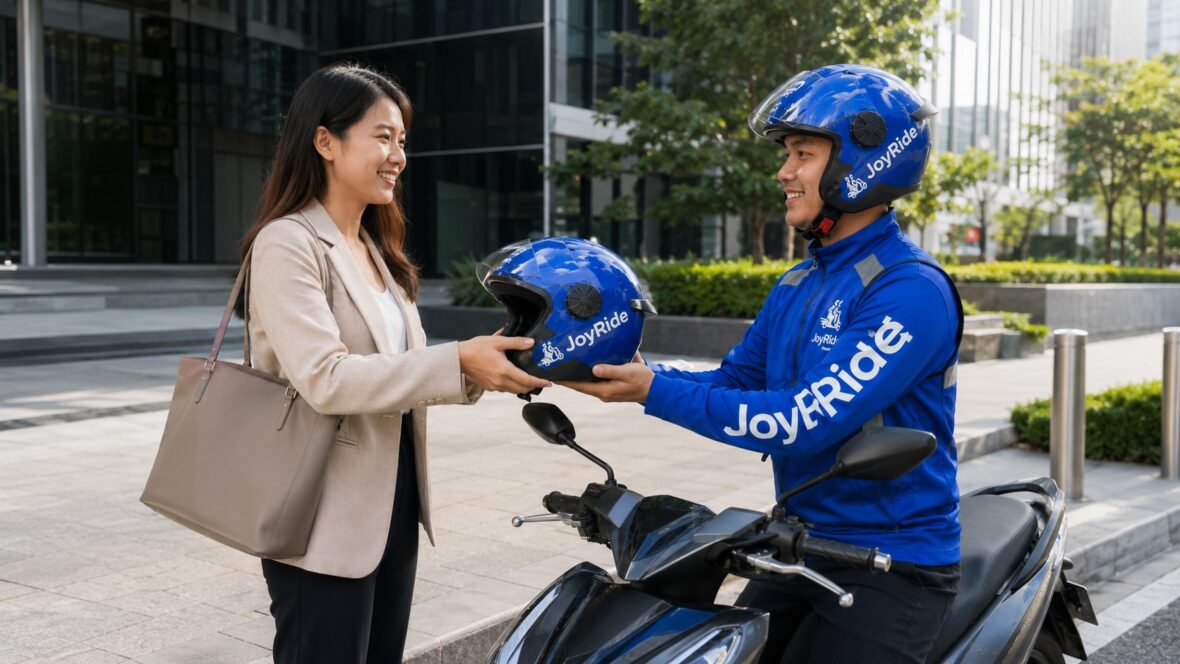
Driving for a ride-hailing or delivery platform can be a practical way to earn extra income, especially when you already own a motorcycle, car, van, or truck.
For some drivers, it becomes a full-time livelihood. For others, it is a side hustle they can do before work, after their regular shift, or during weekends. The flexibility is one of the main reasons many Filipinos consider becoming app-based driver-partners.
JoyRide accepts both two-wheel and four-wheel partners for passenger and delivery services. Depending on your vehicle, qualifications, location, and current openings, you may be able to accept MC Taxi, JoyRide Car, Taxi Cab, Delivery, Pabili, or Happy Move bookings.
The application process has also changed. JoyRide’s old online registration page is no longer used for submitting applications. New applicants are now directed to download the JoyRide Driver app and tap Apply Now.
This guide explains how to apply as a JoyRide driver, what documents you may need, how onboarding works, and what to do when your application remains pending.
This article was updated in July 2026. JoyRide may change its vehicle requirements, application documents, service locations, onboarding schedules, fees, and approval procedures. Always follow the checklist displayed inside the latest JoyRide Driver app.
Content
What Is a JoyRide Driver-Partner?
A JoyRide driver-partner is an independent driver who uses the JoyRide Driver app to receive eligible passenger or delivery bookings.
The official driver app currently supports the following services:
Passenger and Ride-Hailing Services
- JoyRide MC Taxi
- JoyRide Car
- JoyRide Taxi Cab
Delivery and Logistics Services
- JoyRide Delivery
- JoyRide Pabili
- Happy Move
JoyRide says its driver platform accepts motorcycles, cars, vans, and trucks. The exact services you can join depend on your vehicle, documents, location, and regulatory qualifications.
Can You Work Full-Time or Part-Time?
JoyRide promotes its driver-partner opportunities as suitable for both full-time and part-time drivers.
You generally decide when to go online and accept bookings, subject to the platform’s service rules, demand, and operating areas. JoyRide describes the opportunity as a way for partners to work and earn according to their own schedules.
However, flexibility does not mean income is guaranteed.
Your actual earnings may depend on:
- Number of hours online
- Location
- Passenger demand
- Service selected
- Time of day
- Weather
- Fuel prices
- Tolls and parking
- Vehicle maintenance
- Platform commission
- Bonuses and incentives
- Number of completed bookings
- Cancellations
- Competition from other drivers
Before applying, consider both your potential gross income and your operating expenses.
What Types of JoyRide Drivers Can Apply?
JoyRide’s current driver app accepts applications for several two-wheel and four-wheel opportunities.
JoyRide MC Taxi Driver
MC Taxi drivers transport individual passengers using an approved motorcycle.
This category normally requires the highest level of passenger-safety compliance among JoyRide’s two-wheel services. Applicants should expect document verification, vehicle inspection, onboarding, safety training, and equipment requirements.
A professional driver’s license is required for full activation, according to JoyRide’s current registration information.
JoyRide Delivery Rider
Delivery riders transport documents, food, parcels, and other eligible items.
A delivery rider does not normally carry a passenger under an ordinary delivery booking. However, the vehicle and driver must still meet the platform’s safety, licensing, and documentation requirements.
Some applicants may choose to activate both MC Taxi and delivery services when eligible.
JoyRide Pabili Rider
Pabili drivers purchase approved items on behalf of customers and deliver them to the requested address.
Because the service can involve handling customer funds and purchases, drivers should be comfortable with:
- Following shopping instructions
- Confirming product availability
- Keeping receipts
- Communicating about substitutions
- Handling electronic or cash payments
- Delivering within the agreed time
Happy Move Driver
Happy Move handles broader logistics requirements.
Depending on the available category, applicants may use:
- Motorcycles
- Cars
- Vans
- Trucks
This can be suitable for applicants interested in larger packages, business deliveries, multiple stops, or four-wheel logistics work.
JoyRide Car Driver
JoyRide Car drivers use an eligible private vehicle to transport passengers.
Four-wheel passenger-service applicants may also need to comply with Transport Network Vehicle Service requirements administered by the LTFRB, not just JoyRide’s internal platform requirements.
The JoyRide application and the government authorization process are connected but not identical. Being accepted by JoyRide does not automatically replace any franchise, provisional authority, vehicle classification, or operating permit required by the government.
JoyRide Taxi Cab Driver
Taxi Cab is intended for eligible metered taxi drivers and operators.
Applicants may need to provide documents proving that the taxi and its operator are properly authorized. Requirements may differ from ordinary JoyRide Car applications because taxis operate under their own franchise and fare rules.
What Are the Basic JoyRide Driver Requirements?
The exact checklist depends on the service and location. However, JoyRide’s recruitment materials have repeatedly identified several core documents.
Applicants should generally prepare:
- Valid driver’s license
- NBI clearance
- Police or barangay clearance
- Vehicle Official Receipt and Certificate of Registration
- Valid government-issued identification
- Clear vehicle photographs
- Personal and contact information
- Vehicle-ownership or authorization documents when applicable
Official JoyRide recruitment posts have specifically listed a professional driver’s license, NBI clearance, police or barangay clearance, and a clear copy of the vehicle’s OR/CR among commonly required documents.
Do not rely solely on an old checklist shared in a Facebook group. The document list inside the current Driver app should be treated as the final requirement for your selected service.
Is a Professional Driver’s License Required?
Applicants planning to transport passengers should expect to need a valid professional driver’s license with the correct vehicle code.
JoyRide’s registration information states that a professional driver’s license is required for full activation. Philippine licensing rules also define a professional license as the authority granted to a person who is hired or paid to drive.
Your license should be:
- Valid and not expired
- Clearly photographed
- Readable
- Appropriate for your vehicle
- Registered under your correct personal details
- Free from unresolved restrictions preventing commercial driving
A non-professional license may not be sufficient for passenger transportation.
Delivery requirements can vary by service and vehicle, but applicants should follow the license type specifically requested inside the JoyRide Driver app.
Do You Need an NBI Clearance?
JoyRide recruitment materials have repeatedly included a valid NBI clearance in driver requirements.
Make sure the clearance is:
- Valid
- Issued under your correct name
- Clear and readable
- Not cropped
- Uploaded in the requested format
- Supported by any additional document requested when there is a “hit”
JoyRide may also request a police or barangay clearance as part of its background-verification process.
Do You Need the Vehicle OR/CR?
Yes, applicants should prepare a clear copy of the vehicle’s:
- Official Receipt
- Certificate of Registration
JoyRide uses these documents to verify the vehicle’s identity, registration status, ownership, plate or motor details, and eligibility for the selected service. Current recruitment materials continue to identify OR/CR among the core application requirements.
Before uploading, check that:
- The documents are readable.
- The vehicle details match the application.
- The registration is current or supported by acceptable renewal proof.
- The engine or chassis information is not blurred.
- The photograph includes the entire document.
- There is no glare covering important details.
An unclear OR/CR is a common reason an application may require resubmission.
What if the Vehicle Is Not Registered in Your Name?
You may still be able to apply using a vehicle owned by another person, but you should expect to provide additional proof that you have permission to use it.
Depending on the ownership situation, JoyRide may request documents such as:
- Authorization letter from the registered owner
- Copy of the owner’s valid government ID
- Specimen signatures
- Notarized deed of sale
- Financing or dealer documents
- Deed of assumption
- Other proof explaining your lawful possession of the vehicle
JoyRide has historically required authorization and ownership documents where the motorcycle was registered under another person’s name. The exact current documents should be confirmed through the Driver app or onboarding office.
Do not alter the OR/CR or submit fake ownership documents. Misrepresentation can lead to rejection, deactivation, and possible legal consequences.
Do You Need Government-Issued IDs?
Prepare at least one or two valid government-issued IDs, depending on the current checklist.
Examples may include:
- Philippine passport
- PhilID or National ID
- UMID
- SSS ID
- Driver’s license
- Voter’s ID
- PRC ID
- Postal ID, when accepted
- Other current government identification
Use IDs that are:
- Unexpired
- Clear
- Complete
- Consistent with your application name
- Signed when applicable
When your name differs across documents, prepare supporting records such as a marriage certificate, birth certificate, or affidavit if JoyRide requests clarification.
Are There Age Requirements?
The Driver app’s current public listing does not provide one universal age range for every service.
However, applicants must be legally qualified to hold the necessary driver’s license and operate the vehicle. JoyRide may also impose service-specific age, health, or insurance conditions.
Older applicants may be asked to submit additional medical or fitness documents depending on the service and current onboarding rules.
Do not assume you are automatically disqualified based on age. Start the application and check the live requirements for your category.
What Vehicles Does JoyRide Accept?
JoyRide’s current driver app lists the following general vehicle categories:
- Motorcycles
- Cars
- Vans
- Trucks
These may be used for passenger, delivery, Pabili, or Happy Move services, depending on the vehicle and applicant qualifications.
The app-store listing does not provide one permanent public list of accepted brands, models, displacements, body types, or model years.
Vehicle standards may be updated because of:
- Safety requirements
- Government regulations
- Passenger-service classification
- Insurance rules
- City or regional operations
- Platform demand
- Vehicle condition
- Service type
Check the current vehicle-eligibility screen before spending money on registration, accessories, repairs, or a new vehicle.
Motorcycle Requirements
A motorcycle applicant should expect the vehicle to be inspected for roadworthiness and suitability.
Common areas checked may include:
- Brakes
- Tires
- Headlight
- Brake light
- Signal lights
- Horn
- Mirrors
- Suspension
- Seat
- Footrests
- Plate or registration details
- General appearance
- Engine or chassis identity
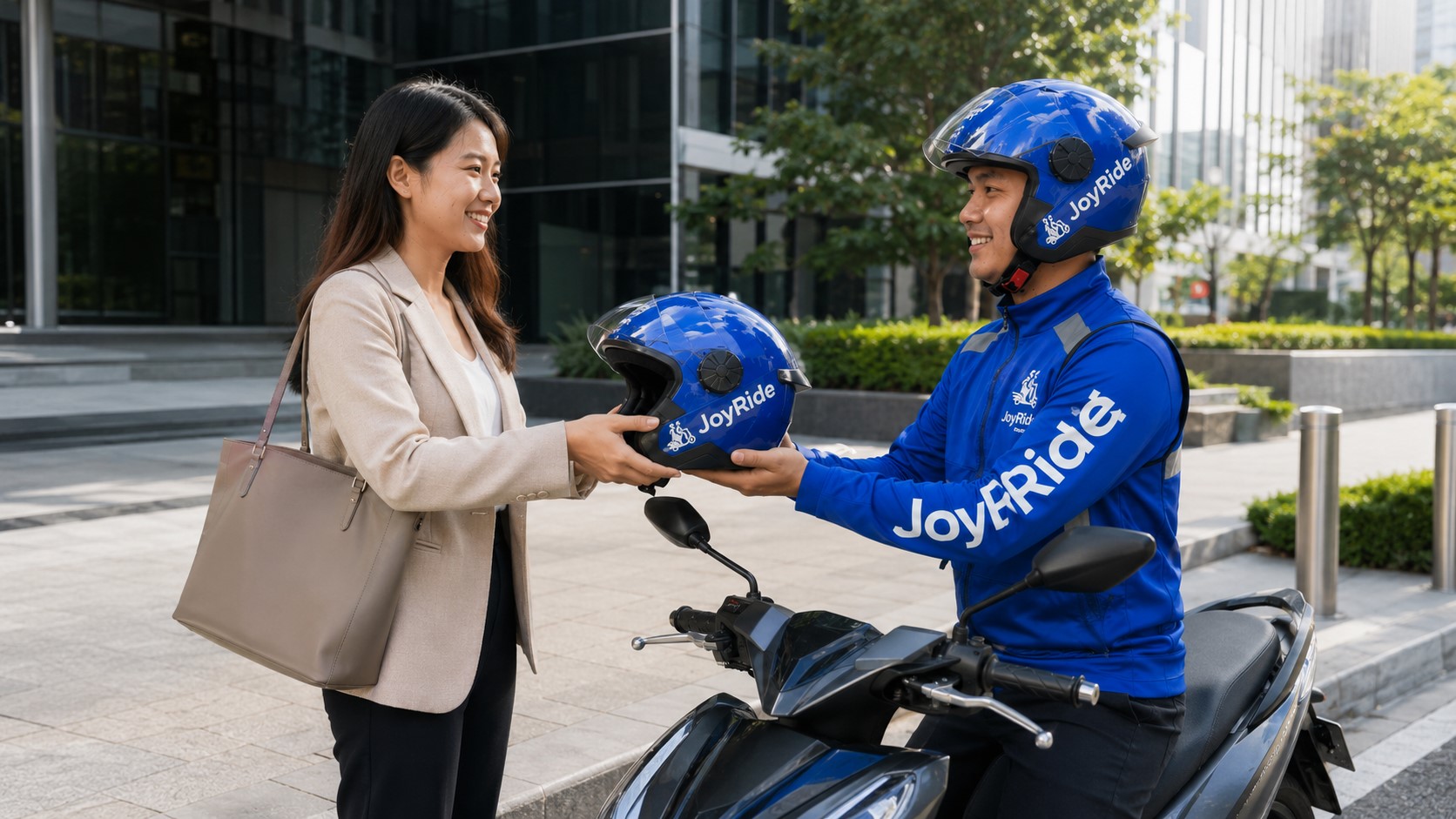
MC Taxi applicants may also need passenger-related equipment, such as an approved helmet and other required safety or branded gear.
Do not buy a complete gear package from an unofficial seller until JoyRide confirms what is currently required.
Car Requirements
JoyRide Car applicants should expect requirements concerning:
- Vehicle classification
- Model year
- Seating capacity
- Physical condition
- Air-conditioning
- Seat belts
- Doors and windows
- Vehicle photographs
- OR/CR
- Ownership
- Insurance
- Regulatory authorization
Four-wheel passenger vehicles may also need to comply with LTFRB TNVS requirements.
The LTFRB may require a Certificate of Public Convenience, Provisional Authority, unit confirmation, or another appropriate operating authorization depending on the applicant’s status. The LTFRB’s online systems distinguish applications for franchise services, provisional authority, and confirmation of authorized units.
JoyRide can guide applicants through platform onboarding, but the driver or operator remains responsible for complying with government rules.
Taxi Cab Requirements
Taxi applicants may need to submit:
- Professional driver’s license
- Taxi OR/CR
- Franchise or CPC information
- Operator authorization
- Meter or calibration records
- Vehicle photographs
- Government IDs
- Clearances
- Other documents required by JoyRide and the LTFRB
Do not register an ordinary private vehicle under Taxi Cab. Choose JoyRide Car when your vehicle falls under the TNVS category.
Van and Truck Requirements
Vans and trucks are generally connected with Happy Move or other delivery and logistics services rather than ordinary passenger bookings.
Requirements may differ based on:
- Vehicle weight
- Body type
- Cargo capacity
- Registration classification
- Commercial use
- Driver’s license code
- Service area
- Type of goods transported
The correct driver’s license restriction or code must cover the actual vehicle being operated.
How to Apply as a JoyRide Driver Online
JoyRide has moved online driver registration to the official JoyRide Driver app. Its old browser-based registration page now directs applicants to the app.
Here is the general process.
Step 1: Prepare Your Documents
Before downloading the app, gather clear copies or photographs of your:
- Driver’s license
- NBI clearance
- Police or barangay clearance
- Government-issued IDs
- Vehicle OR/CR
- Vehicle photographs
- Proof of ownership or authorization
- Other service-specific documents
Check the expiration dates.
Submitting an expired license or clearance can delay the application.
Step 2: Download the Official JoyRide Driver App
Open the Google Play Store and search for:
JoyRide Driver
Confirm that the developer is JoyRide Superapp or JoyRide PH Corporation.
The current app listing says applicants should download the app and tap Apply Now. It supports two-wheel and four-wheel partners for passenger and delivery services.
Avoid downloading APK files from unofficial websites. A modified app may expose your personal information or account credentials.
Step 3: Open the App and Tap Apply Now
Launch the driver app and select Apply Now.
Do not use the passenger JoyRide app for driver registration.
The Driver app may ask you to choose between logging in to an existing driver account and submitting a new application.
Step 4: Enter Your Mobile Number
Use an active mobile number that:
- Belongs to you
- Can receive SMS
- Will remain accessible
- Has a stable mobile signal
- Is not connected to another applicant without authorization
This number may be used for:
- OTP verification
- Application updates
- Onboarding notices
- Activation messages
- Driver-support communication
- Account recovery
Step 5: Verify the Mobile Number
Enter the OTP or verification code sent to your phone.
Never share the code with:
- A recruiter contacting you from an unofficial account
- Another driver
- A fixer
- A person selling driver slots
- A stranger offering instant activation
A legitimate JoyRide representative should not need to take control of your account.
Step 6: Select Your Application Type
Choose the service that matches your vehicle and intended work.
The options may include:
- MC Taxi
- Car
- Taxi Cab
- Delivery
- Pabili
- Happy Move
Read the description before selecting.
A motorcycle owner who wants to carry passengers should choose MC Taxi rather than ordinary Delivery. A private-car owner should not choose Taxi Cab unless the vehicle is legally registered and authorized as a taxi.
Step 7: Enter Your Personal Information
The app may ask for:
- Full name
- Birthday
- Address
- Email address
- Mobile number
- Emergency contact
- Driver’s license information
- NBI clearance details
- Government ID information
Enter the details exactly as they appear in your official documents.
Differences in spelling, middle name, suffix, or birthday can trigger manual verification.
Step 8: Enter Your Vehicle Information
Prepare to provide details such as:
- Vehicle type
- Brand
- Model
- Year model
- Color
- Plate number
- Engine number
- Chassis number
- OR/CR information
- Registered owner
The exact fields depend on the selected service.
Double-check the numbers before submitting. A single incorrect digit can cause the vehicle to fail verification.
Step 9: Upload Clear Documents
Photograph or scan each required document.
For better results:
- Use good lighting.
- Place the document on a flat surface.
- Include all four corners.
- Avoid shadows.
- Avoid camera glare.
- Do not use filters.
- Keep text readable.
- Upload the correct front and back images.
- Do not cover sensitive fields required for verification.
Do not submit screenshots copied from another person’s account.
JoyRide’s privacy policy states that driver applications may collect details including driver’s license and NBI-clearance information for verification and service administration.
Step 10: Upload Vehicle Photographs
The app may request several vehicle angles, such as:
- Front
- Rear
- Left side
- Right side
- Plate
- Interior for cars
- Cargo area for delivery vehicles
- Odometer or dashboard, when requested
Clean the vehicle before taking the photographs.
Make sure the images show its current condition rather than an old photo downloaded from social media.
Step 11: Review Your Application
Before tapping Submit, review:
- Name
- Mobile number
- License number
- License expiration
- Vehicle information
- Plate number
- OR/CR details
- Uploaded documents
- Selected service
- Preferred operating area
Correct errors immediately.
Editing an application after submission may require additional support or resubmission.
Step 12: Submit the Application
Tap the final submission button and wait for confirmation.
Do not repeatedly submit the same application using different mobile numbers.
Duplicate applications can create verification problems and delay processing.
Step 13: Monitor the App and SMS
JoyRide advises applicants to submit complete requirements and remain updated through the app and SMS notifications.
Check for messages requesting:
- A clearer document
- An updated clearance
- Additional vehicle proof
- Onboarding attendance
- Training
- Inspection
- Activation steps
- Application correction
Respond as soon as practical.
Step 14: Attend Onboarding When Required
Some applications can begin online, but JoyRide may still require applicants to visit an onboarding facility or scheduled recruitment event.
Onboarding may include:
- Document checking
- Identity verification
- Orientation
- App training
- Safety briefing
- Vehicle inspection
- Skills assessment
- Gear issuance or purchase
- Account setup
- Regulatory assistance
Bring original documents and photocopies when instructed.
Step 15: Complete Vehicle Inspection
The inspection helps confirm that the vehicle is safe, legal, and consistent with the uploaded documents.
Fix obvious problems before attending.
For motorcycles, check the brakes, lights, horn, mirrors, tires, seat, and footrests.
For cars, check the seat belts, tires, lights, doors, windows, air-conditioning, interior cleanliness, and safety equipment.
Passing an app-document review does not necessarily mean the physical vehicle will automatically pass inspection.
Step 16: Complete Training or Assessment
Passenger-service applicants may undergo training covering:
- Road safety
- Customer service
- Passenger handling
- App navigation
- Booking acceptance
- Pickup and drop-off
- Cancellations
- Emergency procedures
- Cash and cashless payments
- Platform rules
MC Taxi applicants may also need a riding assessment or safety demonstration.
Take the training seriously. Your performance can affect activation and your ability to provide safe service.
Step 17: Complete Regulatory Steps
JoyRide Car and Taxi Cab applicants may need additional LTFRB processing.
This may involve:
- TNVS application documents
- Provisional Authority
- Certificate of Public Convenience
- Vehicle confirmation
- Franchise verification
- Operator records
- Other current LTFRB requirements
Do not begin passenger operations until you have the required platform and government authorization.
Step 18: Wait for Approval and Activation
JoyRide reviews the application and submitted documents.
A 2026 JoyRide Car registration campaign advertised approval and activation within approximately two to four days when requirements were complete. However, that timeframe should not be treated as a guarantee for every applicant or service.
Processing may take longer because of:
- Incomplete documents
- Blurred uploads
- Expired clearances
- Name mismatch
- Vehicle-ownership issues
- Background verification
- Regulatory processing
- High application volume
- Limited operating slots
- Inspection failure
- Training schedule
- Technical issues
Do not resign from your current job or make a major financial commitment based only on an expected activation date.
Step 19: Set Up Your Driver Account
Once approved, follow the activation instructions.
You may need to:
- Create or confirm a driver password
- Set an emergency contact
- Complete the driver profile
- Add settlement information
- Set up a driver wallet
- Review service rules
- Obtain required equipment
- Confirm your operating area
Never allow another person to operate using your identity or account.
Step 20: Go Online and Accept Bookings
After full activation, open the JoyRide Driver app and check whether your approved services appear.
Before going online:
- Charge your phone.
- Prepare mobile data.
- Check the vehicle.
- Bring your license and registration documents.
- Prepare change for cash bookings.
- Check your fuel.
- Secure required equipment.
- Mount your phone safely.
- Review your service area.
Start with familiar locations while learning the app.
Can You Apply in Person?
Yes. JoyRide maintains onboarding facilities and also conducts recruitment events in selected areas.
Its official contact page currently lists the following locations.
Antipolo Main Onboarding Facility
Address: 80 Marcos Highway, Mayamot, Antipolo City
Schedule: Monday to Saturday, 8:00 a.m. to 5:00 p.m.
Las Piñas
Address: Third Floor, Parking Building, Vista Mall Las Piñas, C.V. Starr Avenue, Philamlife Village, Las Piñas
Schedule: Monday to Saturday, 8:00 a.m. to 5:00 p.m.
Cebu
Address: 13 P. Remedio Street, Banilad, Mandaue City, Cebu
Schedule: Monday to Saturday, 8:00 a.m. to 5:00 p.m.
Cagayan de Oro
Address: Second Floor, Lina Building, Capistrano–Abellanosa Street, Cagayan de Oro
Schedule: Monday to Saturday, 10:00 a.m. to 7:00 p.m.
These locations and operating hours are published on JoyRide’s current contact page but may change. Check for a recent official announcement before traveling.
What Should You Bring to a Walk-In Application?
Bring the original and photocopies of documents shown in your Driver app checklist.
A practical folder may contain:
- Professional driver’s license
- NBI clearance
- Police or barangay clearance
- Government-issued IDs
- Vehicle OR/CR
- Owner authorization documents
- Deed of sale or financing documents, when applicable
- Printed application confirmation
- Vehicle photographs
- Extra photocopies
- Ballpen
- Smartphone with mobile data
- Charger or power bank
Bring the actual vehicle when the event or facility requires inspection.
Do not assume every office processes every driver category each day. Check whether the location is currently accepting MC Taxi, Car, Taxi Cab, Delivery, or Happy Move applications.
How Much Does It Cost to Apply?
JoyRide’s current public Driver app listing does not publish one universal application fee.
Possible expenses may include:
- NBI clearance
- Police or barangay clearance
- Medical examination
- Photocopies
- Notarization
- Driver’s license conversion or renewal
- Vehicle registration
- LTFRB processing
- Insurance
- Safety equipment
- Branded gear
- Delivery bag
- Vehicle repairs
- Mobile data
- Driver-wallet funding
Some costs may be paid to government agencies or third-party service providers rather than directly to JoyRide.
Ask for an official receipt for every legitimate payment.
Be cautious when someone asks for a large “activation fee” through a personal GCash account.
Does JoyRide Require a Gear Package?
MC Taxi and delivery applicants may be required to obtain approved safety or service equipment.
Depending on the category, this could include:
- Helmet
- Passenger helmet
- Jacket
- Rain gear
- Insulated delivery bag
- Phone holder
- Other branded or safety equipment
The exact package and cost can change.
Purchase only through official JoyRide facilities or authorized channels identified by the company. Avoid paying an unofficial seller who promises guaranteed activation.
How Long Does JoyRide Driver Approval Take?
There is no guaranteed universal processing time.
A complete JoyRide Car application has been advertised as potentially receiving approval and activation in two to four days during a 2026 campaign, but actual processing can vary.
Your application may take longer when:
- A document is rejected.
- Your NBI clearance has an issue.
- The OR/CR is unclear.
- The vehicle owner is another person.
- Government authorization is pending.
- Your vehicle requires reinspection.
- Your training schedule is not yet available.
- JoyRide has many applicants.
- Driver slots are limited in your area.
Check the app and SMS regularly instead of submitting another application.
Why Is My JoyRide Application Still Pending?
Incomplete Requirements
Review every checklist item.
A document may appear uploaded but still be missing a required back page, signature, or supporting record.
Blurred Document Images
Replace unclear photographs with readable scans.
Do not compress them excessively before uploading.
Expired Documents
Check your:
- Driver’s license
- NBI clearance
- Vehicle registration
- Police or barangay clearance
- Government ID
- Insurance
- Regulatory authority
Information Does Not Match
Your name, birthday, address, vehicle number, or registered owner may differ across documents.
Provide a valid explanation and supporting records.
Vehicle Is Not Eligible
The motorcycle, car, van, or truck may fall outside current standards for the service.
Contact onboarding before purchasing a replacement vehicle.
Background Verification Is Ongoing
JoyRide may still be confirming your records.
LTFRB Processing Is Pending
Four-wheel passenger applications can take longer when a franchise or provisional authority is involved.
You Missed an Onboarding Message
Check:
- SMS
- App notifications
- Spam folder
- Missed calls
Application Volume Is High
Large onboarding campaigns can create temporary delays.
How to Follow Up on a JoyRide Driver Application
Start by checking your status inside the Driver app.
When no update appears, prepare:
- Full name
- Registered mobile number
- Application date
- Selected service
- Vehicle type
- Plate number
- Application reference
- Screenshot of the status
- Description of missing or resubmitted documents
JoyRide’s Google Play listing provides help@joyride.com.ph as an app-support email. The company also publishes 24-hour customer hotlines at (+632) 8864-7777 and (+632) 8864-7778.
Do not send your OTP or password.
Can You Apply Without Owning a Vehicle?
Possibly, when you have lawful permission to use an eligible vehicle and can provide the required ownership or authorization documents.
The registered owner may need to submit:
- Authorization letter
- Valid ID
- Signatures
- Ownership documents
- Notarized agreement
- Other proof requested by JoyRide
A rental or boundary arrangement does not automatically guarantee eligibility.
Confirm the requirements before paying a deposit or entering a long-term rental agreement.
Can You Register More Than One Vehicle?
The current public app listing does not state one universal rule for registering multiple vehicles.
The ability to add or replace a vehicle may depend on:
- Driver category
- Service
- Regulatory permit
- Vehicle ownership
- Inspection
- Insurance
- JoyRide account settings
Contact driver support before operating a vehicle that is not shown in your approved account.
Never accept bookings using a different plate number without authorization.
Can You Join More Than One JoyRide Service?
Some drivers may qualify for several services.
For example:
- MC Taxi and Delivery
- Delivery and Pabili
- Car and four-wheel delivery
- Happy Move categories
However, each service can have separate:
- Documents
- Training
- Vehicle standards
- Equipment
- Activation
- Commission
- Booking rules
Do not assume that approval for Delivery automatically activates MC Taxi passenger bookings.
How Much Can a JoyRide Driver Earn?
There is no guaranteed daily or monthly income.
Earnings depend on completed bookings and the cost of operating your vehicle.
When estimating take-home income, calculate:
Gross booking income
minus platform deductions
minus fuel
minus maintenance
minus mobile data
minus tolls or parking not reimbursed
minus financing or rental cost
minus insurance
minus taxes and regulatory expenses
Do not judge income based only on screenshots shared by another driver.
A driver who earns a high gross amount may also have worked longer hours, driven in stronger markets, qualified for incentives, or spent much more on fuel and vehicle maintenance.
JoyRide Driver Application Scam Warnings
Do Not Pay for a Guaranteed Slot
No unofficial agent can legitimately guarantee activation by bypassing verification.
Never Share Your OTP
An OTP can allow another person to access your application or driver account.
Use the Official Driver App
The old web registration page now directs applicants to the JoyRide Driver app.
Check Recruitment Pages Carefully
Scammers may copy JoyRide’s logo, colors, and photographs.
Verify announcements through JoyRide’s official website or social-media accounts.
Avoid Personal GCash Payments
Do not send an application or activation fee to a stranger’s personal number without confirmation from an official JoyRide facility.
Ask for Official Receipts
Keep receipts for equipment, onboarding, regulatory, and government payments.
Do Not Submit Fake Documents
Fake clearances, licenses, OR/CR records, or vehicle information can lead to rejection and legal consequences.
Do Not Rent an Activated Account
The registered driver should be the person operating the approved vehicle.
Using another person’s account creates serious passenger-safety and identity risks.
Tips to Improve Your Chances of Approval
Submit Complete Requirements
A complete application is easier to review than one submitted with several missing documents.
Use Clear Images
Readable documents reduce the chance of resubmission.
Match Your Information Exactly
Use the same spelling and personal details across the form and documents.
Renew Expiring Documents Early
Do not submit a license or clearance that will expire within a few days when a newer copy can be obtained.
Prepare the Vehicle
Fix safety and appearance issues before inspection.
Attend the Correct Onboarding
Make sure the event accepts your vehicle and selected service.
Respond to Messages Promptly
A request for correction may have a deadline.
Be Honest About Ownership
Submit the proper authorization rather than pretending the vehicle belongs to you.
Keep Copies of Everything
Save:
- Application screenshots
- Uploaded documents
- Receipts
- Reference numbers
- Support conversations
- Onboarding schedules
Frequently Asked Questions
How do I apply as a JoyRide driver?
Download the official JoyRide Driver app, tap Apply Now, choose your service, enter your information, upload the required documents, and follow the onboarding and activation instructions. Online registration has been moved from JoyRide’s old website form to the Driver app.
What vehicles can register with JoyRide?
The official Driver app accepts motorcycles, cars, vans, and trucks. The eligible service depends on the vehicle type and current requirements.
What services can JoyRide drivers accept?
The app currently identifies MC Taxi, Car, Taxi Cab, Delivery, Pabili, and Happy Move.
Do I need a professional driver’s license?
A professional driver’s license is required for full JoyRide activation according to its registration information, and passenger-service applicants should expect it to be mandatory.
Can I apply with a non-professional license?
It may not be sufficient for paid passenger transportation.
Check the exact requirement for your selected delivery or logistics service inside the app. Converting to the proper professional license may be necessary.
Do I need an NBI clearance?
JoyRide’s official recruitment materials have repeatedly included NBI clearance among driver requirements.
Do I need a vehicle OR/CR?
Yes, vehicle OR/CR is a commonly required part of the application. Upload a complete and readable copy.
Can I apply when the vehicle is not in my name?
Possibly, but you may need an authorization letter, the owner’s ID, signatures, and other ownership documents. Confirm the live checklist before applying.
Can I apply without visiting an office?
You can begin the application through the Driver app. However, JoyRide may still require in-person onboarding, training, inspection, document verification, or equipment processing.
Is walk-in application allowed?
JoyRide accepts walk-in applicants during certain onboarding schedules and at selected facilities. Check the latest announcement before visiting.
Where is the main JoyRide onboarding office?
The main onboarding facility is at 80 Marcos Highway, Mayamot, Antipolo City. Its published hours are Monday to Saturday, 8:00 a.m. to 5:00 p.m.
Does JoyRide have a Cebu office?
Yes. JoyRide currently lists an onboarding office at 13 P. Remedio Street, Banilad, Mandaue City.
Does JoyRide have a Cagayan de Oro office?
Yes. JoyRide currently lists its CDO office on the second floor of Lina Building along Capistrano–Abellanosa Street.
Does JoyRide have a Las Piñas office?
Yes. JoyRide lists a facility on the third floor of the parking building at Vista Mall Las Piñas.
How long does JoyRide approval take?
Processing varies. JoyRide advertised two-to-four-day approval and activation for complete Car applications during a 2026 campaign, but delays can occur because of document, inspection, regulatory, or application-volume issues.
Can I work part-time?
JoyRide promotes both full-time and part-time driver opportunities, allowing partners to choose when to work.
Does applying guarantee activation?
No.
JoyRide must review your documents, vehicle, background, service eligibility, training, and any regulatory requirements.
Does applying guarantee earnings?
No.
Income depends on bookings, demand, expenses, work hours, and platform conditions.
Can I use one driver account for different vehicles?
Do not operate a vehicle that is not approved and displayed in your account. Ask driver support about adding or changing vehicles.
Can someone else drive using my account?
No one should operate under your identity or approved driver profile.
Passengers expect the driver and vehicle to match the information shown in their booking.
How do I check my application status?
Open the JoyRide Driver app and review its application or notification section. Also monitor your registered mobile number for SMS updates.
What should I do when my application is rejected?
Read the reason carefully.
Correct missing, expired, or unclear documents and resubmit when allowed. Contact JoyRide when the reason is not explained or appears incorrect.
Final Thoughts
Applying as a JoyRide driver is now primarily an app-based process.
Instead of completing the old online form, applicants should download the official JoyRide Driver app, tap Apply Now, select the correct service, and upload the requested documents.
Prepare your professional driver’s license, NBI clearance, police or barangay clearance, government IDs, vehicle OR/CR, and any ownership authorization before starting. Clear and complete documents can help you avoid unnecessary delays.
Remember that MC Taxi, Car, Taxi Cab, Delivery, Pabili, and Happy Move have different requirements. Passenger transportation usually involves stricter licensing, safety, inspection, and regulatory standards than an ordinary delivery application.
You should also look beyond the promise of flexible income.
Calculate the cost of fuel, maintenance, insurance, gear, mobile data, government processing, platform deductions, and vehicle financing. Gross earnings are not the same as take-home income.
Most importantly, apply only through official JoyRide channels. Do not pay a fixer, buy an activated account, submit fake documents, or share your OTP with someone promising instant approval.
A careful and legitimate application may take more effort, but it protects you, your vehicle, your passengers, and your future income as a JoyRide driver-partner.