There are times when you want the convenience of booking through an app but still prefer riding in a traditional metered taxi.
You may not want to stand beside a busy road waving at passing taxis. It might be raining, you may be carrying shopping bags, or you may be leaving a mall, hospital, hotel, or office late at night.
JoyRide Taxi Cab combines these two experiences.
Instead of hailing a taxi from the street, you use the JoyRide app to request a participating cab. A driver accepts the booking, travels to your pickup point, and takes you to your destination using the taxi’s authorized meter.
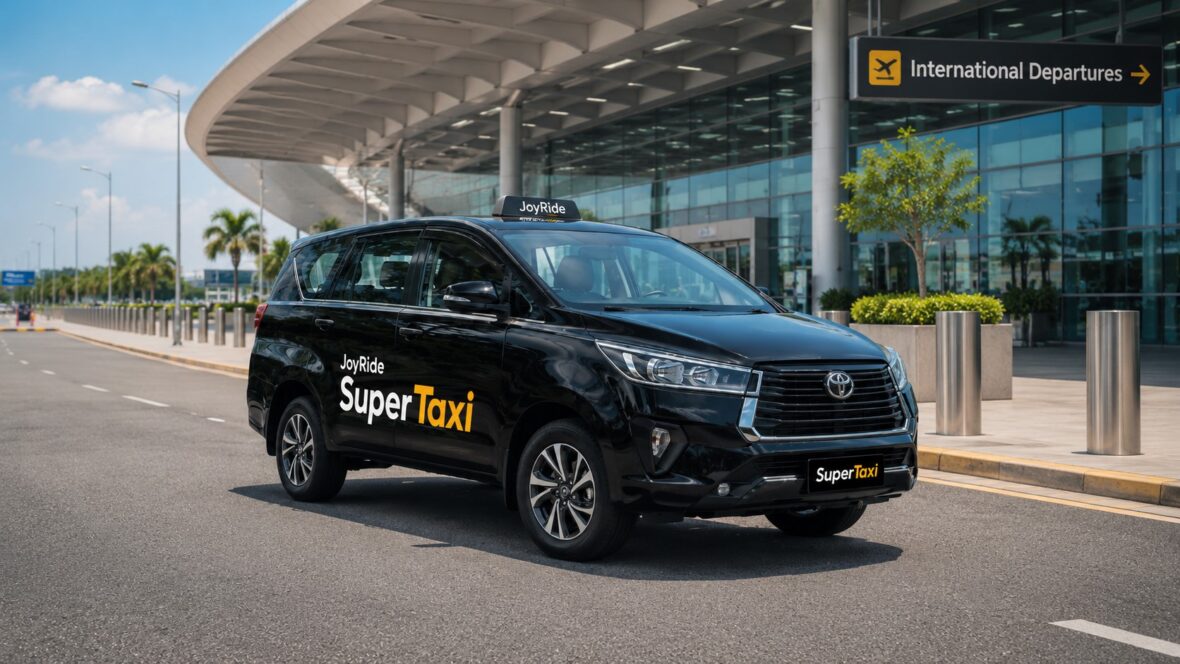
This is different from JoyRide Car, where the app calculates a private ride-hailing fare. It is also separate from JoyRide Super Taxi, JoyRide’s dedicated next-generation taxi service and airport-transfer fleet.
This guide explains how to book JoyRide Taxi Cab, how metered fares work, what charges may be added, how to pay, and what to do when the meter, driver, or final amount does not seem correct.
This article was updated in July 2026. Taxi fares, calibration rules, payment methods, service areas, and JoyRide app features may change. Always check the meter, posted fare matrix, and information shown in your current booking.
Content
What Is JoyRide Taxi Cab?
JoyRide Taxi Cab lets passengers request a regular metered taxi through the JoyRide passenger app.
JoyRide describes the service as a way to book a metered taxi without having to hail one from the street. Once a participating taxi driver accepts, you can review the driver and vehicle information, wait at the selected pickup point, and pay according to the authorized taxi meter and any legitimate additional charges.
JoyRide Taxi Cab may be useful when:
- You prefer a traditional taxi meter.
- You cannot find an available JoyRide Car.
- You are traveling during rain.
- You have bags that cannot fit on a motorcycle.
- You are commuting with another passenger.
- You want app-based driver and vehicle information.
- You are leaving a mall, hotel, hospital, or office.
- You prefer to avoid negotiating with taxis on the street.
The service appears alongside MC Taxi, Car, Super Taxi, Delivery, and other options in JoyRide’s current passenger app.
JoyRide Taxi Cab vs. JoyRide Car
JoyRide Taxi Cab and JoyRide Car both use four-wheel vehicles, but their fare systems are different.
| Feature | JoyRide Taxi Cab | JoyRide Car |
|---|---|---|
| Vehicle | Franchised regular taxi | Eligible private TNVS vehicle |
| Fare basis | Authorized taxi meter | App-calculated ride-hailing fare |
| Price before booking | May show an estimate or general information | App normally provides an estimated fare |
| Final cost | Depends on meter, travel distance, and time | Based on the app fare and permitted adjustments |
| Vehicle appearance | Usually a regular taxi | Private car |
| Best for | Passengers who prefer metered taxi pricing | Passengers who want an upfront app estimate |
With Taxi Cab, traffic affects the final amount because the meter accounts for travel time as well as distance.
With JoyRide Car, the app generally calculates the fare before confirmation using the applicable TNVS pricing system.
JoyRide Taxi Cab vs. Super Taxi
JoyRide also offers Super Taxi, which the company describes as a next-generation taxi service operating at regular metered rates. JoyRide maintains a dedicated Super Taxi fleet for airport transfers and operates a 24-hour lounge at the NAIA Terminal 3 Arrivals Area near Gate 7.
The practical distinction is:
- Taxi Cab connects you with a participating regular metered taxi.
- Super Taxi uses JoyRide’s dedicated upgraded taxi vehicles.
- Airport Transfer lets you arrange an eligible Super Taxi pickup or drop-off in advance.
The options shown will depend on your location and vehicle availability.
Is JoyRide Taxi Cab Available Everywhere?
No.
JoyRide’s overall passenger app currently advertises operations in Metro Manila, Rizal, Bulacan, Cavite, Laguna, Pampanga, Bicol, Cebu, Cagayan de Oro, and other expanding areas. However, this is a list for the broader JoyRide platform—not a guarantee that Taxi Cab operates at every address in every listed province.
You may encounter situations where:
- Taxi Cab appears in Metro Manila but not in a distant provincial barangay.
- JoyRide Car is available while Taxi Cab is not.
- Taxi Cab appears during the day but has few drivers at night.
- The app accepts your route but cannot find a taxi.
- Super Taxi appears while regular Taxi Cab does not.
The most reliable test is to open JoyRide, select Taxi Cab, and enter your actual pickup point and destination.
What Do You Need to Book?
Prepare:
- A registered JoyRide passenger account
- An active Philippine mobile number
- A smartphone with mobile data
- GPS or location access
- The exact pickup point
- The correct destination
- An available payment method
- Enough battery to manage the booking
JoyRide’s passenger app is available through the Google Play Store and Apple App Store. The current Android listing identifies Taxi Cab as one of its primary mobility services and states that the app was updated on June 26, 2026.
How to Book a JoyRide Taxi Cab
The exact buttons may change through app updates, but the booking process generally follows these steps.
Step 1: Open the JoyRide Passenger App
Turn on:
- Mobile data
- Location services
- Notifications
Make sure you are logged in to the correct passenger account.
Do not use the separate JoyRide Driver app.
Step 2: Select Taxi Cab
From the home screen, tap Taxi Cab.
Be careful not to select:
- JoyRide Car
- Super Taxi
- MC Taxi
- Delivery
- Happy Move
Taxi Cab should be labeled as the metered taxi option. JoyRide’s official app description says it lets passengers easily book a metered taxi through the app.
Step 3: Set Your Pickup Point
JoyRide may suggest your current location automatically.
Check the pin carefully.
Place it:
- On the correct street
- At the correct entrance
- On the accessible side of the road
- Outside restricted parking areas
- Away from bus stops and emergency lanes
- Somewhere the taxi can stop safely
Good Pickup Notes
At a mall:
Waiting at the designated taxi and ride-hailing bay beside Entrance 2.
At a condominium:
Outside Tower 1 lobby near the guardhouse.
At a hospital:
Main entrance passenger pickup area, outside the emergency lane.
At a hotel:
Waiting at the driveway beside the main lobby.
Avoid vague instructions such as:
I’m near the mall.
or:
I’m outside.
Step 4: Enter Your Destination
Search for the destination and verify the:
- Establishment name
- Branch
- Street
- Barangay
- City
- Building
- Gate
- Map pin
Selecting the wrong branch can increase both the distance and metered fare.
For airports, enter the correct terminal rather than simply choosing “NAIA.”
Step 5: Review the Route
The app may display a suggested route.
The taxi driver may use another road because of:
- Traffic
- One-way streets
- Road closures
- Flooding
- Construction
- Toll-road access
- Navigation updates
A different route is not automatically a scam.
However, ask when the driver travels in a completely unexpected direction.
You can say:
Kuya, saan po tayo dadaan? Akala ko po sa main road ang route.
Step 6: Check the Fare Information
Because Taxi Cab uses a meter, any amount shown before booking should generally be treated as guidance rather than a guaranteed final charge.
The actual fare may depend on:
- Flag-down rate
- Distance traveled
- Total running time
- Traffic
- Route
- Toll fees
- Parking
- Added stops
- Destination changes
JoyRide’s own website identifies Taxi Cab as a metered service rather than a fixed private-car fare.
Step 7: Select the Payment Method
JoyRide’s published passenger terms identify these payment methods:
- Cash
- eCash
- JR Pay Wallet
The options displayed may differ by service and app version.
Choose the payment method you actually plan to use.
Do not select Cash and assume that the driver will automatically accept GCash at the destination.
Step 8: Apply a Promo When Available
Check whether your account has an eligible Taxi Cab promo.
A code may be restricted by:
- Service
- Pickup location
- Destination
- Minimum fare
- New-user status
- Payment method
- Expiration date
- Number of uses
A promo intended for MC Taxi or JoyRide Car may not work for Taxi Cab.
Consider the discount valid only when it appears in the booking or final payment details.
Step 9: Add a Driver Note
Useful notes may include:
- Entrance or gate
- Landmark
- Passenger’s clothing
- Booking for another person
- Number of bags
- Foldable wheelchair or walker
- Need for extra boarding time
Example:
Booking for my mother. She is waiting at the clinic entrance wearing a blue blouse.
Do not include sensitive information such as an OTP, password, GCash MPIN, or home-security code.
Step 10: Confirm the Booking
Before requesting a taxi, check:
- Taxi Cab is selected.
- Pickup point is correct.
- Destination is correct.
- Payment method is correct.
- Promo is reflected.
- Driver note is clear.
Then submit the booking.
Step 11: Wait for a Taxi Driver to Accept
Matching time can depend on:
- Number of participating taxis nearby
- Passenger demand
- Rush hour
- Rain
- Pickup accessibility
- Destination
- Time of day
- Traffic
Keep your phone available for calls, messages, and notifications.
Step 12: Review the Driver and Taxi Details
Once a driver accepts, the app may display:
- Driver’s name
- Driver’s photograph
- Taxi company or operator
- Vehicle color
- Plate number
- Estimated arrival
- Driver’s location
- Contact option
JoyRide’s published terms say the app sends the passenger confirmation containing the details of the driver who accepts the booking.
Step 13: Meet the Taxi at the Pickup Point
Be ready before the driver arrives.
Do not make the driver wait while you:
- Finish shopping
- Walk from another building
- Check out of a hotel
- Withdraw money
- Gather your group
- Pack your luggage
Choose a legal pickup point where the taxi will not block traffic.
How to Verify the Taxi
Do not enter the first taxi that approaches you.
Compare the:
- Driver’s face
- Driver’s name
- Plate number
- Vehicle
- Taxi markings
Ask:
Who are you picking up?
Let the driver say your name instead of immediately providing all your booking information.
What if the Driver or Taxi Does Not Match?
Do not board when:
- A different person is driving.
- The plate number does not match.
- The arriving vehicle is not the assigned taxi.
- The driver says they borrowed someone else’s account.
- The driver asks you to ignore the mismatch.
Save the app details and photograph the actual plate when it is safe to do so.
A mismatched driver or vehicle weakens the booking record and makes it more difficult to investigate a payment, safety, or lost-item concern.
How JoyRide Taxi Cab Fares Work
JoyRide Taxi Cab uses the authorized taximeter installed in the vehicle.
A taxi meter generally calculates the fare using three elements:
- Flag-down or starting charge
- Distance traveled
- Running or travel time
Because time forms part of the calculation, the fare can continue increasing while the taxi is stuck in traffic.
What Is the Current Regular Taxi Flag-Down Rate?
Properly recalibrated and resealed regular taxis may charge a ₱50 flag-down rate.
The LTFRB approved an increase from ₱45 to ₱50 in 2024. Taxis were required to have their meters recalibrated and resealed before applying the new rate. A taxi with a meter that had not been properly updated was not automatically entitled to charge ₱50.
In March 2026, the LTFRB approved fare increases for several transportation categories, but ordinary taxi fare-increase petitions were still being studied. The approved taxi-related adjustment announced at that time applied specifically to airport taxis rather than ordinary metered taxis.
This means passengers should check:
- Starting meter amount
- Meter seal
- Posted fare matrix
- Regional fare rules
- Any new LTFRB notice
Do not assume that every taxi in every Philippine city follows an identical meter.
Distance and Time Charges
The regular taxi formula introduced under the LTFRB’s fare system included:
- A flag-down charge
- ₱13.50 per kilometer
- ₱2 per minute of running time
The flag-down component has since been adjusted, including the later ₱50 rate for properly recalibrated units. The precise meter displayed in your taxi should follow the current LTFRB-approved calibration for its region and vehicle.
Because fares and meter orders may change, treat these components as a guide to how metered pricing works—not as a substitute for the posted fare matrix in the taxi.
Why the Meter Increases Even When the Taxi Is Stopped
Modern taxi meters may calculate the total running time of the trip rather than charging only when the taxi is fully stopped.
That means the meter can continue increasing during:
- Heavy traffic
- Stoplights
- Slow-moving roads
- Pickup congestion
- Airport queues
- Road construction
The distance charge and time charge work together. A short journey can still become expensive when it takes a long time.
Sample Metered Fare Illustration
Suppose a properly calibrated taxi starts at ₱50 and follows a formula of ₱13.50 per kilometer plus ₱2 per minute.
For a five-kilometer trip taking 20 minutes:
| Component | Illustration |
|---|---|
| Starting fare | ₱50 |
| Five kilometers × ₱13.50 | ₱67.50 |
| Twenty minutes × ₱2 | ₱40 |
| Illustrative total | ₱157.50 |
This is only an example.
The actual amount may differ because of:
- Meter calibration
- Partial-distance computation
- Regional fare matrix
- Route
- Travel time
- Toll
- Parking
- Waiting
- Other authorized adjustments
Always pay according to the legitimate sealed meter and current fare rules—not according to a manually computed blog example.
Can the Driver Use a Fixed Fare Instead of the Meter?
For a normal JoyRide Taxi Cab booking, the driver should use the authorized meter unless the booking clearly provides an approved fixed or quoted arrangement.
Be cautious when the driver says:
Huwag na tayong mag-meter. Fixed na lang.
or:
Add ka na lang ng ₱200 dahil traffic.
A driver should not replace the meter with an unofficial negotiated fare merely because:
- Traffic is heavy.
- The destination is far.
- The pickup is inconvenient.
- It is raining.
- The passenger used the app.
- The driver expects difficulty finding a return passenger.
Ask the driver to turn on the meter before the vehicle begins moving.
When Should the Taxi Meter Start?
The meter should normally begin at the start of the passenger trip—not while the taxi is still several streets away searching for the pickup point.
Before the taxi moves, look at the meter and check whether it begins at the authorized flag-down amount.
When the meter already shows a much higher amount before you board, ask the driver to explain and reset it.
What Does a Properly Calibrated Meter Mean?
A calibrated and sealed meter has been adjusted to apply the fare authorized for the taxi.
After the ₱50 flag-down increase, taxis were required to undergo meter recalibration and resealing before charging the higher amount. Passengers were advised that units without the proper updated calibration could not simply demand the new fare.
Signs to check include:
- Correct starting rate
- Official meter seal
- Posted fare matrix
- Meter functioning normally
- No separate unauthorized device controlling the fare
Do not tamper with the meter or seal.
Is the App Estimate the Final Fare?
Not necessarily.
The app may estimate the trip using the intended route and normal travel conditions. The final meter can differ because of:
- Traffic
- Detour
- Destination change
- Added stop
- Road closure
- Longer travel time
- Toll-road choice
Use the estimate as a planning tool.
Use the authorized meter as the main basis for the ordinary Taxi Cab fare unless JoyRide explicitly states otherwise in the booking.
Airport Taxi Fares Are Different
Do not confuse a regular Taxi Cab with a licensed airport taxi or JoyRide Super Taxi Airport Transfer.
In March 2026, the LTFRB increased the airport taxi flag-down rate from ₱75 to ₱115 for the first 500 meters. The distance and waiting-time components were left unchanged at that time.
This higher airport-taxi rate does not automatically apply to every ordinary taxi simply because the destination is NAIA.
Before boarding at an airport, confirm whether you are using:
- Regular metered taxi
- Airport-accredited taxi
- JoyRide Taxi Cab
- JoyRide Super Taxi
- Pre-booked Airport Transfer
- JoyRide Car
These services can have different pricing systems.
JoyRide Super Taxi Airport Transfer
JoyRide operates a 24-hour Super Taxi Airport Transfer Lounge at the NAIA Terminal 3 Arrivals Area near Gate 7 and the multilevel parking facility.
Passengers can obtain an on-the-spot ride or pre-book an eligible airport pickup or drop-off through the Airport Transfer section.
When using a pre-booked airport transfer, follow the quote and payment conditions shown for that service rather than assuming the regular Taxi Cab meter applies.
Are Toll Fees Included?
Toll charges are usually separate from the metered fare unless the app or booking clearly says otherwise.
Possible toll roads include:
- Skyway
- NAIAX
- CAVITEX
- CALAX
- SLEX
- NLEX
- SCTEX
- TPLEX
Before entering an expressway, ask:
- Which toll route will be used?
- Is it optional?
- How much is the estimated toll?
- Will I reimburse cash?
- Does the driver have an RFID balance?
- Is the toll already included in the booking?
A toll route may cost more but save a significant amount of time.
What if the Driver Does Not Have Enough RFID Balance?
Discuss the arrangement before entering the tollway.
Possible solutions may include:
- Passenger reimburses the driver after the trip.
- Passenger provides the required cash where accepted.
- Driver uses another route.
- Passenger transfers the toll electronically.
Do not wait until the toll gate to clarify the payment.
Are Parking Fees Included?
Parking is generally separate when the driver must enter a paid facility.
This may happen at:
- Airports
- Malls
- Hotels
- Hospitals
- Condominiums
- Commercial buildings
- Resorts
Ask the driver to keep the parking ticket.
When the driver was required to enter because of your requested pickup arrangement, it may be reasonable for the passenger to pay the legitimate fee.
You should not be charged for unexplained parking that was unnecessary or unrelated to the trip.
How to Pay a JoyRide Taxi Cab
JoyRide’s published passenger terms allow payment through cash, eCash, or JR Pay Wallet. The available options can vary depending on the service and app version.
Paying With Cash
Cash is the most straightforward option for a metered taxi.
Before booking:
- Select Cash.
- Carry smaller bills.
- Keep enough for possible toll and parking.
- Avoid relying on a ₱1,000 bill for a short journey.
At the destination:
- Check the final meter.
- Add legitimate toll or parking.
- Confirm the total.
- Hand over the cash.
- Count your change.
- Ask for a receipt when needed.
Paying Through GCash or eCash
When eCash is available, the passenger may be able to pay electronically using the taxi driver’s confirmed GCash, Maya, or bank details.
Safe eCash Process
- Select eCash before booking.
- Verify the assigned driver and taxi.
- Ask for the correct account details.
- Wait until the final meter amount is known.
- Add only legitimate additional charges.
- Check the recipient’s name and number.
- Send the correct amount.
- Wait for a successful status.
- Show the transaction receipt.
- Ask the driver to confirm that the payment arrived.
Do not transfer money while JoyRide is still searching for a taxi.
Paying With JR Pay
JR Pay is JoyRide’s in-app prepaid wallet.
JoyRide’s terms say eligible booking charges may be deducted after the driver reaches the destination and ends the trip. Final adjusted rates and additional charges may also be deducted from the wallet.
Before selecting JR Pay:
- Check the available balance.
- Confirm that Taxi Cab accepts it.
- Leave enough balance for the final metered amount.
- Save the top-up receipt.
- Review whether toll or parking must still be paid separately.
Do not assume that a balance sufficient for the original estimate will always cover a traffic-delayed metered trip.
Can You Change From Cash to GCash?
You can ask the driver, but do not assume the change will be accepted.
A taxi driver may:
- Not have GCash
- Have reached a receiving limit
- Have poor mobile data
- Prefer cash
- Need cash for fuel or boundary payments
Tell the driver as soon as you realize you need to change the payment method.
Do not wait until you reach the destination.
Senior Citizen, PWD, and Student Discounts
LTFRB fare orders have retained a 20% discount for qualified senior citizens, persons with disabilities, and students on covered public-transport fares.
Implementation through an app-booked taxi may require:
- Valid identification
- Account verification
- Selecting an eligible discount
- Informing the driver
- Following JoyRide’s current process
Before confirming the booking, check whether the app provides a passenger-discount option.
When it does not appear, contact JoyRide for the latest verification procedure.
Do not wait until the trip is complete to argue about a discount that was never identified or verified.
Can You Add Another Stop?
Check whether the app supports adding a stop.
A stop may increase the fare because:
- The taxi travels farther.
- The trip takes longer.
- The meter continues running while waiting.
- Parking may be required.
Before the driver waits, clarify:
- How long the stop will take
- Whether the passenger will remain in the vehicle
- Whether the booking remains active
- Whether the driver agrees to continue
Do not expect a driver to wait indefinitely while the meter is turned off.
Can You Change the Destination?
You may be able to edit the destination or ask the driver to continue to another location.
A destination change will normally affect the meter because the journey becomes longer.
Update the booking when the app permits it so the trip record reflects the actual destination.
Do not ask the driver to complete a major unrecorded extension after ending the JoyRide booking.
Booking a Taxi for Another Person
You can use JoyRide to arrange a taxi for a parent, friend, colleague, guest, or customer.
Set the Correct Pickup Point
Use the passenger’s actual location rather than your own.
Add the Passenger’s Name
Example:
Booking for my father, Ramon. He is waiting outside the hospital entrance wearing a white shirt.
Share the Taxi Details
Send the passenger:
- Driver’s name
- Plate number
- Taxi description
- Estimated arrival
- Payment arrangement
Clarify Who Will Pay
Decide whether:
- The passenger pays cash.
- You pay electronically.
- JR Pay is deducted.
- The passenger reimburses you later.
Tell the driver so there is no confusion at the destination.
Taxi Cab Tips for Airport Travel
A metered taxi can be useful for airport drop-offs, but plan carefully.
Enter the Correct Terminal
Confirm:
- Airport
- Terminal
- Airline
- Domestic or international departure
- Entrance
NAIA terminals are separate locations. Entering the wrong one can cause a major delay.
Allow Enough Time
Consider:
- Taxi matching
- Traffic
- Toll-road queues
- Road closures
- Airline check-in
- Baggage drop
- Immigration
- Security
Do not rely only on the app’s ordinary travel-time estimate.
Confirm the Taxi Category
At the airport, make sure you understand whether you are boarding:
- A regular metered taxi
- Airport taxi
- Super Taxi
- Pre-booked transfer
Airport taxis can have a higher starting fare than ordinary cabs.
Check Luggage Space
A regular taxi may not accommodate:
- Four passengers
- Four large suitcases
- Stroller
- Boxes
- Several carry-on bags
Consider JoyRide Car, a six-seater, or an Airport Transfer when you need more space.
Safety Tips for JoyRide Taxi Cab Passengers
Verify the Driver and Plate
Do not ignore a mismatch.
Sit Where You Feel Comfortable
A solo passenger may prefer the rear seat.
Wear the Seat Belt
Use it even for short trips and rear-seat travel.
Check That the Meter Is Running Properly
Look at the starting amount before moving.
Follow the Route
Keep the map available when practical.
Share the Trip
Send the driver and plate information to someone you trust, especially late at night.
Protect Personal Information
You do not need to tell the driver:
- Nobody is home.
- Your daily schedule
- Your salary
- Your security code
- Where you keep valuables
- That you are carrying a large amount of cash
Keep the Booking Inside the App
Do not cancel and continue privately just because the driver offers another fare.
Keeping the booking active preserves the driver, vehicle, route, and transaction record.
Check the Door Before Settling In
Make sure you can exit normally when the taxi stops safely.
Do not test the door while the vehicle is moving.
Stay Alert
Do not fall into a deep sleep when traveling alone, especially at night.
Taxi Meter Red Flags
Be cautious when:
- The meter starts far above the proper flag-down amount.
- The driver refuses to use the meter.
- The meter is hidden.
- The meter appears unusually fast.
- The seal appears broken.
- The driver adds an unexplained amount.
- The driver demands a fixed fare after accepting.
- The driver asks you to cancel the JoyRide booking.
- The route is intentionally and unnecessarily long.
- The driver refuses to explain the fare.
Do not physically confront the driver while the vehicle is moving.
Ask to stop at a safe public location when necessary.
What to Do if the Meter Seems Too Fast
First, check whether the increase may be caused by running-time charges.
The meter can continue moving even during traffic because the fare includes time as well as distance.
When the amount still appears unreasonable:
- Photograph or record the meter when safe.
- Note the starting amount.
- Save the route and booking.
- Ask the driver to explain.
- Request a receipt.
- Report the concern to JoyRide.
- Contact the LTFRB when appropriate.
Avoid making an unsupported accusation before checking the fare formula and route.
What to Do if the Driver Refuses Your Destination
Once a driver has accepted the booking, they should not simply pressure you to cancel because they dislike the destination.
Save:
- Messages
- Call records
- Driver details
- Plate number
- Cancellation request
Do not select a false passenger-related cancellation reason when the driver is unwilling to proceed.
Report the incident through JoyRide’s official support channels.
What to Do if the Driver Asks for an Extra Fee
Ask for the reason.
Legitimate possibilities may include:
- Toll
- Parking
- Added stop
- Destination change
- Verified cleaning or damage charge
An ordinary extra fee should not be demanded merely because:
- It is raining.
- Traffic is heavy.
- The pickup is difficult.
- The destination is far.
- You booked through an app.
- You used a promo.
Keep a receipt and report any unexplained charge.
What if You Pay Twice?
A duplicate payment can occur when a GCash transfer is delayed and you also pay cash.
Save:
- GCash receipt
- Transaction status
- Reference number
- Cash amount
- Meter photograph
- Booking
- Driver and plate details
Do not send a third payment.
Contact JoyRide and, when necessary, GCash or the relevant bank.
What if You Leave an Item in the Taxi?
Act quickly.
Step 1: Check Your Booking History
Record:
- Driver
- Plate
- Pickup
- Destination
- Time
Step 2: Contact the Driver
Use the available contact option.
Say:
Hello, I was your passenger earlier. I may have left a black wallet on the rear seat. Could you please check?
Step 3: Contact JoyRide
Call or email support when you cannot reach the driver.
Step 4: Protect Sensitive Accounts
When the missing item is a phone, wallet, bank card, passport, or ID:
- Lock the phone remotely.
- Contact your mobile provider.
- Freeze financial cards.
- Change critical passwords.
- Report missing documents.
What to Do After an Accident
Prioritize emergency assistance.
- Move away from continuing danger when possible.
- Call 911, police, or medical responders.
- Seek medical evaluation.
- Save the booking details.
- Photograph the taxi, plate, damage, and road when safe.
- Obtain witness information.
- File the necessary police or traffic report.
- Keep medical documents and receipts.
- Contact JoyRide.
Ask JoyRide for its current accident-reporting and insurance process.
Do not rely on an old online claim limit or procedure.
How to Report a JoyRide Taxi Cab Problem
Prepare:
- Full name
- Registered mobile number
- Booking reference
- Date and time
- Pickup
- Destination
- Driver’s name
- Plate number
- Meter starting amount
- Final meter amount
- Toll or parking
- Payment method
- Payment receipt
- Screenshots
- Photos or videos
- Clear description of the concern
JoyRide currently publishes the following support details:
Email: help@joyride.com.ph
24-hour hotlines:
- (+632) 8864-7777
- (+632) 8864-7778
JoyRide’s main office is at 80 Marcos Highway, Mayamot, Antipolo City.
Never send:
- OTP
- Account password
- GCash MPIN
- Online banking password
- Card PIN
- Complete card details
Frequently Asked Questions
What is JoyRide Taxi Cab?
It is JoyRide’s app-based service for requesting a participating regular metered taxi.
Is JoyRide Taxi Cab different from JoyRide Car?
Yes.
Taxi Cab uses an authorized taxi meter, while JoyRide Car uses an app-calculated private ride-hailing fare.
Is Taxi Cab different from Super Taxi?
Yes.
Taxi Cab connects passengers with regular participating taxis. Super Taxi is JoyRide’s dedicated next-generation taxi service operating at metered rates.
What is the regular taxi flag-down rate?
Properly calibrated taxis may charge a ₱50 flag-down rate following the LTFRB-approved adjustment. A taxi must have the appropriate recalibrated and resealed meter before applying the higher rate.
Did regular taxi fares increase again in March 2026?
The March 2026 fare decision increased airport taxi and TNVS rates, among other transport fares. At that time, ordinary taxi fare-hike petitions were still under study.
Why does the meter increase while stopped?
Taxi pricing includes a travel-time component, so the meter can continue increasing during congestion and stoplights.
Is the app estimate final?
Not necessarily.
The final amount may depend on the meter, travel time, route, tolls, parking, and destination changes.
Can the driver refuse to use the meter?
A regular Taxi Cab ride should use the authorized meter unless the app clearly provides another approved arrangement.
Report an unexplained demand for a fixed fare.
When should the meter start?
It should normally start when your passenger trip begins, not while the taxi is still traveling toward the pickup point.
Can I pay with cash?
Yes. Cash is one of JoyRide’s published payment methods.
Can I pay using GCash?
You may be able to use eCash when it appears as an available payment method. Confirm the driver’s recipient details and final meter amount before transferring.
Can I use JR Pay?
When JR Pay appears for the booking, eligible final charges may be deducted from the in-app wallet.
Are toll fees included in the meter?
No. Toll charges are generally separate from the ordinary taxi meter.
Are parking fees included?
Parking may be collected separately when the taxi must enter a paid facility.
Can the driver charge more because it is raining?
Rain alone does not justify an unofficial additional fare.
The authorized meter and legitimate incidental expenses should determine the amount.
Is there a senior citizen or PWD discount?
Eligible senior citizens, persons with disabilities, and students have been covered by the 20% public-transport fare discount retained in LTFRB fare orders. Check JoyRide’s current verification and booking process.
Can I book Taxi Cab for another person?
Yes. Set the other passenger’s actual pickup point, add their name in the note, share the taxi details, and clarify payment.
Can I bring luggage?
Yes, when it fits safely inside the trunk or vehicle.
For several passengers with large suitcases, consider a larger JoyRide Car or Airport Transfer.
Can I bring a pet?
Pet acceptance may depend on the driver, animal, carrier, cleanliness, and current JoyRide policy.
Message the driver after matching and use a secure carrier when appropriate.
Can I add a stop?
Check whether the app allows it. The meter may continue increasing while traveling and waiting.
Can I change the destination?
You may be able to update it, but the final metered fare will reflect the longer trip.
What if the driver asks me to cancel?
Ask for the reason. Do not cancel and continue privately outside JoyRide.
What if the plate number is different?
Do not enter the taxi. Save the booking information and report the mismatch.
What if the meter already shows a high amount?
Ask the driver to reset it before the trip begins. Do not proceed when the fare cannot be properly explained.
What if the driver says the meter is broken?
You are not required to accept an ordinary metered Taxi Cab trip using an unofficial negotiated fare.
Cancel using the accurate reason and report the problem.
What if I left something in the taxi?
Check the booking history, contact the driver immediately, and report the lost item to JoyRide when necessary.
What should I do after an accident?
Seek emergency and medical assistance first. Preserve the booking and evidence, obtain official reports, and contact JoyRide afterward.
Final Thoughts
JoyRide Taxi Cab gives passengers the convenience of app-based booking while preserving the familiar pricing system of a traditional taxi meter.
Instead of standing beside the road and hoping an empty cab stops, you can select Taxi Cab in the JoyRide app, enter your pickup point and destination, review the driver details, and wait for the assigned vehicle.
The most important thing to remember is that Taxi Cab is not priced exactly like JoyRide Car.
The final fare depends on the authorized meter, which considers the starting charge, distance, and travel time. Traffic can therefore increase the final cost even when the route is short.
Before the taxi moves, verify the driver and plate number and check that the meter begins at the proper amount. Do not accept an unexplained fixed fare, broken meter, mismatched vehicle, or unofficial surcharge.
Clarify tolls, parking, payment, discounts, and additional stops before they become a disagreement.
When everything matches and the meter is properly used, JoyRide Taxi Cab can be a practical option for passengers who want a regular taxi without the inconvenience of hailing one from the street.


