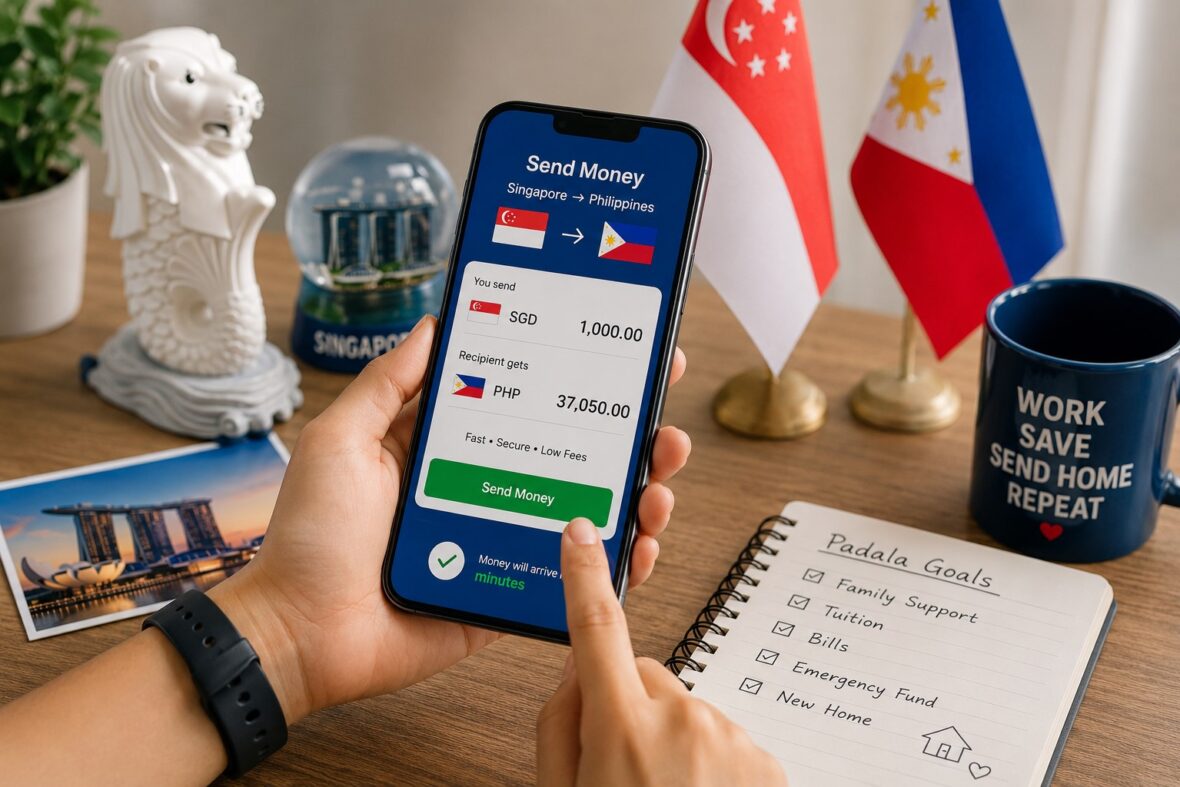
Sending money from Singapore to the Philippines is something thousands of Filipinos do regularly.
Maybe you’re sending part of your salary to your parents. Maybe you’re paying tuition for your children back home. Maybe it’s for groceries, electricity, medicine, a housing payment or simply the monthly family budget.
Whatever the reason, the good news is that sending money from Singapore to the Philippines has become much easier.
You no longer have to depend entirely on a traditional remittance center.
Today, you can send Singapore dollars from your phone and have Philippine pesos delivered directly to:
- GCash
- Maya
- BDO
- BPI
- Metrobank
- PNB
- Landbank
- Other Philippine banks
- Cash-pickup outlets around the Philippines
Depending on the service you choose, the transfer can sometimes arrive within minutes or even seconds.
But there is still one big question:
Content
What is the cheapest way to send money from Singapore to the Philippines?
There isn’t one permanent winner.
Wise might give you the best deal for a bank deposit today.
DBS Remit could be attractive if you’re already a DBS or POSB customer.
Remitly might have a promotional exchange rate.
Singtel Dash may be convenient if you regularly send money directly to GCash.
Western Union or MoneyGram might make more sense if your recipient prefers cash pickup.
That’s why I wouldn’t choose a remittance company based only on the transfer fee.
The most important number is this:
How many Philippine pesos will your recipient actually receive?
That’s what really matters.
In this guide, we’ll compare some of the most useful ways to send money from Singapore to the Philippines, including:
- Wise
- DBS Remit
- Remitly
- Singtel Dash
- Instarem
- Western Union
- MoneyGram
We’ll also look at GCash transfers, PayNow, Philippine bank deposits, cash pickup, transfer fees, exchange rates, transfer limits and practical ways to get more pesos for every Singapore dollar you send home.
Quick Answer: Best Ways to Send Money From Singapore to the Philippines
If you just want a quick starting point, here’s how I would compare the major options.
| What you need | Options worth checking |
|---|---|
| Low-cost bank transfer | Wise, DBS Remit, Instarem |
| Send directly to GCash | DBS Remit, Remitly, Singtel Dash, Western Union, MoneyGram |
| Send to Maya | Remitly and other supported remittance partners |
| Very fast digital transfer | Wise, Singtel Dash, Remitly |
| Cash pickup | Singtel Dash, Remitly, Western Union, MoneyGram |
| Pay through Singapore banking | Wise, DBS Remit |
| Pay using PayNow | Dash funding and other supported services |
| Send to BDO or BPI | DBS Remit, Wise, Remitly, Western Union and others |
| Multiple receiving options | Remitly, Western Union, MoneyGram |
| Singapore-based mobile remittance | Singtel Dash |
Don’t treat this as a fixed ranking.
If you’re sending SGD 1,000, I would open at least two or three services and compare:
You pay:
SGD 1,000
Recipient receives:
PHP _______
Then compare the speed and convenience.
That’s a much better way of finding the cheapest option than simply looking for a “$0 transfer fee” banner.
1. Wise
Wise is one of the first services I would check when sending money from Singapore to a Philippine bank account.
Its biggest advantage is transparency.
Wise generally uses the mid-market SGD-to-PHP exchange rate and shows the transfer fee separately.
That makes it easier to see what you’re actually paying.
The recipient can receive Philippine pesos into a local bank account without needing their own Wise account.
How Much Does Wise Cost From Singapore to the Philippines?
Wise’s transfer cost depends on:
- Amount
- Funding method
- Currency
- Transfer route
When I checked a SGD 1,000 transfer, Wise showed approximately:
- SGD 4.69 when funded from a Wise balance
- SGD 4.63 through bank transfer
- Around SGD 46.14 using a debit card
Those numbers can change, but the difference is worth noticing.
A bank-funded transfer could cost only a few Singapore dollars, while card funding could be dramatically more expensive.
This is why I always recommend checking the funding method before sending.
You might choose the right remittance company but still accidentally pick the most expensive way to pay.
How Fast Is Wise From Singapore to the Philippines?
Wise currently describes this corridor as particularly fast.
Its Singapore-to-Philippines transfer page says money typically arrives in seconds, although the actual estimate varies by transaction.
Wise also says that across its transfers globally:
- 74% arrive in under 20 seconds
- 95% arrive within one day
Of course, that doesn’t mean every Singapore-to-Philippines transfer will arrive instantly.
Identity checks, bank processing, unusually large amounts and incorrect recipient information can still cause delays.
Can Wise Send Directly to Philippine Banks?
Yes.
Wise supports PHP deposits into local Philippine bank accounts.
You’ll need your recipient’s bank details.
This can be particularly useful for sending money to accounts with banks such as:
- BDO
- BPI
- Metrobank
- UnionBank
- PNB
- Landbank
- Other supported Philippine banks
Availability can vary by account and transfer type.
Wise may be best for:
- Direct bank deposits
- People who want transparent fees
- People who compare against the market exchange rate
- Regular family remittances
- Larger transfers
- Singapore residents comfortable with online banking
2. DBS Remit
DBS Remit is particularly important for Singapore because it gives DBS and POSB customers a bank-based alternative to traditional remittance companies.
And for the Philippines, the offering is surprisingly competitive.
DBS currently advertises eligible Philippines transfers through DBS Remit with:
- SGD 0 transfer fees
- Same-day transfers when submitted within the applicable cut-off
- Tracking through digibank
This can be very convenient if your salary already goes into a DBS or POSB account.
Instead of funding another remittance wallet, you can arrange the transfer directly through digibank.
How Do You Send Money to the Philippines Using DBS Remit?
The basic process is straightforward.
Inside DBS digibank:
- Select Overseas Transfer.
- Enter your transfer amount.
- Select or add your recipient.
- Review the SGD-to-PHP conversion.
- Confirm the transfer.
DBS describes the process as essentially three main steps: Overseas Transfer, enter the amount and recipient, then review and send.
Can DBS Remit Send Money Directly to GCash?
Yes.
This is one of the more interesting features of DBS Remit for Filipinos.
DBS specifically supports transfers to GCash wallets in the Philippines.
You’ll generally need:
- Recipient’s GCash mobile number
- Recipient’s full registered name
- Recipient address
The GCash number should be a Philippine mobile number connected to the recipient’s wallet.
DBS Remit GCash Fees
DBS currently states:
- SGD 1 fee for GCash transfers of SGD 150 or less
- No transfer fee for GCash transfers above SGD 150
That’s a particularly useful pricing structure if you’re regularly sending SGD 200, SGD 500 or SGD 1,000 home.
But remember:
A zero transfer fee does not necessarily mean zero cost.
DBS still converts SGD to PHP using its exchange rate.
So compare the final peso amount against Wise, Remitly and other providers before sending.
DBS Remit Transfer Limits to the Philippines
DBS currently lists a daily transfer limit of up to SGD 200,000 for eligible PHP transfers to Philippine bank accounts.
For GCash, it lists a maximum of PHP 50,000 per transfer.
Your own banking limits and recipient limits can also apply.
How Fast Is DBS Remit to the Philippines?
DBS advertises same-day transfers for eligible Philippines transactions submitted before its cut-off time on a business day.
Its current service information lists an 11:00 AM cut-off for Philippines PHP transfers, Monday through Saturday.
However, Philippine holidays or Singapore holidays can affect processing.
That’s something to remember around Christmas, Holy Week, Chinese New Year and other major holidays.
DBS Remit may be best for:
- DBS customers
- POSB customers
- Philippine bank deposits
- GCash transfers
- People who don’t want to open a separate remittance account
- Larger transfers
- Same-day bank transfers
3. Remitly
Remitly is another very strong option for Filipinos sending money from Singapore.
Its biggest advantage is the number of ways your family can receive the money.
Current Philippine payout providers include:
- BDO
- GCash
- BPI
- M. Lhuillier
- Cebuana Lhuillier
- PNB
- LBC
- Maya
- Security Bank
- RCBC
- USSC
and others.
Available delivery methods can include:
- Bank deposit
- Cash pickup
- Mobile wallet
- Home delivery where available
That makes Remitly a flexible choice.
You could send to your mother’s BDO account this month and directly to your brother’s GCash next month without necessarily changing providers.
Can You Send From Singapore to GCash Through Remitly?
Yes.
Remitly has a dedicated Singapore-to-GCash transfer service.
You choose the Philippines as your destination, select GCash as the payout option and enter your recipient’s information.
GCash itself also lists Remitly among its official remittance partners available from Singapore.
Remitly Welcome Rate
When checked in September 2026, Remitly was advertising a special welcome exchange rate for new Singapore customers.
The promotional rate applied to the first SGD 750 sent under the stated offer conditions.
Promotions can change quickly.
So if you’re reading this months later, check the current offer rather than assuming the same promotion still exists.
And remember:
Your first transfer may be unusually cheap because of a promotion.
Always compare again on your second transfer.
Remitly may be best for:
- GCash
- Maya
- BDO
- BPI
- Cash pickup
- Families who need different receiving options
- First-time customers using a promotional offer
4. Singtel Dash Remit
Singtel Dash is one of the most Singapore-specific options on this list.
Dash Remit is a mobile remittance service built into the Dash app.
It supports transfers to the Philippines through:
- Bank account
- GCash
- Cash pickup
The service is operated by SingCash, which states that it is licensed by the Monetary Authority of Singapore and is part of the Western Union Group.
For Filipinos living and working in Singapore, Dash is worth comparing because it is designed around migrant-worker and mobile remittance use cases.
How Much Does Dash Remit Cost to the Philippines?
Dash currently publishes these standard Philippines fees:
Philippine bank account
SGD 4 per transfer.
GCash
SGD 3.50 per transfer.
Cash pickup
SGD 4.50 per transfer.
These are flat transfer fees.
But again, don’t look only at the fee.
Dash also uses its own SGD-to-PHP exchange rate.
You still need to compare the recipient amount.
Where Can Dash Cash Pickup Be Collected?
Dash currently supports Philippine cash pickup through locations including:
- Cebuana Lhuillier
- LBC Express
- M. Lhuillier
- Palawan Pawnshop
That’s useful for recipients who don’t use a traditional bank account or mobile wallet.
Can I Fund Dash Using PayNow?
Yes.
Dash says customers can top up their balance using methods including:
- PayNow VPA
- PayNow QR
- Bank account
- OCBC Pay Anyone
- Other supported cash-in methods
Once the Dash balance is funded, the remittance amount and applicable fee are deducted from the wallet.
This makes PayNow indirectly useful for Philippines remittances.
How Fast Is Dash Remit?
Dash describes transfers to the Philippines as potentially almost instant depending on the transfer method.
Its broader international service says transfers are generally delivered in less than a day, while its Philippines page promotes near-instant delivery for certain eligible transactions.
Actual delivery can still depend on:
- Recipient bank
- Wallet status
- Compliance checks
- Cash-pickup partner
- Transfer timing
Dash Remit Limits for the Philippines
Dash currently lists:
Bank transfer
Maximum PHP 500,000 per transaction.
Cash pickup
Maximum PHP 50,000 per transaction.
GCash
Monthly limits can depend on the type of GCash account.
Dash lists up to PHP 100,000 per month for a regular GCash user and up to PHP 500,000 for a qualifying bank-linked GCash user.
Dash itself also imposes sender limits.
Current Dash guidance says non-Work Permit holders using supported app versions may remit up to SGD 5,000 per day and SGD 25,000 per month.
Work Permit holders may have lower limits, including SGD 3,000 per day and per month under the stated rules.
Always check the app because limits can change.
Dash Remit may be best for:
- Filipinos living in Singapore
- GCash
- Cash pickup
- PayNow-funded transfers
- Smaller regular family remittances
- People who already use Dash
5. Instarem
Instarem is another digital money-transfer provider worth checking.
It operates in Singapore and supports SGD-to-PHP transfers.
Instarem says the exact transfer cost depends on:
- Destination
- Payment method
- Receiving method
and that fees are displayed before you confirm the transfer.
Instarem is also regulated by the Monetary Authority of Singapore.
One thing that makes Instarem slightly different is its rewards system.
Customers can earn InstaPoints on eligible transactions and potentially use them for future savings.
Whether that actually makes Instarem cheaper depends on the live exchange rate and fee.
So once again:
Compare the peso payout.
Instarem may be best for:
- Philippine bank transfers
- Existing Instarem customers
- People who like earning rewards on transfers
- People comparing alternatives to Wise
- Regular online remittance users
6. Western Union
Western Union remains one of the biggest names in international remittances.
It’s particularly useful when your family wants flexibility.
From Singapore, Western Union allows customers to send money:
- Online
- Through its app
- At an agent location
Depending on the Philippine payout method, recipients may receive money through:
- Philippine bank account
- Cash pickup
- Supported digital channels
Western Union says transfers from Singapore to the Philippines can sometimes arrive within minutes depending on how the transfer is funded and received.
Western Union Bank Deposit
Western Union says it supports transfers from Singapore to most major Philippine banks.
That makes it useful if your family already has an account with:
- BDO
- BPI
- Metrobank
- PNB
- Landbank
- Other supported banks
Western Union Cash Pickup
Cash pickup is still one of Western Union’s biggest advantages.
It can be useful when your recipient:
- Doesn’t have a bank account
- Doesn’t use GCash
- Prefers cash
- Lives near a Western Union location
- Needs cash quickly
Western Union says eligible cash transfers can reach agent locations within minutes.
Western Union Online Transfer Limits in Singapore
Western Union currently says a verified online customer in Singapore can send up to SGD 5,000 per transfer.
Larger or different types of transfers may require other channels or additional verification.
Western Union may be best for:
- Cash pickup
- Philippine bank transfers
- People who want both online and physical options
- Recipients without bank accounts
- Urgent remittances
7. MoneyGram
MoneyGram is another familiar option for Singapore-to-Philippines transfers.
It currently allows customers to send through:
- Mobile app
- Website
- Physical locations
Receiving methods in the Philippines can include:
- Cash pickup
- Bank account
- Mobile wallet
- Other supported digital methods
MoneyGram’s Philippine cash-pickup partners include familiar names such as:
- Cebuana Lhuillier
- M. Lhuillier
- LBC
- Palawan Express
- USSC
GCash also lists MoneyGram among its official Singapore remittance partners.
One advantage of MoneyGram is that it displays the exchange rate, fee, expected delivery time and recipient amount before you confirm the transaction.
MoneyGram may be best for:
- Cash pickup
- GCash and other eligible digital delivery
- Bank deposits
- People who want online and physical services
- Recipients near MoneyGram partner outlets
What Is the Cheapest Way to Send Money From Singapore to the Philippines?
There is no single answer.
If you’re sending to a bank account, Wise may be very competitive.
If you already bank with DBS, DBS Remit could be hard to beat for convenience and its zero-transfer-fee structure.
If you’re sending to GCash, compare:
- DBS Remit
- Remitly
- Singtel Dash
- MoneyGram
- Western Union
The cheapest service can change from day to day because the total price consists of more than just the transfer fee.
You need to look at:
- SGD-to-PHP exchange rate
- Transfer fee
- Funding fee
- Receiving method
- Promotional rate
- Delivery speed
Why a Zero Transfer Fee Doesn’t Always Mean Cheapest
This is one of the most important lessons in international remittances.
Imagine you’re sending SGD 1,000.
Provider A:
Transfer fee: SGD 0
Recipient gets:
PHP 48,200
Provider B:
Transfer fee: SGD 5
Recipient gets:
PHP 48,700
Provider C:
Transfer fee: SGD 3.50
Recipient gets:
PHP 48,500
Which provider gives the best value?
Provider B.
Yes, it charged the highest visible transfer fee.
But your family received PHP 500 more than Provider A.
That’s why I would always focus on:
Recipient receives
rather than:
Transfer fee
The Exchange Rate Is a Hidden Cost
Suppose the real market rate is approximately:
SGD 1 = PHP 49
Provider A might offer:
SGD 1 = PHP 48.80
Provider B might offer:
SGD 1 = PHP 48.10
That’s only a difference of PHP 0.70 for every Singapore dollar.
It sounds small.
But consider a SGD 2,000 transfer.
At PHP 48.80:
SGD 2,000 = PHP 97,600
At PHP 48.10:
SGD 2,000 = PHP 96,200
Difference:
PHP 1,400
That’s already significant.
For someone sending money every month, exchange-rate differences can add up to thousands of pesos over a year.
Fastest Way to Send Money From Singapore to the Philippines
If speed is your priority, several options are worth checking.
Wise
Wise currently says Singapore-to-Philippines transfers can typically arrive in seconds depending on the transfer method.
Singtel Dash
Dash promotes some Philippine transfers as arriving almost instantly, depending on the payout method.
Remitly
Remitly offers different delivery speeds depending on the transfer setup and payout provider.
You can see the estimated delivery time before sending.
Western Union
Eligible transfers can become available at cash-pickup locations within minutes.
DBS Remit
For Philippine bank accounts, DBS generally advertises same-day transfers when eligible transactions are submitted before the applicable cut-off time.
Remember:
Fast does not mean guaranteed.
Transfers can be delayed because of:
- Identity verification
- Incorrect account information
- Compliance reviews
- Bank holidays
- Philippine public holidays
- Singapore public holidays
- GCash limits
- Bank maintenance
- Large transaction amounts
If you’re paying tuition or an important bill, send earlier instead of depending on a five-minute transfer at the last minute.
How to Send Money From Singapore to GCash Philippines
For many Filipino families, sending directly to GCash is one of the easiest options.
GCash officially lists several remittance partners operating from Singapore, including:
- Remitly
- Singtel Dash
- MoneyGram
- Western Union
- Ria Money
- Panda Remit
- Kabayan Remittance
- Other international partners
The exact process varies slightly, but here’s the general idea.
Step 1: Choose a Remittance Provider
For example:
- DBS Remit
- Remitly
- Singtel Dash
- Western Union
- MoneyGram
Step 2: Select the Philippines
Set:
Sending currency: SGD
Receiving currency: PHP
Step 3: Enter the Amount
For example:
SGD 500
The provider should display how many pesos your recipient will receive.
Step 4: Choose GCash
Select GCash or Mobile Wallet as the receiving method.
Step 5: Enter the Recipient’s Details
You’ll normally need:
- Full registered name
- Philippine mobile number linked to GCash
DBS specifically requires the recipient’s GCash wallet number and registered name, while GCash itself advises senders to make sure the recipient’s name and number match the wallet information.
Step 6: Compare the Final Amount
Look at:
- Exchange rate
- Transfer fee
- Total SGD cost
- PHP payout
- Delivery time
Step 7: Pay
Depending on the provider, this could be funded through:
- Bank account
- Debit card
- Credit card
- PayNow
- Dash balance
- Other supported methods
Step 8: Track the Transfer
Keep the transaction confirmation until the recipient confirms receipt.
Is There a GCash Limit for Singapore Remittances?
Yes.
There can be two different types of limits:
- The remittance provider’s limit.
- GCash’s wallet or incoming transaction limit.
For example, DBS currently lists PHP 50,000 as the maximum per GCash transfer.
Dash’s published limits depend on the recipient’s GCash account status.
If you’re sending a large amount, ask your recipient to check their GCash capacity before you send.
Can I Send Money From Singapore to Maya?
Yes.
Some international remittance companies serving Singapore support transfers to Maya.
Remitly currently includes Maya among its Philippine providers.
When setting up the transaction, check whether Maya appears under Mobile Wallet.
As with GCash, make sure:
- Recipient name is correct
- Mobile number is correct
- Wallet is active
- Wallet limits are sufficient
How to Send Money From Singapore to BDO
BDO is one of the most commonly used Philippine banks for remittances.
You can send money from Singapore to a BDO account through several providers.
Options include:
- DBS Remit
- Wise
- Remitly
- Western Union
- MoneyGram
- Instarem
Availability can depend on the particular transfer.
You will normally need:
- Recipient’s full legal name
- BDO account number
- Recipient mobile number
- Recipient address in some cases
Always double-check the account number before sending.
How to Send Money From Singapore to BPI
BPI is also widely supported.
Remitly specifically lists Bank of the Philippine Islands among its Philippine payout providers.
DBS Remit and other bank-transfer services can also send to eligible Philippine bank accounts.
Again, make sure the account information is correct.
Can I Use PayNow to Send Money to the Philippines?
This is a very common question in Singapore.
You generally can’t send a normal domestic PayNow transfer directly to an ordinary Philippine bank account the same way you would send money to another Singapore user.
But PayNow can still be part of the process.
For example, Singtel Dash allows customers to top up their Dash balance using:
- PayNow VPA
- PayNow QR
The Dash balance can then be used for an international remittance to the Philippines.
GCash also lists PayNow among its international transfer bank partners for Singapore-related transfer arrangements.
The exact process depends on the service you’re using.
So don’t simply PayNow a random overseas number.
Use the official instructions inside the remittance app or bank.
Is DBS Remit Better Than Wise?
This is one of the most interesting comparisons for Singapore-based senders.
There isn’t a universal winner.
DBS Remit may be better if:
- You already bank with DBS or POSB
- You want everything inside digibank
- You’re sending to GCash
- You’re sending to a Philippine bank
- You want same-day processing
- You value SGD 0 transfer fees on eligible transfers
Wise may be better if:
- You want to compare against the mid-market exchange rate
- You want very transparent pricing
- You’re sending to a Philippine bank
- You want a potentially very fast digital transfer
- You’re comfortable using a separate international-transfer app
My advice?
Open both.
Enter:
SGD 1,000
Then compare:
Recipient gets PHP ______
You’ll know the answer immediately.
Is Singtel Dash Better Than Remitly?
Again, it depends.
Dash may make more sense if:
- You already use Dash
- You want to fund using PayNow
- You’re sending to GCash
- You regularly send smaller amounts
- Your recipient prefers cash pickup
Remitly may make more sense if:
- You want more Philippine payout choices
- You need Maya
- You want home delivery where available
- You’re eligible for a new-customer promotion
- You frequently switch between bank deposit, wallet and cash pickup
The right choice can change with the exchange rate.
Bank Deposit vs GCash vs Cash Pickup
Which one should you choose?
Choose Bank Deposit if:
- Your recipient has BDO, BPI or another bank account
- You’re sending a larger amount
- You’re paying tuition
- You’re sending household expenses
- The money is intended for savings
- Your recipient doesn’t need cash immediately
Choose GCash if:
- Your recipient uses GCash regularly
- They need the money quickly
- They pay bills digitally
- They don’t want to travel to a remittance outlet
- You’re sending a relatively manageable amount
Choose Cash Pickup if:
- Your recipient doesn’t have a bank account
- They don’t use GCash
- They prefer physical cash
- They live near Cebuana, Palawan, LBC or another pickup partner
There is no single best receiving method.
Think about what is easiest for the person receiving the money.
What Information Do You Need to Send Money From Singapore to the Philippines?
The exact requirements depend on the provider and transfer amount.
You may need your:
- Full legal name
- Singapore address
- Mobile number
- Date of birth
- NRIC, FIN, Work Permit, S Pass or Employment Pass
- Other identification
For the recipient, you may need:
- Full legal name
- Philippine address
- Mobile number
For bank transfer:
- Bank name
- Account number
For GCash or Maya:
- Registered mobile number
- Registered account name
For cash pickup:
- Recipient name exactly matching their valid ID
Why Is the Remittance Company Asking for My ID?
This is normal.
Money-transfer companies operating in Singapore are subject to regulation and identity-verification requirements.
For example, Dash requires remittance customers to complete registration using documentation such as an NRIC, Work Permit, S Pass or Employment Pass, along with identity verification.
Other regulated providers have similar Know Your Customer requirements.
So don’t automatically be alarmed if a legitimate transfer company asks for ID.
What should concern you is if somebody pretending to be a company asks you to send documents through an unofficial Facebook account, SMS link or random messaging app.
How to Check Whether a Remittance Provider Is Legitimate in Singapore
Singapore has one of the more tightly regulated payment sectors in the region.
The Monetary Authority of Singapore maintains a Financial Institutions Directory where consumers can search for payment institutions authorised to provide services such as cross-border money transfers.
MAS currently lists hundreds of payment institutions, including providers authorised for cross-border money-transfer services.
Before sending a large amount through an unfamiliar company, check:
- Whether the provider appears in MAS’s directory
- Company name
- Licence status
- Official website
- Contact details
- Transfer fees
- Exchange-rate disclosure
- Customer support options
Don’t assume a company is legitimate simply because it has a professional-looking website.
Be Careful With Remittance Scams
Scammers know that migrant workers regularly send money home.
That makes remittance users attractive targets.
Singtel Dash currently warns customers about scammers impersonating Dash through fake Facebook pages and phishing SMS messages.
Dash specifically advises customers not to share OTPs, card information or banking details in response to suspicious calls, messages or emails.
Be careful if someone:
- Sends you an unexpected payment link
- Asks for your OTP
- Claims your account will be closed unless you pay immediately
- Tells you you’ve won a remittance prize
- Asks you to transfer money to “verify” your account
- Contacts you through a fake customer-service social account
- Pressures you to act immediately
Always open the official app yourself.
Don’t follow suspicious links.
Tips for Getting More Pesos for Your Singapore Dollars
If you’re sending money home every month, small savings can really add up.
1. Compare at Least Three Services
For a regular transfer, try checking:
- Wise
- DBS Remit
- Remitly
If you’re sending to GCash, you could also compare:
- Singtel Dash
Use the exact same amount.
For example:
SGD 1,000
Then compare the final PHP amount.
2. Don’t Look Only at the Transfer Fee
I know I’ve repeated this several times, but it’s important.
SGD 0 transfer fee doesn’t automatically mean cheapest.
A worse exchange rate could cost your family far more than a SGD 3 or SGD 5 transfer fee.
3. Check the Funding Method
Wise currently shows a major difference between bank-funded and card-funded transfers.
For a SGD 1,000 example, bank funding cost only a few Singapore dollars, while debit-card funding was far more expensive.
Always check before choosing debit or credit card.
4. Use Promotions Carefully
Remitly and other providers regularly offer welcome rates or promotional pricing.
Use them if they genuinely give you more pesos.
But compare again once the promotion ends.
5. Watch the SGD-to-PHP Exchange Rate
Even a small movement can matter.
Suppose the rate improves by:
PHP 0.50 per SGD.
If you’re sending:
SGD 500 → PHP 250 difference
SGD 1,000 → PHP 500 difference
SGD 2,000 → PHP 1,000 difference
SGD 5,000 → PHP 2,500 difference
If the transfer isn’t urgent, it may be worth checking the rate before sending.
6. Send Early Around Philippine Holidays
Philippine bank holidays can delay certain bank deposits.
DBS even publishes specific dates when remittance processing may be affected by holidays.
Around:
- Christmas
- New Year
- Holy Week
- National holidays
send important payments earlier.
7. Verify the Recipient’s GCash Limit
Don’t send PHP 50,000 to someone’s wallet without first asking whether the account can accept it.
Wallet limits depend on verification and account status.
8. Double-Check Every Detail
Before pressing Send, check:
- Recipient’s name
- GCash number
- Bank account number
- Amount
- Receiving method
A typo that takes two seconds to make can create days of inconvenience.
Frequently Asked Questions
What Is the Cheapest Way to Send Money From Singapore to the Philippines?
There isn’t one permanent cheapest provider.
Wise is worth checking for direct bank deposits, while DBS Remit can be highly competitive for DBS/POSB customers because eligible Philippines transfers have no transfer fee. Singtel Dash and Remitly are also worth comparing, especially for GCash.
Always compare the final PHP amount received.
What Is the Fastest Way to Send Money From Singapore to the Philippines?
Some Wise transfers can arrive in seconds, while Dash promotes near-instant transfers for certain Philippine payout methods. Western Union cash pickup can also be available within minutes. DBS Remit generally offers same-day Philippine bank transfers when sent before its cut-off.
Can I Send Money From Singapore Directly to GCash?
Yes.
Options include DBS Remit, Remitly, Singtel Dash, MoneyGram, Western Union and other official GCash remittance partners.
Can I Send Money From Singapore to Maya?
Yes.
Remitly currently lists Maya among its supported Philippine payout providers. Other remittance networks may support Maya as well.
Can I Send Money From Singapore to BDO?
Yes.
DBS Remit, Wise, Remitly, Western Union, MoneyGram and other providers can support Philippine bank-account transfers, including eligible BDO accounts.
Can I Send Money From Singapore to BPI?
Yes.
BPI is supported by major transfer providers, including Remitly and other bank-transfer services.
Can I Use DBS Remit to Send to GCash?
Yes.
DBS specifically supports GCash wallet transfers.
A SGD 1 fee currently applies for transfers of SGD 150 or less, while transfers above SGD 150 currently have no DBS Remit transfer fee.
Can I Use PayNow to Send Money to the Philippines?
PayNow can be used as part of some remittance workflows.
For example, Dash allows customers to fund their wallet using PayNow VPA or PayNow QR before sending the international remittance.
Does My Recipient Need a Bank Account?
No.
Depending on the provider, your recipient may receive money through:
- GCash
- Maya
- Cash pickup
How Long Does It Take to Send Money From Singapore to the Philippines?
It can take anywhere from seconds or minutes to several business days.
Timing depends on:
- Provider
- Funding method
- Delivery method
- Amount
- Identity verification
- Bank processing
- Holidays
- Security checks
Is a Zero-Fee Transfer Always the Cheapest?
No.
A provider may charge no transfer fee but make money through its SGD-to-PHP exchange rate.
Always compare:
Recipient receives PHP ______
rather than focusing only on the advertised fee.

Final Thoughts: What’s the Best Way to Send Money From Singapore to the Philippines?
Singapore is one of the better places to send money to the Philippines because there are so many strong options.
If I were sending money directly into a Philippine bank account, I would start by comparing:
- Wise
- DBS Remit
- Instarem
If I wanted to send directly to GCash, I would compare:
- DBS Remit
- Remitly
- Singtel Dash
and then check Western Union or MoneyGram if needed.
If my recipient wanted physical cash, I would look closely at:
- Singtel Dash
- Remitly
- Western Union
- MoneyGram
But I wouldn’t automatically use the same provider every month.
Before every reasonably large transfer, compare:
- Transfer fee
- SGD-to-PHP exchange rate
- Payment method
- Delivery speed
- Receiving method
- Final Philippine peso amount
That last number matters most.
The goal isn’t simply to find the service that says “zero fees.”
The goal is to safely and conveniently send the most pesos possible to the people you’re supporting back home.
And if you’re sending money every month, even a difference of PHP 300, PHP 500 or PHP 1,000 per transfer can become a meaningful amount over the course of a year.