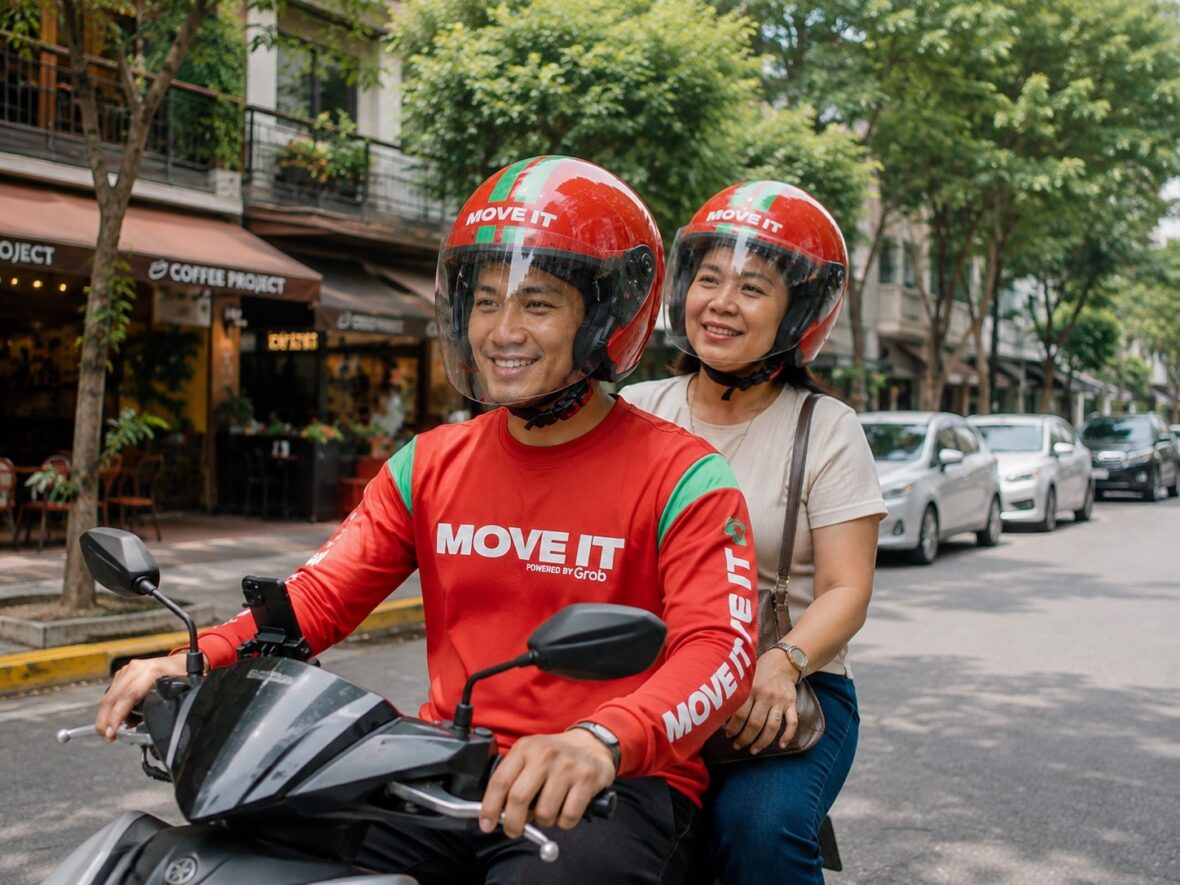
Traffic in the Philippines can turn even a short journey into a long and tiring commute.
You may only need to travel a few kilometres, but once the roads become congested, booking a car, riding a bus, or waiting for a jeepney can take more time than expected. This is one reason motorcycle taxi apps have become popular among Filipino commuters.
One of the most recognizable options is Move It.
Move It allows you to book a motorcycle rider through your phone, check the fare before confirming, monitor the rider’s location, and travel directly to your destination. The entire process can take only a few minutes when riders are readily available.
However, there is more to Move It than simply tapping the Book button.
You need to place your pickup pin correctly, choose the right payment method, verify the rider and motorcycle, wear the helmet properly, and understand what to do when a booking is cancelled or something goes wrong.
This Move It complete guide explains how the motorcycle taxi app works, including registration, booking, payments, fares, service areas, safety features, passenger rules, discounts, customer support, and practical commuting tips.
Content
What is Move It?
Move It is an on-demand transportation platform that connects passengers with motorcycle taxi rider-partners.
The passenger enters a pickup point and destination in the Move It app. The platform then searches for an available rider who can accept and complete the journey.
Move It’s current privacy notice identifies the platform operator as We-Load Transcargo Corporation, a member of Grab Holdings Limited. Move It continues to use its own name, passenger app, rider network, and booking system.
The service is primarily intended for one-person urban trips, such as:
- Travelling to work or school
- Going to an appointment
- Connecting to an MRT, LRT, bus, or jeepney station
- Visiting a shopping mall
- Running errands
- Travelling during rush hour
- Making short or medium-distance city journeys
Move It describes itself as a platform providing accessible and affordable motorcycle taxi rides through app bookings, participating booking booths, and supported hail bookings.
Move It at a glance
| Feature | How it works |
|---|---|
| Main service | On-demand motorcycle taxi rides |
| Passenger capacity | Generally one passenger per motorcycle |
| Booking method | Move It passenger app, selected booths, or supported hail bookings |
| Fare | Displayed before confirming the request |
| Payments | Cash, GCash, linked card, or other options shown in the app |
| Rider information | Name, photograph, motorcycle details, plate number, and rating |
| Tracking | Rider arrival and trip location can be followed in the app |
| Discounts | Promo codes, account vouchers, and approved special discounts |
| Support | Passenger Help Centre, in-app communication, and safety channels |
| Additional service | Express Saver by Grab for eligible parcel deliveries |
The exact buttons, payment methods, promotions, and service availability shown to you may depend on your location, account, device, and current app version.
How does Move It work?
Move It operates as a digital platform connecting a passenger with an independent rider-partner.
The basic process looks like this:
- The passenger opens the Move It app.
- The passenger enters a pickup point and destination.
- The app calculates and displays the fare.
- The passenger chooses a payment method.
- A promo or discount may be applied.
- The passenger confirms the request.
- The platform searches for a rider.
- A rider accepts the booking.
- The passenger verifies the rider and motorcycle.
- The rider completes the trip.
- Payment is collected or processed.
- The passenger can rate the rider and review the receipt.
Move It’s official booking instructions follow this general sequence, including entering the route, selecting cash or GCash, applying an offer when available, and tapping Book.
The app handles the matching, booking record, trip information, payment arrangement, and post-trip support. The rider provides the actual motorcycle transportation service.
Is Move It the same as Grab?
Move It and Grab are connected, but they are not the same passenger service.
Move It is operated by a company within the Grab group and may share infrastructure, technology, and resources with Grab. However, passengers generally book a Move It motorcycle taxi through the separate Move It app rather than selecting the service from an ordinary GrabCar booking screen.
You will need the Move It passenger app and a Move It account to use its regular booking features.
Where can you download Move It?
The passenger app is available through official mobile application stores, including:
- Google Play Store for Android phones
- Apple App Store for iPhones
The Google Play listing describes Move It as a Philippine motorcycle taxi and ride-hailing app. It also identifies features such as an easier booking interface, credit-card payments, rider ratings, and post-trip feedback.
Make sure you download the passenger app rather than the Move It Driver app.
Avoid downloading an unofficial Android application package from a random website. The official app-store version is less likely to be outdated, modified, or fraudulent.
How to create a Move It account
After installing the app, open it and follow the registration instructions.
You will usually need:
- An active Philippine mobile number
- A working email address
- Your full name
- A verification code
- Permission to use your phone’s location
Move It’s official instructions require users to register using a valid phone number, email address, and other basic personal information.
Use accurate information when registering. This can become important when you need to:
- Recover your account
- Report a payment problem
- Apply for a special discount
- File a safety report
- Retrieve a lost item
- Request help with a completed trip
Move It’s consumer code says account holders must be at least 18 years old, should provide truthful information, and should not share accounts or create duplicate accounts.
Never give your verification code, password, or one-time password to a rider or anyone claiming to represent customer support.
How to book a Move It motorcycle taxi
Step 1: Turn on mobile data and location services
Move It needs an internet connection and access to your location to display the map, locate nearby riders, and monitor the booking.
Keep mobile data active until the trip is completed.
When your location is inaccurate, try:
- Turning location services off and on
- Moving away from tall buildings
- Checking your mobile-data signal
- Closing and reopening the app
- Updating the Move It app
- Restarting your phone
Step 2: Select Moto-Taxi
Choose the motorcycle taxi service from the Move It home screen.
Do not accidentally select Express Saver when you intend to ride as a passenger. Express Saver is intended for item deliveries, not passenger transportation.
Step 3: Enter your pickup point
The app may automatically suggest your current location. Check it carefully because GPS pins are not always exact.
A good pickup point should be:
- Easy for the rider to reach
- On the correct side of the road
- Away from a no-stopping zone
- Safe for you to wait
- Near a visible landmark
- Outside restricted or private areas
Large shopping malls, hospitals, schools, terminals, and office complexes may have several entrances. Do not simply place the pin in the middle of the building.
A more useful pickup instruction would be:
Main entrance beside the convenience store. I’m wearing a black jacket.
Keep your message short enough for the rider to understand quickly.
Step 4: Enter your destination
Type the complete address or establishment name.
Check whether the app selected the correct:
- Branch
- Street
- Barangay
- City
- Building entrance
- Side of the road
Businesses with similar names may appear in different cities. Selecting the wrong branch can result in an incorrect route and fare.
Step 5: Review the route
Look at the mapped route between the pickup point and destination.
The app may calculate a route based on available roads, one-way streets, traffic conditions, bridges, turns, and other mapping information.
The mapped distance may be longer than the straight-line distance because the rider still has to follow the road network.
Step 6: Check the fare
Move It displays the booking fare before you confirm the request.
Review the amount together with:
- The pickup point
- The destination
- The mapped route
- Your payment method
- Available vouchers
- Any approved discount
The fare shown for your actual booking is more useful than an old fare chart found online. Prices can vary according to distance, route, location, demand, and current promotional conditions.
Step 7: Apply a promo code
Open the Offers section before confirming your ride.
Depending on your account, you may see:
- New-user vouchers
- Account-specific promotions
- Partner offers
- Route-based discounts
- Payday or holiday deals
- Student, senior citizen, or PWD vouchers
Move It’s official instructions tell passengers to tap Offers and choose Use Now when applying a promo code.
Check whether the final fare decreased. Entering a code does not automatically mean the voucher was successfully applied.
A promotion may fail because it:
- Has expired
- Is limited to another city
- Has reached its redemption quota
- Requires a minimum fare
- Requires a particular payment method
- Is limited to selected accounts
- Has already been used
- Is intended for another Move It service
Step 8: Select your payment method
Move It’s official booking guide identifies cash and GCash as payment choices, while its current app listing also promotes in-app credit-card payments. The actual choices available to you will be shown during checkout.
Possible payment methods include:
- Cash
- GCash
- Credit or debit card
- Other cashless methods displayed in the app
Check the selected method before booking. It is easy to assume you chose cashless payment when the app is still set to cash.
Step 9: Tap Book
After reviewing the information, confirm your request.
Move It will search for an available rider. Matching time can depend on:
- Your location
- Time of day
- Rider availability
- Passenger demand
- Weather
- Traffic restrictions
- Local events
- Accessibility of your pickup point
You may receive a rider quickly in a busy commercial area but wait longer in a quiet neighbourhood or during heavy rain.
What happens after a rider accepts?
Once a rider accepts your request, Move It shares identifying and trip information through the app.
This may include:
- Rider’s name
- Profile photograph
- Motorcycle make or model
- Plate number
- Average rating
- Rider’s location
- Estimated arrival
Move It’s privacy notice confirms that passengers may receive a rider-partner’s name, photo, vehicle make, model, number plate, location, and average rating.
You can usually contact the rider through in-app chat or calling.
Use these tools to provide a clear pickup landmark, but avoid sharing unnecessary personal information.
Always verify the rider before getting on
Do not board immediately just because someone arrives wearing Move It gear.
Compare the rider and motorcycle with the information displayed in your app.
Check:
- The rider’s face
- The profile name
- The motorcycle
- The plate number
- The active booking
Do not continue when:
- The rider does not match the photograph.
- The plate number is different.
- A different person is using the registered account.
- The motorcycle is different from the listed vehicle.
- The rider asks you to cancel and continue privately.
- You feel unsafe or uncomfortable.
Move It’s consumer code specifically tells passengers to confirm the rider’s identity before boarding. It also advises users to keep arrangements inside the official app so the platform can provide appropriate support.
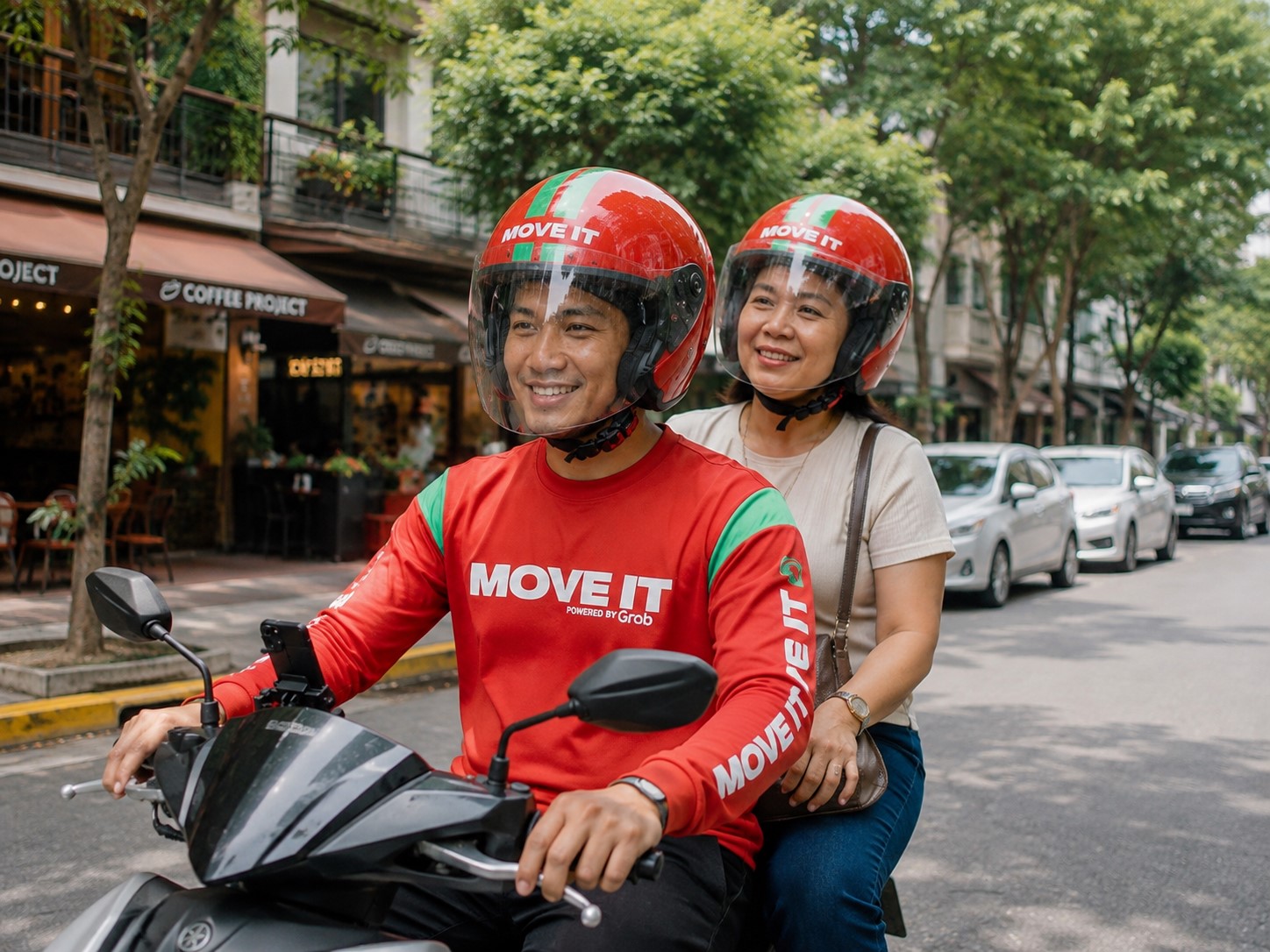
Wear the passenger helmet properly
The rider should provide the required passenger safety equipment.
Before the motorcycle begins moving:
- Put on the helmet.
- Adjust it properly.
- Fasten the chin strap.
- Check that it fits securely.
- Secure your hair, bags, and clothing.
Do not merely place the helmet on your head without locking the strap.
Avoid loose scarves, long straps, unsecured jackets, and other items that could become caught in the motorcycle.
Move It’s safety guidance says riders receive training covering road safety, defensive driving, emergency procedures, traffic rules, and customer service. It also publishes safety reminders for both rider-partners and passengers.
How should you sit on the motorcycle?
Wait until the rider has fully stopped and tells you it is safe to board.
Once seated:
- Place both feet on the passenger foot pegs.
- Maintain a balanced position.
- Avoid sudden body movements.
- Keep your bag secured.
- Follow the rider’s safe instructions.
- Do not lean heavily on the motorcycle’s storage box.
- Tell the rider when you are ready.
Avoid using your phone while the motorcycle is moving. Apart from the risk of dropping it, looking down at a screen may affect your balance and awareness.
Move It safety features
Move It combines rider screening, training, app-based trip information, and safety tools intended to protect passengers before, during, and after a journey.
Current Move It materials describe safety measures involving rider training, technology-supported monitoring, trip information, and insurance arrangements.
Available features may include:
Real-time tracking
You can monitor the rider’s location while waiting and follow the route during the trip.
Share My Ride
Trip information can be shared with a trusted family member or friend.
Move It’s privacy notice explains that rider and vehicle information may be shared with third parties when a passenger uses Share My Ride.
In-app communication
Passengers can contact riders without necessarily exchanging personal contact information outside the platform.
Emergency tools
Move It provides safety-reporting and emergency channels for serious incidents.
For an immediate emergency, contact the authorities first. Move It’s safety support page lists (02) 8883 7109 for reporting a safety incident involving the platform.
Rider ratings and feedback
After a ride, you can rate the rider and report concerns. Move It’s current app listing includes rider ratings and post-trip feedback as platform features.
Insurance support
Move It publishes passenger accident and insurance guidance through its Safety Centre and Help Centre. The exact coverage, documents, exclusions, and claims process depend on the incident and applicable policy.
What should you do during an unsafe ride?
Speak up immediately when the rider is driving too fast or making you uncomfortable.
You can politely say:
Kuya, puwede pong bagalan nang kaunti?
You may also ask to stop at a safe and legal location when you no longer want to continue.
Serious concerns include:
- Reckless driving
- Dangerous overtaking
- Excessive speeding
- Harassment
- Threats
- Suspicious route changes
- Attempts to collect an unauthorised fare
- Pressure to cancel and continue outside the app
- Rider or plate-number mismatch
Save the booking details and submit a formal safety report rather than leaving only a low rating.
How Move It payments work
Cash payments
For a cash booking, pay the rider after reaching your destination.
Bring smaller bills whenever possible. Before handing over the money:
- Check the final fare.
- Confirm whether a voucher was applied.
- Count your change.
- Make sure the booking is completed.
Tipping is optional. A rider should not pressure you to provide an additional amount.
GCash payments
Choose GCash during booking when it appears as an available payment method.
Check that:
- Your GCash account has sufficient funds.
- The correct account is connected.
- The booking is marked cashless.
- The payment confirmation appears.
Do not pay cash a second time when the cashless transaction has already succeeded.
Credit or debit cards
Move It’s current Google Play listing confirms in-app credit-card payments.
The platform or card issuer may temporarily authorise an amount before the final charge is completed. A pending authorisation is not always the same as a posted transaction.
When a cancelled booking leaves a pending amount, the release period may depend on Move It and your bank or payment provider.
How Move It fares work
The app calculates and displays the fare after you enter the pickup point and destination.
The amount may be affected by:
- Distance
- Mapped route
- Service area
- Demand
- Rider availability
- Current promotions
- Special discounts
- Applicable tolls or charges
Always check the amount before tapping Book.
A rider should not arbitrarily replace the displayed fare with a privately negotiated amount. Keeping the transaction inside the app gives you a booking record and a clearer basis for reporting a fare dispute.
Move It special discounts
Qualified passengers may apply for approved Move It discounts.
Current Move It support information includes applications for eligible groups such as:
- Students
- Senior citizens
- Persons with disabilities
- National athletes
- National coaches
Move It has historically applied a 20% fare discount for qualified passengers through approved digital vouchers. Applicants may need to provide proof of Filipino citizenship and valid documents confirming their eligibility.
Your Move It account name should match the name on your submitted documents.
After approval, check the Offers section and confirm that the discount appears before booking.
Where is Move It available?
Move It’s official service-area page lists coverage across Greater Metro Manila and nearby locations, including:
- Manila
- Quezon City
- Makati
- Mandaluyong
- Pasig
- San Juan
- Pateros
- Taguig
- Pasay
- Parañaque
- Muntinlupa
- Caloocan
- Malabon
- Navotas
- Valenzuela
- Cainta
- Taytay
- Rodriguez or Montalban
- Meycauayan
- San Jose del Monte
- Selected areas of Cavite
Move It also identifies rider operations in Metro Manila, Cebu, and Cagayan de Oro.
Coverage does not necessarily include every barangay, road, or destination inside a listed city.
The most reliable test is to enter your actual route in the app. When the platform displays a fare and allows you to request a rider, the booking is generally within the currently supported area.
Move It booking booths
Move It has published a list of booking booths at selected high-traffic locations, including malls in Metro Manila, Cebu, and Cagayan de Oro. These booths may assist commuters who need help arranging a ride or locating a designated pickup area.
Previously listed booth locations have included malls such as:
- Market! Market!
- TriNoma
- SM Megamall
- SM North EDSA
- Robinsons Manila
- Ayala Center Cebu
- Central Bloc IT Park
- SM City Cebu
- SM Seaside Cebu
- Ayala Centrio
Booth locations and operating arrangements can change. Check for current signage or verify availability through the app before making a special trip to one.
What is Express Saver by Grab?
Express Saver is a separate Move It app service for sending and receiving eligible items.
The booking process generally involves:
- Entering the pickup point.
- Entering the delivery destination.
- Selecting Express Saver.
- Providing the necessary delivery information.
- Choosing a payment method.
- Applying an eligible offer.
- Confirming the booking.
Move It’s official Express Saver page describes it as an item-delivery option booked through the Move It app.
Express Saver is currently identified as available in Metro Manila, subject to the app’s active coverage. Move It also states that qualifying Express Saver deliveries are covered by its applicable insurance arrangement.
Do not use a normal passenger Moto-Taxi booking to send an unaccompanied package. Move It’s consumer code instructs users to select Express Saver for that purpose.
Can you bring luggage on Move It?
A small backpack or handbag may be manageable, provided it does not affect your balance or create a safety risk.
Move It is not suitable for:
- Large suitcases
- Multiple shopping bags
- Heavy equipment
- Long or oversized objects
- Fragile items you cannot secure
- Anything that obstructs the rider
- Household moving
Move It’s consumer code says passengers should choose the correct service and avoid overloading a vehicle with luggage. A rider may refuse an unsafe booking.
Book a car or another suitable vehicle when carrying bulky belongings.
Can children ride Move It?
Motorcycle travel may not be appropriate for a young child.
A child must be physically capable of sitting securely, wearing the proper helmet, reaching the foot pegs, and holding safely throughout the journey. Philippine road-safety rules and platform policies may also restrict whether a child can legally and safely travel as a motorcycle passenger.
For babies and small children, an enclosed vehicle is generally the safer and more practical option.
What happens when the rider cancels?
A rider may cancel because of:
- Difficulty finding the pickup point
- Road closures
- Traffic restrictions
- Motorcycle problems
- An inaccessible location
- Inability to contact the passenger
- An incorrect route or destination
- A personal emergency
When the rider cancels:
- Check whether the app is automatically searching for another rider.
- Confirm that your pickup pin is correct.
- Check whether your voucher returned.
- Review any pending cashless authorisation.
- Request another booking when necessary.
When cancellations happen repeatedly, move the pickup pin to a more visible and accessible location.
Can passengers cancel a booking?
You can normally cancel before the trip begins, subject to Move It’s current cancellation rules.
Cancel as early as possible when:
- You entered the wrong destination.
- You selected the wrong pickup point.
- You accidentally made two bookings.
- Your plans changed.
- You no longer need the ride.
Avoid cancelling only after the rider has travelled all the way to your location unless there is a legitimate reason.
When the rider, plate number, or motorcycle does not match the app, prioritise safety and report the issue.
What if the rider asks you to cancel?
Ask why the rider wants the booking cancelled.
Do not agree to cancel the app request and then continue the same journey privately.
Move It’s consumer rules warn passengers not to make arrangements outside the application because the platform may not be able to provide the same support or safety assistance for an off-app transaction.
Keeping the booking active preserves:
- Rider identification
- Fare information
- Trip tracking
- Payment records
- Support access
- Applicable platform protections
What should you do if you leave something behind?
Act quickly when you realise that your phone, wallet, bag, keys, or another item may have been left during a Move It ride.
Move It recommends contacting the rider promptly when the trip ended less than 12 hours ago.
Follow these steps:
- Open the Move It app.
- Go to your booking history or Activity.
- Select the completed trip.
- Open the Help Centre option.
- Choose the lost-item concern.
- Follow the available rider-contact or support process.
- Describe the missing item clearly.
Include:
- Item description
- Colour and brand
- Where you may have left it
- Time you noticed it was missing
- Booking ID
- Safe contact details
For lost bank cards or mobile phones, protect your accounts immediately. Lock the phone, freeze affected cards, and change important passwords when necessary.
How to contact Move It support
The Passenger Help Centre is the main support channel for account, booking, payment, and trip-related concerns.
Move It’s Help Centre allows passengers to search for answers or contact support about an account, past trip, delivery, reward, or promotion.
When submitting a report, prepare:
- Booking ID
- Date and time
- Pickup point
- Destination
- Rider’s name
- Fare
- Payment method
- Screenshots
- Receipt
- A clear explanation
For hail-booking concerns, Move It has also published support@moveit.com.ph and its Live Chat feature as support options.
For an urgent safety incident, contact emergency authorities first and then use Move It’s official safety-reporting channel.
Advantages of using Move It
It can be faster in heavy traffic
Motorcycles may move through congested urban roads more efficiently than larger vehicles.
The fare is shown before booking
You can review the amount instead of negotiating with an informal roadside rider.
It provides direct transportation
Move It can bring one passenger from an accessible pickup point to the chosen destination.
The booking is recorded
The app keeps information about the rider, route, payment, and completed trip.
Multiple payment options may be available
Passengers can choose from the methods displayed in their accounts, including cash, GCash, and eligible cards.
You can track the rider
The app allows passengers to monitor the rider’s arrival and access trip-sharing information.
Disadvantages of using Move It
Motorcycle travel involves greater exposure
A motorcycle does not provide the enclosed protection of a car.
Weather can affect your trip
Heavy rain, flooding, strong winds, and poor visibility can make motorcycle travel uncomfortable or unsafe.
It is not suitable for groups
A standard motorcycle taxi booking is intended for one passenger.
Luggage space is limited
Move It is not practical when travelling with large bags or bulky items.
Rider availability can change
Getting a rider may take longer during rush hour, bad weather, late-night periods, or major events.
Ride quality can vary
Driving style, communication, pickup accuracy, and equipment condition may differ between riders.
Practical tips for a smoother Move It ride
Book before you are already late
Give yourself extra time during rush hour or rainy weather.
Choose a visible pickup point
A building entrance or known landmark is easier to find than an inaccurate GPS pin.
Check the side of the road
Placing the pin across a major road can force the rider to make a long detour.
Be ready when the rider arrives
Pack your belongings before tapping Book.
Keep your phone nearby
The rider may need to call or message you.
Verify everything
Check the rider’s face, motorcycle, and plate number.
Fasten the helmet
Do not begin the trip with an unsecured helmet.
Share longer or late-night trips
Send the ride details to someone you trust.
Speak up about unsafe driving
Ask the rider to slow down when necessary.
Keep the booking inside the app
Do not convert it into a private arrangement.
Check your belongings before leaving
Look for your phone, wallet, keys, identification, and bags before walking away.
Frequently asked questions
Is Move It available 24 hours?
The app may accept bookings at different times of the day, but rider availability is not guaranteed. It depends on your location and the number of online riders.
Does Move It accept cash?
Yes. Cash is listed as one of Move It’s booking payment methods.
Does Move It accept GCash?
Yes. GCash is also identified in Move It’s official booking instructions.
Can I pay with a credit card?
Move It’s current Google Play listing includes in-app credit-card payments. Check the payment methods displayed in your account.
Can I book for another person?
Booking for someone you know may create communication and identification complications. Move It’s consumer code specifically says not to book for a stranger. The passenger should ideally use their own verified account.
Can two people ride on one Move It motorcycle?
A motorcycle taxi booking is generally designed for one passenger. Two passengers can overload the motorcycle and violate platform or transport rules.
Does the rider provide a helmet?
The rider should provide the required passenger safety equipment. Check the helmet’s condition and fasten it properly before travelling.
Can I bring a suitcase?
A small bag may be acceptable, but a large suitcase can affect your balance and the rider’s ability to operate the motorcycle safely. Choose a car for bulky luggage.
Can I send a parcel using Move It?
Yes, when Express Saver is available. Do not use an ordinary passenger booking for an unaccompanied package.
Does Move It provide passenger discounts?
Qualified students, senior citizens, PWDs, national athletes, and national coaches may apply for special discounts, subject to approval and current requirements.
What if the rider demands more than the app fare?
Do not agree to an unexplained additional payment. Save the booking details and report the fare concern through the Passenger Help Centre.
What if the plate number does not match?
Do not board. Stay in a safe location and report the mismatch through Move It’s official support channel.
Is tipping required?
No. Tipping is optional and should depend on your satisfaction with the service.
Is Move It worth using?
Move It can be useful when you are travelling alone, carrying only a small bag, and trying to get through city traffic more efficiently.
It works particularly well for:
- Daily commutes
- Short urban journeys
- Trips to transport stations
- Rush-hour travel
- Quick errands
- Appointments
- Solo passengers
It may not be the right option when:
- You have large luggage.
- You are travelling with another person.
- You are accompanying a baby or small child.
- Heavy rain or flooding is present.
- You need an enclosed vehicle.
- You cannot sit securely on a motorcycle.
- You are intoxicated, unwell, or extremely sleepy.
The best transport choice depends on the trip—not simply which app appears fastest.
Final thoughts
Move It makes motorcycle taxi booking more organised by bringing the fare, rider matching, payment method, trip tracking, and support process into one app.
The basic process is easy:
Enter your pickup point, choose your destination, check the fare, apply an available voucher, select your payment method, and tap Book.
The most important steps, however, happen after a rider accepts.
Be ready at the pickup point. Check the rider’s face and plate number. Fasten your helmet, secure your belongings, share the trip when appropriate, and speak up when the driving feels unsafe.
Move It can be a practical commuting option, especially when traffic is moving slowly and you need to reach your destination without carrying large luggage. Used carefully and responsibly, it can make everyday city travel faster and more convenient.