Arriving at NAIA after a long flight is already tiring enough. The last thing you want is to stand outside the terminal with your luggage, watching your Grab driver circle the airport because you’re waiting at the wrong pickup point.
And if you haven’t used Grab at Ninoy Aquino International Airport before, the system can be a little confusing.
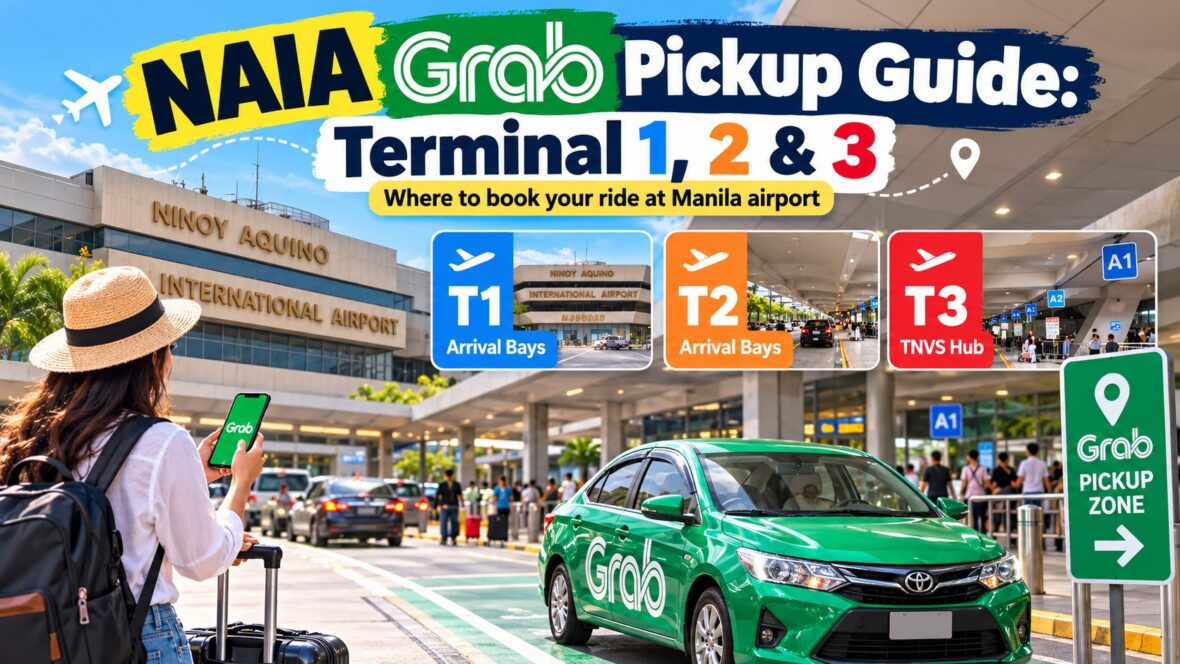
The important thing to know is that Grab pickups are allowed at NAIA, but the setup is not exactly the same at Terminals 1, 2 and 3.
Terminal 1 and Terminal 2 generally use designated arrival curbside pickup areas. Terminal 3 is different because ride-hailing services operate from a centralized transport hub connected to the terminal’s multi-level parking building. NAIA operator New NAIA Infra Corp. says accredited Transport Network Vehicle Services such as Grab are authorized to pick up passengers at the airport.
So if you’re arriving in Manila and planning to book Grab, here’s a practical guide to finding your pickup point without unnecessary stress.
Content
Can You Book Grab From NAIA?
Yes.
Grab operates at Ninoy Aquino International Airport, including Terminals 1, 2 and 3.
You can normally book directly through the Grab app, and Grab booking booths or assistance points are also available around the airport.
Grab’s official airport page currently lists NAIA as a supported airport and offers several ride options depending on availability, including standard GrabCar services and larger vehicles. It also advertises advance booking for airport transportation.
The bigger challenge isn’t whether Grab is available.
It’s figuring out exactly where your driver is supposed to meet you.
And that depends on your terminal.
Quick Guide: Grab Pickup at NAIA
Here’s the simplest way to remember it:
| NAIA Terminal | Grab Pickup Setup |
|---|---|
| Terminal 1 | Designated arrival curbside bays / Grab pickup points |
| Terminal 2 | Designated arrival curbside pickup area |
| Terminal 3 | Centralized TNVS/ride-hailing hub at the multi-level parking facility |
Terminal assignments, curbside arrangements and individual pickup bays can change, so always use the exact pickup location currently displayed in the Grab app.
Don’t depend entirely on an old screenshot or a YouTube video recorded several years ago.
NAIA Terminal 1 Grab Pickup
Terminal 1’s arrival pickup system has undergone major changes.
NAIA’s operator opened the terminal’s main arrival curbside to all passengers in 2025 and reorganized the pickup areas to make room for private vehicles, hotel transfers, ride-hailing services and other authorized transportation. Grab booths were also positioned around the arrival pickup area.
Grab’s own NAIA airport page currently lists multiple Terminal 1 pickup choices, including a Grab Booth and different groups of arrival bays.
How to Get a Grab at Terminal 1
Once you’ve landed:
- Clear immigration if you’re arriving internationally.
- Collect your baggage.
- Pass through customs.
- Enter the public arrivals area.
- Open the Grab app.
- Enter your destination.
- Select NAIA Terminal 1 as your pickup location.
- Choose the specific arrival bay or pickup point shown by the app.
- Walk to that bay before your driver arrives.
- Check the driver’s name, vehicle and license plate before getting inside.
One important tip:
Don’t just type “NAIA Terminal 1” and then stand wherever you happen to exit.
Terminal 1 has several curbside sections.
The driver may be approaching one bay while you’re standing several bays away.
What Do the Terminal 1 Bay Numbers Mean?
The Terminal 1 curbside is divided into designated loading areas.
Grab’s airport page currently shows pickup options grouped into locations such as:
- Arrival Bays A
- Arrival Bays B
- Arrival Bays C
- Grab Booth
Meanwhile, NAIA has continued reconfiguring Terminal 1’s arrival facilities as part of ongoing terminal improvements.
Because of this, I wouldn’t recommend memorizing one particular Grab bay.
The easiest rule is:
Use the pickup point that appears in your Grab app on the day you travel.
If your app says a specific bay, go to that exact bay before messaging your driver.
NAIA Terminal 2 Grab Pickup
Terminal 2 is more compact than Terminal 3, which can make Grab pickup a little easier to understand.
NAIA says passengers at Terminals 1 and 2 can use ride-hailing apps and proceed to their designated pickup areas at the arrival curbside.
Recent 2026 arrival guidance used for international visitors directs Terminal 2 passengers out from the baggage area toward the arrival bays and Grab booth near the Bay 9 area. Pickup bay assignments can still change, however, so your Grab app should remain your final reference.
How to Get a Grab at Terminal 2
After arriving:
- Collect your luggage.
- Leave the baggage claim area.
- Proceed toward Arrivals.
- Open Grab.
- Enter your destination.
- Select the Terminal 2 pickup point offered by the app.
- Look for the corresponding bay number or Grab signage.
- Message your driver if necessary.
- Verify the plate number before boarding.
Terminal 2’s layout is easier to navigate than Terminal 3, but don’t assume your driver can stop anywhere along the curb.
Ride-hailing pickups should still happen in authorized locations.
NAIA Terminal 3 Grab Pickup
This is the terminal where first-time passengers are most likely to get confused.
Why?
Because Grab pickup at Terminal 3 is no longer simply a case of walking outside arrivals and waiting along the ordinary curb.
NAIA opened a centralized ride-hailing and taxi hub for Terminal 3 in December 2024. Grab was the first ride-hailing operator to move into the facility. The hub is located within Terminal 3’s multi-level parking building and includes 18 loading bays, dedicated TNVS lanes and hundreds of vehicle spaces.
That means if your app directs you to the TNVS or Grab hub, don’t stand outside the regular arrivals curb expecting your GrabCar to come to you.
You need to follow the signs toward the designated transport facility.
How to Get a Grab at Terminal 3
After collecting your luggage:
- Exit the baggage claim area.
- Enter the public arrivals section.
- Open the Grab app.
- Enter your destination.
- Select the appropriate Terminal 3 Grab/TNVS pickup point.
- Follow signs for Grab, TNVS, Ride-Hailing or the transport hub.
- Proceed toward the multi-level parking facility.
- Check the bay indicated by the app or airport staff.
- Wait for your assigned vehicle.
- Confirm the plate number before boarding.
The centralized hub was created specifically to reduce congestion around Terminal 3 and organize ride-hailing pickups more efficiently.
NAIA is continuing to redevelop transportation facilities around T3, including work toward a broader Ground Transportation Center, so layouts may continue evolving.
Again, signage and the Grab app are more useful than memorizing an old bay number.
Don’t Wait at the Terminal 3 Arrivals Curb by Default
This is probably the most important Terminal 3 tip.
You may come across older travel guides saying:
“Go outside arrivals and meet Grab at Bay 4.”
That information may reflect an older configuration.
The current system places accredited ride-hailing services in the centralized Terminal 3 transport hub at the multi-level parking building.
So when arriving at T3, follow the pickup location supplied by the app.
If you’re unsure, ask:
“Where is the Grab or TNVS pickup hub?”
Airport personnel deal with this question all day.
Can I Book Grab Without the App?
Possibly.
NAIA’s Terminal 3 centralized hub includes dedicated lounges where passengers without ride-hailing apps can make on-the-spot bookings. Grab is among the services operating there.
Grab booths have also traditionally operated at NAIA terminals.
This can be useful for foreign travelers who:
- Don’t have mobile data
- Can’t download the app
- Have difficulty adding a payment method
- Don’t have a Philippine SIM
- Aren’t familiar with the airport
Still, downloading and setting up Grab before arriving in Manila is much easier.
When Should You Book Your Grab?
This may sound like a small detail, but it can save you a lot of trouble.
Don’t book immediately when your plane touches down.
You’ve still got to:
- Taxi to the gate
- Disembark
- Walk through the terminal
- Clear immigration
- Wait for baggage
- Pass customs
That could take 20 minutes.
Or more than an hour.
If you book too early, your driver may reach the pickup point while you’re still waiting for your suitcase.
A Better Strategy
If you have checked luggage:
Wait until you have your bags or are almost finished with baggage claim.
If you only have hand-carry luggage:
You can usually book once you’re approaching the public arrivals area.
For Terminal 3, I’d first make sure I know how to reach the TNVS hub before finalizing the booking.
How Much Is Grab From NAIA?
There isn’t one fixed Grab fare from NAIA.
Prices depend on:
- Destination
- Time of day
- Traffic
- Demand
- Rain
- Holidays
- Vehicle type
- Available drivers
Grab’s official NAIA page currently gives an approximate Manila city-center airport transfer figure of around ₱300 to ₱500, with an estimated average journey of about 40 minutes. That’s only a general reference and not a guaranteed fare.
Trips to nearby Pasay or Makati may sometimes be relatively inexpensive.
Trips farther away—to Quezon City, Alabang, Cavite or areas outside Metro Manila—will naturally cost more.
And during heavy demand, prices can increase significantly.
Grab itself reported that congestion during peak periods can extend ride-hailing trip times by around 20% to 25%.
GrabCar vs GrabCar 6-Seater
If you’re traveling alone with one suitcase, a regular GrabCar is normally enough.
But I’d seriously consider a larger vehicle if you’re traveling with:
- Three or more passengers
- Several large suitcases
- Balikbayan boxes
- Golf bags
- Strollers
- Bulky equipment
Don’t assume four people plus four giant suitcases will comfortably fit into an ordinary sedan.
Booking the right vehicle from the beginning can save you from cancellations and awkward repacking at the curb.
What About GrabTaxi?
Grab may also show taxi-based ride options depending on availability.
The difference is important.
With standard GrabCar services, the app generally shows the fare before booking.
Grab’s airport information specifically promotes upfront fares for its ride-hailing service, except for GrabTaxi, where metered pricing applies.
So check exactly which service you’re selecting before confirming.
Cash or Cashless?
Grab supports multiple payment methods, although availability can depend on your account and country.
You may be able to use:
- Cash
- Credit or debit card
- GrabPay
- Other supported digital payment methods
For international visitors, I would still keep some Philippine pesos available.
You never know when your card might be declined or mobile data may stop working.
Check the License Plate Before Boarding
This sounds obvious, but airport pickup areas can be chaotic.
Several white sedans may arrive at once.
Before entering the car, compare:
- License plate
- Vehicle model
- Driver name
- Driver photo
with what appears in the Grab app.
Don’t simply ask:
“Grab?”
A random driver can say yes.
Instead, verify the actual booking information.
Avoid Unofficial Drivers Offering Rides
This is especially important at NAIA.
You may occasionally encounter people offering transportation as you walk through the arrivals area.
Use accredited services.
NAIA operator NNIC reiterated this after investigating a case where a passenger was reportedly charged more than ₱1,200 for a short journey between Terminals 3 and 2 by a vehicle that was not an accredited airport transport provider.
At NAIA, accredited ride-hailing operators such as Grab are authorized to handle passenger pickups.
If someone approaches you saying things like:
“Grab, sir?”
“Taxi ma’am?”
“Cheap ride?”
without being connected to your confirmed booking or an official transport booth, you don’t need to go with them.
What If My Grab Driver Can’t Find Me?
This happens a lot at airports.
The first thing to check is your pickup location.
Look at the app and identify your:
Terminal
Bay
Pickup zone
Then send your driver a simple message such as:
“NAIA Terminal 1, Arrival Bay A3.”
or
“I’m already at the T3 Grab/TNVS pickup hub.”
Keep it short.
Airport drivers know the terminals.
What they need is your exact pickup location.
Don’t Manually Drop a Random Pin
One common mistake is dragging the map pin to wherever you happen to be standing.
At a normal street location, that might work.
At an airport, it can create problems because vehicles may only be allowed to pick up passengers from specific zones.
Use the Grab app’s predefined airport pickup points whenever they’re available.
That helps ensure both you and the driver are sent to the same authorized area.
What If the Driver Asks Me to Walk Somewhere Else?
Sometimes a driver may message you asking you to meet at a different bay because of traffic.
Be careful.
Moving one or two authorized bays may be reasonable if permitted by airport traffic staff.
But don’t walk to a strange location far outside the designated transport area simply because a driver tells you to.
The safest approach is to stay within the official Grab/TNVS pickup area shown by your app and airport signage.
Grab From NAIA to Makati, BGC and Manila
Grab is particularly convenient if you’re staying in major Metro Manila destinations such as:
- Makati
- Bonifacio Global City
- Pasay
- Mall of Asia area
- Ermita
- Malate
- Ortigas
- Quezon City
You get door-to-door transportation without having to figure out jeepneys, buses or multiple train transfers immediately after landing.
For someone arriving in Manila for the first time with luggage, that convenience can be worth the extra cost.
Can You Take Grab From NAIA to Cavite?
Yes, depending on driver availability.
Grab trips from NAIA to places such as Bacoor, Imus, Dasmariñas or General Trias may be available in the app.
The bigger issue is whether a driver accepts a longer journey.
The same applies to destinations farther outside Metro Manila.
Always enter the exact destination and let the app determine availability and pricing.
Can You Take Grab From NAIA to Angeles City or Clark?
It may be possible for drivers to accept longer trips, but availability becomes less predictable the farther you travel from Metro Manila.
For Clark or Angeles, I would compare Grab against dedicated airport buses and private transfers.
A driver who accepts a short Makati trip isn’t necessarily going to want a much longer ride to Pampanga.
Can Grab Take You Between NAIA Terminals?
Technically, you may be able to book a Grab between terminals.
But in most cases, you shouldn’t need to pay for one.
NAIA operates free inter-terminal shuttle buses connecting Terminals 1, 2 and 3. NNIC says these buses operate continuously, with services around every 15 minutes under its current setup.
So if you’re simply connecting from:
Terminal 1 → Terminal 2
Terminal 2 → Terminal 3
Terminal 3 → Terminal 1
check the free terminal shuttle first.
Grab From Your Hotel to NAIA
Grab is also one of the easiest options for getting back to the airport.
And there’s a useful feature many passengers don’t know about.
Grab introduced the ability to enter your flight number when arranging an airport ride. The app can then help identify the appropriate terminal for your flight.
That’s useful at NAIA because going to the wrong terminal can turn into a major problem.
Terminals 1, 2 and 3 are separate buildings.
Always confirm your airline’s current terminal assignment before leaving your hotel.
Can You Schedule a Grab to NAIA in Advance?
Yes.
Grab offers Advance Booking for airport trips, allowing passengers to arrange transportation ahead of departure. Its Philippine Advance Booking program specifically recognizes NAIA Terminals 1, 2 and 3 as airport destinations.
This can be useful for:
Early morning flights
Late-night departures
Families
Travelers with lots of luggage
People staying far from the airport
But I’d still allow generous travel time.
Advance booking doesn’t make Metro Manila traffic disappear.
How Early Should You Leave for NAIA?
This depends heavily on where you’re coming from.
Manila traffic can change dramatically within an hour.
A journey that takes 25 minutes late at night can take much longer during weekday rush hour.
For an international flight, I would rather arrive early and have breakfast at the airport than sit inside a Grab staring at Google Maps while the check-in deadline gets closer.
What If Grab Is Expensive?
Surge pricing happens.
If your fare suddenly looks unusually high, you have a few options.
Wait several minutes and check again.
Compare another accredited ride-hailing service.
Check official airport transportation.
Consider an airport bus if one serves your destination.
If you’re connecting terminals, take the free NAIA shuttle instead.
The important thing is not to respond to a high Grab fare by accepting an unofficial ride from someone approaching passengers outside arrivals.
NAIA Grab Pickup Tips
Here are a few things I would do before every airport Grab ride:
- Connect to mobile data or airport Wi-Fi before leaving arrivals.
- Don’t book until you’re nearly ready to leave.
- Use the official airport pickup point inside the app.
- Screenshot your driver’s details if your signal is unstable.
- Check the plate before boarding.
- Use GrabChat to tell the driver your exact bay.
- Choose a larger vehicle if you have lots of luggage.
- Avoid unofficial drivers offering rides.
- Keep some pesos available even if you plan to pay cashless.
- Double-check the terminal before booking.
Frequently Asked Questions
Where is Grab pickup at NAIA Terminal 1?
Grab uses designated arrival pickup areas at Terminal 1. Grab’s current airport page lists a Grab Booth and several selectable arrival-bay groupings. Because Terminal 1’s curbside has been reconfigured, follow the exact location shown in your Grab app rather than depending on one permanent bay number.
Where is Grab pickup at NAIA Terminal 2?
Grab pickups are handled through designated arrival curbside locations. Recent 2026 visitor guidance directs passengers toward the Grab booth around the Bay 9 area, but check the Grab app and airport signage because individual bay assignments may change.
Where is Grab pickup at NAIA Terminal 3?
Terminal 3 uses a centralized ride-hailing or TNVS hub located within the multi-level parking building. Follow Grab/TNVS transport signs rather than waiting along the ordinary arrivals curb.
Is Grab allowed inside NAIA?
Yes. Grab is an accredited TNVS operator authorized to pick up passengers at NAIA.
Is there a Grab booth at NAIA?
Yes. Grab operates airport booking facilities, including a dedicated booking lounge at Terminal 3’s transport hub. Grab’s airport page also identifies a Grab Booth among its airport pickup options.
Can foreigners use Grab in Manila?
Yes. Grab is widely used by both local passengers and international visitors.
I recommend downloading the app and setting up your account before traveling to the Philippines.
Is Grab available 24 hours at NAIA?
Grab can generally be booked throughout the day, but actual driver availability depends on demand and the number of vehicles nearby.
Late-night and early-morning availability may therefore vary.
Is Grab cheaper than an airport taxi?
Sometimes, but not always.
One advantage is that standard GrabCar pricing is displayed in the app before booking, so you can see the fare before accepting the ride. GrabTaxi works differently because metered pricing applies.
Final Thoughts
Using Grab from NAIA is actually fairly simple once you understand one thing:
The pickup system is different depending on your terminal.
At Terminal 1, follow the designated arrivals bays shown in the app.
At Terminal 2, head toward the designated arrival curbside Grab area.
And at Terminal 3, remember that Grab pickups are handled through the centralized TNVS transport hub at the multi-level parking facility.
The biggest mistake you can make is simply walking outside, booking a ride and assuming your driver can stop wherever you’re standing.
Check your terminal.
Check your pickup bay.
Follow the app.
Verify the vehicle.
Then you’re good to go.
After a long flight, that’s probably the easiest way to get from NAIA to your hotel, home or next destination without making your arrival in Manila more complicated than it needs to be.