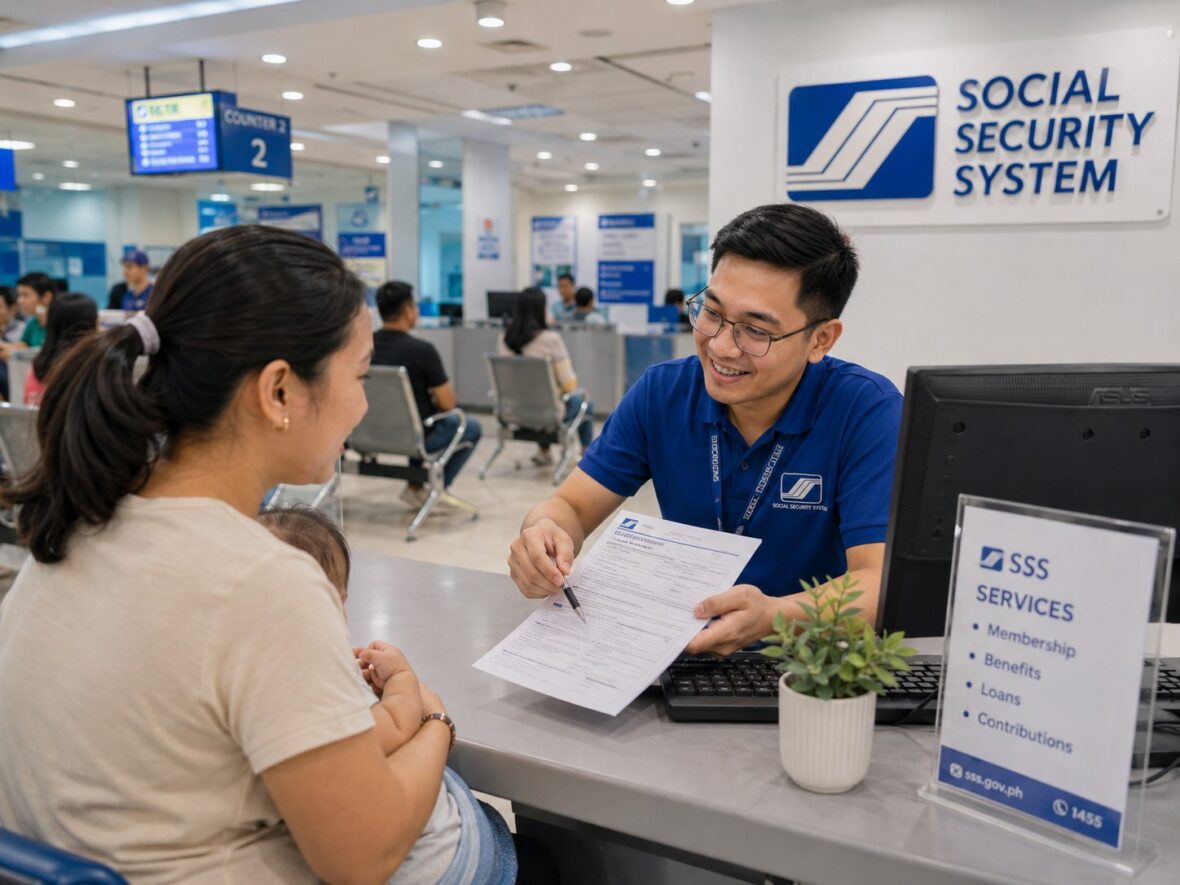
You have been seeing an SSS deduction on your payslip every month. But have you ever checked whether those contributions were actually posted to your SSS account?
Many employees assume everything is fine because the amount is already being deducted from their salaries. Voluntary and self-employed members may also assume that a successful payment confirmation means the contribution is already reflected in their records.
Most of the time, everything goes smoothly. Still, checking your SSS contributions regularly is one of those small financial habits that can prevent a much bigger problem later.
You do not want to discover missing contributions only when you are about to apply for a salary loan, maternity benefit, sickness benefit, unemployment benefit, or retirement pension.
The good news is that you can check your contribution history online through the My.SSS Member Portal or the MySSS mobile app. There is usually no need to visit an SSS branch just to review your posted payments.
Let us go through the process step by step.
Content
Why Should You Check Your SSS Contributions?
SSS contributions are not simply deductions that appear on your payslip or payments that you make every month.
Your posted contributions may affect your qualification for SSS loans and benefits. SSS itself reminds members that eligibility for benefits and loans depends on their contribution records. (SSS)
Checking your account helps you confirm that:
- Your employer is remitting your contributions.
- The correct contribution amount is being posted.
- Your payments are credited to the correct months.
- Your membership type is correct.
- Your self-employed or voluntary payments were successfully recorded.
- There are no unexpected gaps in your contribution history.
- Your Monthly Salary Credit is consistent with your salary or declared earnings.
Think of your My.SSS contribution record as your official receipt cabinet.
Your payslip shows that money was deducted from your salary. Your payment receipt shows that you paid through a collecting partner. However, your My.SSS account shows whether the contribution made it into your official membership record.
What Do You Need Before Checking Your Contributions?
Prepare the following:
- Your registered My.SSS user ID and password
- Access to your SSS-registered mobile number
- A stable internet connection
- A phone, tablet, laptop, or desktop computer
SSS uses multi-factor authentication when members access the My.SSS Portal. Members may receive a six-digit one-time password through their SSS-registered mobile number or use a time-based one-time password through an authenticator application. (SSS)
This is why keeping your registered mobile number updated is important. You may know your user ID and password, but you could still have difficulty signing in when the security code is being sent to an old or inactive number.
How to Check SSS Contributions Through the My.SSS Website
The My.SSS Member Portal is usually the most convenient option when you want to see a larger portion of your contribution history on a computer screen.
Step 1: Visit the official SSS website
Go to the official Social Security System website and select the option to create or sign in to a My.SSS account.
Be careful when searching through Google or clicking links sent through text messages and social media. Always confirm that you are accessing the official SSS website before entering your login information.
The official SSS homepage provides access to My.SSS registration and login services. (SSS)
Step 2: Select the member login
SSS maintains separate online access for members and employers.
Choose Member because you are checking your personal contribution record. Do not choose the employer portal unless you are accessing an employer account.
Step 3: Enter your user ID and password
Type your registered My.SSS user ID and password.
Check your spelling carefully, especially when your password contains uppercase letters, lowercase letters, numbers, or special characters.
The My.SSS sign-in page also provides a password-recovery option for members who have forgotten their credentials. (SSS Member Portal)
Step 4: Complete the security verification
Depending on your authentication settings, SSS may ask you to enter:
- An SMS one-time password sent to your registered mobile number, or
- A verification code from your authenticator application
The SMS code is sent to the mobile number recorded in your SSS account. SSS also allows members to use TOTP through an authenticator app as an alternative authentication method. (SSS)
Never share your password or one-time password with another person.
Step 5: Open the contribution inquiry section
After logging in, look for the menu relating to:
- Contributions
- Inquiry
- Contribution records
- Actual premiums
- Payment history
The exact menu label or screen arrangement may change when SSS updates the portal. In general, you need to open the member inquiry or contribution section to see your posted monthly payments.
Step 6: Review your posted contributions
Your account should display your contribution history according to the records available in the SSS system.
Depending on the current portal layout, you may see information such as:
- Applicable month
- Posted contribution amount
- Monthly Salary Credit
- Membership or coverage type
- Employer-related posting information
- Regular Social Security contribution
- Employees’ Compensation contribution, when applicable
- Mandatory MySSS Pension Booster contribution, when applicable
Check the records month by month rather than looking only at the total amount.
Step 7: Save a copy for your records
You may take a screenshot, print the page, or save an available downloadable copy.
Do not post an unedited screenshot publicly. Your contribution page may contain personal information, your SS number, employer details, or other account data.
How to Check SSS Contributions Using the MySSS Mobile App
You can also check your contributions using your smartphone.
SSS confirms that the MySSS mobile app allows members to view their membership details and monthly contributions. The app also supports services such as My.SSS account creation, contribution PRN generation, online contribution payments, password resetting, and branch searching. (SSS)
Step 1: Download the official MySSS app
Download the official MySSS mobile application from your device’s legitimate app store.
Before installing it, check that the application is associated with the Philippine Social Security System. Avoid downloading unofficial APK files or applications from links sent by unknown individuals.
According to SSS, the current minimum operating-system requirements are:
| Device | Minimum requirement |
|---|---|
| Android | Android 9 or later |
| iPhone or iPad | iOS 14 or later |
(SSS)
Step 2: Open the app and sign in
Enter the same user ID and password you use for the My.SSS Member Portal.
The application may also offer biometric login after your account and device have been properly set up. SSS lists biometric login as one of the newer features of the MySSS app. (SSS)
Step 3: Complete any required verification
You may be asked to complete an authentication step before accessing sensitive account information.
Make sure your registered phone number remains active and accessible.
Step 4: Find the contributions section
From the app dashboard or main menu, look for the option relating to Contributions, Monthly Contributions, or Contribution Inquiry.
Tap that option to open your posted payment history.
Step 5: Review the contribution details
Check the applicable months and contribution amounts.
The mobile app is convenient for a quick monthly check. However, a laptop or desktop browser may be easier when you are reviewing several years of records or comparing your contribution history with old payslips.
How to Read Your SSS Contribution Record
Seeing a list of numbers is one thing. Understanding what those numbers mean is another.
Here are the most important details to review.
Applicable month
The applicable month is the month for which the contribution was paid.
For example, a payment made in August may appear as a contribution for July if July was the applicable month covered by the payment.
Do not assume that the payment date and applicable contribution month are always the same.
Posted contribution
A posted contribution is already reflected in the SSS system and credited to your membership record.
For employees, the amount generally includes both the employee and employer shares, plus the applicable Employees’ Compensation contribution paid by the employer.
Employees should therefore avoid comparing the total posted amount directly with only the deduction appearing on their payslip. The total SSS remittance is normally higher because the employer contributes its own share.
Employee contributions are remitted monthly through salary deductions beginning in the first month of employment, while the employer is responsible for remitting both the deducted employee share and the required employer share. (SSS)
Monthly Salary Credit
The Monthly Salary Credit, or MSC, is the compensation base used by SSS for contributions and benefit computations.
It is not always identical to your exact salary. Your compensation falls within a contribution range, and that range has a corresponding MSC.
The current contribution schedule uses a 15% Social Security contribution rate, divided between the employer and employee for employed members. The latest official SSS contribution schedule should be used when checking whether your posting is correct. (SSS)
Membership type
Your record may show contributions under different membership or coverage types, such as:
- Employed
- Self-employed
- Voluntary
- Overseas Filipino worker
- Non-working spouse
It is normal to see different membership types when your work situation changed over the years.
For example, you may have worked for a company before becoming a freelancer. Your older records may show employee contributions, while your newer payments may appear as self-employed or voluntary contributions.
Regular SS and Pension Booster portions
When your MSC exceeds ₱20,000, part of the contribution may be credited to the mandatory MySSS Pension Booster component.
SSS states that contributions corresponding to the portion of the MSC above ₱20,000 and up to ₱35,000 are credited to the member’s individual account under the mandatory provident-fund program known as MySSS Pension Booster. (SSS)
That does not necessarily mean you were charged an unrelated extra fee. It is part of how the contribution is allocated under the current schedule.
How Often Should You Check Your Contributions?
You do not necessarily have to sign in every day.
For most members, checking once a month or once every few months is reasonable.
Employees may review their records after the employer’s payment and posting cycle. Individually paying members may check after completing a PRN-based payment.
SSS uses the Real-Time Processing of Contributions system for PRN payments. The system is designed to validate, transmit, acknowledge, and post contribution-payment data to the member’s record. (SSS)
Still, “real-time” does not mean you should panic when a payment does not appear the second you close the payment application. Payment channels and account displays may occasionally require additional processing or synchronization.
Keep your official receipt or electronic payment confirmation until the contribution appears in your account.
What Should You Check as an Employee?
Employees should compare three records:
| Record | What it tells you |
|---|---|
| Payslip | Amount deducted from your salary |
| My.SSS account | Amount officially posted to your membership |
| Employment records | Employer and months covered |
Here are the questions you should ask:
- Is there a contribution for every month that I worked?
- Does the contribution correspond reasonably to my salary?
- Is the correct employer associated with the posting?
- Are there unexplained gaps?
- Did my contribution increase when my salary moved to a higher bracket?
- Are contributions still being posted under a former employer?
Employers are required to deduct the employee share and remit it together with the employer share and Employees’ Compensation contribution. Employers must also maintain accurate payroll, deduction, and payment records. (SSS)
What Should Voluntary and Self-Employed Members Check?
Individually paying members should review:
- The membership type selected in the PRN
- The applicable contribution month
- The Monthly Salary Credit
- The amount paid
- The date of payment
- The payment channel
- Whether the contribution is already posted
This is particularly important when changing from employee to voluntary membership.
A previously employed member who has stopped working may select Voluntary while generating a PRN through My.SSS. SSS treats this selection as the member’s declaration that employment has ended for the period covered by the voluntary payment. (SSS)
Self-employed members should ensure that their contributions are being paid under the correct self-employed classification. SSS states that self-employed members use PRNs generated through My.SSS and may pay monthly or quarterly through accredited channels. (SSS)
Do not casually select a membership type just because it produces a payment reference number. The classification should reflect your actual current situation.
What If Your SSS Contribution Is Missing?
Finding a missing contribution can be worrying, but do not immediately assume that the money is permanently lost.
Follow these steps.
1. Check the applicable month carefully
The contribution may have been posted under the month it covers rather than the month when payment was made.
Review the months before and after the expected posting.
2. Allow for reasonable posting time
A payment may still be undergoing processing, especially when it was made recently or through an external collecting partner.
Keep checking your My.SSS account and retain your receipt.
3. Review your payment details
For individually paying members, verify:
- SS number
- PRN
- Membership type
- Applicable month
- Contribution amount
- Payment date
- Payment channel
A typographical error or incorrect PRN could require further investigation.
4. Contact your employer or HR department
Employees should ask payroll or human resources for confirmation of remittance.
You may request proof that the employer included you in the contribution payment for the affected month. Bring or send copies of your payslips showing the SSS deductions.
Keep the conversation professional and specific. Instead of saying, “None of my SSS payments are being made,” identify the exact months that are missing.
For example:
My My.SSS account does not show contributions for February, March, and April 2026, although SSS deductions appear on my payslips. Could you please check whether these months have already been remitted and posted?
5. Contact SSS
When the issue remains unresolved, contact SSS through its official assistance channels.
SSS currently lists the following general contact options:
- SSS Hotline: 1455
- Email: usssaptayo@sss.gov.ph
- An SSS branch or branch e-center
SSS says branch e-centers can assist members who are having difficulty using the My.SSS Portal. (SSS)
Prepare the following information:
- Full name
- SS number
- Affected contribution months
- Employer name, when applicable
- Copies of payslips
- PRN
- Official receipt or payment confirmation
- Screenshot of the missing online record
Do not send your password or one-time password.
What If Your Employer Deducted SSS but Did Not Remit It?
This is more serious than a simple display delay.
SSS states that an employer who fails to report employees or remit their contributions may be required to pay the unpaid contributions and applicable penalties and may face legal consequences. The official employee information page also states that an employee remains entitled to SSS benefits even when the employer fails or refuses to report and remit the contributions, subject to proper verification and processing. (SSS)
As an employee, preserve your evidence:
- Employment contract
- Company ID
- Payslips
- Payroll records
- Bank statements showing salary deposits
- Certificate of employment
- Messages or emails from HR
- Copies of your My.SSS contribution history
Start by requesting a written explanation from your employer. When the employer does not correct the issue, raise the matter directly with SSS and provide the documents supporting your employment and salary deductions.
Do not wait several years before checking.
The longer the period involved, the more records you may need to gather.
What If the Posted Amount Is Incorrect?
A contribution may be present but lower than expected.
Possible explanations include:
- Your salary falls under a different MSC bracket than you assumed.
- The contribution was based on only part of a month’s compensation.
- Your employer reported a lower compensation amount.
- You selected a lower MSC as a voluntary member.
- The contribution was posted under an incorrect membership type.
- Only part of the payment was properly credited.
- The record is still being updated.
Begin by checking the official contribution schedule and comparing it with your actual salary or selected MSC.
For employees, ask payroll to explain how the deduction and reported compensation were calculated.
For voluntary or self-employed members, compare the posting with the PRN and payment receipt.
What If You Have Gaps in Your Contribution History?
A gap means there is no posted contribution for a particular month.
Not every gap is necessarily an error.
You may have been:
- Unemployed
- Not earning income as a self-employed member
- Between jobs
- Living abroad without making contributions
- Unable to continue voluntary payments
- Not yet covered during that period
However, a gap should be investigated when you were employed and SSS contributions were being deducted from your salary.
Voluntary members generally cannot make retroactive payments simply to fill old contribution gaps. SSS states that missed voluntary contribution months are considered gaps and cannot be paid retroactively once the permitted payment period has passed. (SSS)
The same general restriction applies to approved self-employed members who fail to remit contributions on time: missed months become gaps, and retroactive payment is not allowed. (SSS)
This is one of the biggest reasons to check your records regularly. It is much easier to resolve a current issue than to discover a five-year-old gap when you are already filing a benefit claim.
Can You Check SSS Contributions Without a My.SSS Account?
The most convenient way to check from home is through a registered My.SSS account or the MySSS app.
When you do not yet have an account, you may create one through the official SSS online registration service. The current MySSS app also supports My.SSS account creation. (SSS)
Members who cannot register or access their accounts may seek assistance from:
- An SSS branch e-center
- SSS Hotline 1455
- The official SSS customer-service email
You may be asked to verify your identity before SSS releases or discusses your records.
What If You Forgot Your My.SSS User ID or Password?
Use the Forgot User ID or Password option on the official My.SSS login page.
The current recovery process may allow verification through multi-factor authentication or security questions. After account verification, the member can nominate a new password. (SSS Member Portal)
Avoid repeatedly guessing your password because this may result in additional login difficulty.
Also check your email’s spam or junk folder when waiting for an SSS recovery message.
What If You Are Not Receiving the OTP?
Try these basic steps:
- Confirm that your phone has a mobile signal.
- Check whether the registered SIM is still active.
- Restart your phone.
- Wait briefly before requesting another code.
- Confirm that your inbox is not full.
- Use your configured authenticator application when TOTP is available.
- Update your contact information when your registered number is outdated.
SSS specifically advises members to maintain updated mobile information because the SMS-OTP is sent to the number recorded in the SSS database. Members who have an existing but outdated number may update certain contact details through My.SSS. Those with no mobile number in their SSS record may need to submit a Member Data Change Request at an SSS branch. (SSS)
Common Mistakes to Avoid
Checking only your payslip
A deduction on your payslip does not automatically confirm that the contribution has already been posted to your SSS account.
Check both records.
Sharing your OTP
An SSS employee, legitimate customer-service representative, friend, or employer should not need your password or one-time password to check your personal account.
Keep those details private.
Using unofficial websites
Fraudulent pages may imitate government websites to collect passwords and personal information.
Access My.SSS through the official SSS website or official mobile application.
Throwing away payment receipts
Keep your PRN and payment confirmation until the contribution appears in your online record.
Digital receipts can be saved in a dedicated folder in your email, cloud storage, or phone.
Ignoring small gaps
One missing month may appear unimportant today, but multiple missing months can eventually affect qualification for a loan or benefit that requires contributions within a specific period.
Selecting the wrong membership type
A former employee should not automatically pay as self-employed, and a person actively earning through self-employment should not select voluntary status merely because it is convenient.
Use the classification that accurately represents your situation.
Frequently Asked Questions
Is it free to check SSS contributions online?
Yes. Reviewing your contribution record through your My.SSS account or the official MySSS app does not require a service fee.
You only need internet or mobile-data access.
Can I see all my previous SSS contributions?
Your online contribution inquiry should show the contribution records available in the SSS database.
Members with long employment histories should review older entries carefully, especially when they worked for several employers or changed membership types.
Can I check my employer’s SSS contribution?
You can check contributions credited to your own membership record.
Your My.SSS account is not intended to give you unrestricted access to your employer’s entire SSS account or the records of other employees.
Why is my latest employee contribution not yet showing?
Your employer may not have reached its remittance deadline, the payment may still be processing, or the contribution may require correction.
Check again later and ask payroll for the remittance status when the delay becomes unusual.
Can I use the MySSS app abroad?
The app is designed to provide online account access, but successful use depends on your device, internet connection, account credentials, and ability to complete the required security verification.
OFWs should make sure their SSS-registered mobile and email information remain accessible.
Does a missing contribution erase my previous payments?
No. A missing month does not normally erase contributions that were already validly posted.
It creates a gap that may need investigation or may affect qualification depending on the requirements of a particular benefit or loan.
Can I pay an old missing voluntary contribution?
Generally, you cannot go back and pay voluntary contributions for months that are already outside the allowed payment period. SSS treats those months as contribution gaps. (SSS)
Should I count the amounts or the months?
Both are important, but when checking eligibility requirements, pay close attention to the number and timing of posted monthly contributions.
Do not assume that paying a larger amount for one month counts as several monthly contributions.
Can another person check my contributions for me?
Your My.SSS account contains private personal and financial information. It is safer to access it yourself.
When you need help, use an official SSS branch e-center rather than giving another person your password and OTP.
A Simple Monthly SSS Checklist
Once a month, take a few minutes to do the following:
- Open your My.SSS account.
- Check the latest applicable contribution month.
- Compare it with your payslip or payment receipt.
- Verify the contribution amount.
- Confirm the membership type.
- Save a screenshot or copy of the updated record.
- Follow up immediately when something looks incorrect.
This may sound like an additional chore, but it usually takes only a few minutes.
Those few minutes can save you from weeks of gathering documents and following up on missing contributions later.
Final Thoughts
Checking your SSS contributions online is one of the easiest ways to protect your membership record.
Do not simply assume that every payroll deduction or electronic payment has been properly credited. Log in to your My.SSS account, review the applicable months, check the amounts, and investigate unusual gaps while your receipts and employment records are still easy to find.
This is especially important when you recently changed employers, resigned from work, became self-employed, switched to voluntary membership, or started paying contributions from abroad.
Your contribution history plays an important role in your access to SSS benefits, loans, and retirement protection. Keeping an eye on that history is not being overly cautious. It is simply being responsible with money that you and, when applicable, your employer are setting aside for your social security.