Have you been considering closing your GCash account but don’t know how? Whether it’s for personal reasons or you simply no longer need the service, deleting a GCash account can seem a daunting task. But worry not; I’ll guide you through the entire process.
When you request for account deletion, your account will first be tagged as inactive. You’ll receive an error prompt to contact GCash Support on your Login Screen, and you’ll no longer be able to log in. Here’s what it will look like:

What’s important to note is that the actual deletion of your data from GCash systems will occur after five (5) years, following compliance with R.A. 9160.
Should you wish to proceed with the deletion, here’s a detailed step-by-step guide.
Content
STEP 1: Settle Any Outstanding GCash Dues
Clear any outstanding dues in your GCash account, such as GCredit.
STEP 2: Download and Accomplish the Account Deletion Request Form
Fill in the Account Deletion Request Form with necessary details, and make sure to follow all the instructions regarding confirming your identity.
STEP 3: File a Ticket in the Help Center
Expect feedback within the next 24 hours.
STEP 4: Enter GCash-Registered Full Name
In the GCash-registered Full Name field, enter the name of the GCash account owner.
STEP 5: Enter GCash-Registered Mobile Number
In the GCash-registered Mobile Number field, enter the number you want to delete.
STEP 6: Select Concern Category
Select “My GCash Account” as the Concern Category. After that, select “I want to cancel/delete my GCash account.”
STEP 7: Explain Your Concern
Indicate “I want to delete my GCash Account” in the “Explain your concern” field.
STEP 8: Tick the Document Box
Make sure to tick the box of the same document you selected in your Account Deletion Request Form. If you have an authorized representative, follow the instructions accordingly.
STEP 9: Attach Required Documents
In the Attachments field, attach the following:
- A photo of the document for confirming your Authorized Representative’s identity (if applicable)
- An authorization letter for your Authorized Representative (if applicable)
- Your accomplished Account Deletion Request Form
- A photo of the document you chose to confirm your identity
STEP 10: For Authorized Representatives
If applicable, indicate that you are authorizing your Authorized Representative to request for your account deletion in the authorization letter.
STEP 11: Tap Submit
After completing all the steps, tap Submit.
Important Reminders
– Deleting your account also cancels related records like GInsure, GInvest, GCredit, and other related benefits.
– If you register for a GCash account again in the future, your previous records cannot be restored.

Conclusion
Deleting your GCash account is a significant decision that requires attention to detail. Follow these steps carefully, and don’t hesitate to reach out to GCash Support if you encounter any issues. Remember to review the process and understand the implications fully before proceeding with account deletion.
FAQ: How to Delete Your GCash Account
1. What is the process for deleting my GCash account?
Deleting a GCash account involves settling any outstanding dues, filling out the Account Deletion Request Form, submitting the required documents, and following specific steps in the Help Center. Please refer to our detailed guide on how to delete a GCash account for a step-by-step process.
2. How long does it take to delete a GCash account?
After requesting deletion and submitting all required documents, you should expect feedback within 24 hours. However, please note that the actual deletion of data from the system will be done after five (5) years, in compliance with R.A. 9160.
3. Can I delete my GCash account if I have outstanding dues?
No, all outstanding GCash dues such as GCredit must be settled before requesting account deletion. The process will not proceed if any dues are pending.
4. What documents are needed to delete a GCash account?
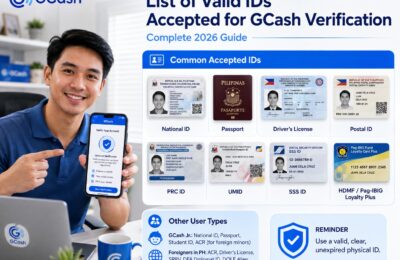
You’ll need to attach a photo of a Government-issued ID or Passport, and possibly additional documents if the name doesn’t match or if an Authorized Representative is involved. Details can be found in our guide on deleting a GCash account.
5. What happens to my GInvest, GInsure, and GCredit records when I delete my GCash account?
By deleting your account, you are also canceling these records and other related benefits. They cannot be restored if you register for a GCash account again.
6. Can someone else request deletion of my GCash account on my behalf?
Yes, you can request account deletion through an Authorized Representative. Specific documents such as a Government-issued ID of the Authorized Representative and an authorization letter will be required.
7. Can I reactivate my GCash account after deletion?
Once your GCash account is deleted, you cannot reactivate it. If you register for a new GCash account in the future, your previous records and benefits will not be restored.
8. Where can I find the Account Deletion Request Form to delete my GCash account?
The Account Deletion Request Form can usually be downloaded from the GCash Help Center or the official website. Follow the instructions in our guide for step-by-step directions on how to fill and submit the form properly.