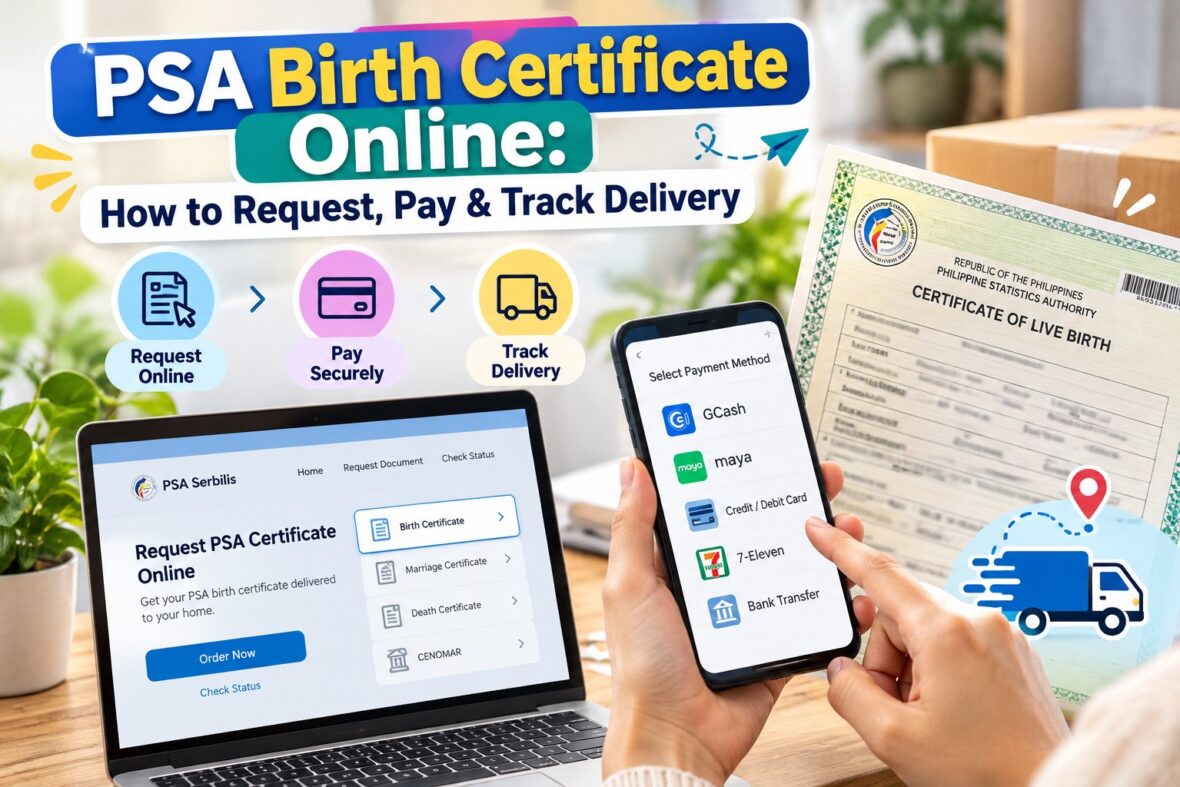
Getting a PSA birth certificate used to mean visiting a government office, waiting in line, and spending a good part of your day processing a document. Fortunately, that’s no longer your only option.
Today, you can request your PSA birth certificate online, pay using GCash, Maya, a credit card, or other available payment channels, and have the document delivered straight to your home.
Whether you need a birth certificate for a passport application, school enrollment, employment, marriage, or another government transaction, the online process can save you time and effort.
And the good news? You don’t even have to live in Metro Manila to use it. PSA online delivery services are available throughout the Philippines, including provincial areas.
But there are a few important things you should know before placing an order. For example, there are two authorized online ordering platforms, their fees are different, and each uses its own reference number and tracking system.
In this guide, I’ll walk you through everything you need to know about requesting a PSA birth certificate online, including the requirements, current fees, payment methods, delivery timelines, and how to track your request.
Updated October 2026. Fees and procedures are based on published information from the Philippine Statistics Authority and its authorized online service providers.
Content
What Is a PSA Birth Certificate?
A PSA birth certificate is an official civil registry document issued by the Philippine Statistics Authority (PSA).
It contains important information about a person’s birth, including:
- Full name
- Date of birth
- Place of birth
- Sex
- Father’s name
- Mother’s maiden name
- Other details recorded during birth registration
This document is commonly requested as proof of identity, age, parentage, and other personal information.
You may need a PSA birth certificate when applying for a Philippine passport, enrolling in school, processing employment requirements, applying for government identification cards, or completing legal transactions.
If you still remember the old NSO birth certificate, the PSA essentially took over the functions of the former National Statistics Office following the government’s reorganization of its statistical agencies.
Today, PSA is the agency responsible for issuing these civil registry certifications.
Can You Request a PSA Birth Certificate Online?
Yes! You can request a PSA birth certificate online without personally visiting a PSA office.
The Philippine Statistics Authority recognizes two authorized online channels:
- PSAHelpline.ph
- PSA Serbilis (psaserbilis.com.ph)
Both services allow qualified individuals to request PSA-issued birth certificates and arrange delivery.
You can complete an online application using your smartphone, tablet, laptop, or desktop computer.
Once you successfully submit your application and pay the required fee, your request will be processed and the document will be prepared for delivery.
You can also monitor the progress of your request online.
One important reminder: online ordering is not the same as registering a birth. If your birth has never been registered with the Local Civil Registry Office, you may need to resolve the registration first before PSA can issue a certificate.
PSA Birth Certificate Online Price: How Much Does It Cost?
The cost depends on which authorized platform you use and how you want to receive your document.
Here are the published fees as of October 2026.
| Service | Fee |
|---|---|
| PSA Serbilis – nationwide delivery, first copy | ₱330 |
| PSA Serbilis – each additional copy in the same eligible order | ₱280 |
| PSAHelpline – nationwide delivery | ₱365 |
| PSAHelpline – selected branch pickup | ₱335 |
| PSAHelpline – digital e-certificate | ₱290 |
| PSA Serbilis – Viewable Online service | ₱130 |
| PSA CRS outlet – regular walk-in copy | ₱155 |
The ₱330 fee for PSA Serbilis and the ₱365 fee for PSAHelpline already include domestic processing and delivery under their published standard service rates.
For PSA Serbilis, the discounted additional-copy rate applies to eligible multiple-copy orders. For example, requesting two copies of the same birth certificate for delivery would cost ₱610.
Meanwhile, PSAHelpline also provides a ₱335 pickup option at participating branches of National Book Store and Robinsons Department Store.
Its digital e-certificate costs ₱290 and does not require a physical document to be delivered.
The ₱130 PSA Serbilis Viewable Online option is different. It requires payment and identity verification at a PSA CRS outlet, so it is not an entirely online transaction.
Fees may change, so always check the final amount displayed before confirming your payment.
PSA Birth Certificate Online Requirements
Before starting your application, prepare the following information.
1. Complete personal information
You will generally need:
- Complete name of the birth certificate owner
- Date of birth
- Place of birth
- Father’s complete name
- Mother’s complete maiden name
- Relationship of the requester to the certificate owner
- Purpose of the request
- Number of copies needed
If the birth was registered late, the application may also ask for details about the late registration.
Make sure that the information you enter matches the official birth record as closely as possible.
Even a minor spelling mistake could lead to complications, especially when the details do not match the records available to PSA.
2. Valid identification
Prepare an accepted identification document for verification and delivery.
Depending on the service and transaction, accepted IDs may include:
- Philippine National ID
- Philippine passport
- Driver’s license
- UMID
- PRC ID
- Senior Citizen ID
- Postal ID
- Other identification documents accepted by the provider
The identification requirements may differ depending on who owns the birth certificate and who will receive it.
For PSAHelpline, you must indicate the identification document you intend to present when placing your order.
3. Active mobile number and email address
You will need an active contact number and email address for payment confirmations, application updates, and delivery notifications.
Make sure both are accessible.
4. Complete delivery address
If you are choosing home delivery, prepare your complete address, including:
- House or building number
- Street or subdivision
- Barangay
- City or municipality
- Province
- ZIP code
- Contact number
An incomplete address can cause delivery delays.
5. Payment method
Have enough funds available through your preferred payment channel.
You can pay through supported e-wallets, cards, banks, or over-the-counter payment partners.
How to Request a PSA Birth Certificate Online Through PSAHelpline
PSAHelpline is an authorized PSA online ordering platform that offers nationwide delivery, selected branch pickup, and digital certificates.
Here’s how to request your birth certificate using this service.
Step 1: Visit PSAHelpline.ph
Open your preferred browser and go to the official PSAHelpline website.
Look for the “Order Now” button.
You will be directed to the online ordering page where you can choose the type of document you need.
Step 2: Select Birth Certificate
Choose “Birth Certificate” from the available documents.
You will also be asked to select how you want to receive the certificate.
For this guide, choose nationwide delivery if you prefer to have the physical document delivered to your home.
Review the applicable terms and conditions before continuing.
Step 3: Identify who owns the birth certificate
The system will ask whether you’re requesting your own birth certificate or the certificate of another eligible family member.
Choose the appropriate option.
Remember that birth records are confidential documents, so you must have the legal authority to request them.
Step 4: Enter the birth certificate information
Provide the required details, including the certificate owner’s complete name, date of birth, place of birth, and parents’ information.
Be especially careful when entering your mother’s maiden name.
If you’re unsure about a detail, it’s better to verify it before continuing rather than make a guess.
Step 5: Enter your personal and contact details
Next, provide your information as the requester.
This may include your legal name, birthdate, email address, mobile number, and identification document.
Make sure the name entered matches your valid ID.
Step 6: Enter your delivery address
Provide the exact address where you want the birth certificate delivered.
If you’re usually away from home during the day, consider using an address where you can be available to receive the document.
PSAHelpline also allows qualified requesters to nominate an authorized receiving representative through its Online Letter of Authorization process.
Step 7: Review your application
Before submitting, carefully review everything.
Check the spelling of names, birthdates, delivery address, contact details, and number of copies.
This is particularly important because correcting a submitted application may require assistance or a new request.
Step 8: Submit your order and save the reference number
After submitting, the system will generate a 10-digit reference number.
Keep a copy of this number.
You will need it when paying through certain payment channels, checking the status of your request, or contacting customer support.
Step 9: Pay the required fee
For standard nationwide delivery, the published price is ₱365 per birth certificate.
Choose your preferred payment method and complete the transaction.
Once payment has been confirmed, your order will proceed to processing.
Step 10: Track your order and receive the document
After payment, you can use PSAHelpline’s online tracking feature to monitor the progress of your application.
When your birth certificate is ready for delivery, prepare the identification document required by the courier.
How to Request a PSA Birth Certificate Through PSA Serbilis
Another option is PSA Serbilis, the online service associated with PSA’s Civil Registry System.
It offers nationwide and international delivery, along with selected pickup and electronic document services.
Here’s how it works.
Step 1: Open the PSA Serbilis website
Visit psaserbilis.com.ph.
On the website, look for the option to request a PSA certificate.
Step 2: Select Birth Certificate
Choose Birth Certificate from the available civil registry documents.
Step 3: Choose how to receive the document
You can select an available fulfillment method, such as:
- Door-to-door delivery
- Pickup at an LBC branch
- Delivery to an embassy
- Government agency e-copy
- Viewable Online service
For physical home delivery, choose the appropriate door-to-door option.
Step 4: Complete the online request form
Enter the required details about the document owner and the requester.
These include the birth information, parents’ names, relationship, and other details required by the system.
Step 5: Enter the delivery information
Provide the complete delivery address and other requested contact information.
Step 6: Review your request
Double-check all entries before submitting the application.
PSA Serbilis does not allow you to simply edit an already-submitted request. If you have not paid yet, you can submit a new request with the correct details.
Step 7: Save your 16-digit reference number
After submitting the request, PSA Serbilis generates a 16-digit reference number.
This is different from PSAHelpline’s 10-digit reference number.
You will need the 16-digit number to pay, check your order status, and follow up on the request.
Step 8: Complete payment
Pay the amount displayed in your order.
For one birth certificate delivered within the Philippines, the published fee is ₱330.
Step 9: Track delivery
Once payment is confirmed and processing is completed, PSA Serbilis will arrange delivery through its courier partner.
You can track your request through the website using your reference number.
How to Pay for a PSA Birth Certificate Online
One of the most convenient things about ordering online is that you don’t necessarily need to visit a bank or payment center.
Both authorized platforms provide several payment options, although the exact channels differ.
How to pay using GCash
GCash is available as a payment option for PSA online requests.
For PSAHelpline:
- Complete your birth certificate order.
- Select GCash from the available payment methods.
- Follow the payment instructions displayed.
- Review the amount and reference details.
- Authorize and complete the transaction in GCash.
- Save your payment confirmation.
For PSA Serbilis, you may pay directly through an available e-wallet checkout option or use the GCash app’s bill-payment facility.
When paying through Bills, look for the biller “PSA Serbilis,” enter the required reference and payment details, and confirm the transaction.
Biller availability and screen labels may vary by app version.
Always check the biller name carefully. Payments to PSA Serbilis and PSAHelpline are not interchangeable.
How to pay using Maya
Maya is another convenient option.
For PSAHelpline, select Maya from the available online payment methods and follow the instructions for authorizing the transaction.
For PSA Serbilis, Maya is among the recognized payment channels, including through its bill-payment service.
Make sure you use the correct reference number and payment amount.
How to pay using a credit or debit card
Card payments are also available.
PSAHelpline publishes Visa and Mastercard as supported card brands for its standard online payments.
PSA Serbilis lists Visa, Mastercard, American Express, JCB, and Diners Club International among its accepted online card networks.
Card eligibility and the available checkout methods can vary, so check the payment page before proceeding.
After making a successful payment, save the transaction receipt.
How to pay through 7-Eleven
If you prefer to pay in cash, 7-Eleven is an option through supported payment networks.
For PSAHelpline, its published payment instructions use the CLIQQ bills-payment facility.
The general process involves selecting PSAHelpline as the biller, entering your order reference number and other requested details, generating the payment instructions, and paying at the cashier.
For PSA Serbilis, 7-Eleven is listed among the collection partners under ECPay.
Follow the instructions for the correct provider and keep the payment receipt.
Other payment options
Depending on the online platform, payment may also be available through:
- BDO
- UnionBank
- Bayad
- Palawan Pawnshop
- BancNet
- Dragonpay
- Other listed partner payment channels
Always use the payment instructions provided by the website where you placed your order.
How Long Does PSA Birth Certificate Delivery Take?
This is probably the biggest question after completing payment.
When will the birth certificate actually arrive?
Delivery times depend on your location, the online service used, the processing of your records, and courier availability.
PSAHelpline delivery time
PSAHelpline’s published delivery guidance indicates:
| Location | Estimated delivery |
|---|---|
| Metro Manila | Next working day after PSA releases the document |
| Provincial areas | Generally 3–8 working days |
The Metro Manila estimate refers to delivery after the document has been released by PSA, not necessarily one day after you submit and pay for the request.
PSA Serbilis delivery time
PSA Serbilis provides the following guidance:
| Location | Estimated delivery |
|---|---|
| Metro Manila and nearby serviced areas | Shipment scheduled for next-day delivery after PSA processing and release |
| Other provinces | Generally 6–8 working days |
| Areas outside standard courier coverage | May require an additional 5–7 days |
Manual searches of records can add approximately 10–15 working days.
These are estimates, not guaranteed arrival dates.
Weekends, holidays, typhoons, courier disruptions, incomplete addresses, and problems locating civil registry records can also affect processing and delivery.
If you need your birth certificate for an upcoming passport appointment or another important deadline, I recommend requesting it well in advance.
How to Track PSA Birth Certificate Delivery Online
After placing your order, you don’t have to keep guessing whether your document has been processed.
Both platforms offer tracking tools.
However, you must use the tracking page of the website where you made your request.
How to track a PSAHelpline order
- Visit PSAHelpline.ph.
- Select “Check Status.”
- Enter your 10-digit reference number.
- Click the button to check your order.
- Review the current status.
The system may display the following updates:
| Order Status | What It Means |
|---|---|
| Waiting for Payment | Your order was submitted but payment has not yet been posted |
| Already Paid | Payment has been received and processing is underway |
| Released at PSA | Your document has been released and is being prepared for courier dispatch |
| Out for Delivery | Your document is on the way to the delivery address |
| Delivered | The courier has successfully delivered the document |
Once your order is out for delivery, you may also receive a tracking link for the courier.
How to track a PSA Serbilis order
- Visit psaserbilis.com.ph.
- Click “Check Status.”
- Enter your 16-digit reference number.
- Submit your tracking inquiry.
- Review the results.
PSA Serbilis may display:
- Request status
- Date payment was received
- Processing result
- Courier tracking number
- Courier tracking details
You may see statuses such as Waiting for Payment, For Processing, In Process, or Processed.
Once a document has been dispatched, you can use the courier tracking information provided.
PSA Serbilis also sends payment acknowledgments and dispatch notices through email.
PSA Birth Certificate Tracking Says Waiting for Payment. What Should You Do?
Sometimes, you may have already paid but the tracking website still shows “Waiting for Payment.”
Don’t immediately assume that the payment failed.
Some payment methods take longer to post.
For PSA Serbilis, payments made directly through its online checkout facility are generally reflected immediately.
Payments through separate accredited payment channels may take until the next working day to appear.
If your payment is not yet reflected:
- Check whether the payment was actually successful.
- Verify the reference number used.
- Review the receipt or transaction confirmation.
- Allow the published payment-posting period.
- Contact the service provider if the order still does not update.
Avoid making another payment for the same request without first checking what happened to the original transaction.
What Happens When Your PSA Birth Certificate Is Out for Delivery?
Once your order reaches this stage, the courier should be preparing to deliver your document.
Keep your mobile phone accessible in case the courier needs additional directions.
Make sure the delivery address is accurate and someone eligible to receive the document will be present.
Most importantly, prepare your valid identification.
Birth certificates contain sensitive personal information, and they should not be handed over to just anyone.
Can someone else receive your PSA birth certificate?
Yes, but authorization requirements apply.
PSAHelpline provides an Online Letter of Authorization feature that allows qualified requesters to designate an eligible adult representative.
The process may require identity verification, including submission of a valid ID and a liveness check.
For PSA Serbilis, an authorized representative may be required to present an authorization letter or Special Power of Attorney, together with the relevant identification documents.
The document should specifically authorize the representative to secure the requested civil registry certificate.
It’s best to complete authorization requirements before the scheduled delivery rather than waiting until the courier arrives.
Can You Request Someone Else’s PSA Birth Certificate?
Yes, provided that you are legally entitled to request the document.
Birth records are protected by confidentiality rules, so the service is not intended for unrestricted access to other people’s personal information.
Depending on the requester’s relationship and the applicable rules, eligible persons may include:
- The certificate owner
- The owner’s parents
- The owner’s spouse
- The owner’s direct descendants
- A legal guardian or authorized institution for a minor
- Another person with appropriate authorization
The online ordering platform may limit which relationships it accepts through its standard application process.
For more complicated requests, you may need to coordinate directly with PSA or visit an authorized CRS outlet.
Can You Request a PSA Birth Certificate for a Minor?
Yes. Parents and qualified legal guardians can request birth certificates on behalf of minors.
A person below 18 years old cannot independently submit a PSAHelpline request for their own birth certificate.
The parent or legal guardian should complete the application using the child’s birth information and provide the required requester details.
There is also an important consideration when ordering a newly registered baby’s certificate.
A birth certificate registered only a few weeks ago may not yet be available in PSA’s central records.
PSA Serbilis advises allowing approximately two to four months after a birth registered in Metro Manila, or at least six months for births registered outside Metro Manila, before requesting through its regular online service.
These are general waiting-period guidelines, not guarantees.
For a very recent birth, coordinate first with the Local Civil Registry Office.
Can You Get a PSA Birth Certificate Online Without Waiting for Delivery?
Yes. There are digital options, although they work differently.
PSA E-Certificate through PSAHelpline
In March 2026, the Philippine Statistics Authority formally announced the PSA E-Certificate Service.
This allows qualified applicants to request digitally secured copies of civil registry documents through PSAHelpline.
For a birth certificate, PSAHelpline currently lists the digital e-certificate service at ₱290.
The certificate is provided electronically through a secure access process after PSA releases it, and identity verification is required.
It is a digitally signed and verifiable PDF copy of the official civil registry record.
According to PSA, the e-certificate carries the same legal validity as the physical certificate.
However, you should still confirm the submission format required by the receiving agency, school, employer, or organization.
If a specific transaction involves physical document collection or another prescribed submission procedure, confirm how the e-certificate should be presented.
PSA Serbilis Viewable Online service
PSA Serbilis also offers a Viewable Online option.
For birth certificates, the listed fee is ₱130.
However, this service requires an in-person visit to a PSA CRS outlet for payment and identity verification.
You then receive a unique access code to view your certificate online for 60 days.
An optional physical copy can be requested at a PSA CRS outlet for an additional ₱80 within the prescribed period.
This service is useful in certain circumstances, but it’s not the same as ordering a downloadable e-certificate entirely online.
What If PSA Cannot Find Your Birth Certificate?
One possible result of a PSA birth certificate request is a Negative Certification.
This means the PSA could not locate the requested birth record in its available records.
There are several possible reasons:
- The birth registration was not properly completed.
- The Local Civil Registry Office has not yet endorsed the record to PSA.
- The birth was registered only recently.
- The record requires further searching or processing.
- There is a discrepancy in the information used to search for the record.
If you receive a Negative Certification, review the instructions included with it.
You may need to contact the Local Civil Registry Office in the city or municipality where the birth was registered and request the necessary endorsement or correction.
If the birth was never registered, delayed birth registration may be necessary.
PSA Serbilis also provides an electronic endorsement request facility for applicable cases.
One important update: Under a PSA advisory issued on May 4, 2026, Negative Certifications of Birth are valid for six months from issuance for civil registry transactions.
This is different from the permanent validity of an actual birth certificate.
What If Your PSA Birth Certificate Contains Wrong Information?
If your birth certificate has a misspelled name, incorrect date, wrong place of birth, or another error, ordering a new copy will not automatically correct the mistake.
The document is generated from the civil registry information on record.
Depending on the type of error, you may need to file a petition or request an appropriate correction with the Local Civil Registry Office.
Some clerical errors can be addressed through administrative correction procedures, while more complicated cases may require a different legal process.
It’s better to resolve the underlying record issue rather than repeatedly ordering new copies with the same error.
Is It Cheaper to Get a PSA Birth Certificate Through a Walk-In Application?
Generally, yes.
If you’re willing to visit a PSA Civil Registry System outlet, the standard published fee for a birth certificate is ₱155 per copy.
Compare that with ₱330 through PSA Serbilis or ₱365 through PSAHelpline for regular domestic delivery.
Of course, the cheaper walk-in fee doesn’t include your transportation expenses, time spent traveling, or other costs associated with visiting the office.
Some PSA CRS outlets also require an online appointment before visiting.
You can use the PSA CRS Online Appointment System to select an available outlet and schedule.
Booking an appointment is free.
For people who live far from a PSA office or have demanding work schedules, paying a little more for delivery may still be worthwhile.
How to Request a PSA Birth Certificate While Abroad
If you’re an OFW or a Filipino living overseas, you can also arrange a PSA birth certificate request through authorized online services.
PSA Serbilis supports requests for international delivery, with available shipping options and applicable international fees.
PSAHelpline also provides an international service.
For its international birth certificate option, the website currently lists ₱365 for document processing and access to a digital e-certificate, but international courier shipping is not included.
The requester must separately arrange and pay for an eligible courier pickup and delivery.
Before ordering from abroad, verify the requirements of the Philippine embassy, consulate, employer, or foreign agency requesting your birth certificate.
Some foreign transactions may require an apostille or other document authentication.
Does a PSA Birth Certificate Expire?
No. A PSA birth certificate generally has permanent validity.
Republic Act No. 11909, also known as the Permanent Validity of the Certificates of Live Birth, Death and Marriage Act, establishes the permanent validity of qualifying civil registry documents.
This applies provided that the certificate remains intact, readable, and retains its required authenticity and security features.
The law also covers qualifying older certificates issued by authorized civil registry agencies, including the former NSO.
This means that you don’t need to order another copy simply because your birth certificate was issued several years ago.
However, a replacement may be necessary if the document is damaged, unreadable, altered, or otherwise fails an applicable authenticity requirement.
A receiving institution may also have specific requirements relating to updated annotations or the method of verifying a document.
Tips When Ordering a PSA Birth Certificate Online
Here are a few practical reminders that can help make your application easier.
Order before your deadline
Don’t schedule your birth certificate request just a day or two before an important appointment.
Processing delays can happen, especially when PSA needs additional time to locate an older record.
Use the correct website
The safest approach is to visit the official PSA website and access its listed authorized online ordering platforms.
Be cautious about websites and social media pages offering unusually cheap or instant PSA certificates.
Double-check names and birth information
One of the easiest mistakes to avoid is entering incorrect details.
Pay special attention to your full legal name, date of birth, and mother’s maiden name.
Save your reference number
Keep a screenshot or secure record of your reference number and payment confirmation.
Remember:
- PSAHelpline uses a 10-digit order reference number.
- PSA Serbilis uses a 16-digit request reference number.
Choose an accessible delivery address
If you’re staying somewhere temporarily, consider whether you’ll still be there when your document arrives.
Prepare your ID
Do not wait until the courier is already outside your house before looking for your identification card.
Be cautious with personal information
Your birth certificate contains important personal details.
Avoid sharing your reference number, identity documents, birth information, or payment credentials with strangers.
Frequently Asked Questions About PSA Birth Certificate Online
1. Can I request my PSA birth certificate using my cellphone?
Yes. Both authorized online services can be accessed through a compatible mobile browser.
You can complete the application and make payment using your phone.
2. Can I pay for my PSA birth certificate through GCash?
Yes. GCash is supported through available payment options for both PSAHelpline and PSA Serbilis.
Follow the payment instructions for the service where you submitted your request.
3. How much is a PSA birth certificate online in 2026?
As of October 2026, PSA Serbilis lists ₱330 for the first birth certificate delivered within the Philippines.
PSAHelpline lists ₱365 for nationwide delivery.
Other options, including digital certificates and branch pickup, have different fees.
4. How many days does it take to receive a PSA birth certificate?
Delivery depends on the service and location.
For many provincial orders, published estimates range from three to eight working days, while some remote addresses may take longer.
Metro Manila delivery can be scheduled for the next working day after PSA releases the document.
Processing time must also be considered.
5. How can I track my PSA birth certificate?
Use the Check Status feature on the same platform where you placed your request.
Enter your 10-digit PSAHelpline reference number or 16-digit PSA Serbilis reference number.
6. Can I track my PSA birth certificate using my name?
The standard online tracking systems use reference numbers rather than a simple name search.
If you lose your reference number, check your order confirmation email or SMS, or contact the platform’s customer service team.
7. Is PSAHelpline legitimate?
Yes. PSAHelpline is an authorized online partner of the Philippine Statistics Authority.
8. Is PSA Serbilis legitimate?
Yes. PSA Serbilis is also an official PSA-authorized online channel for requesting civil registry documents.
9. Can I cancel my PSA birth certificate request?
Policies vary by platform.
PSA Serbilis generally applies a no-cancellation and no-refund policy to paid requests.
If you submitted incorrect details through PSAHelpline, contact customer support as soon as possible to ask what options are available.
10. Can I receive a PSA birth certificate through LBC?
Yes. PSA Serbilis offers pickup at selected LBC branches nationwide.
You must select the applicable pickup option when placing your request and follow the identification requirements when claiming the document.
11. Can someone else receive my PSA birth certificate?
Yes, if the representative meets the authorization and identification requirements of the service.
For PSAHelpline, the Online Letter of Authorization feature is available.
For PSA Serbilis, appropriate written authorization and identification documents may be required.
12. Can I request my baby’s PSA birth certificate online?
Yes, provided the birth record is already available for PSA processing and you are an eligible requester.
For very recent births, you may need to allow time for the record to be transmitted from the Local Civil Registry Office.
13. Can I get a PSA birth certificate in one day?
A standard online order should not be assumed to arrive on the same day.
Some PSA CRS outlets may release eligible records within the day, depending on processing conditions and availability.
If your requirement is urgent, check the nearest PSA CRS outlet and available appointment schedule.
14. What if I don’t receive my PSA birth certificate?
First, check your online tracking status.
If the order is delayed beyond the published delivery period or shows an unsuccessful delivery, contact the service provider with your reference number.
For PSAHelpline, the published customer support hotline is (02) 8737-1111.
For PSA Serbilis, use the Contact Us section on the official website to find its current support channels.
15. Can I request multiple copies of my PSA birth certificate?
Yes.
Both platforms allow multiple-copy requests subject to their applicable terms.
PSA Serbilis offers discounted rates for additional copies within eligible orders, while PSAHelpline also publishes savings for qualifying multiple-copy deliveries.

Final Thoughts
Requesting your PSA birth certificate online is now much easier than it used to be.
You no longer have to spend hours traveling to a government office just to submit a standard request, especially if you’re working full-time or living somewhere far from a PSA branch.
With PSAHelpline and PSA Serbilis, you can complete the application online, pay through convenient payment channels, and monitor your document until it reaches you.
If you want a regular physical birth certificate delivered to your home, PSA Serbilis currently offers the lower published starting price of ₱330 compared with PSAHelpline’s ₱365.
If you’re interested in a digital certificate, PSAHelpline’s ₱290 e-certificate option is worth considering, particularly when the receiving organization supports electronic submission.
For urgent cases, complex civil registry problems, or requests involving records that cannot be found, visiting a PSA CRS outlet or coordinating with the Local Civil Registry Office may still be the better approach.
Whatever option you choose, my advice is simple: use the authorized platforms, check your details carefully, save your reference number, and order ahead of your deadline.
A little preparation can save you a lot of time, especially when your birth certificate is needed for something important.