Gone are the days of rushing to authorized outlets to pay your Home Credit loan. Thanks to the convenience of technology, you can now pay your Home Credit online through GCash.
This payment option has truly been a game-changer, especially for those who lead busy lives and find it challenging to squeeze in a visit to physical payment centers. With just a touch of your fingertips, you can now settle your Home Credit dues from anywhere, whether you’re at home or on the go.
If you want to know how to pay your Home Credit via GCash, you’re in the right place. I’ve written a step-by-step guide that will help you process your online payments.
Content
Step-by-step Guide on Paying Home Credit via GCash
1. Go to your GCash App, and tap BILLS.

2. You will see a list of Billers. Search for HOME CREDIT.


3. Provide your CONTRACT NUMBER, MOBILE, and E-MAIL. Of course, don’t forget the AMOUNT.
4. Tap NEXT.

5. You will get a confirmation page. Then, tap CONFIRM.

About Home Credit
Home Credit is a trusted financial institution in the Philippines. Home Credit offers hassle-free and accessible loans for various needs, from gadgets to appliances and even motorcycles. With their seamless application process and flexible repayment options, Home Credit provides Filipinos with the opportunity to improve their lives and enjoy the things they desire. Whether it’s building credit history or making big purchases, Home Credit is dedicated to helping people turn their aspirations into reality.
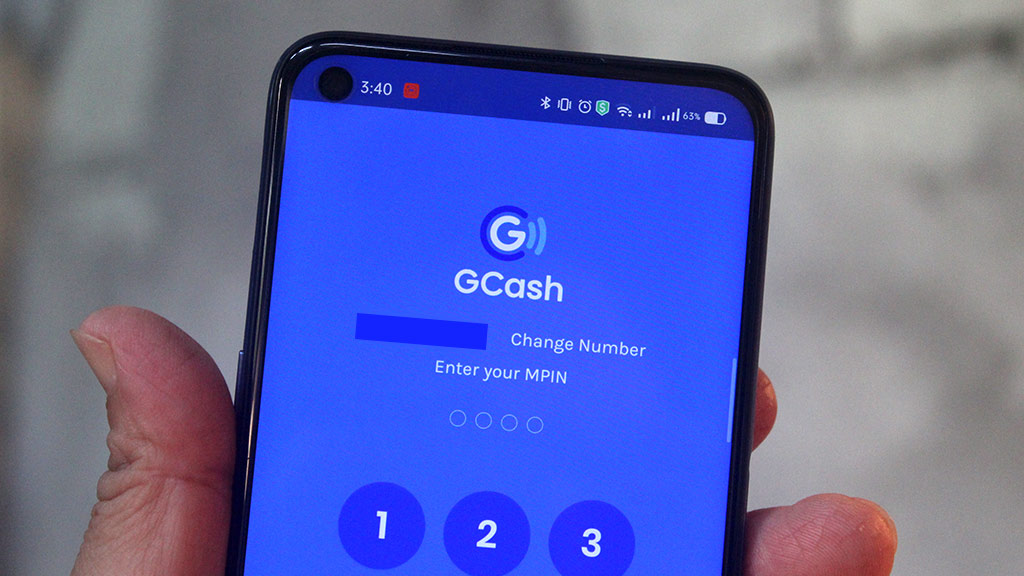
About GCash
GCash is a mobile wallet and digital payment platform in the Philippines. With over 80 million users, it enables convenient financial transactions using smartphones. GCash allows users to send and receive money, pay bills, buy prepaid load, shop online, and even invest in mutual funds. It also provides cashless options for transportation, dining, and other everyday services. With its user-friendly interface and widespread acceptance, GCash has become a popular solution for secure and hassle-free digital payments in the country.
FAQ: Paying Home Credit via GCash
1. How can I pay my Home Credit loan using GCash?
To pay your Home Credit loan using GCash, follow these steps:
– Open the GCash app on your smartphone.
– Select “Bills” from the menu options.
– Search for and select “Home Credit” as the biller.
– Enter your Home Credit account number and the amount you wish to pay.
– Review the details and confirm the transaction.
2. Are there any fees or charges for paying Home Credit through GCash?
Yes, there is a transaction fee of 15 pesos.
3. Can I pay my Home Credit loan through GCash even if I’m not a GCash user?
No, to pay your Home Credit loan through GCash, you need to have an active GCash account. If you don’t have one, you can easily download the GCash app from the Google Play Store or Apple App Store and sign up for an account.
4. Is there a limit on the amount I can pay towards my Home Credit loan via GCash?
GCash has certain limits on transaction amounts. It’s recommended to check the current limits on the GCash app or their official website. If your payment amount exceeds the set limit, you may need to make multiple transactions or consider an alternative payment method.
5. How long does it take for my Home Credit payment to reflect after paying through GCash?
Typically, payments made through GCash are processed in real time, and the amount should reflect in your Home Credit account immediately. However, in some cases, it may take up to 24 hours for the payment to be processed and updated.
6. What should I do if my Home Credit payment doesn’t reflect after paying through GCash?
If your Home Credit payment does not reflect within 24 hours after making the payment through GCash, you should contact Home Credit’s customer service. Provide them with the transaction details and any relevant information to help them investigate and resolve the issue.
7. Can I schedule recurring payments for my Home Credit loan through GCash?
Yes, GCash allows you to set up recurring payments for your Home Credit loan. Within the GCash app, you can select the frequency and the specific date on which you want the payments to be made automatically.
8. Can I pay my Home Credit loan through GCash if I’m outside the Philippines?
Yes, you can pay your Home Credit loan through GCash even if you’re outside the Philippines. As long as you have an active GCash account and internet access, you can make the payment from anywhere in the world.
9. Are there any alternative payment methods for Home Credit besides GCash?
Yes, Home Credit provides various payment methods besides GCash. You can also make payments through online banking, over-the-counter payments, and authorized payment partners. Visit the Home Credit website or contact their customer service for a list of available payment options.
10. Is it safe to pay my Home Credit loan through GCash?
Yes, paying your Home Credit loan through GCash is generally considered safe. GCash utilizes secure encryption and authentication protocols to protect your financial information. However, it’s crucial to ensure that you are using the official GCash app and keeping your account credentials confidential to maintain security.
Remember, this FAQ provides general information on paying Home Credit via GCash. It’s always advisable to refer to the official websites of Home Credit and GCash.
More GCash & Bank Guides
- How to transfer Money from GCash to Maya
- How to Transfer Money from Paypal to GCash
- How to Apply for CIMB Personal Loan
- GCash and PAL Launch Seat Sale for Adventurous Travelers
- Introducing the GCash Card: A Partnership with Visa
- How to Load SATLITE Using GCASH (A Simple Guide)
- How to Link PAYPAL to GCASH
- How to get GCash Mastercard
- GCash and PAL Launch Seat Sale for Adventurous Travelers
- How to Load Your Beep Card Using GCash
- How to Pay Your NETFLIX with GCASH
- How to pay NBI Clearance using GCash
- How to pay Pag-IBIG Housing Loan thru GCash
- How to pay Cebu Pacific thru GCash