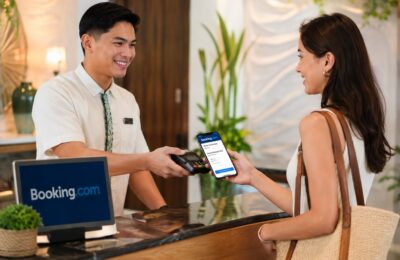
Booking a hotel on Booking.com may take only a few minutes, but the payment process is not always as simple as it first appears.
Some hotels ask you to pay immediately. Others let you reserve now and charge your card closer to your arrival date. You may also find properties that allow you to pay during check-in or check-out.
Then there are other questions.
Can you use a debit card? Does Booking.com accept cash, GCash, Maya or PayPal? Why is a credit card required when the room says “pay at the property”? Who will appear on your bank statement—Booking.com or the hotel? And why did the property temporarily block money on your card even though no prepayment was required?
The most important thing to understand is that Booking.com does not use one payment method or schedule for every reservation.
The available payment options depend on:
- The property
- Your destination
- Your selected room
- The rate and cancellation policy
- Your booking currency
- The country where your card was issued
- Whether Booking.com or the property processes the payment
- The type of travel service being booked
- The payment options displayed during checkout
Booking.com’s payment documentation says payment methods are dynamic and can change according to the provider, product, payment schedule and booking configuration. The final checkout page should therefore be treated as the main source of truth for your particular reservation.
This complete guide explains Booking.com payment methods, pay-now and pay-later reservations, card guarantees, pre-authorisations, debit cards, cash payments, currencies, deposits and common payment problems.
Payment guide update: This article reflects Booking.com’s published payment information as of August 1, 2026. Available methods can change, so always check the final booking page and confirmation before paying.
Content
How Do Booking.com Payments Work?
Booking.com is a travel-booking platform connecting travellers with hotels, apartments, hosts, airlines, rental-car companies and other service providers.
Booking.com does not necessarily collect the money for every reservation.
For accommodation bookings, there are generally three possible payment arrangements:
- The property charges you when you arrive or leave.
- The property charges you in advance.
- Booking.com organises the advance payment and makes sure the property is paid.
Booking.com explains that when the property handles payment, your card may be charged when you book, before arrival, at check-in or at check-out, depending on the payment policy shown during the reservation process.
This is why one Booking.com reservation may be charged immediately while another does not require payment until several months later.
Booking.com Payment Options at a Glance
| Payment arrangement | When you normally pay | Who may collect the money? |
|---|---|---|
| Pay online now | During the booking process | Booking.com, an affiliate or the provider |
| Pay online later | On a scheduled date before the stay | Booking.com, an affiliate or the provider |
| Prepayment | During booking or before arrival | Usually the property or Booking.com |
| Pay at the property | During check-in or check-out | The hotel, host or accommodation |
| Partial prepayment | Part now and the remainder later | Booking.com, the property or both |
| Card guarantee | No immediate payment may be taken | Card secures the reservation |
| No card required | Payment is arranged according to the property’s policy | Usually the property |
| Pay at rental counter | During vehicle collection | Rental-car provider |
| Cash payment | Usually during arrival or departure | Property or service provider |
The exact wording you see may vary.
For example, Booking.com may display:
- Pay now
- Pay later
- Pay at the property
- No prepayment needed
- Prepayment required
- Payment before arrival
- Credit card needed
- No credit card needed
- Booking.com takes your payment
- The property will charge you
- You will pay the property directly
Read the complete payment schedule rather than relying only on the label beside the room price.
Pay Online Now
A pay-online-now reservation requires payment during the booking process.
You normally enter your card or another available payment method before the booking can be confirmed.
The amount may include:
- The full room price
- Taxes collected online
- Service charges
- Breakfast or meal-plan costs
- Selected extras
- Other included charges
However, certain local taxes or property charges may still need to be paid when you arrive.
Booking.com states that some products require an upfront payment. When Booking.com organises the transaction, it is responsible for managing the payment and ensuring that the amount due is settled with the service provider.
Advantages of paying online now
Paying immediately may offer:
- A lower prepaid rate
- Faster check-in
- A confirmed online payment
- Easier budgeting before the trip
- Access to selected promotions
- Less cash to carry at the destination
Possible disadvantages
An advance-payment rate may also involve:
- A non-refundable policy
- Less flexibility
- A foreign transaction fee
- A temporary reduction in available funds
- A longer refund process if you cancel
- Separate taxes payable at the property
Before paying, review both the payment policy and the cancellation policy.
A prepaid reservation is not automatically refundable.
Pay Online Later
A pay-online-later reservation allows you to confirm the booking first and have the payment collected on a scheduled future date.
For example, you may reserve a room in August but have the card charged three days before your November arrival.
The exact payment date should be displayed during checkout or in your confirmation.
Booking.com’s payment documentation identifies pay-online-later as a separate accommodation payment schedule. It states that the booking information can specify the date when the full amount or portions of the total become due.
Important responsibilities
Before the scheduled payment date:
- Keep the card active.
- Make sure it has not expired.
- Maintain enough available credit or funds.
- Enable online and international transactions when necessary.
- Update the card if it has been lost or replaced.
- Monitor messages from Booking.com and the property.
Booking.com’s terms say travellers are responsible for ensuring that their bank, debit-card or credit-card information is correct and that sufficient funds are available when payment becomes due. A provider may cancel a booking when it cannot collect the required balance.
Pay at the Property
A pay-at-the-property booking means the accommodation generally collects the payment when you arrive or depart.
Depending on the hotel, you may pay:
- During check-in
- During check-out
- At another stated time
- Partly before arrival and partly at the hotel
Booking.com says properties commonly collect payment during check-in or check-out, although exceptions and advance-payment requirements should be clearly stated in the confirmation and payment policy.
What payment methods can you use at the property?
The property may accept:
- Credit cards
- Debit cards
- Cash
- Local payment methods
- Another method stated in the listing
The payment methods accepted online may be different from those accepted at reception.
Booking.com’s payment documentation says the property information should indicate whether cards, cash or both are accepted for payment during check-in.
Do not assume that every hotel accepts cash or every credit-card brand.
Check the “Accepted payment methods,” “House rules,” “Fine print” and payment-policy sections before booking.
Why Is a Card Required for Pay-at-the-Property Bookings?
This is one of the most common Booking.com payment questions.
You may wonder why Booking.com needs a card when the hotel will not collect the room payment until your arrival.
The card may be used to:
- Guarantee the reservation
- Confirm that the card is valid
- Protect the property against no-shows
- Cover a late-cancellation fee
- Place a temporary pre-authorisation
- Collect payment if the booking conditions allow it
Booking.com says most properties require a valid credit card to guarantee a reservation, although some properties allow bookings without one.
Under some managed pay-at-property arrangements, Booking.com validates the card and may collect applicable late-cancellation or no-show charges, while the property collects the actual stay payment after the traveller arrives.
A pay-at-the-property reservation therefore does not always mean that your card will never be checked or temporarily held.
Pay at the Property Is Not the Same as No Card Needed
These two labels have different meanings.
Pay at the property
You pay the room price at the hotel, but a card may still be required to guarantee the reservation.
No credit card needed
You may be able to complete the reservation without entering a credit-card number.
Booking.com says it offers some properties that allow reservations without a card, even though most accommodations require a valid card guarantee.
A no-card booking may still require:
- Cash upon arrival
- A bank transfer
- A payment link supplied under the published policy
- A deposit
- Payment by a stated deadline
- Valid identification
- Direct confirmation with the property
Read the property’s conditions carefully.
No Prepayment Needed
“No prepayment needed” generally means the room price will not be collected in advance according to the displayed policy.
However, it does not necessarily mean:
- No card is required
- No temporary hold will occur
- Cancellation is always free
- No no-show fee applies
- No security deposit is required
- You can pay using any method you prefer
A property may still verify your card or place a temporary hold before the stay.
Booking.com says that even when there is no prepayment policy, a property may make a test transaction to validate the card and guarantee the reservation.
Always read these three sections separately:
- Payment policy
- Cancellation policy
- Damage-deposit policy
They answer different questions.
Prepayment Versus Deposit
The terms “prepayment” and “deposit” can sometimes cause confusion.
Prepayment
A prepayment is an amount collected toward the cost of your reservation.
It may be:
- The full booking amount
- The first night
- A percentage of the total
- Another fixed amount
Whether it is refundable depends on the cancellation policy.
Damage or security deposit
A damage deposit is intended to cover possible damage, missing items, excessive cleaning or another stated property concern.
It may be:
- Charged in advance
- Collected at check-in
- Held temporarily on a card
- Collected in cash
- Returned after inspection
Booking.com requires providers to display relevant security or damage-deposit conditions, accepted cards and other important policies during booking or in the confirmation.
Do not treat a damage deposit as part of the room price unless the policy clearly says it is included.
What Is a Pre-Authorisation?
A pre-authorisation is a temporary hold placed on a card.
It allows the property or payment system to check that:
- The card is valid
- The account is active
- Sufficient credit or funds may be available
- The booking guarantee can be honoured
A pre-authorisation is not always a completed payment.
Booking.com explains that a test payment temporarily blocks an amount on the card and is later released. The release time depends on the property and the card provider.
How a pre-authorisation may appear
It may show on your banking app as:
- Pending
- Processing
- Authorisation
- Temporary hold
- Unposted transaction
When released, it may simply disappear.
You might not see a separate refund.
Why pre-authorisations matter for debit cards
A pre-authorisation on a debit card can temporarily reduce the cash available in your bank account.
For example, if the hotel places a ₱10,000 hold, you may be unable to use that ₱10,000 until the bank releases it—even when the room will not be paid until check-in.
Ask your bank whether the amount is a posted charge or a temporary authorisation before reporting it as an incorrect payment.
Who Will Charge Your Card?
For accommodation bookings, the card may be charged by:
- Booking.com
- A Booking.com affiliate
- The hotel
- The property-management company
- Another payment processor involved in the reservation
Booking.com says the property generally charges the card. When Booking.com handles the payment instead, this should be stated clearly in the confirmation.
How to check
Review:
- The checkout page
- Payment-policy section
- Confirmation email
- Bank-statement description
- Payment confirmation
- Receipt
Look for wording such as:
- Booking.com will take your payment.
- The property will charge you.
- You will pay the property directly.
- The property may charge you before arrival.
- Payment will be taken on a specified date.
Knowing who collected the payment is especially important when requesting a refund or reporting a duplicate charge.
What Cards Does Booking.com Accept?
Credit cards are the most widely supported Booking.com payment method.
Booking.com’s payment infrastructure supports a range of card networks, including:
- Visa
- Mastercard
- American Express
- Maestro
- JCB
- UnionPay
- Discover
- Diners Club
However, this does not mean every property, destination or reservation accepts every card listed above. Booking.com states that supported methods depend dynamically on the booking and that the final checkout page is the authoritative source for the available options.
For example, a hotel may accept Visa and Mastercard but not American Express.
Another property may accept your American Express card for the online guarantee but not at its physical payment terminal.
Check the card logos displayed for your exact room and rate.
Can You Use a Debit Card on Booking.com?
A debit card can be used for some Booking.com reservations, but acceptance is not guaranteed.
Booking.com’s customer FAQ says that when a chosen hotel accepts debit cards, the option will be displayed during the booking process.
A Visa or Mastercard debit card may work online when:
- The property or checkout accepts it
- Online transactions are enabled
- International transactions are enabled when required
- The card has sufficient funds
- The card supports the required security verification
- The bank approves the transaction
Risks of using a debit card
Compared with a credit card, a debit card directly affects the money in your account.
Possible concerns include:
- Temporary holds reducing your available cash
- Advance payments being taken immediately
- Refunds taking time to return
- Foreign-exchange charges
- Difficulty covering another hotel while waiting for a refund
A debit card is not necessarily unsafe, but you should understand how holds and refunds affect your available balance.
Can You Use Someone Else’s Card?
Booking.com says you may be able to reserve using another person’s card when you have the cardholder’s permission.
It recommends stating the cardholder’s name and confirming that you have permission in the Special Requests section.
However, the hotel may still require:
- The physical card at check-in
- A copy of the cardholder’s identification
- Written authorisation
- A signed card-authorisation form
- Another card for the security deposit
- Payment using the guest’s own card
Before booking for someone else, contact the property and ask what it requires.
Do not assume that every hotel will accept a third-party card simply because Booking.com accepted the number online.
Can You Use a Virtual Card?
A virtual card may work when:
- It is issued by a supported card network
- The reservation accepts that card type
- It remains valid on the scheduled charge date
- It supports international or online transactions
- The property does not require the physical card
However, virtual and one-time-use cards can create problems for pay-later reservations.
For example, the virtual number may expire before the hotel attempts to collect payment.
The property may also ask to see the card used for payment during check-in.
Booking.com’s payment systems support certain virtual-card arrangements, particularly for corporate or partner bookings, but availability and usage requirements depend on the specific booking flow.
Confirm the hotel’s card requirements before relying on a disposable or temporary number.
Does Booking.com Accept Cash?
Some Booking.com properties accept cash, usually when payment is collected at the accommodation.
Cash acceptance depends entirely on the property and local rules.
Check the listing for:
- Cash accepted
- Credit card required
- Cash-only payment
- Cards accepted
- Deposit payable in cash
Booking.com’s payment documentation says the property’s payment information should identify whether cards, cash or both are accepted at check-in.
Even when the hotel accepts cash for the stay, it may still require a card to guarantee the reservation.
The property may also require a separate cash security deposit.
Does Booking.com Accept GCash?
Booking.com does not offer GCash as one universal payment method for every reservation.
A GCash-linked card may work when it functions through a supported card network and the selected booking accepts that card.
Direct GCash payment availability would need to appear during the checkout process.
Booking.com’s official payment guidance says travellers should not assume a fixed list of payment methods because availability depends on the selected provider, rate and payment timing.
Therefore:
- Check the payment options on the final checkout page.
- Do not assume GCash is accepted because another Booking.com hotel accepted it.
- Make sure the wallet or linked card has enough funds.
- Confirm that international and online transactions are enabled.
When GCash is not shown, choose another accepted payment method.
Does Booking.com Accept Maya?
Maya is not guaranteed as a universal Booking.com payment method.
A Maya physical or virtual card may work when:
- It uses an accepted card network
- The card is active
- International and online transactions are enabled
- The property accepts the card type
- The balance is sufficient
- The scheduled payment date falls before the card expires
Direct Maya-wallet payment should only be considered available when it appears at checkout.
Because Booking.com payment options are dynamic, the options displayed for the selected reservation should be treated as final.
Does Booking.com Accept PayPal?
PayPal is not guaranteed for every Booking.com accommodation reservation.
Its availability may depend on:
- Country
- Property
- Type of booking
- Payment schedule
- Booking.com payment configuration
Only rely on PayPal when it appears among the final payment options.
When it is not displayed, you cannot assume that Booking.com Customer Service or the hotel can manually add it afterward.
The same rule applies to other digital wallets.
Does Booking.com Accept Apple Pay or Google Pay?
Apple Pay, Google Pay and other wallet options may be available in certain booking flows, markets or devices, but they are not universal.
The safest rule is simple:
The payment method shown on the final checkout page is the one available for that booking.
Booking.com explicitly states that payment-method availability can change dynamically and should not be treated as a fixed global list.
Can You Pay Booking.com in Instalments?
Booking.com does not provide one universal instalment programme for every hotel reservation.
Possible payment arrangements may include:
- Full payment during booking
- Full payment on a future date
- Partial prepayment followed by a balance
- Payment at the property
- A separate instalment service displayed at checkout
- An instalment arrangement offered by your card issuer
An instalment option from your bank is separate from Booking.com’s payment policy.
For example, your credit-card issuer may allow you to convert a posted purchase into monthly instalments. Whether this is possible depends on your bank, card and transaction.
Booking.com still considers the booking paid according to the original payment arrangement.
Do not choose a non-refundable rate assuming your bank will approve instalment conversion later.
Booking.com Pay Now Versus Pay Later
| Feature | Pay now | Pay later |
|---|---|---|
| Payment timing | During booking | On a future scheduled date |
| Card must remain valid later | Not usually for the original room payment | Yes |
| Money leaves your account immediately | Usually | Not yet |
| May offer lower rates | Sometimes | Sometimes |
| Refund may be required after cancellation | Yes, when eligible | Not if payment was never collected |
| Risk of failed future payment | Lower after successful payment | Higher if card expires or lacks funds |
| Helps spread travel costs over time | No | Delays the expense but is not necessarily an instalment |
Neither option is automatically better.
Choose pay now when:
- Your travel plans are final.
- The rate offers meaningful savings.
- You are comfortable paying immediately.
- The cancellation policy is acceptable.
Choose pay later when:
- You prefer to keep funds available.
- Your plans are not completely final.
- The rate remains flexible.
- You can ensure the card stays active.
Pay Later Is Not the Same as Free Cancellation
A reservation can require payment later but still be non-refundable.
Similarly, a booking can be paid immediately but allow free cancellation.
Payment timing and cancellation rules are separate.
Always check:
| Question | Where to look |
|---|---|
| When will I be charged? | Payment schedule |
| Who will charge me? | Payment policy and confirmation |
| Can I cancel for free? | Cancellation policy |
| How much will be refunded? | Cancellation terms |
| Is a card hold possible? | Property policy |
| Is a security deposit required? | Fine print or house rules |
Do not choose a room based only on “pay later.”
Why Did Booking.com Charge My Card?
A Booking.com-related charge may represent:
- Full online payment
- Prepayment
- Deposit
- Temporary pre-authorisation
- Scheduled pay-later charge
- Cancellation fee
- No-show fee
- Security deposit
- Additional service
- Partner booking payment
Booking.com’s customer-service page distinguishes between pre-authorisations, deposits and advance payments. A pre-authorisation is a temporary validity check, while a deposit or prepayment is a real amount collected under the property’s policy.
Check your confirmation before assuming the charge is incorrect.
Why Was My Card Declined?
A payment may be declined because:
- The card number is incorrect.
- The expiry date is wrong.
- The security code is incorrect.
- The card has expired.
- Available funds or credit are insufficient.
- Online payments are disabled.
- International payments are disabled.
- The bank’s fraud system blocked the transaction.
- The card type is not accepted.
- The required bank authentication failed.
- The billing information does not match.
- Too many attempts triggered a security check.
Booking.com’s payment guidance says a generic payment refusal usually comes from the payment provider or issuing bank and recommends contacting the bank for more information.
What to do
- Check the card details.
- Confirm the available balance or credit.
- Enable online and international transactions.
- Look for a bank verification request.
- Contact the issuing bank.
- Try another accepted card.
- Avoid repeatedly submitting incorrect information.
- Contact Booking.com when the payment was deducted but the reservation failed.
What Is Bank Authentication?
Some online card payments require an additional security step.
You may be asked to confirm the transaction through:
- Your banking app
- A secure bank webpage
- Another authentication process provided by the issuer
Booking.com’s payment documentation says Strong Customer Authentication applies to certain transactions in the European Economic Area and United Kingdom. Failed authentication can occur when the card is blocked, expired, invalid or when the authentication token cannot be verified.
Complete the authentication promptly.
Leaving the page or waiting too long can cause the payment or booking attempt to fail.
Payment Failed, but Money Was Deducted
Sometimes a booking attempt fails while your banking app shows a deduction.
The amount may be:
- A pending authorisation
- A temporary hold
- A payment that will automatically reverse
- A completed payment connected to a booking
- A duplicate charge
First, check whether you received:
- A Booking.com confirmation email
- A reservation number
- A payment confirmation
- A booking under your account
Then contact your bank and ask whether the transaction is pending or fully posted.
When the payment was processed but no booking exists, contact Booking.com’s official Help Centre and provide:
- Transaction screenshot
- Amount
- Currency
- Date
- Merchant description
- Card’s last four digits
- Email address used
- Any error message
Do not immediately repeat the transaction several times, as this could create multiple pending holds.
Booking.com Charged Me Twice
A duplicate charge may occur because:
- One amount is a pre-authorisation.
- The property and Booking.com both collected money.
- You attempted payment more than once.
- Two separate reservations were created.
- A deposit appears beside the room payment.
- The hotel mistakenly processed the card twice.
Compare:
- Amounts
- Dates
- Merchant names
- Pending versus posted status
- Confirmation numbers
Booking.com says that when Booking.com made an incorrect charge, travellers should contact its Help Centre and may need to provide a bank statement, booking confirmation number and PIN. When the property made the incorrect charge, travellers should contact the property directly.
Can You Change the Payment Card?
Some accommodation reservations allow card details to be updated through Manage Booking.
Booking.com lists editing card information among the changes that may be available, depending on the property’s policy.
You may need to update your card when:
- It expired.
- It was replaced.
- It was blocked.
- The scheduled payment failed.
- You need to provide another guarantee.
Updating the card does not necessarily:
- Reverse a payment already made
- Move an old charge to the new card
- Release an existing hold
- Change the refund destination
- Change who pays at the property
When a payment has already been collected, contact Booking.com or the property before making assumptions.
What Happens When the Card Expires Before the Trip?
An expired card can be a problem when:
- The property has not yet collected payment.
- The room requires a valid guarantee.
- The booking uses a future pay-later schedule.
- A security deposit is needed.
Open the reservation and check whether you can update the payment details.
Booking.com’s terms require travellers to keep their payment information accurate and ensure that scheduled payments can be completed. A failed payment may result in cancellation.
Do not wait for the property to report the card as invalid.
Can the Hotel Ask You to Pay Again?
A property may legitimately request payment at arrival when:
- The booking is pay at the property.
- Only part of the total was prepaid.
- Local taxes remain unpaid.
- Breakfast or extras were excluded.
- A damage deposit is required.
- The online amount was only a card hold.
However, you should question the request when:
- Your confirmation says the full price was paid.
- No additional amount was disclosed.
- The property asks you to use an unfamiliar payment link.
- The requested bank account differs from the policy.
- The hotel requests gift cards or cryptocurrency.
- The message creates extreme urgency.
For certain prepaid partner reservations, Booking.com says any extra taxes or charges payable on arrival should be disclosed before booking and in the confirmation. When no additional amount is stated, the property should not normally request another payment for the reservation itself.
Show the hotel your payment confirmation and contact Booking.com when the issue cannot be resolved.
Taxes and Fees Paid at the Property
Even when you pay the room price online, some amounts may remain payable on arrival.
These can include:
- City tax
- Tourism tax
- Resort fee
- Environmental fee
- Cleaning fee
- Parking
- Extra beds
- Breakfast
- Pet charges
- Damage deposit
Booking.com says price descriptions should indicate which taxes and fees are included or excluded. Currency conversion shown on the platform may be informational, and actual rates can vary.
Read the final price breakdown carefully.
The words “paid online” do not necessarily mean every possible local charge has been settled.
Paying in Philippine Pesos or Foreign Currency
Booking.com may show a hotel price in Philippine pesos even when the property’s actual currency is Thai baht, Japanese yen, US dollars, euros or another currency.
The displayed peso amount may be:
- The actual transaction currency
- A converted estimate
- A Pay in Your Own Currency offer
- A temporary comparison display
Booking.com’s terms say it may display prices in the traveller’s chosen currency or offer payment in that currency. Any applicable conversion rate and fee should be shown during checkout or in the booking details. The card issuer may also impose a foreign transaction fee.
Before paying, check:
- Transaction currency
- Property currency
- Booking.com conversion rate
- Conversion fee
- Your card’s foreign transaction fee
- Whether your bank offers a better exchange rate
Should you pay in pesos or local currency?
There is no universal answer.
Paying in pesos gives you more certainty about the immediate peso amount.
Paying in the property’s local currency may allow your bank or card network to perform the conversion, which could produce a better or worse result depending on your card.
Compare the complete cost rather than choosing automatically.
Can Your Refund Be Different Because of Currency Conversion?
Yes.
When the original charge and refund are processed in a foreign currency on different dates, the peso amounts may differ because exchange rates changed.
Your bank may also treat foreign transaction fees separately.
For example:
- Original hotel charge: €200
- Peso value on booking date: ₱13,000
- Refund: €200
- Peso value on refund date: ₱12,700
You received the same euro amount, but the peso value changed.
Ask your bank to explain any difference between:
- Merchant refund
- Exchange-rate adjustment
- Foreign transaction fee
- Cross-border charge
Can Booking.com Store Your Card?
Booking.com’s terms state that payment-method details may be stored for future transactions after the traveller provides consent.
You may be able to add, update or remove a saved card through your account settings.
Even when a card is saved, Booking.com may ask you to authenticate a future transaction again.
Use:
- A strong account password
- Two-factor authentication
- A secure device
- Transaction alerts from your bank
Do not allow other people to access your Booking.com account.
Is It Safe to Pay Through Booking.com?
Paying through Booking.com’s official website or mobile app is generally safer than using an unexpected payment link sent outside the published booking process.
Booking.com tells travellers to use official communication channels. It says legitimate Booking.com transactions will not require gift-card payment or the sharing of complete card information through phone, text or email.
Warning signs of a payment scam
Be careful when a message:
- Threatens immediate cancellation
- Requests full card details through WhatsApp
- Requests your bank password
- Requests a one-time verification code
- Provides unexpected bank-account details
- Asks for gift cards
- Requests cryptocurrency
- Links to an unfamiliar website
- Demands payment not mentioned in your confirmation
Open the Booking.com app directly and check the payment policy.
Do not rely on the link in the suspicious message.
What to Do After Entering Card Details on a Suspicious Page
Act immediately:
- Contact your bank.
- Block or replace the affected card.
- Review pending transactions.
- Report unauthorised charges.
- Change your Booking.com password.
- Enable two-factor authentication.
- Contact Booking.com Customer Service.
- Save screenshots of the suspicious message.
Booking.com advises travellers who suspect fraud to contact their bank or payment provider, replace compromised cards when necessary and monitor the account for unknown charges.
How to Get a Payment Confirmation
Your Booking.com confirmation should show:
- Reservation amount
- Payment status
- Payment schedule
- Paid and unpaid amounts
- Taxes and fees
- Who collects payment
For certain prepaid partner bookings, Booking.com says the confirmation email includes an option to download payment confirmation as a PDF.
Save the confirmation until:
- The stay is completed
- Any deposit is returned
- Any refund is received
- Any billing dispute is resolved
How to Get an Invoice or Official Receipt
For accommodation stays, the property is generally responsible for issuing the invoice.
Booking.com’s customer FAQ states that only the property can provide the invoice for a completed stay and recommends requesting it before check-out or contacting the property directly.
Before travelling for business, send the property:
- Guest or company name
- Billing address
- Tax-identification details
- Other information required for the invoice
Ask whether the invoice can be issued when the stay was prepaid through Booking.com.
Payment confirmation and a tax invoice are not necessarily the same document.
Payment Methods for Booking.com Flights
Flight payments may be handled by Booking.com or a third-party flight provider.
The available methods and payment schedule depend on:
- Airline
- Route
- Country
- Fare
- Ticketing partner
- Checkout options
Check:
- Total ticket price
- Currency
- Baggage charges
- Seat-selection fees
- Airline service fees
- Refund conditions
Do not assume the same payment method accepted for a hotel will be accepted for a flight.
Booking.com says payment for some travel products may be organised by Booking.com, while others may be managed by a third-party aggregator.
Payment Methods for Rental Cars
Rental-car bookings can generally use payment arrangements such as:
- Pay online now
- Pay at pick-up
- Partial online payment
Booking.com’s payment documentation lists these as common rental-car payment schedules.
Even after paying online, the rental company may require a credit card in the main driver’s name for the security deposit.
Before booking, check:
- Accepted card type
- Deposit amount
- Cardholder-name rules
- Available credit required
- Debit-card restrictions
- Insurance
- Fuel charges
- Additional-driver fees
A payment accepted online does not guarantee that the rental counter will accept the same card for the deposit.
Best Payment Method for Booking.com
The best option depends on your situation.
A credit card may be best when:
- You are booking an expensive international trip.
- The property will place a large hold.
- You want to preserve cash in your bank account.
- Your card offers travel protections.
- You may need to dispute an incorrect charge.
- You want rewards or points.
A debit card may be suitable when:
- The property accepts it.
- You have sufficient available funds.
- You understand possible card holds.
- You prefer not to use credit.
- The booking is inexpensive or local.
Cash may be suitable when:
- The hotel clearly accepts it.
- The booking is pay at the property.
- You prefer not to make an online payment.
- You can safely carry the required amount.
Pay later may be suitable when:
- Your trip is still several months away.
- You want to keep funds available.
- Your card will remain valid.
- The cancellation policy is flexible.
Pay now may be suitable when:
- Your travel plans are final.
- The prepaid price is lower.
- You want to settle the expense immediately.
- The cancellation conditions are acceptable.

Booking.com Payment Checklist Before Confirming
Before completing any reservation, check:
Payment timing
- Am I paying now, later or at the property?
- Is there a scheduled charge date?
- Is the payment full or partial?
Payment collector
- Will Booking.com charge me?
- Will the hotel charge me?
- Will another partner process the payment?
Card requirements
- Is a credit card required?
- Is a debit card accepted?
- Must I present the card at check-in?
- Can I use someone else’s card?
Total price
- Are taxes included?
- Are local fees payable on arrival?
- Is there a cleaning or resort fee?
- Is a security deposit required?
Currency
- What currency will be charged?
- Is the peso amount only an estimate?
- Does my card charge a foreign transaction fee?
Cancellation
- Is the room refundable?
- What is the cancellation deadline?
- Will a prepayment be returned?
- What is the no-show fee?
Common Booking.com Payment Mistakes
Assuming every property accepts the same cards
Accepted methods vary by property and booking.
Confusing pay at property with no card needed
A card may still be required as a guarantee.
Confusing no prepayment with free cancellation
You may still owe a cancellation fee.
Ignoring a scheduled payment date
A failed charge can place the reservation at risk.
Using a debit card without considering the hold
A pre-authorisation may temporarily reduce your available money.
Paying through an unexpected link
Verify that the request matches your confirmation.
Choosing pesos without comparing the conversion
The local-currency option may have a different total.
Assuming the online payment covers every charge
Local taxes and deposits may remain payable.
Not saving payment confirmation
Keep the confirmation until the transaction is fully settled.
Making repeated payment attempts
Several attempts may create multiple pending authorisations.
Frequently Asked Questions
What payment methods does Booking.com accept?
Payment methods vary by provider and reservation. Cards are widely supported, but the final checkout page determines what can be used for your exact booking.
Does Booking.com accept credit cards?
Yes. Credit cards are the most widely supported payment method. Supported networks may include Visa, Mastercard, American Express, Maestro, JCB, UnionPay, Discover and Diners Club, although availability varies.
Can I use a debit card?
Yes, when the chosen property or booking accepts it. Booking.com says the debit-card option will be shown during booking when available.
Can I book without a credit card?
Some properties allow bookings without a card. Most properties still require a valid card to guarantee the reservation.
Can I pay cash?
Some pay-at-property hotels accept cash. Check the property’s accepted payment methods before booking.
Does Booking.com accept GCash?
GCash is not guaranteed across all Booking.com bookings. Use it only when direct GCash payment or an eligible GCash-linked card is accepted during checkout.
Does Booking.com accept Maya?
Maya availability is not universal. A Maya card may work when the booking accepts its card network and the card is enabled for the transaction.
Does Booking.com accept PayPal?
PayPal may be available for selected reservations or markets. It should appear on the final payment page when supported.
Can I pay at the hotel?
Yes, when the selected rate is marked as pay at the property. The hotel may collect payment at check-in or check-out.
Why does Booking.com need my card when I will pay at the hotel?
The card may guarantee the reservation, verify its validity and cover late-cancellation or no-show charges.
What does no prepayment mean?
It means the accommodation price is not scheduled for collection in advance under the displayed policy. A card hold, guarantee or cancellation fee may still apply.
What is a pre-authorisation?
It is a temporary card hold used to validate the card and guarantee the reservation. It is not always a completed payment.
Who charges my card—Booking.com or the hotel?
The property generally charges accommodation bookings. When Booking.com handles the payment, the confirmation should say so.
Can I use someone else’s card?
Possibly, with the cardholder’s permission. Booking.com recommends stating the cardholder’s name and permission in the Special Requests box. The property may impose additional requirements.
Can I change my payment card?
Some reservations allow payment details to be updated through Manage Booking. The option depends on the property’s policy.
Why was my card declined?
The bank or payment provider may have refused the transaction. Check the details and contact the card issuer for the specific reason.
What should I do if payment failed but money was deducted?
Check whether the amount is pending, whether a booking confirmation exists and whether the transaction will automatically reverse. Contact Booking.com and your bank when necessary.
Why did the hotel charge me before arrival?
The room may have an advance-payment policy, or the amount may be a temporary pre-authorisation. Check the confirmation.
Can I pay in Philippine pesos?
Booking.com may display or offer payment in pesos, but the property’s currency may be different. Review the conversion rate, fees and transaction currency during checkout.
Will I pay a foreign transaction fee?
Your card issuer may charge one when the transaction involves a foreign merchant or currency. Booking.com says card issuers may impose foreign transaction fees.
Can I pay in instalments?
There is no universal Booking.com instalment option for all reservations. Use an instalment method only when it is displayed at checkout or separately offered by your card issuer.
How do I get an invoice?
For a completed accommodation stay, request the invoice directly from the property.
Is it safe to pay through Booking.com?
Use the official website or app. Booking.com says legitimate transactions will not require gift cards or sharing complete card details by phone, text or email.
Final Thoughts
Booking.com offers several payment arrangements, but there is no single method that applies to every reservation.
Depending on the property and rate, you may:
- Pay online immediately
- Pay online on a future date
- Pay part of the price in advance
- Pay during check-in or check-out
- Guarantee the booking with a card
- Reserve without a credit card
- Pay cash when the property allows it
The most important information appears on the final booking page and in your confirmation.
Before confirming, check:
- Who will collect the payment
- When the charge will occur
- Which card or payment methods are accepted
- Whether the card will only guarantee the room
- Whether a pre-authorisation is possible
- Which taxes remain payable on arrival
- What currency will be charged
- Whether the booking is refundable
For Philippine travellers, pay close attention to debit-card holds, international transaction settings, foreign currency conversion and additional fees charged by the bank.
Do not assume that GCash, Maya, PayPal, Apple Pay or another wallet is accepted simply because it worked on a previous reservation. Booking.com payment options are dynamic, and the methods displayed at checkout are the ones available for your selected booking.
Finally, use only Booking.com’s official website, app and customer-service channels when making or resolving a payment.
A genuine reservation should never require you to send gift cards, reveal your banking password or share your complete card information through an unexpected text, email or WhatsApp message.