Saving money is something most of us want to do, but let’s admit it. With the rising cost of everyday expenses, setting aside even a small amount every month can be challenging.
And when we finally manage to save, another question comes to mind: Where should we put our money so it can grow?
Of course, traditional bank savings accounts are convenient, especially for emergency funds. But if you’re looking for another way to build your savings over the next few years, one option worth understanding is the Pag-IBIG MP2 Savings Program.
You’ve probably heard about MP2 from coworkers, friends, or social media. Some people talk about its relatively high dividend rates, while others recommend it as a way to save for long-term goals.
But how exactly does it work? Is it really safe? How much should you contribute? And can you open an MP2 account without visiting a Pag-IBIG office?
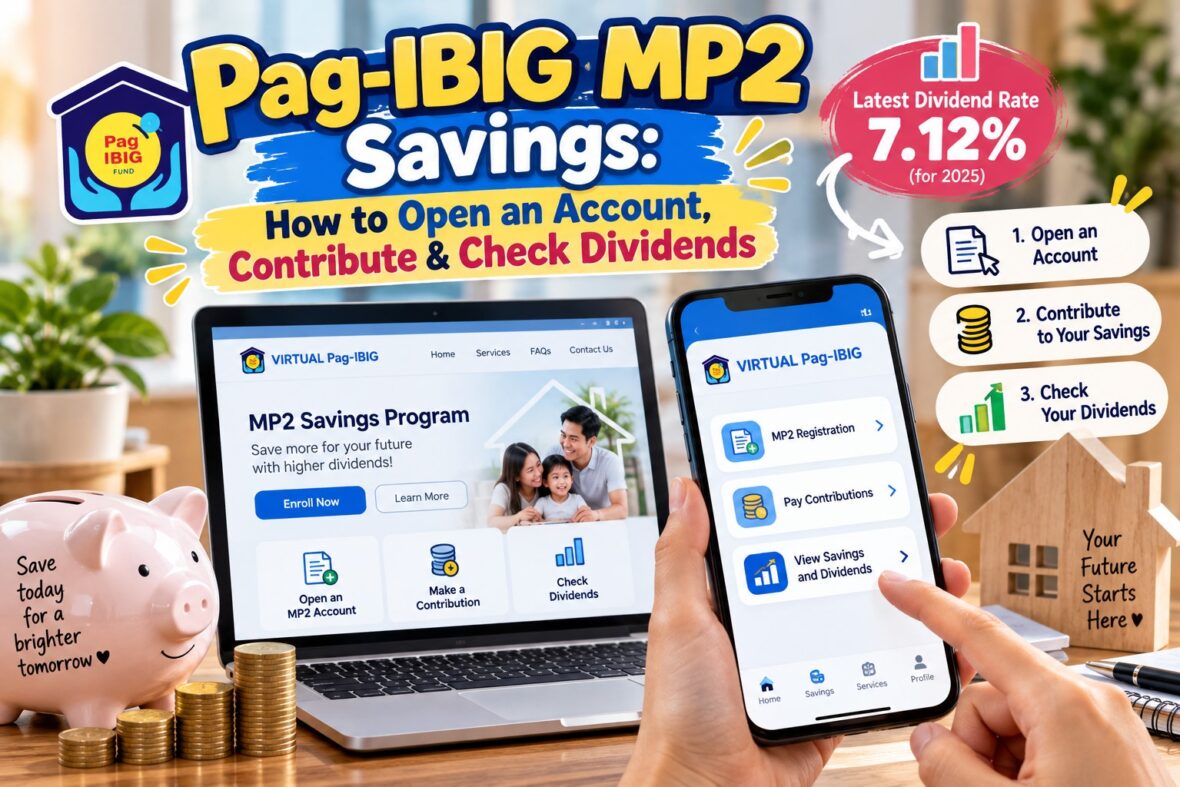
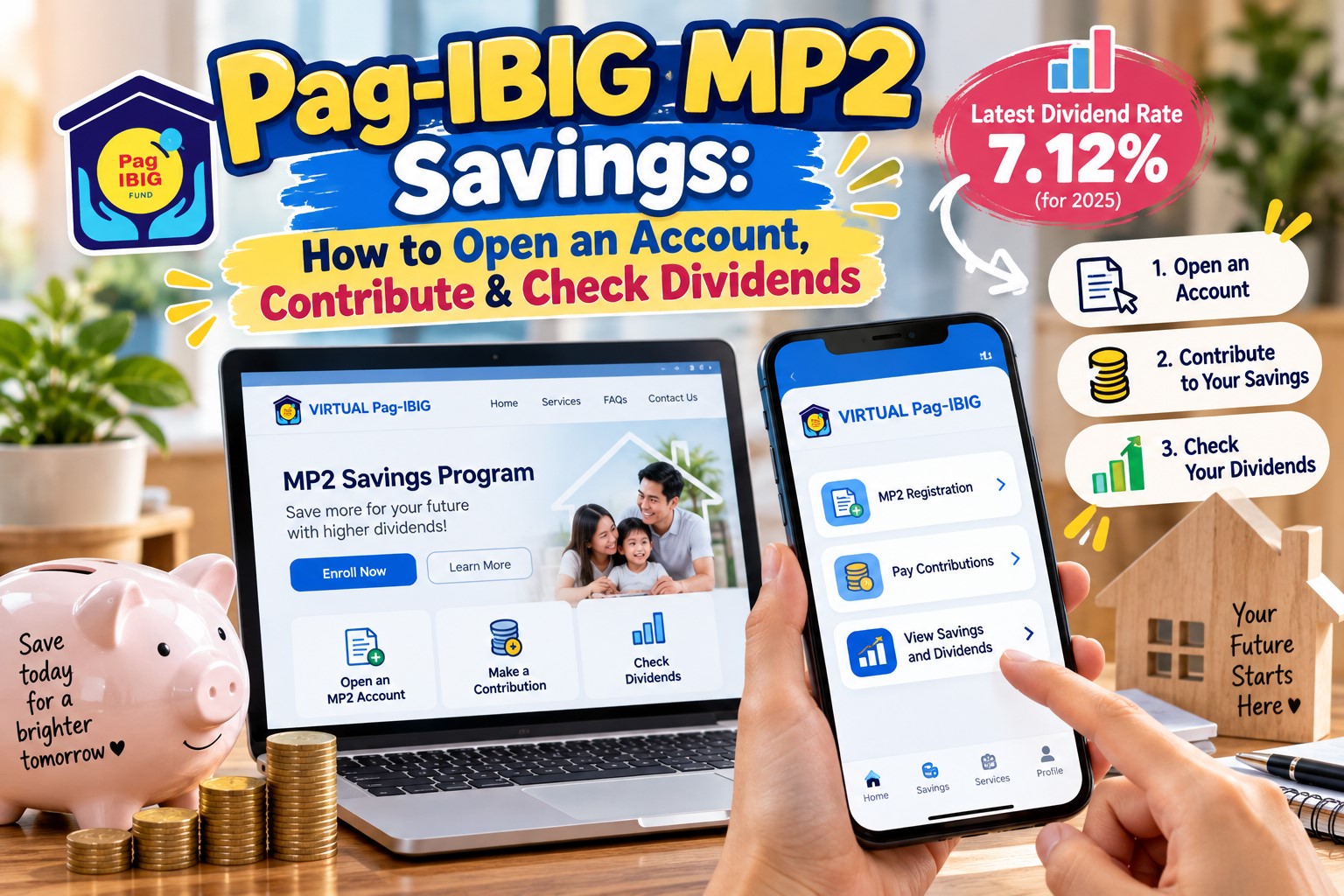
The good news is that you can now complete the enrollment process online, make contributions through convenient payment channels such as GCash and Maya, and monitor your savings through Virtual Pag-IBIG.
In this guide, I’ll walk you through everything you need to know about Pag-IBIG MP2 Savings, including eligibility, account registration, contributions, the latest dividend rates, checking your balance, and withdrawing your savings after five years.
I’ll also explain some important things that aren’t always clear to beginners, especially the difference between annual and compounded dividends.
Content
What Is Pag-IBIG MP2 Savings?
Pag-IBIG MP2, officially called the Modified Pag-IBIG II Savings Program, is a voluntary savings program offered by the Home Development Mutual Fund, commonly known as Pag-IBIG Fund.
It’s designed for members who want to save additional money on top of their regular Pag-IBIG contributions.
Unlike the mandatory Pag-IBIG savings deducted from the salaries of many employed Filipinos, MP2 is completely voluntary.
You decide how much you want to contribute, how frequently you want to save, and whether you want to receive your dividends annually or allow them to compound.
The program has a five-year maturity period.
That means your savings are generally intended to stay in the program for five years, although there are specific circumstances under which early withdrawal may be allowed.
One of MP2’s main attractions is that it traditionally earns a higher dividend rate than regular Pag-IBIG savings.
Your savings and dividends are also government-guaranteed, while dividend earnings are tax-free.
However, it’s important to understand that MP2 dividends are not fixed. The rate changes depending on Pag-IBIG Fund’s financial performance and the annual dividend declaration approved by its Board of Trustees.
Pag-IBIG MP2 Savings: Quick Facts
Before we discuss the application process, here are the most important details.
| Feature | Pag-IBIG MP2 Savings |
|---|---|
| Program | Modified Pag-IBIG II |
| Type | Voluntary savings |
| Minimum contribution | ₱500 per remittance |
| Maturity period | 5 years |
| Latest declared dividend rate | 7.12% for 2025 |
| Dividend frequency | Declared annually |
| Dividend payout options | Annual or compounded |
| Tax on dividends | Tax-free |
| Government guarantee | Yes |
| Online registration | Available |
| Online contributions | Available |
| Can you have multiple MP2 accounts? | Yes, with separate enrollment |
| Early withdrawal | Subject to program rules |
One important thing to remember is that MP2 is not a regular bank account.
You cannot simply withdraw your money anytime you want without considering the five-year maturity period and the program’s withdrawal rules.
That’s why I recommend treating MP2 as a medium-term savings option rather than a place to keep money you might need for emergencies.
Who Is Qualified for Pag-IBIG MP2?
Before opening an account, you need to make sure you’re eligible.
The MP2 Savings Program is available to qualified Pag-IBIG Fund members.
1. Active Pag-IBIG members
If you’re currently employed and your employer regularly remits Pag-IBIG contributions, you may qualify for MP2.
This includes qualified employees from both the private and government sectors.
Self-employed individuals and voluntary members may also enroll, provided they meet the active membership requirements.
Pag-IBIG’s enrollment system validates membership eligibility. Members whose regular contributions have become inactive may need to reactivate their membership before applying.
2. Overseas Filipino workers
OFWs who are qualified Pag-IBIG members can also open an MP2 account.
You don’t have to be physically present in the Philippines to make contributions because online payment options are available.
3. Retirees and former members
Certain former Pag-IBIG members, including pensioners and retirees, are also qualified.
Under the program’s eligibility rules, these members generally must have made at least 24 monthly Pag-IBIG savings contributions before retirement and satisfy the other applicable conditions.
4. Former natural-born Filipinos
Former natural-born Filipinos who have reacquired Philippine citizenship under Republic Act No. 9225 may also qualify, subject to Pag-IBIG’s documentary and membership requirements.
Can You Open MP2 Without a Pag-IBIG Account?
No. You must first qualify as a Pag-IBIG Fund member.
Your MP2 Savings account is separate from your regular Pag-IBIG membership, but it is linked to your Pag-IBIG Membership Identification number, or MID number.
If you’ve never registered with Pag-IBIG before, complete the regular membership registration process first.
Once your membership record is established and you meet the eligibility requirements, you can proceed with MP2 enrollment.
Pag-IBIG MP2 Requirements
If you’re planning to open an MP2 account, prepare the following information and documents.
Basic requirements
- Pag-IBIG MID number
- Complete personal information
- Active mobile number
- Valid email address
- Valid government-issued ID
- Selfie photo holding your valid ID, when requested
- Proof of income or source of funds, as applicable
The current online enrollment process may require scanned copies or clear photographs of your documents.
If you’re employed, proof of income can include a recent payslip.
If you’re self-employed, the system may request business or tax-related documents.
For members declaring savings or deposits as the source of funds, supporting bank statements may be requested.
Additional documentary requirements apply to certain membership classifications, including former natural-born Filipinos.
Before starting your application, I suggest preparing these documents on your phone or computer.
That way, you won’t have to stop halfway through the process just to look for a payslip or take a photo of your ID.
How to Open a Pag-IBIG MP2 Account Online
One of the biggest conveniences of MP2 is that eligible members can enroll online.
You can use the official Pag-IBIG online enrollment facility, which is accessible through Pag-IBIG Fund’s digital services.
The interface may change, but here’s the general application process.
Step 1: Visit the Official Pag-IBIG Website
Open your browser and go to the official Pag-IBIG Fund website.
Look for its online services or MP2 Savings enrollment facility.
You may also access services through Virtual Pag-IBIG or the official Virtual Pag-IBIG mobile app.
Make sure you’re using the legitimate Pag-IBIG platform.
Be careful with sponsored links, imitation websites, and social media pages asking for your membership details.
Step 2: Validate Your Pag-IBIG Membership
The system will ask for information to verify your existing membership.
This usually includes:
- Pag-IBIG MID number
- Last name
- First name
- Date of birth
Enter the details exactly as recorded with Pag-IBIG.
If the system cannot validate your membership, double-check the information before trying again.
Your MP2 application may not proceed if your regular Pag-IBIG membership does not meet the eligibility requirements.
Step 3: Choose Your Membership Classification
After your membership has been validated, the system may ask you to identify your membership classification.
Select the appropriate category, such as active Pag-IBIG member, pensioner, or another eligible classification.
The system will use this information to determine the next requirements.
Step 4: Verify Your Identity
Depending on the enrollment channel, you may be asked to complete an identity verification process.
This can include receiving a one-time password through your registered contact number.
Enter the OTP only on the legitimate Pag-IBIG platform.
Never share it with someone claiming to assist you through a private message or phone call.
Step 5: Review Your Personal Information
Once your identity has been verified, review the information displayed in the application form.
Make sure your name, contact number, email address, and other details are correct.
If you notice incorrect information in your existing Pag-IBIG membership record, follow the official record-updating procedure before proceeding.
Step 6: Choose Your Preferred Dividend Payout
This is one of the most important parts of MP2 enrollment.
You generally have two options:
- Annual dividend payout
- Compounded dividends at the end of five years
I’ll explain both in detail later in this guide.
For now, consider whether you want to receive your dividend earnings every year or keep them in the account so they can earn additional dividends.
Step 7: Select Your Mode of Payment
Next, choose how you intend to make your MP2 contributions.
Available arrangements include salary deduction for eligible employed members and direct payments through authorized channels.
If you want your MP2 savings deducted automatically from your salary, you may need to coordinate with your company’s HR or payroll department.
Choosing salary deduction in your enrollment application does not necessarily mean the deduction will immediately start.
Step 8: Enter Your Desired Savings Amount
The system will ask how much you intend to save.
For example, you might enter ₱500, ₱1,000, ₱2,000, or ₱5,000 as your desired monthly amount.
The minimum accepted remittance is ₱500.
However, MP2 offers flexibility. You can contribute larger amounts or make lump-sum deposits, subject to applicable payment and verification requirements.
Your indicated monthly savings amount is used for enrollment purposes and your intended contribution arrangement. Direct-pay savers can generally contribute according to their available funds.
Step 9: Declare Your Source of Funds
The enrollment form may ask where your money will come from.
Examples include:
- Employment income
- Business income
- Existing savings
- Property sale
- Investments
- Gifts
- Other legitimate sources
Be accurate when completing this section.
Depending on your declared source and the amount involved, Pag-IBIG may require supporting documents.
Step 10: Upload the Required Documents
Upload your valid ID, selfie, and applicable supporting documents.
Make sure the images are clear.
Avoid submitting photographs that are blurry, cropped, or difficult to read.
Incomplete or unclear documents can delay your application.
Step 11: Review and Submit Your Application
Before clicking Submit, double-check everything.
Pay particular attention to your:
- Personal details
- Dividend payout selection
- Contact information
- Desired savings amount
- Source of funds
- Uploaded documents
After submitting, the system may generate an application reference number.
Save this number or take a screenshot of your confirmation page.
Step 12: Receive Your MP2 Account Number
Once your application is processed and approved, Pag-IBIG will provide your MP2 Savings account number through its applicable notification process.
Some applications are processed quickly, while others require additional verification.
Do not assume that receiving an application reference number means the MP2 account has already been fully approved.
Your MP2 account number is different from your regular Pag-IBIG MID number.
You’ll need the MP2 account number when making your contributions.
Step 13: Make Your First MP2 Contribution
Once your account is ready, you can make your initial deposit.
The minimum is ₱500.
You can pay through Virtual Pag-IBIG, accredited digital payment channels, or authorized collection facilities.
Remember that your five-year MP2 maturity period is counted from the date of your initial savings payment, not simply the date you filled out the enrollment form.
How to Open Pag-IBIG MP2 at a Branch
If you prefer a face-to-face transaction, you can also enroll at a Pag-IBIG Fund branch.
Here’s the general procedure.
- Visit an authorized Pag-IBIG branch.
- Request the Modified Pag-IBIG II Enrollment Form.
- Complete your personal information.
- Choose your preferred dividend payout.
- Indicate your desired savings amount and payment method.
- Submit the form with your valid ID and applicable supporting documents.
- Complete any required verification.
- Receive your MP2 account number once your enrollment is processed.
- Make your initial contribution through an authorized payment channel.
Branch enrollment is useful for members with more complicated eligibility concerns or records requiring correction.
It’s also a good option if you want to clarify something with Pag-IBIG personnel before committing your savings for five years.
How Much Should You Contribute to Pag-IBIG MP2?
The minimum amount you can contribute is ₱500 per remittance.
But the actual amount you should save depends on your income, expenses, and financial goals.
The good thing about MP2 is that you don’t need a huge amount to start.
For example, if you contribute regularly for five years, here’s how much principal you could accumulate before dividends.
| Monthly MP2 Contribution | Total Contributions After 5 Years |
|---|---|
| ₱500 | ₱30,000 |
| ₱1,000 | ₱60,000 |
| ₱2,000 | ₱120,000 |
| ₱3,000 | ₱180,000 |
| ₱5,000 | ₱300,000 |
| ₱10,000 | ₱600,000 |
These amounts assume 60 monthly contributions and exclude dividends and payment fees.
The final amount may be higher because of dividend earnings.
For example, saving ₱2,000 every month means setting aside ₱24,000 per year.
After five years, you’ll have contributed ₱120,000.
Depending on the dividend rates declared over those years and your chosen payout option, your accumulated savings could grow beyond that amount.
That’s the advantage of consistently setting aside money even if you start small.
Is Monthly Contribution Required?
No. One of MP2’s attractive features is the flexibility of voluntary contributions.
You can save monthly, make larger occasional deposits, or contribute a lump sum.
For example, you might contribute ₱1,000 this month and ₱3,000 next month.
If you experience an unexpected expense and cannot make your usual contribution, MP2 does not generally impose the same monthly payment obligation as a loan.
However, if you have arranged salary deductions or another contribution schedule, coordinate changes with the relevant party.
Also remember that not contributing regularly means you’ll accumulate less principal, which can reduce your total dividend earnings.
Can You Deposit ₱100,000 or ₱500,000 Into MP2?
Yes. The MP2 program accepts lump-sum deposits.
However, larger contributions are subject to payment-channel limits and proof-of-funds requirements.
Under Pag-IBIG’s program guidelines, a one-time contribution exceeding ₱500,000 requires payment through a personal or manager’s check.
Before making a large deposit, coordinate with Pag-IBIG to confirm the current remittance procedure and documentary requirements.
You should not assume that every online wallet or payment facility will accept a very large MP2 payment.
How to Pay Pag-IBIG MP2 Contributions Online
Once you have your MP2 account number, you can start contributing.
You don’t need to visit a branch every month.
Pag-IBIG recognizes several online payment methods, including Virtual Pag-IBIG, GCash, Maya, and supported debit or credit cards.
How to Pay MP2 Through GCash
GCash is one of the convenient options for making MP2 contributions.
You can pay through Pag-IBIG’s online payment facility using GCash or through an available GCash bills-payment channel.
For the Virtual Pag-IBIG method:
- Open the official Virtual Pag-IBIG website or app.
- Select the online payment facility.
- Choose MP2 Savings as the payment type.
- Enter your MP2 account number.
- Indicate the amount you want to contribute.
- Review the payment period and your personal information.
- Choose GCash if it is available.
- Follow the wallet authentication process.
- Confirm the transaction.
- Save your payment confirmation.
If you prefer using the GCash app’s Bills feature, search for the authorized Pag-IBIG biller and choose the applicable MP2 payment option.
Enter the details requested by the biller.
Be particularly careful with the account number.
Your regular Pag-IBIG MID number and your MP2 account number are different.
For MP2 contributions, use your MP2 account number.
Transaction charges may apply.
How to Pay MP2 Through Maya
Maya is another available online payment option.
The process is similar.
- Open Virtual Pag-IBIG or the official mobile app.
- Go to the online payment facility.
- Select MP2 Savings.
- Enter your MP2 account number.
- Input your contribution amount.
- Select Maya from the available payment options.
- Follow the payment authorization instructions.
- Review and confirm the transaction.
- Save your receipt.
You can also check the Maya app for an available Pag-IBIG biller.
Payment channels and app interfaces can change, so follow the instructions displayed in the current version.
How to Pay Using a Credit or Debit Card
Pag-IBIG’s online payment facility also supports eligible debit and credit cards.
Its published payment guidance lists Visa, Mastercard, and JCB as supported card networks.
To pay:
- Open the official online payment facility.
- Choose MP2 Savings.
- Provide your MP2 account number and contribution amount.
- Select the card payment option.
- Enter your card details through the secure checkout page.
- Complete the required bank authentication.
- Save the transaction confirmation.
Check the convenience fee before confirming your payment.
Personally, I think it’s better to use available savings rather than borrow money to contribute to MP2. Paying credit card interest would defeat the purpose of earning dividends if you cannot pay your card balance in full.
Can You Pay MP2 Through Salary Deduction?
Yes.
If you’re employed, ask your HR or payroll department whether it supports voluntary MP2 salary deductions.
For example, if you choose to contribute ₱1,500 every payday or ₱3,000 per month, your employer may be able to deduct the agreed amount and remit it to Pag-IBIG.
This is convenient because you don’t have to remember to pay manually.
However, your employer’s participation and payroll setup matter.
Also, MP2 contributions are your voluntary savings. They do not automatically receive the employer counterpart contribution associated with regular Pag-IBIG savings.
Other MP2 Payment Channels
Depending on current accreditation and availability, contributions may also be made through:
- Pag-IBIG Fund branches
- Authorized collecting banks
- Accredited payment centers
- Selected online banking services
- Authorized payment partners serving OFWs
Always verify the current list of payment partners through official Pag-IBIG channels.
How to Check Your Pag-IBIG MP2 Savings Balance Online
After making contributions, you’ll naturally want to know whether your payments were successfully posted.
The easiest way is through Virtual Pag-IBIG.
Step 1: Open Virtual Pag-IBIG
Visit the official Virtual Pag-IBIG website or open the official mobile app.
Step 2: Log In to Your Account
Enter your registered login details.
If you don’t have a Virtual Pag-IBIG account yet, choose the account creation option and complete the required identity verification.
Having an MP2 Savings account does not automatically mean you’ve already created a Virtual Pag-IBIG login.
These are separate processes.
Step 3: Go to Your Savings Records
Once logged in, navigate to the section showing your membership savings.
Look for your Modified Pag-IBIG II or MP2 Savings records.
The exact menu name may differ between the website and mobile app.
Step 4: Select Your MP2 Account
If you have multiple MP2 accounts, select the one you want to review.
You should be able to view available information about your account, including posted contributions and accumulated earnings.
Step 5: Check Your Contributions
Compare the contribution records against your payment receipts.
For example, if you paid ₱2,000 through GCash, check whether that amount has already appeared in your MP2 savings history.
Keep in mind that a successful wallet payment does not always mean the contribution will immediately appear in Pag-IBIG’s records.
Posting may take additional processing time.
How to Check Your Pag-IBIG MP2 Dividends
One of the most exciting parts of saving through MP2 is seeing how much your money has earned.
But unlike a regular digital bank account that may display interest accrual frequently, MP2 dividends are declared annually.
This means you won’t necessarily see your dividend earnings increasing every day.
Steps to check your MP2 dividends
- Log in to Virtual Pag-IBIG.
- Open your MP2 Savings account.
- Look for the account balance or savings details.
- Find the dividend earnings information.
- Review the annual dividend amounts credited to your account.
- Compare your total savings with your recorded contributions.
You may see details such as your total contributions, dividend earnings, and total accumulated value.
If you’ve chosen compounded dividends, the credited earnings remain part of your accumulating MP2 balance.
If you’ve selected annual dividend payout, the dividends are intended for distribution according to your chosen payout arrangement.
Why Does My MP2 Account Show Zero Dividends?
This is a common concern among new savers.
Let’s say you opened your MP2 account in July 2026 and started contributing immediately.
When you check your account in October 2026, you may notice that your contributions are already recorded but your dividend earnings have not appeared.
That doesn’t automatically mean your money is not earning dividends.
The reason is that the dividend rate for 2026 has not yet been declared.
Pag-IBIG generally computes its annual earnings and declares the corresponding dividend rate after the relevant financial year.
Once the dividend rate is approved and earnings are credited, they should appear in the applicable account records.
If a declared dividend remains missing well beyond the crediting period, contact Pag-IBIG for assistance.
What Is the Latest Pag-IBIG MP2 Dividend Rate?
As of October 2026, the latest officially declared MP2 dividend rate is 7.12% for the 2025 savings year.
Pag-IBIG Fund announced this rate on February 27, 2026.
For comparison, the regular Pag-IBIG Savings Program earned a dividend rate of 6.62% for 2025.
The declaration was part of Pag-IBIG Fund’s record ₱64.34 billion in dividends allocated to members for that year.
It’s important to distinguish between the year the dividends were earned and the year they were announced.
The 7.12% rate applies to the 2025 savings year. It does not mean Pag-IBIG has already announced a guaranteed 7.12% dividend rate for 2026.
Pag-IBIG MP2 Dividend Rate History
Here’s a look at the MP2 dividend rates declared for recent years.
| Savings Year | MP2 Dividend Rate |
|---|---|
| 2025 | 7.12% |
| 2024 | 7.10% |
| 2023 | 7.05% |
| 2022 | 7.03% |
| 2021 | 6.00% |
| 2020 | 6.12% |
| 2019 | 7.23% |
| 2018 | 7.41% |
| 2017 | 8.11% |
As you can see, MP2 dividend rates have fluctuated over the years.
Some years produced dividends exceeding 8%, while others were closer to 6%.
This is why you should never assume that one year’s dividend rate will continue indefinitely.
The amount your MP2 savings earns will depend on the annual rates declared during your actual membership period, as well as the amount and timing of your contributions.
How Are Pag-IBIG MP2 Dividends Computed?
MP2 dividends are based on your eligible savings balance, the timing of your contributions, and the applicable annual dividend rate.
For a simplified example, let’s assume you have ₱100,000 in MP2 savings throughout an entire year and the declared rate is 7.12%.
Your estimated dividend for that year would be:
₱100,000 × 7.12% = ₱7,120
So your savings could earn approximately ₱7,120 in dividends.
However, this example assumes the full ₱100,000 is eligible for the entire year.
If you deposited the money halfway through the year, your dividend would be lower because it wouldn’t have been in the account for the full period.
Pag-IBIG’s actual calculation follows its official accounting rules and contribution dates.
The simplified computation above is intended only to help explain the concept.
Sample MP2 Savings Growth Over Five Years
Let’s imagine that you deposit ₱100,000 at the beginning of your MP2 membership and choose compounded dividends.
For illustration, we’ll use a constant annual dividend rate of 7.12% throughout the five-year term.
| Year | Illustrative Accumulated Value |
|---|---|
| Initial deposit | ₱100,000 |
| End of Year 1 | ₱107,120 |
| End of Year 2 | ₱114,747 |
| End of Year 3 | ₱122,917 |
| End of Year 4 | ₱131,667 |
| End of Year 5 | ₱141,042 |
Under this simplified scenario, your ₱100,000 would grow to approximately ₱141,000 after five years.
That’s roughly ₱41,000 in accumulated dividends.
But there’s a very important reminder.
This is only a mathematical illustration, not a guaranteed Pag-IBIG payout.
The actual MP2 dividend rate changes annually, and actual earnings depend on the applicable rules and contribution dates.
Annual Dividend Payout vs. Compounded Dividends
When enrolling in MP2, you’ll be asked to choose how you want to receive your dividend earnings.
This decision can make a significant difference in how your savings grow.
Option 1: Annual Dividend Payout
With this option, you receive your MP2 dividend earnings annually, according to Pag-IBIG’s approved payout arrangements.
Your principal contributions remain in the MP2 program until the five-year maturity date, unless an approved early withdrawal applies.
For example, suppose you deposited ₱100,000 and the dividend rate for a full year was 7%.
You would earn approximately ₱7,000 for that year.
Under the annual payout option, that dividend would be distributed to you.
Your original ₱100,000 would remain in the MP2 account.
This option may be useful for savers who want periodic income from their money.
However, the amount received will vary because dividend rates are not fixed.
Option 2: Compounded Dividends
With the compounded option, your dividends remain in your MP2 account.
Instead of receiving the earnings every year, they become part of your growing accumulated savings.
This allows previously earned dividends to generate additional dividends in subsequent years.
At the end of the five-year term, you receive your accumulated principal and dividends, subject to the applicable claim process.
Which Option Is Better?
Here’s a simple comparison.
| Feature | Annual Payout | Compounded |
|---|---|---|
| Receive dividend earnings yearly | Yes | No |
| Dividends remain in MP2 | No, normally distributed | Yes |
| Earnings generate additional earnings | Not within MP2 after payout | Yes |
| Principal released at maturity | Yes | Yes |
| Useful for | Periodic cash income | Long-term savings growth |
If your main goal is to grow your savings over five years and you don’t need the annual income, compounded dividends are worth considering.
But if you specifically want to receive dividend earnings each year, the annual payout option may be more suitable.
Make sure you understand the differences before selecting your preferred option during registration.
Is Pag-IBIG MP2 Safe?
This is probably one of the most important questions for anyone considering putting their hard-earned money into the program.
MP2 is a government-guaranteed savings program administered by Pag-IBIG Fund.
Under the program guidelines, MP2 savings and dividends are government-guaranteed.
Another advantage is that dividend earnings are tax-free.
However, there are still important considerations.
First, the dividend rate is not fixed or guaranteed at a particular percentage.
Second, your money is generally intended to remain in the program for five years.
Third, withdrawing before maturity can result in reduced dividend entitlements or other consequences, depending on the reason for withdrawal.
So while MP2 has protections and benefits that make it attractive to many savers, you should still consider your personal financial situation.
I wouldn’t recommend putting all your available money into MP2 if you don’t have an emergency fund.
You’ll want to keep some savings accessible in case of medical expenses, loss of income, home repairs, or other unexpected situations.
Can You Withdraw Pag-IBIG MP2 Before Five Years?
Yes, but early withdrawal is subject to Pag-IBIG’s pre-termination rules.
Certain qualifying situations may allow members to withdraw their MP2 savings before maturity.
These include circumstances such as:
- Total disability or insanity
- Separation from employment due to health reasons
- Death of the member or an immediate family member
- Retirement
- Permanent departure from the Philippines
- Certain cases of unemployment caused by layoff or company closure
- Critical illness of the member or an immediate family member
- Other grounds approved by Pag-IBIG’s Board of Trustees
Supporting documents and approval are required.
What If You Withdraw for a Non-Qualifying Reason?
If you voluntarily terminate your MP2 account before maturity for a reason not covered by the qualifying grounds, penalties may apply.
Under the program’s terms, a member who chooses compounded dividends and pre-terminates for a non-qualifying reason may receive only 50% of the total dividends earned.
For members who selected annual dividend payouts, the corresponding penalty may be recovered from savings if dividends have already been distributed.
This can significantly reduce your earnings.
That’s why it’s important to think carefully before opening an MP2 account.
If you know you’ll need the money within the next year or two, a more liquid savings option may be more appropriate.
What Happens to MP2 After Five Years?
After your MP2 account reaches its five-year maturity, you can claim your accumulated savings.
The amount you’ll receive depends on your total contributions and dividend payout option.
If you selected compounded dividends, you’ll receive your principal and accumulated dividend earnings.
If you selected annual dividend payout, your dividends would normally have been distributed during the term, and you can claim your remaining principal and any other payable amounts at maturity.
You can then decide whether to use the money for your financial goals or save it again through another eligible MP2 account.
Can You Renew Your MP2 Account?
Yes, but not by simply extending the existing account for another five-year term.
You generally need to enroll in a new MP2 account.
This is important because some members assume they can leave the money untouched and continue earning the higher MP2 dividend rate indefinitely.
That’s not how the program works.
What If You Don’t Claim Your MP2 Savings After Maturity?
Under the MP2 guidelines, unclaimed savings may continue earning dividends for two additional years.
However, the applicable rate during that period is based on the regular Pag-IBIG Savings Program, not MP2.
After those two years, the funds stop earning dividends and are treated as payable amounts.
So if your MP2 account has already matured, I suggest taking action rather than allowing the money to sit there indefinitely.
How to Withdraw Pag-IBIG MP2 Savings After Five Years
Once your MP2 account has matured, you can file a claim for your savings.
Pag-IBIG allows qualified maturity claims through Virtual Pag-IBIG, in addition to branch-based processing.
Here’s the general process.
Step 1: Check Your Maturity Date
Log in to Virtual Pag-IBIG and review your MP2 account records.
Make sure your account has reached its five-year maturity date.
Remember, the term starts from your first savings payment.
Step 2: Prepare the Required Documents
You may need the following:
- Application for Provident Benefits Claim
- Valid government-issued ID
- MP2 account number
- Applicable bank or disbursement account information
- Other documents required by Pag-IBIG
The current application form is identified as the Application for Provident Benefits Claim, or APB.
Step 3: Submit Your Claim
Use the available provident benefits claim service through Virtual Pag-IBIG, or visit a Pag-IBIG branch if needed.
Complete the application and submit the required supporting documents.
For online claims, follow the portal’s instructions for uploading identification documents and verification photographs.
Step 4: Wait for Processing
Pag-IBIG will review your claim and verify your accumulated savings.
Processing timelines vary depending on the completeness of documents, account status, and disbursement requirements.
Step 5: Receive Your Savings
Once approved, your savings will be released through an applicable authorized disbursement method.
This may include crediting to an eligible disbursement account or other Pag-IBIG-approved payment arrangements.
Keep your claim reference number and follow up through official channels if needed.
Can You Have Multiple Pag-IBIG MP2 Accounts?
Yes.
Pag-IBIG’s MP2 guidelines allow members to open multiple MP2 accounts, provided each account is enrolled separately.
Why would someone want more than one account?
Let’s say you opened your first MP2 account in 2026.
Its five-year term would generally end in 2031, based on the date of your initial payment.
Then you decide to open another MP2 account in 2028.
The second account would have a separate five-year term beginning from its first payment.
This can be useful for people who want to create different savings goals or stagger when their funds become available.
For example, you might have one account for future home improvements and another for a child’s educational expenses.
Just remember that separate MP2 accounts have separate records and maturity dates.
Pag-IBIG MP2 vs. Regular Pag-IBIG Savings
Some people assume that MP2 is simply another name for their ordinary Pag-IBIG contributions.
They’re actually different.
| Feature | Regular Pag-IBIG Savings | MP2 Savings |
|---|---|---|
| Contribution | Mandatory for covered members | Voluntary |
| Employer counterpart | Yes, for covered employment | No automatic counterpart |
| Savings amount | Based on applicable contribution rules | Minimum ₱500 per remittance |
| Usual maturity | Generally 20 years or qualifying withdrawal | 5 years |
| 2025 dividend rate | 6.62% | 7.12% |
| Dividend earnings | Tax-free | Tax-free |
| Government guarantee | Yes | Yes |
MP2 doesn’t replace your regular Pag-IBIG contributions.
It’s an additional savings opportunity for qualified members.
Maintaining eligible regular membership is also important for members who plan to use Pag-IBIG’s housing loan and other benefits.
Pag-IBIG MP2 vs. Digital Banks: Which Is Better?
With the rise of digital banking in the Philippines, another common question is whether MP2 is better than keeping money in a high-interest savings account.
The answer depends on your financial goals.
Pag-IBIG MP2
MP2 may be attractive if you’re saving for a goal approximately five years away and you’re comfortable with limited access to the funds.
Its dividend earnings are tax-free, and savings and dividends are government-guaranteed.
However, dividend rates are declared annually rather than fixed in advance.
Digital savings accounts
Digital banks generally offer easier access to your money.
Some provide competitive promotional interest rates, while others offer relatively straightforward savings products.
Interest rates, promotional caps, deposit insurance coverage, and applicable taxes vary depending on the bank and product.
If you need money for emergencies, a liquid bank account may be more suitable.
If you already have an emergency fund and want to save toward a five-year goal, MP2 could be worth considering.
Personally, I think it’s more useful to understand how both can fit into a savings plan rather than treating them as competing options.
Common Pag-IBIG MP2 Problems and How to Fix Them
Here are some issues you may encounter while opening or managing an MP2 account.
1. My MP2 Application Cannot Validate My MID Number
First, confirm that you’re entering your actual Pag-IBIG MID number rather than a registration tracking number.
Then check your personal information.
If everything is correct but the system still cannot validate your membership, contact Pag-IBIG to verify whether your membership record is active and eligible.
2. I Submitted My Application but Haven’t Received an MP2 Account Number
Your application may still be undergoing verification.
Review your email and SMS messages for any update.
Make sure to check your spam folder as well.
If you received an application reference number, keep it available when contacting Pag-IBIG.
Do not repeatedly submit duplicate applications without first checking your original request.
3. I Paid Through GCash but My Contribution Is Missing
Digital payments sometimes take time to reflect in Pag-IBIG’s records.
Check whether your GCash transaction was successful and whether you entered the correct MP2 account number.
Keep your payment receipt.
If the contribution remains missing after the payment channel’s published posting period, contact Pag-IBIG and the payment provider for verification.
4. My MP2 Balance Hasn’t Increased Despite Making Payments
Review your contribution history.
It’s possible that a recent payment hasn’t been posted yet.
If the contribution appears correctly but the dividend balance hasn’t changed, remember that dividends are declared and credited annually.
The absence of monthly dividend updates does not automatically indicate a problem.
5. I Forgot My MP2 Account Number
Check your enrollment confirmation, official emails, and saved account records.
You can also log in to Virtual Pag-IBIG and look for your MP2 account details.
If you still cannot retrieve the number, contact Pag-IBIG through its official customer service channels.
6. I Lost Access to My Virtual Pag-IBIG Account
Use the official account recovery process.
You may need to verify your identity using your registered contact information or other details.
Avoid asking strangers or unofficial social media pages to recover your account.
Practical Tips to Maximize Your Pag-IBIG MP2 Savings
If you’re planning to start saving through MP2, here are some suggestions worth considering.
1. Start with an amount you can afford
You don’t have to begin with ₱10,000 or ₱50,000.
Even ₱500 per contribution is a valid starting point.
What matters is choosing a savings habit that won’t interfere with your essential expenses.
2. Build an emergency fund first
Because MP2 is designed around a five-year term, it’s not ideal for money you might need immediately.
Keep accessible savings for unexpected expenses.
3. Consider compounding for long-term goals
If you don’t need the annual dividend payouts, compounding allows your accumulated dividends to participate in future earnings.
4. Contribute earlier when practical
Money deposited earlier generally has more time to earn dividends than money deposited much later.
However, you should still prioritize your financial needs and avoid committing money you cannot afford to keep invested for the full term.
5. Set a regular savings schedule
Even though contributions are flexible, a personal schedule can help you remain consistent.
For example, you might decide to contribute ₱1,000 every payday or ₱2,000 every month.
Choose something manageable.
6. Monitor your account
Check Virtual Pag-IBIG periodically to make sure your contributions have been properly recorded.
7. Keep transaction receipts
Save payment confirmations, especially for online contributions.
These can be useful when verifying missing or delayed postings.
8. Remember your maturity date
Don’t forget when your MP2 account will reach five years.
If you want to continue saving through MP2 after maturity, plan your next enrollment rather than leaving your funds unclaimed indefinitely.
Frequently Asked Questions About Pag-IBIG MP2 Savings
1. What is the minimum contribution for Pag-IBIG MP2?
The minimum contribution is ₱500 per remittance.
You may contribute a higher amount depending on your financial situation and the applicable payment limits.
2. Can I open Pag-IBIG MP2 online?
Yes. Eligible Pag-IBIG members can apply through the official online enrollment system.
The process includes membership validation, choosing your savings and dividend preferences, and submitting required documents.
3. What is the MP2 dividend rate for 2026?
As of October 19, 2026, the dividend rate for the 2026 savings year has not yet been declared.
The latest officially announced MP2 dividend rate is 7.12% for 2025, declared in February 2026.
4. Is MP2 better than a bank savings account?
It depends on your goal.
MP2 can be attractive for five-year savings, while bank accounts are generally more suitable for funds you need to access regularly.
5. Are MP2 dividends guaranteed?
MP2 savings and dividends are government-guaranteed under the program’s rules.
However, the annual dividend rate is not guaranteed at a fixed percentage.
6. Can I deposit ₱50,000 into my MP2 account?
Yes. MP2 permits contributions above the ₱500 minimum.
Make sure to follow the requirements and payment limits of your chosen remittance channel.
7. Is it okay not to contribute every month?
Yes. MP2 generally allows flexible voluntary contributions.
You can contribute when you have available money, although regular saving can help you build a larger balance.
8. Can I stop contributing to MP2?
You can generally stop making additional voluntary direct contributions.
However, your existing savings remain subject to the five-year maturity period and withdrawal rules.
9. Does MP2 automatically deduct money from my salary?
Not automatically.
You must arrange salary deduction through your employer if you want to use that contribution method.
10. Can I open two MP2 accounts?
Yes. Qualified members may open multiple MP2 accounts with separate enrollments.
Each account will have its own maturity schedule.
11. Is Pag-IBIG MP2 tax-free?
Yes. Dividend earnings from Pag-IBIG MP2 are tax-free.
12. Can OFWs open MP2 accounts?
Yes. Qualified OFW members can enroll and contribute through available online and overseas payment channels.
13. Can retirees enroll in MP2?
Yes, provided they satisfy the program’s eligibility requirements for former members or pensioners.
These generally include the minimum qualifying contribution history and applicable membership conditions.
14. Can I withdraw my MP2 savings after one year?
Not under the normal maturity arrangement.
The MP2 term is five years.
Early withdrawal is subject to Pag-IBIG’s pre-termination rules, and withdrawing for a non-qualifying reason may reduce your dividend earnings.
Choosing annual dividends does not mean your principal can be withdrawn every year.
15. Can I check my MP2 balance using my cellphone?
Yes. You can use the official Virtual Pag-IBIG mobile app to view your MP2 savings records and dividend earnings.
16. Why are my MP2 dividends not showing?
Dividends are credited after Pag-IBIG declares the annual rate and processes the corresponding earnings.
A newly opened account may not display dividends immediately.
17. Does MP2 have a fixed 7% interest rate?
No. MP2 does not have a fixed 7% rate.
Its annual dividend rate changes based on Pag-IBIG Fund’s performance and the official declaration for each year.
18. Can I transfer my MP2 savings to another MP2 account?
When your existing MP2 account matures, you may apply for a new MP2 account and arrange the applicable claim or transfer of your savings.
The new account requires separate enrollment.
19. What if I forget to claim my MP2 after five years?
Unclaimed MP2 savings may continue earning dividends for up to two additional years at the regular Pag-IBIG Savings rate.
After that period, they stop earning dividends.
20. How can I contact Pag-IBIG about my MP2 account?
You can contact Pag-IBIG Fund through its official customer service hotline at (02) 8724-4244, the Virtual Pag-IBIG support channels, or an authorized Pag-IBIG branch.
Prepare your MID number, MP2 account number, and any relevant transaction reference before contacting support.
Final Thoughts
Pag-IBIG MP2 is one of the savings programs worth learning about if you want to build your finances over the next five years.
What makes it appealing is its relatively low starting contribution, flexible payment options, government guarantee, and tax-free dividend earnings.
You can begin with ₱500, increase your savings whenever your budget allows, and monitor your progress online.
And with more payment channels available today, you don’t necessarily need to visit a Pag-IBIG branch every time you want to contribute.
Still, MP2 isn’t necessarily the right place for every peso you save.
Because of its five-year maturity period, I think it’s best suited for money you won’t need immediately.
If you’re just starting to manage your finances, focus first on building an emergency fund, paying down expensive debt, and maintaining a practical monthly budget.
Once you’ve established those foundations, MP2 can become another useful part of your long-term savings strategy.
And remember, you don’t need to start big.
Whether you can afford ₱500, ₱1,000, or ₱5,000 per contribution, the important thing is developing a savings habit that you can maintain.
Five years may seem like a long time, but those years will pass whether you save or not.
Wouldn’t it be nice to look back after five years and see that the money you consistently set aside has grown into something meaningful?
That’s what makes a program like Pag-IBIG MP2 worth considering.
Updated October 2026. This guide includes the latest officially declared MP2 dividend rate of 7.12% for the 2025 savings year, announced on February 27, 2026. The dividend rate for 2026 has not yet been declared.