Have you changed your mobile number recently? Maybe you’re still using an old email address in your LTO account, or you’ve moved to a new home but haven’t updated your vehicle registration records.
If you’re a motorist in the Philippines, particularly someone who regularly drives around Metro Manila, keeping your contact information updated with the Land Transportation Office (LTO) is now more important than ever.
And one of the biggest reasons is the No Contact Apprehension Policy, better known as NCAP.
With NCAP, traffic violations can be recorded through cameras without a traffic enforcer physically stopping your vehicle. If an apprehension is validated, the authorities can notify the registered vehicle owner through SMS, email, or other authorized methods.
But here’s the problem.
What if the mobile number registered with the LTO is no longer active? What if you’ve lost access to your old email address? Or what if the vehicle is still registered under someone else’s name?
You could end up missing an important notification and only discover an outstanding traffic violation when checking your records or processing a vehicle registration transaction.
The good news is that the LTO’s Land Transportation Management System (LTMS) provides a way to review certain account details, while LTO Client Care and field offices can assist with corrections that require additional verification.
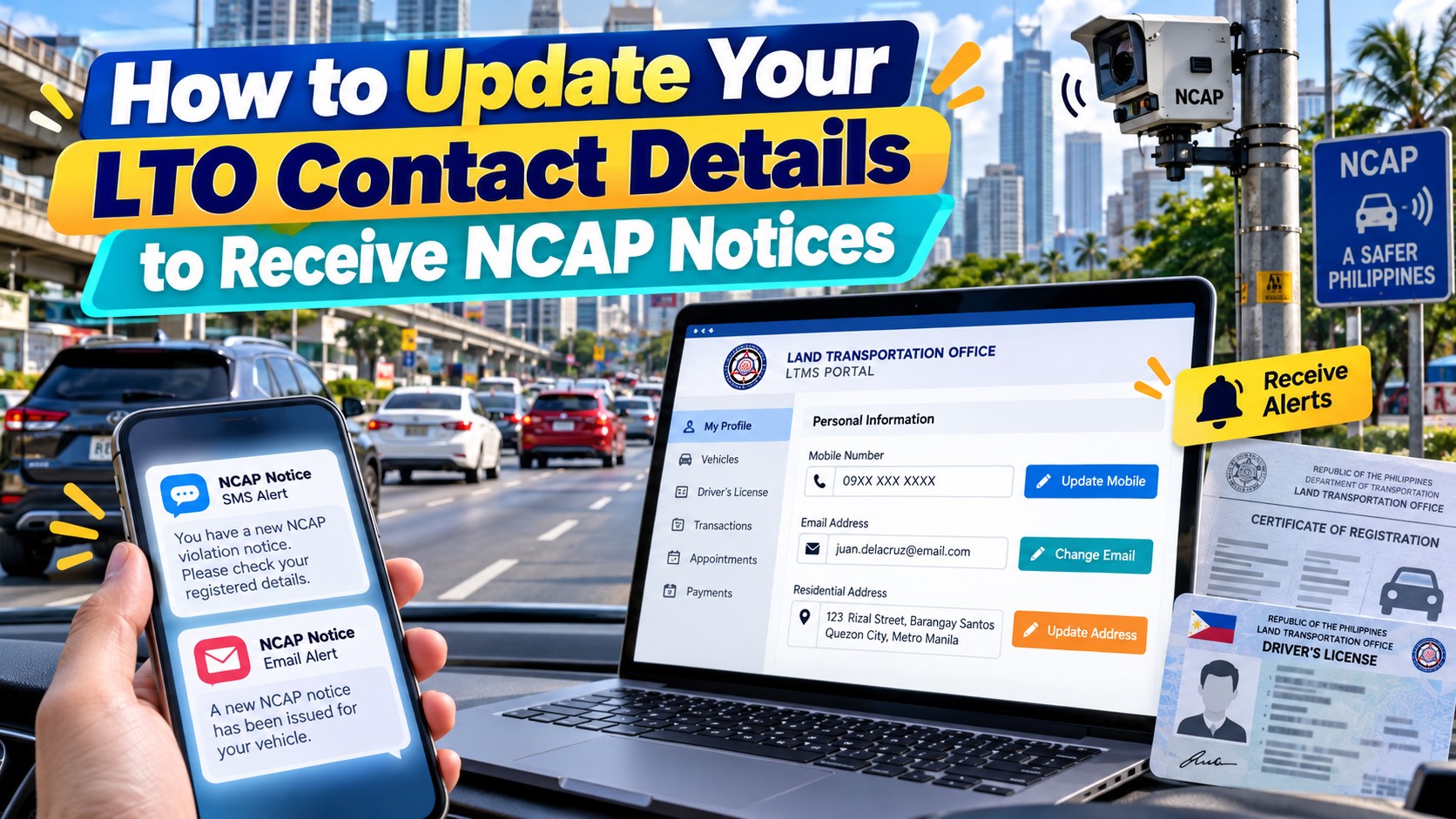
In this guide, I’ll explain how to update your LTO mobile number, email address, and registered address, what documents you may need, and how to make sure you’re better prepared to receive legitimate NCAP notifications.
Content
Why You Should Update Your LTO Contact Details for NCAP
In July 2025, the Metropolitan Manila Development Authority (MMDA) introduced real-time SMS and email notifications for violations detected under its No Contact Apprehension Policy.
The system was developed in cooperation with the LTO and a telecommunications company.
Under this arrangement, motorists can receive an alert after an alleged NCAP violation has been verified and validated.
And here’s the important part: the MMDA obtains vehicle owners’ mobile numbers and email addresses from records maintained in the LTO’s Land Transportation Management System.
This means the contact information associated with your LTO records plays an important role in delivering NCAP notifications.
For example, let’s say you registered your vehicle several years ago using a mobile number you no longer own.
You later drive through an MMDA-monitored road and commit a traffic violation.
If the violation is validated and the system uses your outdated number, you may never receive the SMS notification intended for you.
The same situation could happen with an old email account that you no longer check.
Updating your contact details helps reduce the risk of missed notices and makes it easier for government agencies to reach you regarding important vehicle-related transactions.
However, updating your information doesn’t guarantee that every NCAP notice will arrive instantly or that all local government NCAP systems use identical notification procedures.
It’s still a good idea to check official violation records when necessary.
What Contact Details Should You Update With the LTO?
Before going through the actual process, it’s worth understanding which information matters.
The three main details are your mobile number, email address, and registered address.
| Contact Detail | Why It Matters |
|---|---|
| Mobile number | Used for SMS alerts and certain verification messages |
| Email address | Used for electronic notices, account communications, and recovery |
| Registered address | May be used for delivering physical Notices of Violation |
| Registered vehicle ownership | Helps determine who is identified as the vehicle owner for notices and records |
Ideally, all these details should reflect your current information.
If you’ve recently purchased a secondhand vehicle, you should also make sure the ownership transfer has been properly processed.
Otherwise, notifications might still be associated with the previous registered owner.
How to Update Your LTO Mobile Number Online Through LTMS
For motorists who still have access to their LTMS accounts, the first thing to do is review their existing profile.
Some contact details, including mobile numbers, may be editable directly through the account interface.
Here’s how to check and update your number.
Step 1: Visit the Official LTO LTMS Portal
Open your browser and go to:
This is the official LTO Land Transportation Management System website.
Be careful when searching online because several unofficial websites use names that look similar to the government portal.
Make sure you’re visiting the correct government domain before entering your account information.
Step 2: Log In to Your LTMS Account
On the homepage, select the login option.
Enter your registered email address or LTO Client Number and password.
If you’ve forgotten your password but still have access to your registered email, use the account recovery option provided by the website.
Don’t create another LTMS account simply because you’ve forgotten your existing login credentials.
Duplicate accounts can complicate record verification and may require assistance from LTO Client Care.
Step 3: Open Your Profile
After signing in, look for the Profile section on your dashboard.
This is where you can review personal information associated with your LTMS account.
Depending on the current portal version, the information may be organized under different tabs or sections, such as Contact or Show All.
Look for the section displaying your registered mobile number.
Step 4: Check Whether Your Mobile Number Is Editable
Review the number currently associated with your account.
If the portal provides an editable mobile-number field, enter your new active number.
Make sure you use the format required by the website.
Double-check every digit before submitting the change.
If the mobile-number field is locked or no editing option is available, don’t assume that changing another field will update your contact record.
Instead, proceed to LTO Client Care for assistance.
Step 5: Complete Any Required Verification
Depending on the portal’s available features, you may be asked to verify the new mobile number.
This could involve a one-time password or another identity verification method.
If the system sends an OTP, enter the code only through the official LTMS interface.
Never give the OTP to anyone claiming to be an LTO employee through a phone call, text message, or social media account.
Step 6: Save Your Changes
After completing the required fields, select the available save or Apply Changes option.
Wait for the portal to confirm whether the update was successful.
If the system displays an error, don’t assume the number has already been changed.
Step 7: Log In Again and Verify
To be sure, log out and sign back in.
Return to your profile and check whether the new mobile number appears.
If it doesn’t, contact the LTO for assistance.
One important reminder: a successful LTMS profile update doesn’t necessarily prove that every separate motor vehicle registration record has been corrected or that NCAP notifications will immediately use the new information.
If the update is particularly important because you’ve been missing official notices, ask the LTO to verify the contact details associated with your registered vehicle.
How to Change Your Registered Email Address in LTO LTMS
Changing your email address can be a little more complicated.
Unlike some editable profile fields, the email address associated with an LTMS account may be restricted from direct modification.
In fact, LTO’s published procedures recognize email-address corrections as a type of account concern that can be handled by its Client Care and Technical Support Section.
This is especially relevant if you no longer have access to the email address you originally used when registering.
Here’s what you can do.
Step 1: Check Your LTMS Profile
First, sign in to your LTMS account.
Open your profile and look for the registered email address.
If the current portal provides an authorized editing function for your account, follow the displayed instructions and complete any required verification.
However, if the email address is locked, don’t try to bypass the system or create a duplicate account.
Step 2: Contact LTO Client Care
The LTO provides an official Client Care channel for LTMS concerns, including corrections to email addresses and personal account information.
You can use the Contact section of the official LTMS website.
LTO Client Care has also been reached through:
Before sending sensitive identity documents, verify the contact channel through the official LTO website.
Step 3: Explain Your Request
When contacting LTO Client Care, clearly explain that you want to change the email address registered to your LTMS account.
Include relevant information such as your full name, LTO Client Number if available, your active email address, and a brief explanation of the concern.
For example, you can explain that your previously registered email is no longer accessible and that you want your updated information reflected in your LTO records.
Step 4: Prepare the Required Identification Documents
Based on the LTO’s published Client Care procedures, an LTMS account correction request may require:
- Government-issued valid ID with photograph and signature
- A recent photo of yourself holding your valid ID
- Full name and active contact information
- LTO Portal Client ID, if available
- Explanation of the requested correction
- Authorization or consent documents, depending on the case
For certain motor vehicle concerns, the LTO may also request a copy of your vehicle’s Official Receipt and Certificate of Registration.
LTO has previously instructed applicants requesting LTMS account changes to provide a signed consent letter authorizing the correction.
Always follow the latest requirements communicated through the verified LTO channel.
Step 5: Wait for Verification and Confirmation
Once your request has been submitted, LTO Client Care may need to verify your identity before changing the account information.
Processing times depend on the nature of the concern and the applicable support procedure.
Don’t assume that sending an email automatically completes the update.
Wait for confirmation, then attempt to access your account using the updated information as instructed.
Step 6: Verify the New Email Address
After your request has been processed, check whether you can receive official account messages at your new email address.
Look for any required verification email.
If the correction hasn’t been completed, follow up using your original support reference.
How to Update Your Registered Address With the LTO
Your mobile number and email address aren’t the only details that matter for NCAP.
Your registered address is important, too.
Under the rules governing camera-based traffic apprehensions, a Notice of Violation may be delivered to the registered owner’s address through authorized methods.
This means that if you’ve moved to another house, subdivision, city, or province, your old address could create problems with receiving physical notices.
For example, let’s say you originally registered your vehicle while living in Quezon City.
A few years later, you moved to Cavite.
If your vehicle registration details still show your former Quezon City address, a physical notice might be sent there instead of your current home.
That’s why updating your registered address should be part of maintaining your vehicle records.
Step 1: Review Your Existing Address
Log in to LTMS and check the address displayed under your profile.
Then compare it with your current residential address and your vehicle registration documents.
Take note of any discrepancies.
Step 2: Determine Whether an Official Records Update Is Required
Unlike a typical contact-number change, a registered address may not be directly editable through your LTMS profile.
Changes to important registration information can require an official LTO records-update transaction.
This is particularly important when the correction affects the registered motor vehicle owner’s details.
Step 3: Contact an Authorized LTO Office
Ask an authorized LTO district office or the office handling your motor vehicle record about the procedure for updating your registered address.
Explain that you want to correct the address in your LTO records to help ensure proper delivery of traffic notices and other official correspondence.
The office can confirm whether your case requires a records correction or another transaction.
Step 4: Bring Supporting Documents
Depending on the type of record being updated, the LTO may require identification documents and evidence supporting the address correction.
Prepare your valid ID and vehicle registration documents.
For an address-related correction, ask whether you need proof of your new residential address.
The exact requirements should be confirmed with the office processing your transaction.
Step 5: Confirm the Update
After the correction has been processed, ask whether the revised address is reflected in the applicable vehicle-owner records.
Don’t assume that merely changing an address in a driver’s license account automatically updates every motor vehicle registration entry.
What If You Don’t Have an LTMS Account Yet?
If you haven’t created an LTMS account, you can register through the official portal.
Here’s the general process.
- Visit portal.lto.gov.ph.
- Select Register Now.
- Read and accept the required terms.
- Choose the appropriate account type.
- Enter your personal and licensing information as requested.
- Provide an active mobile number and email address.
- Complete the account registration process.
- Open the verification message sent by the system.
- Follow the instructions to activate your account.
If you already hold a driver’s license or have existing LTO records, make sure the details you enter match those records.
You shouldn’t create a second account if your driver’s license or identity is already associated with an existing LTMS profile.
Instead, contact LTO Client Care for account recovery or record-linking assistance.
And remember, creating an LTMS account is not the same as completing a motor vehicle ownership transfer.
How to Confirm Whether Your LTO Contact Details Were Updated
After updating your information, it’s worth taking a few extra minutes to verify the result.
First, sign in to your LTMS account and review your profile.
Check whether the mobile number or other corrected information appears.
If you requested assistance through Client Care, keep the official confirmation or reference number.
For updates affecting the vehicle registration itself, ask the processing LTO office whether your current contact details are reflected in the appropriate motor vehicle records.
This is especially important if the vehicle was purchased secondhand or registered under a business.
You can also check your vehicle for existing MMDA NCAP violations through the official May Huli Ka portal.
However, the May Huli Ka website is a violation checker, not a tool for confirming that your phone number or email address has been updated in the LTO database.
Also, not receiving an NCAP text message isn’t proof that your registered contact details are correct.
A notification may not exist because there is no validated violation to report.
How to Receive Official NCAP SMS and Email Notifications
The MMDA launched its SMS and email notification system in July 2025.
The service uses the vehicle owner’s contact information recorded in the LTO’s LTMS.
According to the MMDA, notifications are sent after a traffic violation has been verified and validated.
For SMS notifications, the official sender ID is:
MMDA_NCAP
This is a sender name, not a regular mobile phone number.
For email notifications, the MMDA has identified:
The MMDA also emphasized that legitimate NCAP notification messages do not contain payment links.
This is an important security measure intended to help motorists recognize suspicious messages.
Updating your contact details improves the likelihood of receiving official alerts, but it doesn’t guarantee delivery in every case.
You should also ensure that your mobile number is active, your email account is accessible, and your vehicle registration information is accurate.
These MMDA sender details should not automatically be treated as the sender information for city-operated NCAP programs, which may have separate notification arrangements.
How to Check NCAP Violations Even Without Receiving a Notice
What if you’ve already updated your LTO contact details but still want to check whether your vehicle has an outstanding NCAP violation?
You can use the MMDA’s official May Huli Ka website.
Website: mayhulika.mmda.gov.ph
As of October 2026, the MMDA portal provides several ways to search for violation records.
These include searches using your vehicle’s plate number and MV file number, or your plate number and ticket number.
The MMDA has also expanded its checking features to make it easier for motorists to retrieve their records.
For motorists using smartphones, MMDA NCAP services are also accessible through the eGovPH Super App.
In July 2026, the MMDA and Department of Information and Communications Technology integrated NCAP checking and related services into the government application.
This provides another convenient option for reviewing your vehicle’s recorded violations.
However, there’s an important limitation.
The MMDA’s May Huli Ka database doesn’t necessarily contain every traffic violation issued by local government units.
If you receive an NCAP notice from a city government, use that city’s official checking and settlement system.
What If You Already Have an NCAP Violation but Never Received an SMS?
This situation can happen, particularly when the LTO contact details are outdated.
For example, you may have changed your number months ago without updating your LTMS account.
You later check May Huli Ka and discover an outstanding NCAP citation even though you never received an SMS.
What should you do?
First, verify that the record belongs to your vehicle.
Check the plate number, date, time, location, and alleged offense.
Next, determine whether an official Notice of Violation has already been issued and what deadline applies.
If you believe the citation is incorrect, review the appropriate contestation procedure.
For an MMDA-issued NCAP violation, you can use the agency’s official services to access available case details and contestation options.
If you have concerns about nonreceipt of a notice, explain them to the issuing authority and provide any relevant evidence.
Updating your contact information now is important, but it won’t automatically erase existing traffic violations or cancel previous notices.
Likewise, failure to receive an SMS doesn’t automatically mean that the citation is invalid.
The applicable service-of-notice rules and your individual circumstances may affect how the case should be handled.
What If You Bought a Secondhand Vehicle?
This is one of the most important situations motorists should address.
Let’s say you purchased a used car from another owner.
You received the vehicle, completed the payment, and signed the deed of sale.
However, the LTO ownership records still show the previous registered owner.
Now imagine that an NCAP camera records a traffic violation involving the vehicle.
Because the government relies on vehicle registration information, the notice may still be directed to the previous registered owner.
This creates problems for both the buyer and seller.
The seller could continue receiving notifications concerning a vehicle they no longer own.
Meanwhile, the buyer might not receive timely alerts because their contact information isn’t yet associated with the registered vehicle.
That’s why it’s important to process the official transfer of ownership and ensure the registration records are updated.
Simply changing the mobile number in your personal LTMS account doesn’t necessarily correct vehicle ownership information.
If you’ve recently purchased a secondhand vehicle, ask the LTO to verify that the motor vehicle record reflects the proper registered owner.
What If You Sold Your Car but Still Receive NCAP Notices?
The opposite situation can also happen.
You might have sold your car months ago, but you continue receiving traffic violation notifications associated with it.
This may indicate that the ownership transfer hasn’t been properly reflected in the registration system.
First, check the date of the alleged violation.
Determine whether it happened before or after the vehicle was sold.
Next, gather documents supporting the sale, including the deed of sale and any available transfer documents.
Contact the LTO regarding the status of the vehicle’s ownership records.
If you received an official NCAP notice, contact the issuing authority and ask about the proper contestation procedure.
Don’t simply ignore the notice because the vehicle is no longer in your possession.
You may need to provide documentary evidence to resolve the record discrepancy.
How Much Does It Cost to Update Your LTO Contact Details?
The cost depends on the type of update and whether an official transaction is required.
| Type of Update | Possible Cost |
|---|---|
| Reviewing your LTMS profile | No separate fee for viewing |
| Editing an available profile contact field | Generally no separate profile-editing fee |
| Email correction through LTO Client Care | Confirm whether any fee applies to the request |
| Registered address or record correction | Any applicable official transaction fee should be confirmed with the LTO |
| Vehicle ownership transfer | Subject to the applicable LTO transaction requirements and fees |
A simple online profile update is different from an official change to vehicle registration information.
Don’t assume that every correction can be completed online without additional requirements or charges.
For transactions that require payment, use only official LTO payment facilities or authorized receiving counters.
Avoid individuals offering to update your LTMS account for a fee through unofficial social media services.
How Long Does It Take to Update LTO Contact Details?
The processing time can vary.
If your mobile number is editable through the LTMS portal and the system accepts the change, the online process may be completed during the same session.
However, that’s different from confirming that every connected registration or notification record has been updated.
Email changes requiring Client Care verification may take longer.
Likewise, correcting a registered address or motor vehicle owner’s details may involve additional documentary checks and office processing.
There is no single guaranteed processing period that applies to every type of LTMS contact correction.
If you have an approaching NCAP deadline or an unresolved violation, don’t delay action while waiting for your contact information to be updated.
Contact the issuing traffic enforcement authority directly.
How to Contact LTO Client Care for LTMS Problems
If you encounter an issue updating your contact information, the LTO has a dedicated support process for LTMS concerns.
Official LTO website: lto.gov.ph
LTMS portal: portal.lto.gov.ph
LTO Client Care email: clientcare@lto.gov.ph
You can also use the Contact Us form available on the official LTMS portal.
The online contact form asks for your name or Client ID, email address, mobile number, and a description of your concern.
Examples of issues that may require assistance include:
- Changing an inaccessible registered email address
- Recovering an existing LTMS account
- Correcting personal information
- Resolving duplicate LTMS accounts
- Verifying an account
- Linking certain existing LTO records
- Addressing discrepancies in vehicle information
For concerns involving vehicle registration or ownership, you may need assistance from an authorized LTO field office in addition to Client Care.
Use verified government channels before providing sensitive documents.
How to Avoid Fake LTO and NCAP Text Message Scams
As NCAP enforcement expands, motorists should also become more careful about suspicious text messages.
The MMDA and LTO have warned the public about fraudulent messages pretending to come from traffic enforcement authorities.
Some scammers send messages claiming that you have an unpaid NCAP violation.
Others create fake LTO or NCAP websites that ask you to enter personal information and banking details.
Here’s what you should remember.
The MMDA has identified “MMDA_NCAP” as its official sender ID for NCAP SMS notifications.
Official MMDA NCAP text notifications do not contain payment links.
The LTO has also warned motorists about fake LTMS websites used to collect sensitive personal information.
So, if you receive a text saying you must immediately click a link to pay a traffic fine, don’t rush into opening it.
Instead, manually visit the official LTMS or MMDA May Huli Ka website.
Never provide OTPs, banking passwords, or credit card details through suspicious links.
And if you need to submit a valid ID for an LTMS account correction, make sure you’re communicating through a verified LTO support channel.
Frequently Asked Questions About Updating LTO Contact Details
1. How do I update my mobile number in LTO LTMS?
Log in to the official LTMS portal and open your Profile section.
Check whether the mobile-number field is editable. If it is, enter your new number, complete any required verification, and save the changes.
If the field is locked or the update fails, contact LTO Client Care.
2. Can I change my LTO mobile number online?
Yes, certain LTMS contact fields may be updated online, depending on your account and the portal’s available features.
However, official record corrections that cannot be completed through the profile may require LTO assistance.
3. Can I change my registered LTMS email address?
Email-address corrections are supported through LTO’s official Client Care process.
If you cannot directly modify the registered email address in your account, contact LTO Client Care and follow the identity verification requirements.
4. What if I forgot the email address registered with the LTO?
Contact LTO Client Care for account recovery.
You may be asked to provide your full name, an active email address, your LTO Client Number if available, and identity verification documents.
Avoid registering another account using the same driver’s license.
5. How do I update my address with the LTO?
Check your current LTMS profile and motor vehicle registration records.
If the registered address cannot be edited online, contact an authorized LTO office to request the appropriate records correction.
6. Will I automatically receive NCAP notices after updating my contact details?
Not necessarily.
Updating your records improves your chances of receiving notifications, but actual delivery depends on successful processing, the issuing authority’s notification system, and the accuracy of the information used.
7. What number does NCAP use to send SMS alerts?
For MMDA NCAP, the authorized sender ID is “MMDA_NCAP.”
It is not a regular mobile phone number.
Official MMDA NCAP texts do not contain payment links.
8. What email address does MMDA use for NCAP notifications?
The MMDA has identified no-reply@mmda.gov.ph as its official NCAP notification email sender.
Be careful with messages asking you to click suspicious payment links or provide sensitive financial information.
9. What if I didn’t receive any NCAP text message?
It doesn’t necessarily mean that your vehicle has no violations.
You can check MMDA NCAP records through the official May Huli Ka portal or supported eGovPH services.
If you already have an official NOV, contact the issuing agency to verify the case and applicable deadlines.
10. Can I update my contact number through the eGovPH app?
The eGovPH Super App provides access to MMDA NCAP-related services.
However, using the app to check violations is different from correcting your LTO master records.
For LTMS contact changes, use the LTO’s official account management or Client Care procedures.
11. Does updating my LTMS account also update my vehicle registration?
Not necessarily.
An LTMS profile and the details associated with a particular registered motor vehicle may require separate verification or correction.
If you’ve recently bought or sold a vehicle, make sure the official ownership records have been properly updated.
12. Do I need to update my LTO details if I no longer live in Metro Manila?
It’s still advisable.
LTO contact details are used for more than NCAP. Keeping them accurate helps with other official vehicle and licensing communications.
You may also travel through roads where camera-based enforcement is operating.
13. Is there a deadline for updating my contact details?
There isn’t a single universal NCAP-specific deadline requiring every motorist to change their LTMS contact details by a particular date.
However, maintaining accurate registration records is important, and applicable LTO rules may impose separate obligations for certain changes, including vehicle ownership transfers.
It’s best to update incorrect information as soon as reasonably possible.
14. Can I update my LTO contact information if I’m not the registered vehicle owner?
You may be able to manage your own LTMS account, but changing another person’s vehicle registration details generally requires proper authority and supporting documents.
If you’re driving a family member’s vehicle or a company-owned car, coordinate with the actual registered owner or authorized representative.
15. What if my LTMS mobile number is correct but I’m still not receiving NCAP alerts?
Check whether the number is active and whether the correct contact information is associated with the vehicle’s registered owner.
You can also verify available violations through May Huli Ka.
If an existing NCAP case is not generating expected notifications, contact the MMDA or the relevant issuing agency.
Final Thoughts
Keeping your LTO contact details updated might seem like a small administrative task, but it can save you from unnecessary inconvenience later.
With NCAP operating on major Metro Manila roads and additional cities implementing their own camera-based traffic enforcement systems, accurate contact information has become even more important.
If your registered mobile number is outdated, you may miss an SMS notification. If your email address is no longer accessible, you could miss an electronic notice. And if your registered address is incorrect, physical notices might be delivered to the wrong location.
That’s why I recommend checking your LTMS profile, particularly if you’ve recently changed your phone number, switched email accounts, or moved to a new address.
For simple editable profile details, you can start through the official LTMS portal.
For restricted changes, including certain email and vehicle registration corrections, seek assistance from LTO Client Care or an authorized office.
And if you’ve recently bought or sold a vehicle, don’t forget about the official transfer of ownership.
Lastly, remember that updating your information doesn’t automatically erase previous NCAP violations or guarantee that every notification will arrive.
The best approach is to keep your records accurate, use official government websites, and verify any traffic violation before making a payment.
It’s a simple habit that can help you avoid confusion, missed notices, and unnecessary problems with future LTO transactions.
Last updated: October 19, 2026. LTMS features, requirements for correcting account information, notification systems, and processing procedures may change. Always verify the latest instructions through the official Land Transportation Office or the agency responsible for issuing your Notice of Violation.